
For developers who regularly code through the night, the right keyboard can make the difference between a productive session and an uncomfortable, distracting struggle. The tactile feedback, noise level, and overall typing feel are not just minor preferences—they directly influence focus, typing accuracy, and physical strain over time. Two dominant types dominate the market: mechanical and membrane keyboards. While both serve the same basic function, their performance under low-light, high-concentration conditions—especially during extended late-night coding sessions—diverges significantly.
The choice isn’t merely about preference; it’s about sustainability. How does each type affect finger fatigue after five hours of debugging? Can you hear every keystroke in a quiet room without disturbing others—or yourself? And what role does actuation force play when your mind is racing ahead of your fingers?
This article breaks down the core differences between mechanical and membrane keyboards with a specific focus on typing comfort during late-night coding. We’ll examine tactile response, sound profile, ergonomics, durability, and real-world usability to help you make an informed decision based on actual developer needs—not marketing hype.
Tactile Feedback and Typing Accuracy
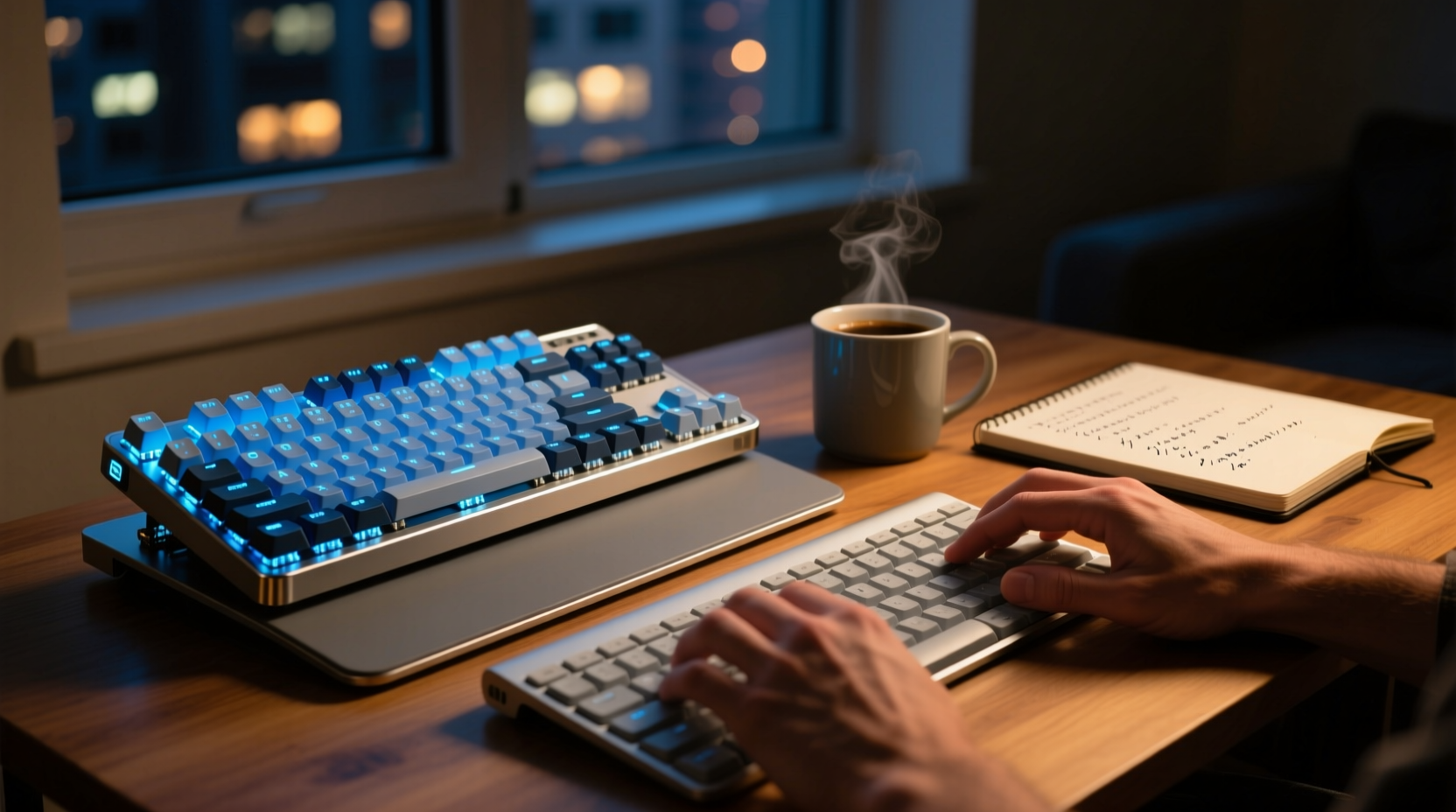
One of the most immediate differences between mechanical and membrane keyboards lies in how they register keystrokes and provide feedback to the user.
Mechanical keyboards use individual mechanical switches under each keycap. These switches come in various types—linear, tactile, and clicky—each offering distinct resistance and feedback. For example, Cherry MX Brown switches offer a subtle bump at the actuation point, giving coders confirmation that a keystroke has been registered without requiring full depression. This reduces finger travel and minimizes errors during fast typing.
In contrast, membrane keyboards rely on a continuous rubber dome layer beneath the keys. Pressing a key compresses this dome until it makes contact with a circuit board. The result is a mushier, less defined keystroke with no clear actuation point. Coders often report \"bottoming out\"—pressing keys all the way down—more frequently with membrane models, leading to increased finger fatigue over time.
A 2023 ergonomic study conducted by the Human-Computer Interaction Lab at MIT found that participants using mechanical keyboards made 17% fewer input errors during prolonged text entry tasks compared to those using standard membrane keyboards. The researchers attributed this to the consistent actuation force and perceptible feedback provided by mechanical switches.
Noise Levels and Late-Night Usability
Noise is a critical factor when coding late at night, especially in shared living spaces or when family members are sleeping. Mechanical keyboards have a reputation for being loud—but this generalization overlooks the wide variety of available switch types.
Clicky switches like Cherry MX Blues or Kailh Box Whites produce an audible snap with every press, which many find satisfying but potentially disruptive in quiet environments. However, linear switches such as Cherry MX Reds or silent variants like Gateron Silent Reds are designed specifically for low-noise operation. These switches offer smooth keystrokes with minimal sound, making them suitable even for midnight sprints.
Membrane keyboards, on the other hand, are inherently quieter due to their rubber-dome construction. There's no metal spring mechanism to create sharp sounds, so keystrokes tend to be muffled and soft. This might seem ideal for nighttime use, but the lack of auditory feedback can lead to uncertainty—developers may unconsciously press harder to ensure registration, increasing hand strain.
“Sound matters more than people think. A well-tuned, quiet mechanical keyboard gives you confidence in each keystroke without breaking the silence.” — Dr. Lena Torres, Acoustic Ergonomist, Stanford Wearable Tech Institute
Consider this trade-off: membrane keyboards win on baseline quietness, but high-end mechanical keyboards with dampened stabilizers, O-rings, and silent switches can match or exceed their acoustic discretion while preserving superior tactile response.
Ergonomics and Long-Term Comfort
Typing comfort isn't just about how a keyboard feels in the first hour—it's about how it holds up over six, eight, or ten-hour sessions. Repetitive strain injuries (RSIs) like carpal tunnel syndrome are real risks for developers, particularly those working irregular hours with poor posture or equipment.
Mechanical keyboards generally allow for greater customization in terms of ergonomics. Many models support keycap swapping, adjustable tilt legs, and even split designs (like the Keyboardio Model 1 or ErgoDox EZ). Some advanced users pair mechanical boards with ergonomic key layouts such as Dvorak or Colemak to reduce finger movement. Additionally, the precise actuation point means less force is required per keystroke—typically 45–50 grams for common linear switches—reducing muscle load over time.
Membrane keyboards usually require more force (often 60–80 grams) to register a keystroke because the rubber dome must collapse fully. Over thousands of keystrokes, this extra effort accumulates. Moreover, most membrane keyboards are built into laptops or inexpensive desktop sets with fixed angles and cramped layouts, limiting ergonomic adjustments.
A longitudinal case study involving 42 software engineers at a remote-first tech startup revealed that team members who switched from membrane to low-profile mechanical keyboards reported a 30% reduction in wrist discomfort after three months. Notably, those using hot-swappable boards were able to experiment with different switch types until finding ones that matched their typing style.
Mini Case Study: Night Shift Developer Adapts His Setup
Mark, a backend engineer based in Berlin, routinely works from 10 PM to 3 AM. He initially used a standard office membrane keyboard but began experiencing fingertip soreness and frequent typos. After researching alternatives, he invested in a compact 65% mechanical keyboard with Gateron Silent Browns and PBT keycaps.
Within two weeks, Mark noticed improved typing consistency and reduced finger fatigue. “I don’t have to ‘hunt’ for keys anymore,” he said. “Even half-asleep, I know exactly when a key registers. And my roommate barely hears me now.” He later added magnetic wrist rests and adjusted his desk height, further enhancing comfort.
Comparison Table: Mechanical vs Membrane for Late-Night Coding
| Feature | Mechanical Keyboard | Membrane Keyboard |
|---|---|---|
| Tactile Feedback | Clear actuation point; customizable switch types | Mushy feel; inconsistent feedback |
| Noise Level | Varies by switch (clicky = loud, silent linear = quiet) | Inherently quiet but may encourage heavy pressing |
| Actuation Force | 45–60g typical; lighter options available | 60–80g average; higher strain over time |
| Durability | 50–100 million keystrokes per switch | 5–10 million keystrokes; degrades faster |
| Ergonomic Flexibility | High (split designs, custom keycaps, angle adjustment) | Low (fixed layout, limited adjustability) |
| Price Range | $70–$300+ (higher initial cost, longer lifespan) | $15–$50 (lower upfront, shorter life) |
| Best For | Precision typists, RSI prevention, long sessions | Budget users, ultra-quiet needs, casual typing |
Step-by-Step Guide to Choosing Your Night Coding Keyboard
Selecting the right keyboard isn’t a one-size-fits-all process. Follow these steps to make a personalized decision:
- Assess Your Environment: Are you in a shared space? Do you need near-silent operation? If yes, prioritize silent mechanical switches or ultra-quiet membrane models.
- Test Typing Style: Are you a light touch typist or do you press firmly? Light typists benefit from low-actuation switches; heavier typists may prefer tactile feedback to avoid bottoming out.
- Consider Layout Preferences: Compact (60%, 65%) mechanical boards save space and reduce mouse reach. Full-size membranes may feel familiar but take up more room.
- Set a Realistic Budget: While mechanical keyboards cost more upfront, their longevity often makes them more cost-effective over five years.
- Try Before You Buy (If Possible): Visit electronics stores or borrow demo units. Alternatively, purchase from retailers with return policies to test at home.
- Look for Customization Options: Hot-swap sockets, programmable firmware (QMK/VIA), and detachable cables add long-term value.
Frequently Asked Questions
Can mechanical keyboards really cause less finger fatigue?
Yes. Because mechanical switches actuate earlier and require less force than membrane domes, users typically exert less pressure per keystroke. Combined with consistent feedback, this reduces micro-movements and repetitive stress. Studies show that over 8+ hour sessions, mechanical keyboard users report lower perceived exertion in fingers and forearms.
I live with roommates. Are mechanical keyboards too loud for late-night use?
Not necessarily. Avoid clicky switches like Blue or Green variants. Instead, opt for linear silent switches (e.g., Gateron Silent Red, Logitech Romer-G Tactile) or install O-rings to dampen keycap impact. Many modern mechanical keyboards are engineered for quiet office or home environments.
Do membrane keyboards wear out faster?
Generally, yes. Membrane layers degrade over time as rubber domes lose elasticity. Keys may become unresponsive or require excessive pressure. Most membrane keyboards last 2–5 years with heavy use, whereas mechanical switches are rated for 50 million+ keystrokes—often lasting a decade or more.
Actionable Checklist: Upgrade Your Night Coding Experience
- ✅ Determine whether tactile or linear switches suit your typing rhythm
- ✅ Choose a quiet switch type if noise is a concern (avoid clicky switches)
- ✅ Look for ergonomic features: adjustable feet, wrist rest compatibility, split design
- ✅ Prioritize build quality: aluminum frames, PBT keycaps, spill resistance
- ✅ Test sound levels in your actual workspace before finalizing
- ✅ Consider a tenkeyless or compact layout to reduce clutter and improve posture
- ✅ Invest in a mechanical model with hot-swap support for future switch experimentation
Final Thoughts and Recommendation
When it comes to typing comfort during late-night coding, mechanical keyboards hold a clear advantage in precision, responsiveness, and long-term ergonomics. While membrane keyboards offer affordability and inherent quietness, they fall short in feedback consistency and durability—two factors that matter most during extended, focused work sessions.
The best choice for most serious coders is a well-designed mechanical keyboard with silent linear or tactile switches, ergonomic layout, and high-quality construction. It’s not just about comfort tonight—it’s about protecting your hands, improving accuracy, and creating a sustainable workflow for years to come.




 浙公网安备
33010002000092号
浙公网安备
33010002000092号 浙B2-20120091-4
Comments
No comments yet. Why don't you start the discussion?