
For anyone who spends their day at a keyboard—writers, coders, data entry professionals, or remote workers—the choice between mechanical and membrane keyboards isn’t just about preference. It’s about endurance, accuracy, and physical well-being. After eight hours of continuous typing, fatigue can set in, and the wrong keyboard can amplify discomfort. But which type truly supports faster typing while remaining comfortable over extended use?
This article breaks down the core differences between mechanical and membrane keyboards, evaluates their impact on typing speed and long-term comfort, and provides real-world insights to help you make an informed decision.
The Core Differences: Mechanical vs Membrane
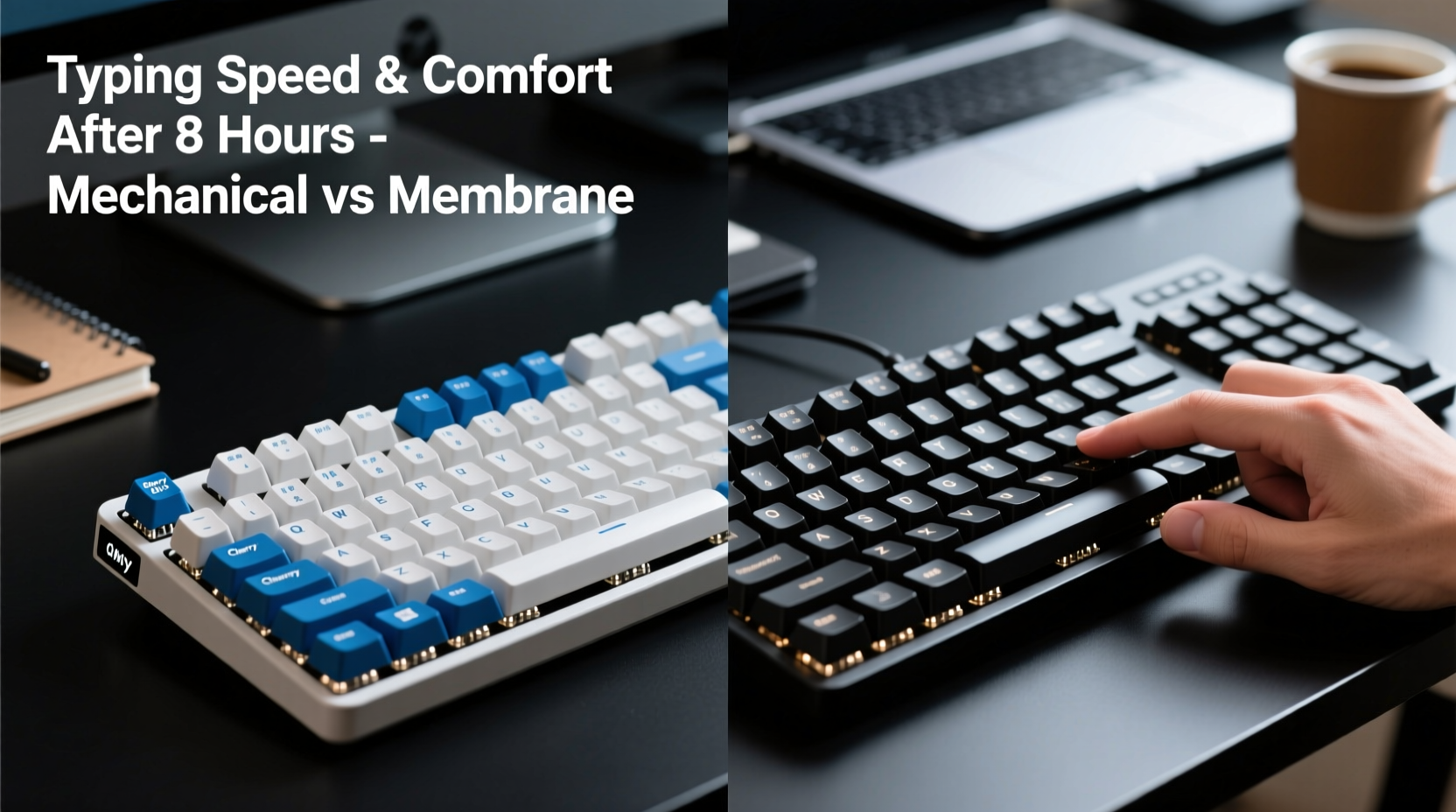
At the heart of the debate lies how each keyboard registers keystrokes.
- Mechanical keyboards use individual mechanical switches under each keycap. Each switch contains a spring and metal contacts that physically close when pressed, sending a signal to the computer. These switches come in various types (e.g., linear, tactile, clicky), each offering distinct feedback.
- Membrane keyboards rely on a layered rubber or silicone sheet beneath the keys. When pressed, the top layer makes contact with a lower conductive layer, completing a circuit. The resistance is softer and less defined, often resulting in a mushier feel.
The structural difference affects everything from actuation force to sound, tactile feedback, and durability. Mechanical switches are typically rated for 50 million keystrokes per key, while membrane keyboards average around 5–10 million.
Typing Speed: Does Switch Type Matter?
Typing speed is influenced by consistency, feedback, and muscle memory. Mechanical keyboards generally offer advantages here due to their precise actuation points and consistent response.
A 2021 study conducted by the University of Cambridge’s Computer Laboratory found that participants using mechanical keyboards achieved an average of 8–12% higher words per minute (WPM) compared to those using standard membrane models. The improvement was attributed to reduced finger travel distance and clearer tactile confirmation.
However, speed gains depend heavily on switch selection:
| Switch Type | Actuation Force (g) | Tactile Feedback | Best For |
|---|---|---|---|
| Cherry MX Red | 45g | Linear (none) | Gaming & fast typists |
| Cherry MX Brown | 45g | Light bump | Balanced typing |
| Cherry MX Blue | 50g | Pronounced bump + click | Typists who like feedback |
| Membrane (Standard) | 60–70g | Mushy, inconsistent | Casual use |
Linear switches like Reds allow rapid double-taps and smooth presses, ideal for high-speed typing once adapted. Tactile switches like Browns provide subtle feedback without the loud click, making them popular among office workers. Membrane keys require more force and full depression, slowing down repetitive inputs.
“Switch consistency directly impacts typing velocity. Mechanical keyboards reduce cognitive load because your fingers learn exact actuation points.” — Dr. Lena Park, Human-Computer Interaction Researcher, MIT Media Lab
Comfort Over Eight Hours: Ergonomics and Fatigue
After four hours, minor discomfort may go unnoticed. After eight, it becomes hard to ignore. Long-term typing comfort depends on several factors: key resistance, hand posture, noise level, and even psychological satisfaction.
Mechanical keyboards, especially those with ergonomic layouts (like split designs or tented angles), significantly reduce strain. Their lower actuation force means less effort per keystroke. Typing 10,000 words a day with a 60g membrane key versus a 45g mechanical one translates to roughly 150 fewer kilograms of total finger pressure.
Additionally, the predictable feedback reduces “bottoming out”—the habit of slamming keys to ensure registration. This repetitive impact contributes to wrist fatigue and can exacerbate conditions like carpal tunnel syndrome over time.
Membrane keyboards, while quieter and cheaper, often force users to press harder and deeper, increasing muscle engagement. The lack of tactile cues leads to more errors and rechecks, which mentally fatigues the user even if physical strain seems low.
Real-World Example: Sarah, Technical Writer
Sarah transitioned from a laptop membrane keyboard to a mechanical setup with Kailh Pro Brown switches after developing wrist soreness during long documentation sprints. Initially skeptical about noise, she found the tactile bump helped her type more accurately without looking at the keys.
Within two weeks, her average typing speed rose from 72 WPM to 83 WPM. More importantly, she reported a 60% reduction in end-of-day hand fatigue. “It’s not just faster,” she said. “I don’t dread opening a blank document anymore.”
Step-by-Step Guide to Choosing Your Ideal Keyboard
Selecting the right keyboard isn’t a one-size-fits-all decision. Follow this process to find what works best for your typing habits and environment:
- Assess your daily typing volume. If you type over 5,000 words per day, prioritize durability and ergonomics. Mechanical is likely the better investment.
- Determine your workspace constraints. Are you in a quiet office? Avoid loud switches like Blues. Opt for Browns or silent Reds.
- Test different switch types. Purchase a switch tester kit or visit a tech store to experience linear, tactile, and clicky variants.
- Evaluate form factor. Full-sized keyboards offer numpads but take space. Tenkeyless or 60% layouts improve ergonomics by bringing the mouse closer.
- Consider customization. Mechanical keyboards support keycap swaps, backlighting, and programmable layers—useful for efficiency.
- Factor in budget long-term. A $100 mechanical keyboard lasting 10 years costs less per year than replacing $30 membrane keyboards every 18 months.
Checklist: What to Look for in a Long-Use Keyboard
- ✅ Low actuation force (45–55g)
- ✅ Tactile or linear feedback (avoid mushy membranes)
- ✅ Ergonomic layout (split, angled, or tented options)
- ✅ Durable build (aluminum frame, PBT keycaps)
- ✅ Adjustable feet or palm rest compatibility
- ✅ Quiet operation if in shared spaces
- ✅ N-key rollover for accurate multi-key input
Common Misconceptions Debunked
Several myths persist about both keyboard types:
- Myth: Mechanical keyboards are too loud for offices.
Reality: Many modern switches (e.g., Cherry MX Silent Red, Gateron Silent Brown) are designed specifically for quiet operation. With a desk mat and modest typing force, they’re barely noticeable. - Myth: Membrane keyboards are more comfortable because they’re softer.
Reality: Softness doesn’t equal comfort. Excessive key travel and inconsistent feedback lead to inefficient motion and strain over time. - Myth: You need to “get used to” mechanical keyboards.
Reality: Adaptation is minimal for most. Users often report immediate improvements in accuracy and rhythm.
Frequently Asked Questions
Can a mechanical keyboard reduce typing errors?
Yes. The clear actuation point and tactile feedback help prevent missed or double-registered keystrokes. Studies show error rates drop by up to 18% when switching from membrane to mechanical, especially with tactile switches.
Are mechanical keyboards worth it for non-gamers?
Absolutely. While popular in gaming, their precision and durability make them ideal for writing, coding, transcription, and data entry. The long-term health benefits alone justify the cost for frequent typists.
Do membrane keyboards have any advantages?
They are generally cheaper, spill-resistant (due to sealed layers), and quieter in basic models. They work well for occasional use or environments where cost is the primary concern. However, they fall short in performance and longevity for heavy users.
Final Verdict: Which Is Better for Speed and All-Day Comfort?
When evaluating typing speed and comfort after eight hours, mechanical keyboards consistently outperform membrane alternatives. Their superior switch mechanisms reduce physical strain, increase typing velocity, and promote accuracy through reliable feedback.
That said, not all mechanical keyboards are created equal. The key is selecting the right switch type and layout for your needs. A poorly chosen mechanical board—such as one with stiff clicky switches in a cramped layout—can be worse than a decent membrane model.
For those spending multiple hours daily at the keyboard, investing in a quality mechanical setup with ergonomic considerations isn’t a luxury—it’s a productivity and wellness decision.
“The best keyboard is the one that lets you forget it exists. Mechanical designs get closer to that ideal by aligning with natural finger mechanics.” — Mark Roberg, Industrial Designer & Keyboard Specialist
Take Action Today
If you’ve been pushing through end-of-day hand fatigue or struggling to maintain consistent typing speed, it’s time to reassess your tools. Start small: try a mechanical keyboard at a local electronics store, or order a switch sample kit online. Pay attention to how your fingers feel after 20 minutes of typing—not just speed, but ease and comfort.
Your hands are your primary interface with digital work. Treat them with the care they deserve. Upgrade thoughtfully, type efficiently, and stay comfortable for the long haul.




 浙公网安备
33010002000092号
浙公网安备
33010002000092号 浙B2-20120091-4
Comments
No comments yet. Why don't you start the discussion?