
For anyone who spends hours at a computer—whether writing reports, coding, gaming, or browsing—the keyboard is more than just an input device. It’s the primary interface between thought and execution. Two dominant technologies dominate the market: mechanical and membrane keyboards. While both serve the same function, their typing experience and sound profiles differ significantly. Understanding these differences helps users make informed decisions based on comfort, productivity, and environment.
The debate isn’t about which is universally better, but rather which aligns with individual needs. A programmer in a quiet office may prioritize low noise and tactile feedback, while a gamer might value speed and durability over silence. This article dives deep into the mechanics, feel, sound, longevity, and real-world performance of both types to clarify what sets them apart.
How Mechanical and Membrane Keyboards Work
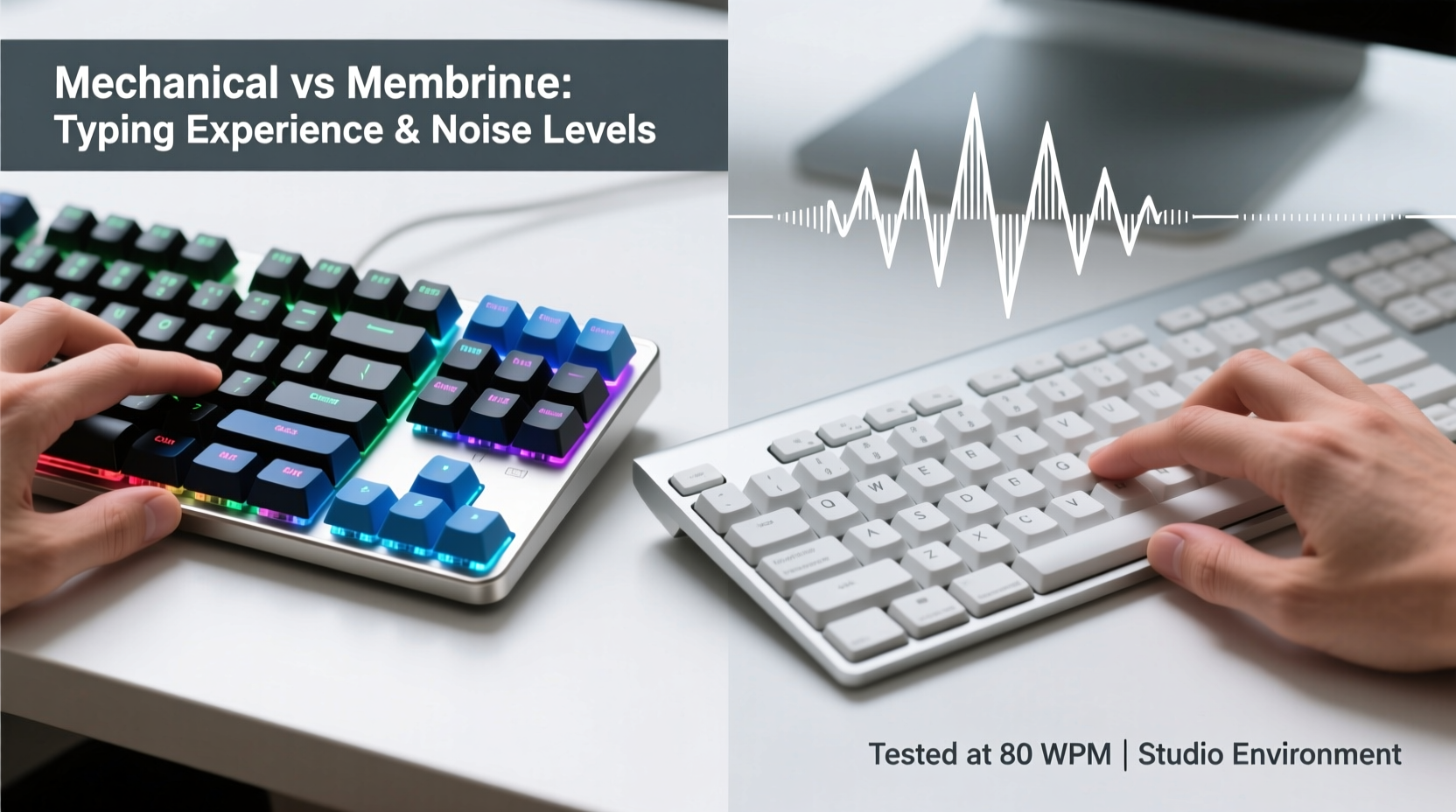
The fundamental difference lies in how keystrokes are registered. This internal mechanism shapes everything from responsiveness to lifespan.
Mechanical keyboards use individual physical switches under each keycap. Each switch contains a spring and metal contacts that complete a circuit when pressed. The most well-known manufacturer, Cherry MX, produces switches in various types—linear, tactile, and clicky—each offering distinct feedback. Other brands like Kailh, Gateron, and Zeal also produce high-quality alternatives.
Because each switch operates independently, mechanical keyboards deliver consistent actuation force and travel distance across all keys. This consistency contributes to greater typing accuracy and reduced finger fatigue over long sessions.
In contrast, membrane keyboards rely on a layered rubber or silicone sheet beneath the keycaps. When a key is pressed, it pushes down on this membrane, making contact with a circuit board underneath. The entire keyboard shares one continuous membrane layer, meaning there’s no discrete switch per key.
This design makes membrane keyboards cheaper to manufacture and more resistant to spills and dust. However, the lack of individual switches often leads to a mushier feel and inconsistent feedback, especially as the rubber degrades over time.
Typing Experience: Feel, Feedback, and Fatigue
The sensation of typing—the “feel”—is where mechanical and membrane keyboards diverge most noticeably.
On a mechanical keyboard, users experience precise tactile feedback. Tactile switches provide a bump midway through the press, signaling actuation without an audible click. Clicky switches add an extra auditory cue with a satisfying snap. Linear switches offer smooth resistance from top to bottom, preferred by gamers for rapid double-taps.
This precision allows typists to develop muscle memory more effectively. Many writers and coders report increased typing speed and fewer errors after switching to mechanical keyboards. The defined actuation point means you don’t have to press all the way to the bottom, reducing finger strain during extended use.
Membrane keyboards, however, tend to require full depression of each key to register input. The soft, cushioned feel can be comfortable initially but often leads to fatigue over time due to the lack of clear feedback. Users may find themselves pressing harder than necessary, leading to wrist and finger discomfort.
“After switching from a membrane to a mechanical keyboard, my typing accuracy improved within a week. The tactile response made it easier to know when a key was registered.” — Daniel Reeves, Technical Writer & Accessibility Consultant
Fatigue isn’t just about force—it’s also about rhythm. Mechanical keyboards support a lighter touch and faster return, enabling a more fluid typing cadence. In contrast, the spongy rebound of membrane keys disrupts momentum, especially at higher speeds.
Noise Levels: Office-Friendly or Distraction Hazard?
Noise is a critical factor, particularly in shared environments like offices, libraries, or co-living spaces.
Mechanical keyboards vary widely in sound output depending on switch type. Clicky switches (e.g., Cherry MX Blue) produce sharp, high-pitched clicks that some find motivating but others consider disruptive. Tactile switches (e.g., Cherry MX Brown) are quieter, with a subtle bump and minimal sound. Linear switches (e.g., Cherry MX Red) are generally the quietest mechanical option, though still louder than most membrane boards due to keycap slapping.
A study conducted by the University of California, Irvine found that background keyboard noise above 55 dB can reduce concentration and increase stress levels in open-plan offices. Some mechanical setups exceed this threshold, especially with heavy typing or loud switch types.
Membrane keyboards, by comparison, operate at significantly lower decibel levels. Their rubber dome construction absorbs impact, resulting in a soft thud or near-silent operation. This makes them ideal for quiet environments where discretion matters.
However, noise isn’t solely determined by switch type. Keycap material (PBT vs ABS), case design, and whether the keyboard includes dampening foam also influence acoustics. Many mechanical enthusiasts modify their boards with O-rings or silicone pads to reduce noise—a customization rarely applied to membrane models.
Keyboard Noise Comparison Table
| Type | Switch/Design | Average Noise Level (dB) | Suitable For |
|---|---|---|---|
| Mechanical | Clicky (MX Blue) | 65–70 dB | Home use, personal workspaces |
| Mechanical | Tactile (MX Brown) | 55–60 dB | Shared offices, moderate environments |
| Mechanical | Linear (MX Red) | 50–55 dB | Gaming, quiet typing |
| Membrane | Rubber Dome | 40–48 dB | Libraries, call centers, open offices |
| Hybrid | Dome-over-switch | 48–52 dB | Balanced environments |
Real-World Example: Remote Worker’s Dilemma
Sophia, a freelance copywriter living in a two-bedroom apartment with her partner, struggled with her old mechanical keyboard. She loved its responsiveness but noticed her partner complained about the constant clicking during video calls and late-night work sessions.
She experimented with different solutions: first trying a quieter switch (switching from MX Blues to Browns), then adding O-rings to dampen sound. While helpful, the issue persisted. Eventually, she invested in a low-profile mechanical keyboard with linear switches and a padded case. The new setup cut noise by nearly 20%, allowing her to maintain her preferred typing feel without disturbing her household.
This case illustrates that while mechanical keyboards aren’t inherently unsuitable for quiet spaces, they require thoughtful selection—or modification—to fit specific acoustic needs.
Longevity and Durability: Which Lasts Longer?
When evaluating cost-effectiveness, lifespan matters. Mechanical keyboards typically outlast membrane ones by a wide margin.
Most mechanical switches are rated for 50 million keystrokes per key—some even up to 100 million. That translates to decades of regular use. Even if one switch fails, many mechanical keyboards allow individual switch replacement via hot-swappable PCBs.
Membrane keyboards, on the other hand, usually last around 5–10 million keystrokes. The rubber domes degrade over time, losing elasticity and responsiveness. Once the membrane wears out, the entire keyboard often becomes unusable, as repairs are impractical.
Additionally, mechanical keyboards often feature higher-quality materials: aluminum frames, PBT keycaps, and detachable cables. These contribute to resilience against daily wear and accidental drops. Membrane models, designed for affordability, commonly use flimsy plastic housings that crack or warp over time.
Choosing the Right Keyboard: A Practical Checklist
Use this checklist to determine which keyboard type fits your lifestyle and workspace:
- ✅ Do you spend more than 2 hours daily typing? → Mechanical preferred
- ✅ Is your workspace shared or noise-sensitive? → Consider membrane or quiet mechanical switches
- ✅ Do you value customization (keycaps, lighting, macros)? → Mechanical offers far more options
- ✅ Are you on a tight budget? → Membrane keyboards start as low as $15
- ✅ Do you want a keyboard that lasts 5+ years? → Mechanical has superior longevity
- ✅ Do you game frequently? → Mechanical provides faster response and anti-ghosting
- ✅ Do you travel often? → Compact membrane or low-profile mechanical may suit better
Frequently Asked Questions
Are mechanical keyboards bad for typing speed?
No—most users experience improved typing speed and accuracy on mechanical keyboards due to precise actuation and tactile feedback. The initial adjustment period varies, but long-term performance gains are common.
Can I make a mechanical keyboard quieter?
Yes. Options include using O-rings, installing sound-dampening foam inside the case, choosing lubed switches, or opting for low-noise switch types like Cherry MX Silent Reds or Gateron Silent Yellows.
Is a hybrid keyboard a good compromise?
Hybrid keyboards (like those using scissor switches or dome-over-membrane designs) attempt to bridge the gap. Laptops often use scissor mechanisms, offering better stability than standard membranes. However, they still fall short of true mechanical precision and durability.
Final Recommendation: Match Your Needs, Not Trends
The choice between mechanical and membrane shouldn’t be driven by popularity or aesthetics alone. It should reflect your daily usage patterns, environmental constraints, and long-term goals.
If you prioritize performance, durability, and a premium typing feel, a mechanical keyboard—especially with tactile or linear switches—is likely worth the investment. For those in quiet offices, budget-conscious buyers, or users needing basic functionality, a well-built membrane keyboard remains a practical and effective solution.
Technology evolves, and so do expectations. Today’s best keyboards blend engineering excellence with ergonomic insight. Whether you choose the crisp precision of a mechanical switch or the subdued reliability of a membrane pad, the right tool empowers clearer thinking, smoother workflow, and greater comfort.




 浙公网安备
33010002000092号
浙公网安备
33010002000092号 浙B2-20120091-4
Comments
No comments yet. Why don't you start the discussion?