
In shared environments—whether it's a quiet office, a home workspace with roommates, or a library-style study area—the sound of typing can be more than just background noise. It can become a distraction, a source of tension, or even a barrier to concentration. One of the most common questions among remote workers, students, and cohabitants is: Which type of keyboard produces less noise—mechanical or membrane? The answer isn't always straightforward, but understanding the core differences in design, actuation, and materials reveals that membrane keyboards are generally quieter. However, nuances matter—especially when specific mechanical switches are engineered for silence.
How Keyboard Types Work: The Core Difference
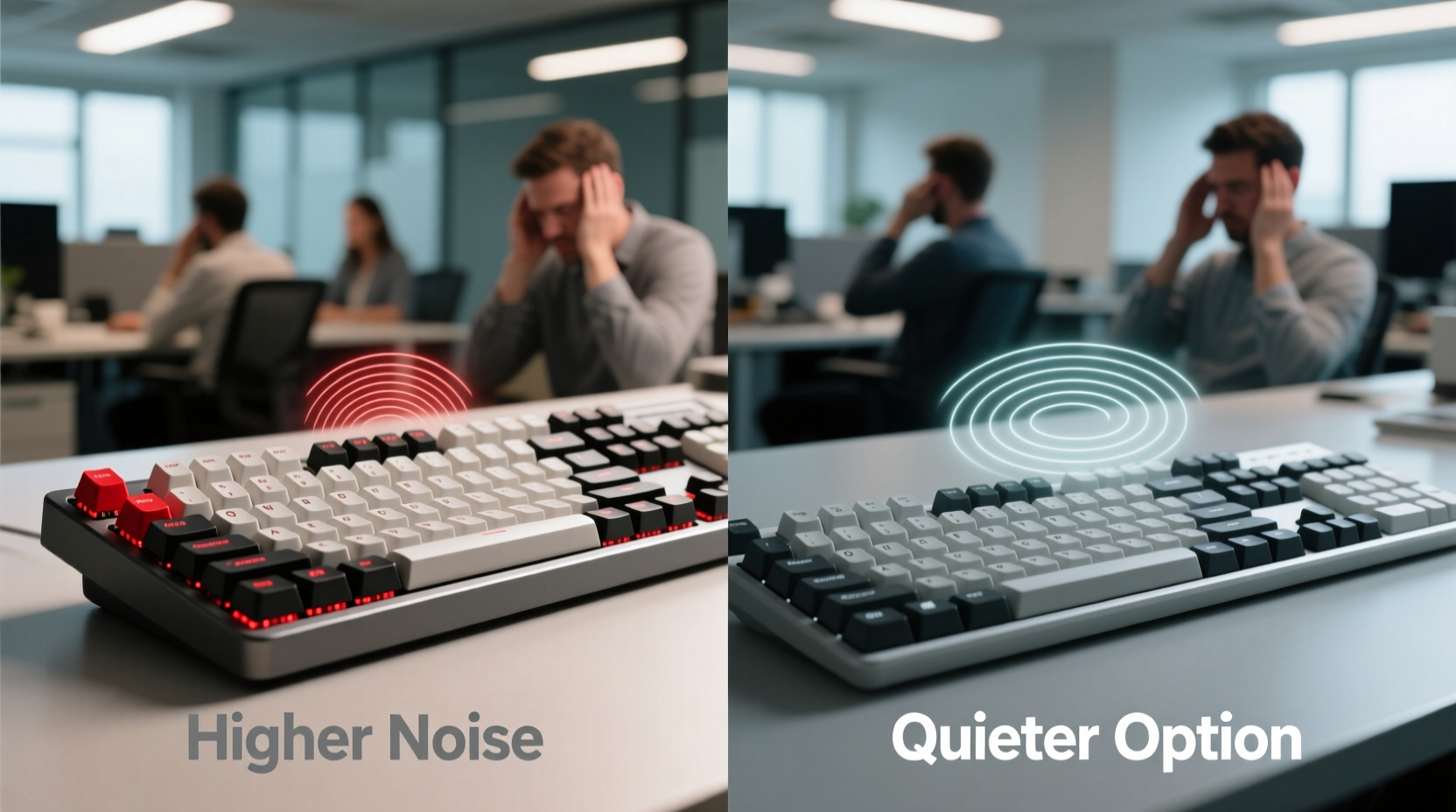
The fundamental distinction between mechanical and membrane keyboards lies in their internal switch mechanisms.
Mechanical keyboards use individual physical switches under each keycap. Each switch contains a spring and metal contact that registers a keystroke when pressed. These switches come in various types (e.g., linear, tactile, clicky), and each produces a different sound profile. Because each key has its own discrete mechanism, mechanical keyboards tend to offer superior feedback and durability—but often at the cost of increased noise.
Membrane keyboards, on the other hand, rely on a layered rubber or silicone sheet beneath the keys. When a key is pressed, the top layer makes contact with a lower conductive layer, completing a circuit and registering the input. This design lacks individual moving parts per key, resulting in a mushier feel and significantly reduced sound output. Since there’s no spring clatter or metal contact snap, the typing experience is inherently quieter and softer.
“Acoustic performance should be a primary consideration in shared workspaces. Even small reductions in keystroke noise can improve cognitive focus and interpersonal comfort.” — Dr. Lena Park, Ergonomics Researcher at MIT Human Factors Lab
Noise Comparison: Mechanical vs Membrane Keyboards
To evaluate which keyboard type is quieter, we must consider both average decibel output and subjective perception of sound quality.
Studies using sound meters in controlled environments show that:
- A typical membrane keyboard registers between 45–55 dB during normal typing.
- A standard mechanical keyboard with clicky switches (like Cherry MX Blues) can reach 60–70 dB.
- Quieter mechanical variants (such as those with MX Reds or silent Browns) fall in the 50–58 dB range.
While these differences may seem modest, human hearing perceives every 10 dB increase as roughly twice as loud. That means a 65 dB mechanical keyboard can sound nearly four times louder than a 45 dB membrane model.
Sound Quality Matters Too
It’s not just volume—sound character plays a role. Mechanical keyboards often produce sharp, high-frequency clicks that are more attention-grabbing and irritating over time. Membrane keyboards generate a dull thud or soft tap, which blends into ambient noise more easily. In open-plan offices or late-night typing scenarios, this subtlety makes a meaningful difference.
Quiet Mechanical Options: Are They Viable for Shared Spaces?
While traditional mechanical keyboards are noisy, advancements in switch technology have led to “silent” variants designed specifically for quieter operation.
Brands like Cherry (MX Silent Red, MX Silent Black), Gateron (Silent Yellow), and Kailh (Low Profile Box Silent Pink) offer switches with built-in dampeners that reduce both impact noise and spring rattle. These models absorb vibration and suppress the metallic \"clack\" typical of standard switches.
Additionally, some manufacturers integrate features such as:
- O-ring dampeners on keycaps
- Internal sound-absorbing foam layers
- Thicker case construction to minimize resonance
When combined, these modifications can bring mechanical keyboard noise down close to membrane levels—sometimes within 5 dB. However, even the quietest mechanical models rarely match the near-silent operation of a well-designed membrane keyboard.
Case Study: Remote Worker in a Shared Apartment
Jessica, a freelance copywriter living with two roommates in a Brooklyn apartment, needed a reliable keyboard for her daily work but didn’t want to disturb others during early mornings or late nights. She initially used a mechanical keyboard with tactile switches, but received complaints about the constant tapping.
After testing several alternatives, she switched to a Filco Majestouch Silent Red model, which uses Cherry’s silent mechanical switches. While noticeably quieter, her roommates still reported occasional irritation during video calls. Eventually, she opted for a high-end membrane keyboard—the Logitech K380—which operates almost silently and allows her to type freely at any hour without concern.
Her experience illustrates an important point: even optimized mechanical keyboards may not fully eliminate disturbance in highly sensitive shared settings.
Comparison Table: Mechanical vs Membrane for Quiet Use
| Feature | Mechanical Keyboard | Membrane Keyboard |
|---|---|---|
| Average Noise Level | 55–70 dB (depends on switch) | 45–55 dB |
| Loudest Switch Type | Clicky (e.g., MX Blue) | N/A – no distinct \"clicky\" mode |
| Quietest Option Available | Silent linear switches (e.g., MX Silent Red) | All models are inherently quiet |
| Typing Feedback | Precise, tactile response | Mushy, less responsive |
| Durability | 50–100 million keystrokes per switch | 5–10 million keystrokes |
| Best For Shared Spaces? | Only with silent switches and mods | Yes – consistently quiet |
Choosing the Right Keyboard: A Step-by-Step Guide
Selecting a keyboard for a shared space requires balancing acoustics, comfort, and functionality. Follow this sequence to make an informed decision:
- Assess your environment. Is it a bedroom shared with a partner? An open office? A dorm room? The stricter the need for silence, the more critical it is to prioritize ultra-quiet designs.
- Determine your typing habits. Do you type lightly or heavily? Heavy typists may benefit from mechanical dampening, while light typists may find membrane keyboards sufficient.
- Test actual noise levels. Watch side-by-side typing videos on platforms like YouTube, focusing on audio comparisons. Look for reviews that include decibel measurements.
- Consider hybrid options. Some scissor-switch keyboards (common in premium laptops) offer a middle ground—better feedback than membrane, quieter than most mechanicals.
- Try before you buy. If possible, visit a store or borrow models to test them in real-world conditions. Typing feel and sound are highly personal.
- Factor in long-term maintenance. Mechanical keyboards last longer and are easier to clean individually, but membranes are simpler and less prone to dust-related issues.
Tips for Reducing Keyboard Noise Regardless of Type
Even if you already own a keyboard, several modifications can help reduce noise in shared spaces:
- Add O-rings or silicone dampeners under keycaps to cushion keystrokes.
- Use keycap pullers to install thicker PBT keycaps, which can reduce hollow-case resonance.
- Insert acoustic foam inside the keyboard case (for mechanical models) to deaden internal echo.
- Type with lighter finger pressure—many people over-press keys unnecessarily.
- Choose rounded or low-profile keycaps to shorten travel distance and reduce impact speed.
FAQ: Common Questions About Keyboard Noise in Shared Spaces
Can I make a mechanical keyboard quiet enough for an office?
Yes, but only with careful selection. Opt for silent linear switches (like Cherry MX Silent Red), add internal foam, and pair with a padded desk mat. Even then, it may still draw attention during absolute silence, such as conference calls or focused reading sessions.
Are wireless keyboards quieter than wired ones?
No—wireless connectivity does not affect sound output. The noise comes from the physical mechanism, not the data transmission method. However, many compact wireless models (like the Logitech K380) use membrane or scissor switches, which happen to be quieter.
Do keyboard covers reduce noise?
Silicone keyboard covers (often called \"skins\") can slightly muffle sound by adding a soft layer over the keys. However, they also alter typing feel and may trap debris. Their noise reduction is minimal—typically 1–3 dB—and not a substitute for choosing a genuinely quiet keyboard.
Checklist: Choosing a Quiet Keyboard for Shared Spaces
Before purchasing, verify the following:
- ✅ Avoid clicky switches (e.g., Blue, Green, or Clicky variants)
- ✅ Prioritize membrane or scissor-switch designs for maximum quietness
- ✅ If opting for mechanical, choose silent linear switches (e.g., Cherry MX Silent Red)
- ✅ Look for keyboards with built-in sound-dampening features
- ✅ Test audio samples or read user reviews mentioning noise level
- ✅ Consider size and layout—compact keyboards often produce less resonance
- ✅ Ensure the typing feel still meets your productivity needs
Final Verdict: Which Should You Choose?
For **shared spaces where silence is paramount**, membrane keyboards remain the superior choice. Their inherent design eliminates the mechanical components responsible for most typing noise. They offer consistent, low-volume operation ideal for apartments, night shifts, or collaborative environments.
That said, **high-quality silent mechanical keyboards** are a viable compromise for users who value precision and longevity but still need to minimize disturbance. With the right switches and acoustic tuning, they can approach membrane-level quietness—though they rarely surpass it.
The key is alignment with your priorities. If typing comfort and customization are non-negotiable, invest in a modded silent mechanical setup. But if peace and quiet come first—both for you and those around you—a membrane keyboard delivers unmatched discretion.




 浙公网安备
33010002000092号
浙公网安备
33010002000092号 浙B2-20120091-4
Comments
No comments yet. Why don't you start the discussion?