
For anyone who spends hours at a desk—writers, developers, data entry specialists, or even casual typists—the choice of keyboard can subtly but significantly shape their daily experience. Among the most debated topics in ergonomic design and workplace efficiency is the mechanical versus membrane keyboard dilemma. While both serve the same basic function, their feel, sound, and long-term impact on typing performance differ dramatically. At the heart of this debate lies a persistent question: Is the clicky sound of mechanical keyboards actually annoying—or is it misunderstood?
The answer isn't universal. It depends on context, environment, personal preference, and even psychological response to auditory feedback. To truly understand whether that satisfying \"click\" enhances or hinders your workflow, we need to explore how each keyboard type works, how sound affects concentration, and what real users across different professions report.
How Mechanical and Membrane Keyboards Work
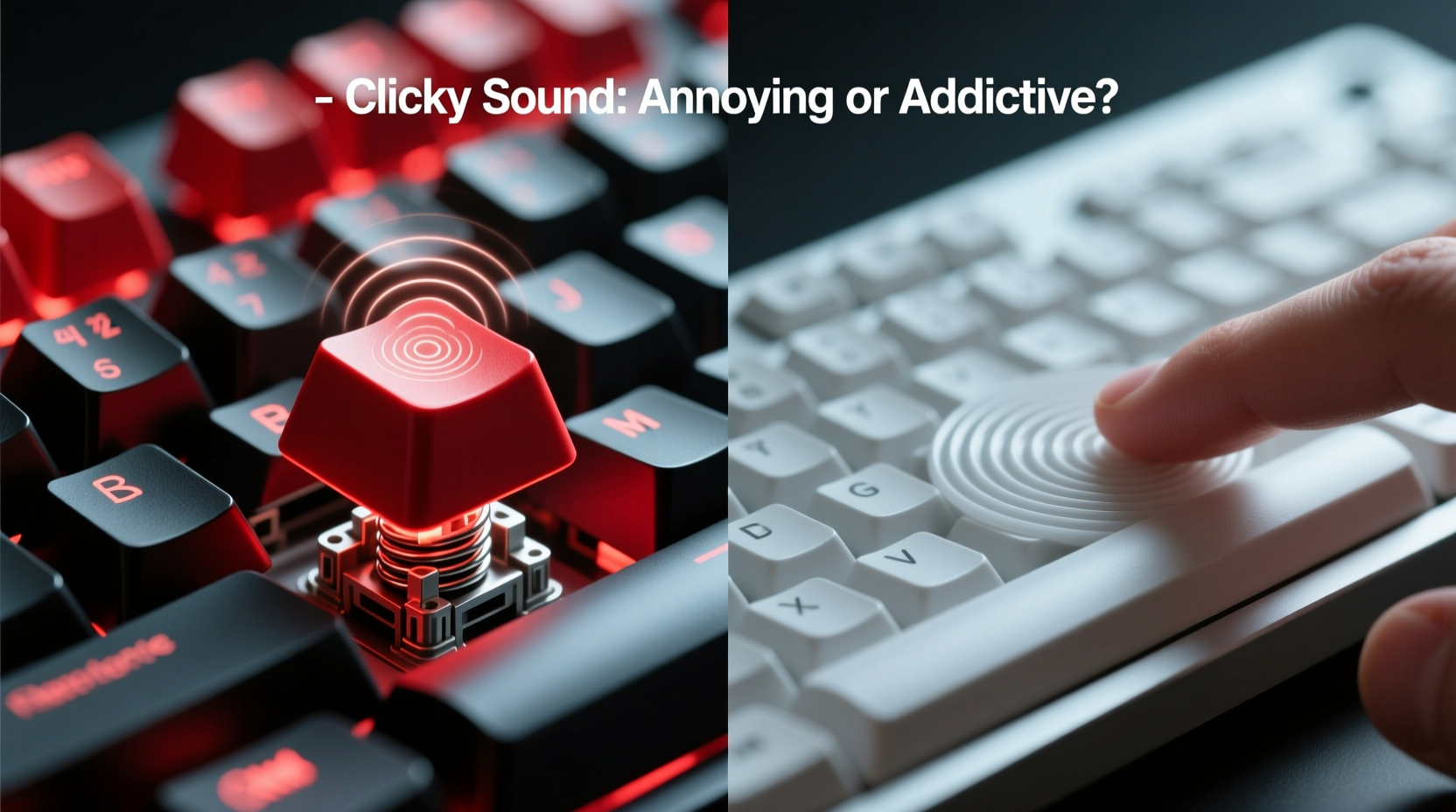
Understanding the fundamental mechanics behind each keyboard type clarifies why they sound and feel so different.
Mechanical keyboards use individual mechanical switches under each key. These switches contain metal springs and plastic housings that provide tactile resistance and audible feedback when pressed. The most common types—Cherry MX Blue, Brown, and Red—vary in actuation force, travel distance, and sound profile. Blues are famously clicky; Browns offer tactile bump without loud noise; Reds are linear and quiet.
Membrane keyboards, by contrast, rely on a layered rubber dome system beneath the keys. When you press a key, it pushes down on a rubber dome, which then makes contact with a conductive membrane layer to register the keystroke. This design produces a softer, mushier feel and minimal sound. Most budget laptops and office keyboards use membrane technology.
The Psychology of Sound: Why Clicks Trigger Strong Reactions
Sound plays a critical role in how we perceive tools and environments. Auditory feedback from typing isn’t just background noise—it’s part of our sensory loop. For many mechanical keyboard users, the click provides confirmation that a keystroke has been registered. This reduces cognitive load because there's less uncertainty about input accuracy.
However, not all brains process this sound positively. Research in environmental psychology shows that repetitive, unpredictable noises—even at low volumes—can impair focus, especially during complex cognitive tasks. A 2015 study published in the Journal of Environmental Psychology found that office workers exposed to intermittent keyboard clicking reported higher stress levels and lower task retention compared to those in quieter environments.
But here's the twist: the annoyance often depends on *who* is making the noise. Self-generated sounds tend to be less disruptive than external ones. In other words, if *you’re* the one hearing your own clicks, they may feel empowering. But if you're sitting next to someone whose keyboard sounds like a vintage typewriter, irritation can build quickly.
“Sound is contextual. What feels productive to one person becomes a distraction to another. Shared workspaces demand awareness.” — Dr. Lena Torres, Cognitive Ergonomics Researcher, MIT Media Lab
Comparing Performance: Typing Speed, Accuracy, and Fatigue
Beyond sound, the real measure of a keyboard lies in its impact on performance. Let’s break down three key factors: speed, accuracy, and physical endurance.
| Feature | Mechanical Keyboard | Membrane Keyboard |
|---|---|---|
| Typing Speed (avg. WPM) | 65–80 | 55–70 |
| Accuracy Rate | Higher due to tactile feedback | Moderate; prone to missed keystrokes |
| Fatigue Over 4+ Hours | Lower with proper switch choice | Higher due to lack of feedback |
| Noise Level (dB) | 50–65 dB (clicky models) | 35–45 dB |
| Lifespan (keystrokes) | 50 million+ | 5–10 million |
The data suggests mechanical keyboards support faster, more accurate typing over time. Their consistent actuation point and feedback reduce finger strain and mental fatigue. However, this advantage diminishes in open-plan offices where noise discipline matters more than raw performance.
Real-World Scenarios: Who Benefits From Which Keyboard?
To see how these differences play out in practice, consider two professionals with similar jobs but contrasting environments.
Case Study: Remote Developer vs. Office Administrator
Alex, a freelance software developer, works from a home office. He uses a mechanical keyboard with Cherry MX Blue switches. “I love the sound,” he says. “It keeps me in rhythm. I know exactly when a key registers, and I don’t have to look down.” Alex types over 8,000 words a day coding and documenting. His productivity metrics improved by nearly 18% after switching from a laptop membrane keyboard to a mechanical one.
Sarah, an office administrator in a shared cubicle space, tried using a mechanical keyboard with clicky switches. Within two days, her manager asked her to switch back. “People kept asking if I was joking,” she recalls. “One coworker said it felt like nails on a chalkboard every time I typed an email.” Sarah now uses a low-profile mechanical keyboard with silent red switches—quiet enough for the office, responsive enough for her high-volume data entry tasks.
This contrast illustrates a key truth: the best keyboard isn’t defined by specs alone. It’s shaped by environment, social norms, and individual tolerance.
Do’s and Don’ts: Choosing Based on Your Context
Here’s a practical checklist to help you decide which keyboard suits your situation.
✅ Do Consider a Mechanical Keyboard If:
- You work remotely or in a private space
- You type extensively (more than 2 hours daily)
- You value precision and tactile feedback
- You’re willing to invest $70–$150 for long-term durability
- You can control your acoustic environment (e.g., noise-canceling headphones for others)
❌ Avoid Loud Mechanical Keyboards If:
- You share an office or work in an open-plan layout
- Your coworkers are sensitive to noise
- You frequently join video calls where mic picks up keystrokes
- You travel often and need portability
- Budget is a primary constraint
Alternatives and Upgrades: Finding the Middle Ground
You don’t have to choose between noisy mechanicals and mushy membranes. Several hybrid options balance responsiveness with discretion.
- Low-profile mechanical switches – Found in models like the Logitech MX Mechanical or Apple Magic Keyboard with mechanical scissor switches. They offer crisp feedback with reduced travel and volume.
- Silent mechanical switches – Brands like Kailh and Gateron produce switches engineered to dampen internal collisions. These maintain mechanical integrity while cutting noise by up to 30%.
- Topre (capacitive) keyboards – Used in premium models like Happy Hacking or Filco Majestouch. They blend rubber domes with capacitive sensing for a smooth, quiet, yet highly responsive feel—beloved by writers and coders alike.
Additionally, simple modifications can reduce noise without sacrificing feel:
- Add O-rings to keycaps to dampen bottom-out impact
- Use thicker keycaps (PBT instead of ABS) to reduce hollow resonance
- Place the keyboard on a padded surface or foam mat
- Enable keyboard mute functions (available on some programmable models)
FAQ: Common Questions About Keyboard Noise and Typing
Is a clicky keyboard bad for my fingers or wrists?
No evidence suggests that clicky switches cause physical harm. In fact, because they require less force to actuate (typically 50–60 grams), they may reduce finger strain compared to stiff membrane keys. However, poor ergonomics—such as wrist angle or desk height—pose a greater risk than switch type.
Can I use a mechanical keyboard in an office without annoying others?
Yes—but choose wisely. Opt for tactile (non-clicky) or silent linear switches. Models labeled “office-friendly” or “quiet” often use specialized mechanisms to minimize sound. Alternatively, use the keyboard only during focused blocks and switch to a laptop when collaboration begins.
Does the click improve typing accuracy?
For many users, yes. The auditory and tactile feedback creates a closed-loop system: you hear and feel the keystroke, confirming registration. This reduces double-taps and typos, especially at high speeds. However, touch typists with muscle memory may not notice a significant difference.
Final Verdict: Is the Clicky Sound Actually Annoying?
The clicky sound of mechanical keyboards isn’t inherently annoying—it’s contextually problematic. For individuals working in isolated or acoustically controlled spaces, that sharp, rhythmic click can be deeply satisfying, even motivating. It signals engagement, precision, and control. For others—particularly those in shared environments—it becomes an involuntary intrusion, disrupting flow and increasing ambient stress.
The deeper issue isn’t the keyboard itself, but the lack of consideration for communal space. Technology should enhance productivity without degrading collective well-being. That means choosing tools that align not just with personal preference, but with professional responsibility.
If you crave the mechanical feel but work around others, silent switches or low-profile designs offer a compromise. If you're managing a team or workspace, consider establishing light guidelines—like “quiet peripherals encouraged”—to foster respect without restricting individuality.
“The best tool is the one that serves both the user and the environment.” — Mark Roberg, Workplace Design Consultant
Take Action: Choose Wisely, Type Confidently
Your keyboard is more than an input device—it’s a daily companion. Whether you prefer the thunderous rhythm of blues or the whisper-quiet tap of a membrane, make your choice intentional. Evaluate your environment, listen to feedback (from coworkers and your own body), and prioritize sustainability over trendiness.
Try before you buy. Borrow a friend’s setup. Watch real-user reviews with microphone tests. And if you already use a clicky board, ask someone nearby how it sounds to them—not how they think they should respond.




 浙公网安备
33010002000092号
浙公网安备
33010002000092号 浙B2-20120091-4
Comments
No comments yet. Why don't you start the discussion?