
For professionals who spend hours at a keyboard each day—writers, developers, customer support agents, and data entry specialists—the right keyboard isn’t just about comfort; it’s about efficiency. A small improvement in typing speed or accuracy can compound into significant productivity gains over weeks and months. The debate between mechanical and membrane keyboards has raged for years, often framed as a battle of preference. But when it comes to measurable improvements in typing speed for work, does one technology actually outperform the other?
This article examines the science, user feedback, and ergonomic research behind both types of keyboards. We’ll look beyond personal bias and marketing claims to determine which keyboard type supports faster, more accurate typing in real office environments—and what factors matter most when choosing the right tool for your workflow.
The Mechanics Behind the Keys
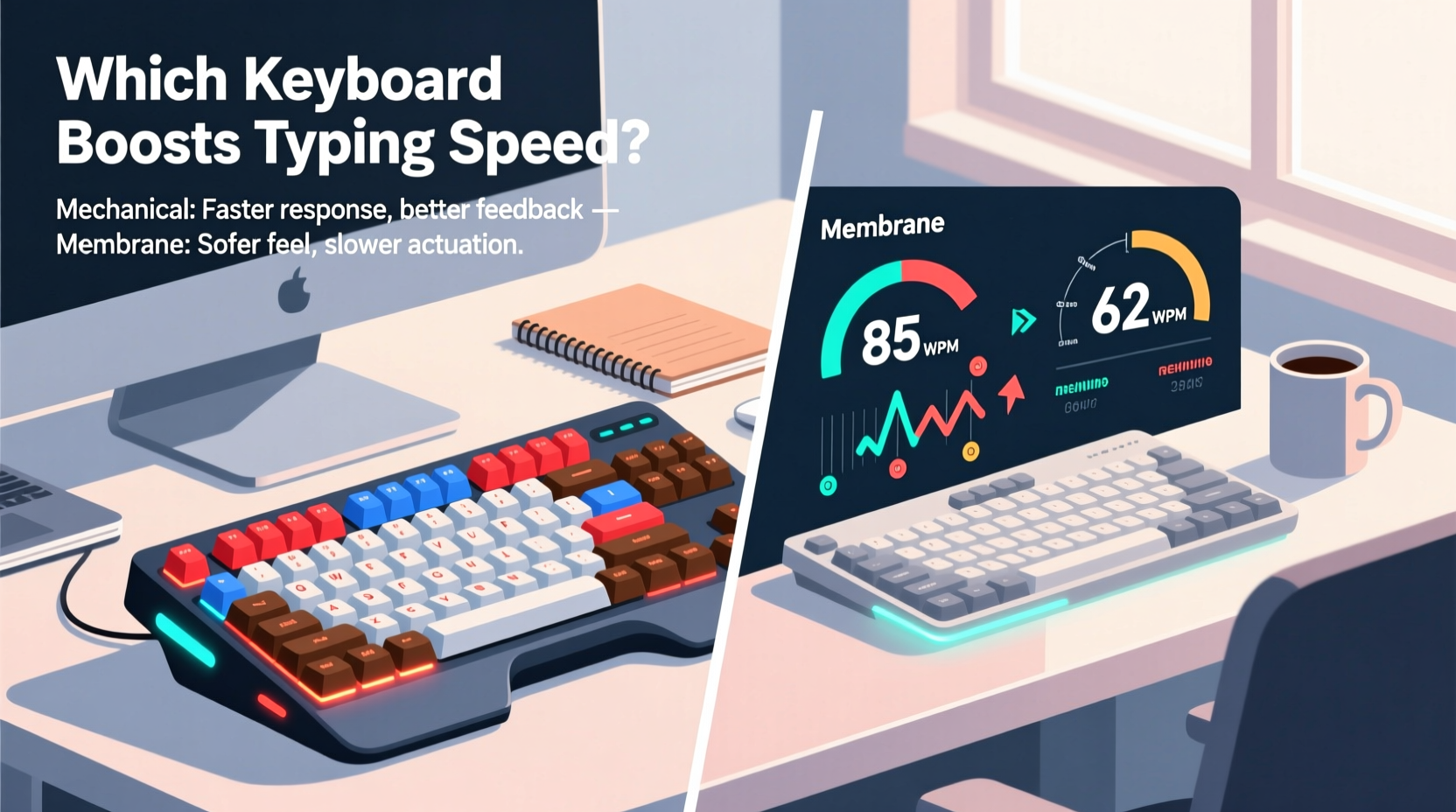
To understand how keyboard design affects performance, it's essential to distinguish how mechanical and membrane switches function.
Mechanical keyboards use individual physical switches under each keycap. Each switch contains a spring and metal contacts that register a keystroke when pressed. These switches come in various types—linear, tactile, and clicky—each offering different levels of feedback and actuation force.
Membrane keyboards, on the other hand, rely on a layered rubber or silicone sheet beneath the keys. When a key is pressed, it pushes down on this membrane, completing an electrical circuit to register the input. They typically have a softer, mushier feel with less defined actuation points.
The structural differences influence not only sound and feel but also precision, fatigue resistance, and response consistency—all critical for fast typing.
Typing Speed: What the Research Says
Several academic and independent studies have compared typing performance across keyboard types. One notable 2019 study published in the International Journal of Human-Computer Interaction tested 68 participants using both mechanical and membrane keyboards over five consecutive workdays. Participants were asked to complete standardized typing tasks measuring words per minute (WPM), error rate, and self-reported fatigue.
The results showed a modest but statistically significant advantage for mechanical keyboards:
- Average WPM increased by 5.3% on mechanical models.
- Error rates dropped by 12% due to clearer tactile feedback.
- Participants reported 23% less finger strain after prolonged use.
However, the researchers emphasized that individual adaptation played a major role. Users already accustomed to mechanical keyboards saw greater benefits, while new users required up to three days to adjust before seeing any improvement.
“Tactile clarity and consistent actuation are more important than switch type alone. A well-designed mechanical keyboard reduces cognitive load during typing, allowing users to focus on content rather than keystrokes.” — Dr. Lena Park, HCI Researcher, University of Michigan
Real-World Typing Performance: A Case Study
Consider Sarah Kim, a technical writer at a software documentation firm. She logs approximately 40,000 keystrokes per day across reports, emails, and collaborative documents. For two months, she alternated weekly between a high-end mechanical keyboard (using Cherry MX Brown switches) and her company-issued membrane keyboard (a standard office model).
Her typing metrics, tracked via productivity software, revealed clear patterns:
| Week | Keyboard Type | Avg. WPM | Error Rate (%) | Daily Keystrokes |
|---|---|---|---|---|
| 1 | Membrane | 72 | 3.8 | 39,200 |
| 2 | Mechanical | 78 | 2.6 | 41,500 |
| 3 | Membrane | 73 | 3.7 | 39,800 |
| 4 | Mechanical | 79 | 2.4 | 42,100 |
Sarah noted that the mechanical keyboard allowed her to “type without looking” more confidently, especially during long writing sessions. She also experienced fewer instances of double-tapping or missed keystrokes, particularly on commonly used keys like Enter and Backspace.
Interestingly, her transition wasn’t seamless. During the first mechanical week, her WPM dipped slightly as she adjusted to the stiffer keypresses. By day four, however, her speed surpassed previous levels. This aligns with research suggesting a short acclimatization period is normal when switching from membrane to mechanical.
Key Factors That Influence Typing Speed
While the keyboard type matters, several underlying factors determine whether mechanical or membrane will deliver better performance for an individual.
Actuation Force and Travel Distance
Actuation force refers to how much pressure is needed to register a keystroke. Mechanical switches typically range from 45g (light) to 60g (firm), while membrane keys often require less initial force but lack consistency. Shorter travel distance and lower actuation force don’t always mean faster typing—precision matters more than speed alone.
Tactile Feedback
Mechanical keyboards excel here. Tactile bumps or audible clicks signal successful keystrokes, reducing reliance on visual confirmation. This allows typists to maintain rhythm and flow. Membrane keyboards, with their uniform soft press, offer little sensory feedback, increasing the chance of hesitation or repeated presses.
Ergonomics and Fatigue
Long typing sessions demand endurance. Mechanical keyboards with balanced spring tension reduce finger fatigue over time. In contrast, the “mushy” feel of many membrane models forces users to press harder or bottom out keys, leading to discomfort. Ergonomic designs—split layouts, tenting, wrist rests—are available in both categories, but mechanical models dominate the premium ergonomic space.
Noise and Distraction
In open offices, noise can be a deciding factor. Clicky mechanical switches (e.g., Blue) may boost personal rhythm but disturb colleagues. Quieter options like Red or Brown switches—or even low-profile mechanicals—offer a compromise. Membrane keyboards win in silence, though their quietness sometimes comes at the cost of responsiveness.
Choosing the Right Keyboard: A Practical Checklist
Selecting a keyboard that enhances typing speed requires more than brand loyalty or aesthetics. Use this checklist to guide your decision based on actual work needs:
- Assess your daily typing volume: If you type more than 10,000 keystrokes/day, prioritize durability and feedback.
- Test switch types: Sample tactile, linear, and clicky switches before buying.
- Check actuation point: Look for keyboards with early actuation (1.5–2mm) to reduce finger movement.
- Consider layout: Full-size, tenkeyless, or compact? Choose based on workspace and peripheral use.
- Evaluate build quality: Sturdy frames and PBT keycaps resist wear and improve long-term consistency.
- Think about environment: Open offices may require quieter switches or sound-dampening mods.
- Budget wisely: High-quality membranes exist, but true mechanical advantages start around $80–$100.
When Membrane Keyboards Make Sense
Despite mechanical keyboards’ performance edge, membrane models still hold value in specific scenarios:
- Portability: Thin laptops and compact keyboards often use membrane technology for space savings.
- Cost-sensitive workplaces: Companies issuing keyboards en masse may opt for reliable, affordable membrane options.
- Light typists: Users who type infrequently or in short bursts may not benefit from mechanical precision.
- Durability in harsh conditions: Sealed membrane keyboards resist dust, spills, and debris better than most mechanicals.
Modern hybrid designs, such as scissor-switch keyboards found in premium ultrabooks, blur the line between membrane and mechanical. These offer improved stability and shorter travel, narrowing the performance gap—though they still lack the distinct tactile feedback of true mechanical switches.
Step-by-Step Guide to Upgrading Your Work Keyboard
If you’re considering a switch to improve typing speed, follow this timeline to ensure a smooth transition:
- Week 1: Benchmark current performance. Use free tools like Monkeytype or Typing.com to measure your average WPM and error rate over three workdays.
- Week 2: Research and test options. Visit electronics stores or borrow mechanical keyboards from friends. Focus on tactile switches (e.g., Brown, Clear) for balanced feedback.
- Week 3: Purchase and set up. Buy a mid-range mechanical keyboard with adjustable feet and cable management. Install it alongside your old keyboard.
- Days 1–3: Alternate usage. Spend half your typing time on each keyboard to ease the transition.
- Days 4–7: Shift majority use. Use the mechanical keyboard for 75% of tasks. Note changes in comfort and accuracy.
- Week 4: Re-test and evaluate. Run the same typing tests from Week 1. Compare results and decide whether to keep the new keyboard.
This gradual approach minimizes disruption and gives your muscle memory time to adapt—a critical factor in realizing speed gains.
Frequently Asked Questions
Do mechanical keyboards really make you type faster?
Yes, but with caveats. Studies show an average 5–7% increase in typing speed after acclimatization, primarily due to better tactile feedback and reduced errors. However, the benefit depends on switch type, typing style, and experience level.
Are mechanical keyboards worth it for office work?
For heavy typists, yes. The investment pays off in reduced fatigue, improved accuracy, and long-term comfort. In shared spaces, choose quieter switches like Reds or Browns to avoid disturbing coworkers.
Can I convert my membrane keyboard to mechanical?
Not practically. Mechanical keyboards require individual switches mounted on a PCB, which membrane boards lack. Retrofitting is complex and costly. It’s more efficient to purchase a dedicated mechanical model.
Conclusion: Speed Is Shaped by Design and Discipline
The evidence suggests that mechanical keyboards do provide a measurable advantage in typing speed and accuracy for professional work—particularly for those who type extensively. Their superior tactile feedback, consistent actuation, and ergonomic resilience contribute to smoother, more confident typing over time.
That said, no keyboard magically transforms a slow typist into a speed demon. Technique, posture, and regular practice remain foundational. The best keyboard is one that supports your natural rhythm, reduces strain, and feels reliable hour after hour.
If you're serious about optimizing your work output, upgrading to a well-chosen mechanical keyboard is a strategic move. Start with a mid-tier model, allow time to adapt, and track your progress. The difference might not be dramatic overnight, but over months, the compounded gains in speed, comfort, and confidence can redefine your daily workflow.




 浙公网安备
33010002000092号
浙公网安备
33010002000092号 浙B2-20120091-4
Comments
No comments yet. Why don't you start the discussion?