
Spending hours at a desk demands more than just focus—it requires physical comfort. Among the most critical concerns for remote workers, office employees, and freelancers alike is sustained lower back support. Poor posture or inadequate seating can lead to chronic pain, reduced productivity, and even long-term spinal issues. As two of the most common solutions in modern workspaces, mesh office chairs and fully ergonomic models are often compared. But when it comes to supporting your lower back over extended periods, which truly performs better?
This article dives deep into the structural differences, material science, user feedback, and biomechanical principles behind both chair types. By the end, you’ll understand not only which option wins on paper but also how individual needs, body types, and work habits influence the ideal choice.
Understanding Lower Back Stress in Office Environments
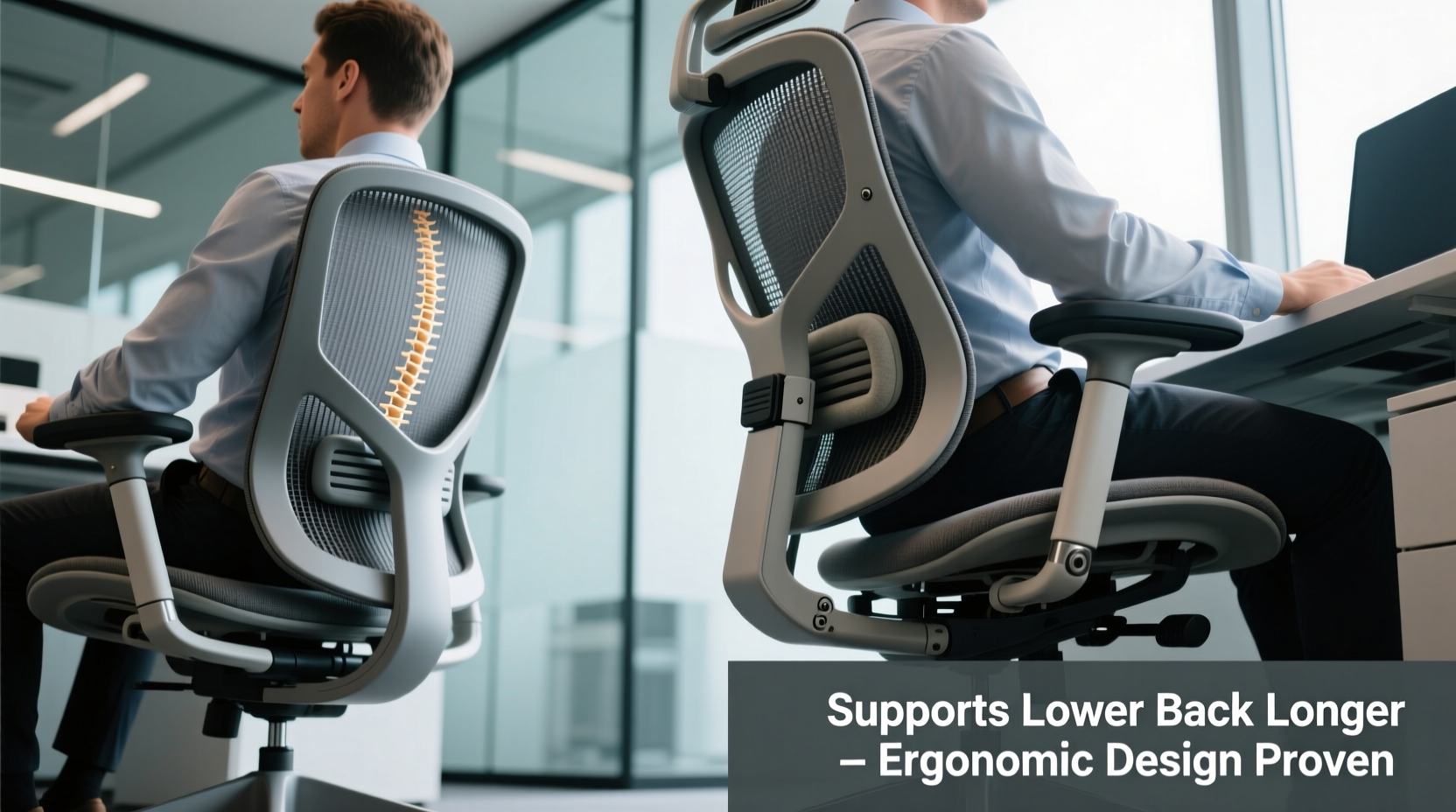
The lumbar region—the lower part of the spine—is particularly vulnerable during prolonged sitting. When unsupported, the natural inward curve (lordosis) flattens, increasing pressure on intervertebral discs and straining surrounding muscles and ligaments. According to the American Chiropractic Association, back pain affects over 80% of adults at some point, with sedentary work being a major contributing factor.
Effective lower back support maintains the spine’s neutral alignment. This reduces disc compression by up to 50% compared to slouched sitting. A study published in *Applied Ergonomics* found that participants using chairs with active lumbar support reported significantly less fatigue and discomfort after four hours of continuous use.
“Maintaining lumbar support isn’t about comfort alone—it’s about preventing micro-trauma that accumulates over months and years.” — Dr. Lena Torres, Physical Therapist and Workplace Ergonomics Consultant
With this foundation, let’s compare how mesh chairs and ergonomic models meet these physiological demands.
Mechanics of Mesh Office Chairs: Breathability vs. Support
Metal or polymer mesh-backed chairs have surged in popularity due to their sleek design, lightweight build, and superior ventilation. Brands like Herman Miller Aeron and Steelcase Leap popularized this style, touting breathability as a key benefit—especially in warmer climates or for users prone to back sweating.
The flexible mesh conforms slightly to the user’s shape, offering passive contouring. However, this adaptability has limitations. Most mesh chairs rely on the tension of the fabric itself to provide resistance against slumping. While adequate for short-term use, this passive system lacks targeted lumbar reinforcement unless paired with an adjustable lumbar pad.
Key features of typical mesh office chairs:
- Lightweight frame with breathable backrest
- Minimal padding; relies on tension-based support
- Often includes basic lumbar adjustment (height or depth)
- High airflow reduces heat buildup
- Generally mid-range pricing ($200–$600)
For individuals with mild back sensitivity or those who shift positions frequently, mesh chairs can be sufficient. However, users with existing lower back conditions—such as disc herniation or degenerative disc disease—often report insufficient support beyond two hours of continuous sitting.
Ergonomic Chair Design: Engineering for Spinal Health
True ergonomic chairs go beyond aesthetics—they’re engineered systems designed around human anatomy. Unlike standard or mesh-only designs, ergonomic models integrate multiple adjustable components specifically to maintain postural integrity.
These chairs typically include:
- Dynamic lumbar support (adjustable in height, depth, and firmness)
- Synchro-tilt or reclining mechanisms that maintain pelvic stability
- Seat depth adjustment to accommodate leg length
- Armrests adjustable in all directions (height, width, pivot)
- High-density foam or layered cushioning with pressure redistribution
Brands like Humanscale Freedom, Herman Miller Embody, and Secretlab Titan Ergo exemplify this category. These models prioritize active support—meaning they don’t just react to your posture but help guide it into a healthy position.
Crucially, advanced ergonomic chairs often feature “pelvic support” technology. This ensures the sacrum and lower spine remain stabilized, preventing posterior pelvic tilt—a common cause of lower back strain. The Embody chair, for example, uses a pixelated support matrix that responds independently to spinal curves, distributing weight evenly across vertebrae.
“The difference between a good chair and an ergonomic one is intentionality. Ergonomic chairs anticipate movement and support adaptation—not just static sitting.” — Mark Rippetoe, Biomechanics Researcher, University of Colorado
Direct Comparison: Mesh vs. Ergonomic for Long-Term Lumbar Support
To clarify the distinction, here's a detailed comparison based on key performance factors relevant to lower back health:
| Feature | MESH Office Chairs | Ergonomic Models |
|---|---|---|
| Lumbar Support Adjustability | Limited (usually height only) | Full (height, depth, firmness, sometimes shape) |
| Pressure Distribution | Moderate (depends on mesh tension) | High (engineered padding + dynamic zones) |
| Pelvic Stability | Low to moderate | High (tilt mechanisms lock optimal angle) |
| Breathability | Excellent (open mesh allows airflow) | Variable (some use perforated foam or cooling gel) |
| Durability (5+ years) | Good (but mesh may sag over time) | Excellent (industrial-grade materials) |
| Average Price Range | $200–$600 | $700–$1,500+ |
| Best For | Short-to-medium sessions, warm environments | Long workdays, chronic back issues, precision posture needs |
The data shows a clear trend: while mesh chairs excel in breathability and cost-efficiency, ergonomic models dominate in anatomical support, adjustability, and long-term durability—especially where lower back health is concerned.
Real-World Case: Remote Developer with Chronic Lower Back Pain
Jamal, a 38-year-old software developer from Austin, spent nearly a decade working from home in various budget and mid-tier mesh chairs. He began experiencing persistent lower back tightness after six-hour coding stretches. Over-the-counter pain relief and stretching helped temporarily, but discomfort returned daily.
After a consultation with a physical therapist, he was advised to invest in a chair with active lumbar support. He switched to a Humanscale Diffrient World, adjusting the backrest height so the lumbar zone aligned perfectly with his L4–L5 vertebrae. Within three weeks, his morning stiffness decreased by 70%, and he no longer needed midday standing breaks to relieve pressure.
“I thought my mesh chair was fine because it ‘felt’ airy,” Jamal said. “But I wasn’t realizing it wasn’t holding my spine correctly. Once I felt what true support feels like, there was no going back.”
Choosing the Right Chair: A Step-by-Step Guide
Selecting a chair isn’t just about brand names or price tags. It’s about matching design features to your body and usage patterns. Follow this sequence to make an informed decision:
- Assess Your Daily Sitting Duration: If you sit more than 4 hours daily, prioritize ergonomic features over aesthetics.
- Evaluate Existing Back Issues: History of sciatica, disc problems, or muscle spasms? Opt for chairs with customizable lumbar depth and pelvic tilt control.
- Test Seat Depth: When seated, there should be 2–4 fingers’ space between the edge of the seat and the back of your knees. Too long causes thigh pressure; too short lacks thigh support.
- Adjust the Lumbar Zone: The support should press gently into the inward curve of your lower back, not your ribs or hips.
- Check Recline Tension: You should be able to recline slightly (100–110 degrees) without losing back contact. This reduces spinal load by up to 30%.
- Monitor Long-Term Comfort: Use the chair for at least two full workdays before finalizing. Discomfort after 2–3 hours indicates poor fit.
Common Myths About Chair Support Debunked
Several misconceptions cloud the decision-making process:
- Myth: “More cushioning means better support.”
Reality: Excessive padding encourages sinking and loss of posture. Firm, contoured support is more effective. - Myth: “All ergonomic chairs are expensive.”
Reality: While premium models offer advanced features, brands like Clatina and Autonomous provide mid-range options with solid lumbar mechanics. - Myth: “Mesh doesn’t support the back.”
Reality: Some high-end mesh chairs (e.g., Herman Miller Aeron with PostureFit SL) offer excellent lower back support through add-on systems.
Frequently Asked Questions
Can a mesh chair be ergonomic?
Yes—but only if it includes comprehensive adjustability. A mesh chair with multi-axis lumbar support, seat depth adjustment, and proper tilt mechanism qualifies as ergonomic. Many budget mesh chairs lack these features, making them functionally non-ergonomic despite marketing claims.
How long should an ergonomic chair last?
A well-maintained ergonomic chair should last 7–10 years. Components like gas lifts, casters, and armrests may need replacement, but the core structure—especially in brands like Steelcase or Herman Miller—often exceeds a decade of daily use.
Is sitting upright always best for the lower back?
No. Strictly upright sitting (90-degree angle) increases disc pressure. Slight recline (100–110 degrees) with lumbar support engaged is biomechanically superior, as it balances muscle engagement and spinal loading.
Final Checklist Before Buying
Before committing to any chair, verify these criteria:
- ✅ Adjustable lumbar support (vertical and depth adjustment)
- ✅ Seat depth can be modified to fit your leg length
- ✅ Backrest reclines smoothly with tension control
- ✅ Armrests don’t force shoulder elevation
- ✅ Feet rest flat on the floor or a footrest
- ✅ No pressure points on thighs or tailbone after 30 minutes
- ✅ Manufacturer offers a trial period (ideally 30+ days)
Conclusion: Prioritizing Longevity Over Trends
When comparing mesh office chairs and dedicated ergonomic models for lower back support, the verdict leans decisively toward ergonomics—especially for long-term use. While mesh chairs offer undeniable benefits in ventilation and modern design, they often fall short in delivering the precise, adaptable support required to protect the lumbar spine over years of daily work.
Your back doesn’t differentiate between chair styles—it responds to alignment, pressure distribution, and movement support. Investing in a true ergonomic chair isn’t an indulgence; it’s preventive healthcare. Whether you're managing existing discomfort or aiming to avoid future issues, choosing engineering over aesthetics pays dividends in mobility, focus, and overall well-being.




 浙公网安备
33010002000092号
浙公网安备
33010002000092号 浙B2-20120091-4
Comments
No comments yet. Why don't you start the discussion?