
In modern homes filled with smart devices, streaming services, and remote work setups, a reliable Wi-Fi signal is no longer a luxury—it's essential. Yet, many households still struggle with spotty coverage, buffering videos, and frustrating dead zones. Two popular solutions often recommended are mesh routers and Wi-Fi extenders. While both aim to improve wireless reach, they function very differently—and deliver vastly different results. Understanding the distinction is crucial for anyone seeking seamless connectivity throughout their home.
Dead zones—areas where Wi-Fi signals weaken or disappear—are typically caused by distance from the router, thick walls, interference from appliances, or outdated hardware. The choice between a mesh system and a traditional extender can determine whether you truly eliminate these gaps or simply mask them temporarily.
How Wi-Fi Extenders Work (and Why They Fall Short)
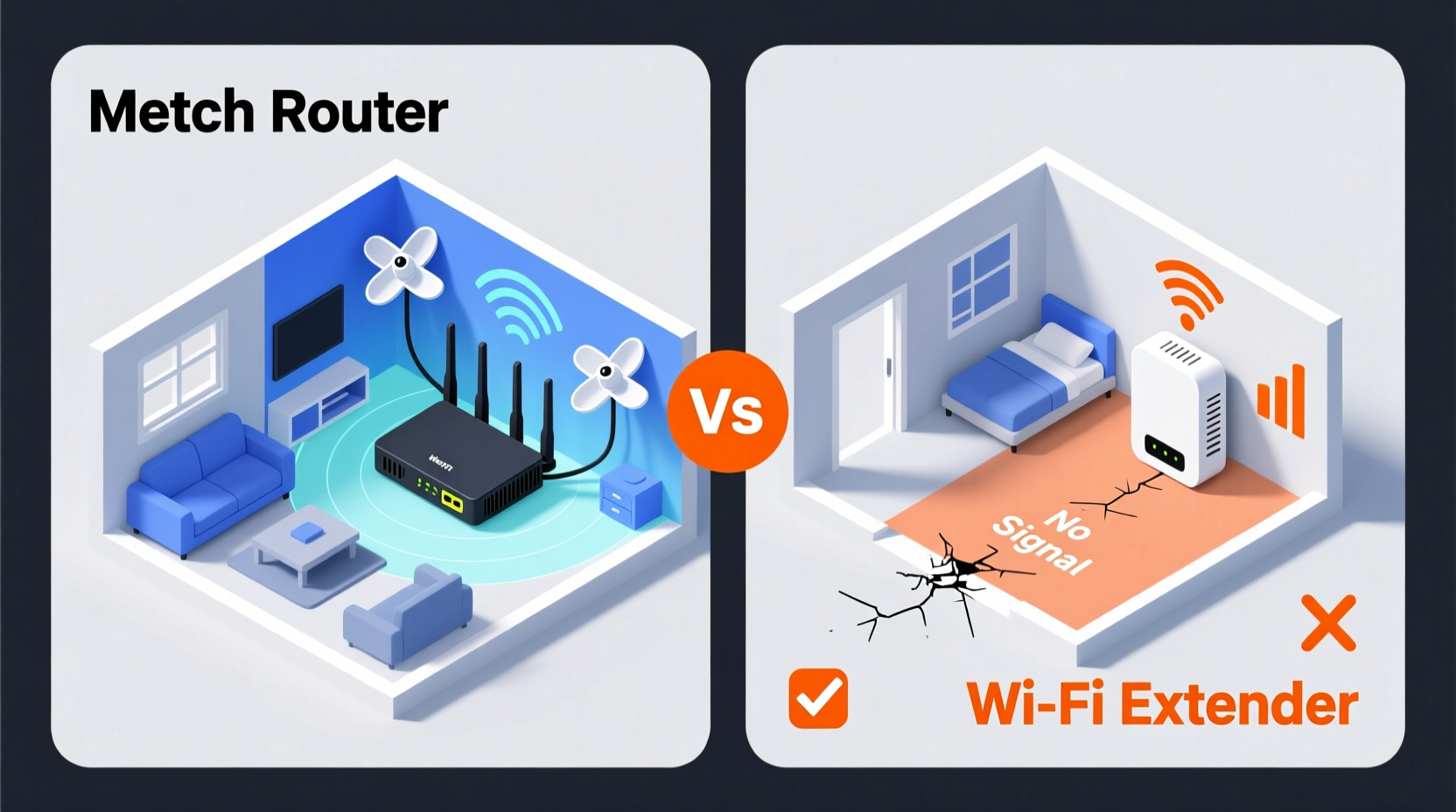
A Wi-Fi extender, also known as a range extender or repeater, functions by receiving your existing Wi-Fi signal from the main router and rebroadcasting it to areas farther away. It essentially acts as a relay station, capturing the signal and retransmitting it on the same or a separate network name (SSID).
This approach sounds practical in theory, but it comes with significant drawbacks:
- Signal degradation: Every time a signal is repeated, it loses strength and speed. Extenders halve available bandwidth because they use the same radio frequency to communicate with both the router and connected devices.
- Network confusion: Many extenders create a secondary network (e.g., “Home-WiFi_Ext”), forcing users to manually switch networks when moving around the house.
- Limited intelligence: Most extenders lack advanced routing features like band steering, load balancing, or seamless roaming.
- Placement sensitivity: To function at all, an extender must be placed within reasonable range of the main router—often leaving true dead zones untouched.
While extenders are inexpensive and easy to set up, they rarely provide a robust long-term solution. In fact, poor placement can make your network worse by creating interference without meaningful gain in usable signal.
How Mesh Routers Solve Coverage Problems Differently
Mesh Wi-Fi systems represent a more advanced architectural shift in home networking. Instead of relying on one central router and isolated boosters, a mesh network uses multiple nodes that work together as a single, intelligent system. These nodes communicate over dedicated backhaul channels (either via radio bands or Ethernet) to ensure consistent, high-speed connectivity across large areas.
Key advantages of mesh routers include:
- Seamless roaming: Devices automatically connect to the strongest node without dropping the connection or requiring manual switching.
- Self-optimizing network: Mesh systems continuously analyze traffic patterns and adjust frequencies and paths for optimal performance.
- Dedicated backhaul: High-end models use a separate wireless band solely for communication between nodes, preserving bandwidth for user devices.
- Unified network name (SSID): Only one network appears, regardless of how many nodes are installed.
- Easy management via app: Most systems offer intuitive mobile apps for monitoring usage, setting parental controls, and troubleshooting issues.
Unlike extenders, mesh nodes don’t just repeat a weakened signal—they actively participate in building a resilient network infrastructure tailored to your home’s layout.
“Mesh networks were designed to address the limitations of traditional routers and extenders. They bring enterprise-grade reliability to consumer environments.” — Dr. Linda Park, Senior Network Architect at HomeNet Labs
Direct Comparison: Mesh Router vs Extender
| Feature | Wi-Fi Extender | Mesh Router System |
|---|---|---|
| Setup Complexity | Simple plug-and-play | App-guided setup (slightly longer) |
| Network Name (SSID) | Often creates duplicate network | Single unified network |
| Bandwidth Efficiency | Halves available bandwidth | Uses dedicated backhaul (tri-band models) |
| Roaming Experience | Manual switching required | Automatic handoff between nodes |
| Interference Risk | High (repeats same channel) | Low (smart channel selection) |
| Scalability | Limited (additional extenders degrade performance) | High (supports 3+ nodes) |
| Price Range | $30–$80 | $150–$500+ |
| Best For | Small homes, budget fixes | Large homes, multi-story layouts |
Real-World Example: Eliminating Dead Zones in a Three-Story Townhouse
Consider Sarah, who lives in a narrow three-story townhouse with brick interior walls. Her original router was located in the basement office, resulting in near-zero signal on the top floor and intermittent connectivity on the main level. She first tried a $50 Wi-Fi extender in the kitchen, midway up the stairs.
The extender showed bars on her phone, but streaming stalled constantly, video calls dropped, and smart lights responded slowly. After some research, she invested in a tri-band mesh system with three nodes: one in the basement (connected to modem), one on each floor. Within minutes of setup, every room had full signal strength. Video streams loaded instantly, and her security cameras operated smoothly.
The difference wasn’t just about coverage—it was about consistency. With the mesh system, her devices stayed connected to the nearest node without interruption, even while walking between floors. The extender gave her illusion of improvement; the mesh system delivered real performance.
Step-by-Step Guide to Choosing the Right Solution
Follow this process to determine whether a mesh router or extender is right for your situation:
- Map Your Dead Zones: Walk through your home with a device showing Wi-Fi signal strength. Note rooms with weak or no signal.
- Evaluate Home Size and Layout: Homes over 2,000 sq ft or with multiple levels usually benefit more from mesh systems.
- Assess Current Router Age: If your main router is more than 3–4 years old, pairing it with any booster may yield poor results. Consider upgrading entirely.
- Check Device Count: Households with 15+ devices (phones, tablets, smart TVs, IoT gadgets) need the intelligent load distribution of mesh networks.
- Test Extender Placement Feasibility: Can you place an extender halfway between the router and dead zone while still getting a decent signal? If not, it won’t work effectively.
- Budget Realistically: While extenders are cheaper upfront, their limitations often lead to dissatisfaction and eventual replacement. Mesh systems offer better long-term value.
- Decide on Wired vs Wireless Backhaul: For maximum speed, choose a mesh system that supports Ethernet connections between nodes. This turns your system into a hybrid wired-wireless powerhouse.
When an Extender Might Still Be Acceptable
Despite their limitations, Wi-Fi extenders have niche applications where they can perform adequately:
- Small apartments: In studios or one-bedroom units under 800 sq ft, a well-placed extender might suffice if the main router is slightly off-center.
- Occasional use areas: Garages, sheds, or outdoor patios used infrequently for light browsing may not justify a full mesh investment.
- Legacy equipment support: Some older mesh systems don’t support WPA3 or newer standards. An extender can bridge compatibility gaps temporarily.
However, even in these cases, a single-node mesh system (like Google Nest Wifi or Eero Beacon) often provides superior performance at a comparable price point.
Expert Checklist: Upgrade to a True Dead-Zone-Free Network
Use this checklist to ensure your Wi-Fi upgrade delivers lasting results:
- ✅ Identify exact locations of current dead zones using a Wi-Fi analyzer app
- ✅ Measure square footage and number of floors in your home
- ✅ Confirm your internet plan speed (avoid bottlenecking with slow hardware)
- ✅ Choose a mesh system with at least tri-band capability for dedicated backhaul
- ✅ Plan node placement: one near modem, others spaced evenly toward weak areas
- ✅ Prefer models with Ethernet ports for backhaul where possible
- ✅ Install and test using speed tests in previously problematic areas
- ✅ Enable automatic updates and security features in the companion app
Frequently Asked Questions
Can I use a mesh node and an extender together?
Technically yes, but it’s not recommended. Adding an extender to a mesh network defeats the purpose of seamless roaming and introduces lag. If you need extra coverage, add another mesh node instead.
Do mesh routers increase internet speed?
Mesh routers don’t increase your base internet speed from your ISP, but they optimize how that speed is distributed. You’ll likely see faster speeds in distant rooms because the signal isn’t degraded like it would be with an extender.
Is Wi-Fi 6 necessary for eliminating dead zones?
Wi-Fi 6 improves efficiency, capacity, and battery life, but it’s not strictly necessary for coverage. However, modern mesh systems with Wi-Fi 6 offer better handling of multiple devices and improved range, making them ideal for future-proofing your network.
Final Verdict: Which Actually Eliminates Dead Zones?
The evidence is clear: **mesh routers eliminate dead zones far more effectively than extenders.** While extenders offer a quick, low-cost patch, they compromise speed, stability, and usability. Mesh systems, though pricier, provide a holistic solution—transforming fragmented connectivity into a unified, responsive network.
For homeowners serious about reliable Wi-Fi in every corner of their space, investing in a quality mesh system isn’t an expense—it’s an upgrade to daily convenience, productivity, and digital peace of mind.




 浙公网安备
33010002000092号
浙公网安备
33010002000092号 浙B2-20120091-4
Comments
No comments yet. Why don't you start the discussion?