
In today’s connected homes, a reliable Wi-Fi signal isn’t a luxury—it’s a necessity. From video calls to streaming 4K content and smart home automation, every device depends on seamless connectivity. Yet many households still struggle with frustrating dead zones—areas where the Wi-Fi signal weakens or disappears entirely. These signal gaps often occur in basements, garages, far bedrooms, or thick-walled rooms, disrupting productivity and enjoyment.
The solution lies in choosing the right network infrastructure. Two primary options dominate the market: traditional single-router systems and modern mesh Wi-Fi networks. While both aim to deliver internet access throughout your space, their approaches differ significantly. Understanding these differences is essential for eliminating dead zones and ensuring consistent coverage across your entire property.
How Wi-Fi Signals Work (and Why Dead Zones Happen)
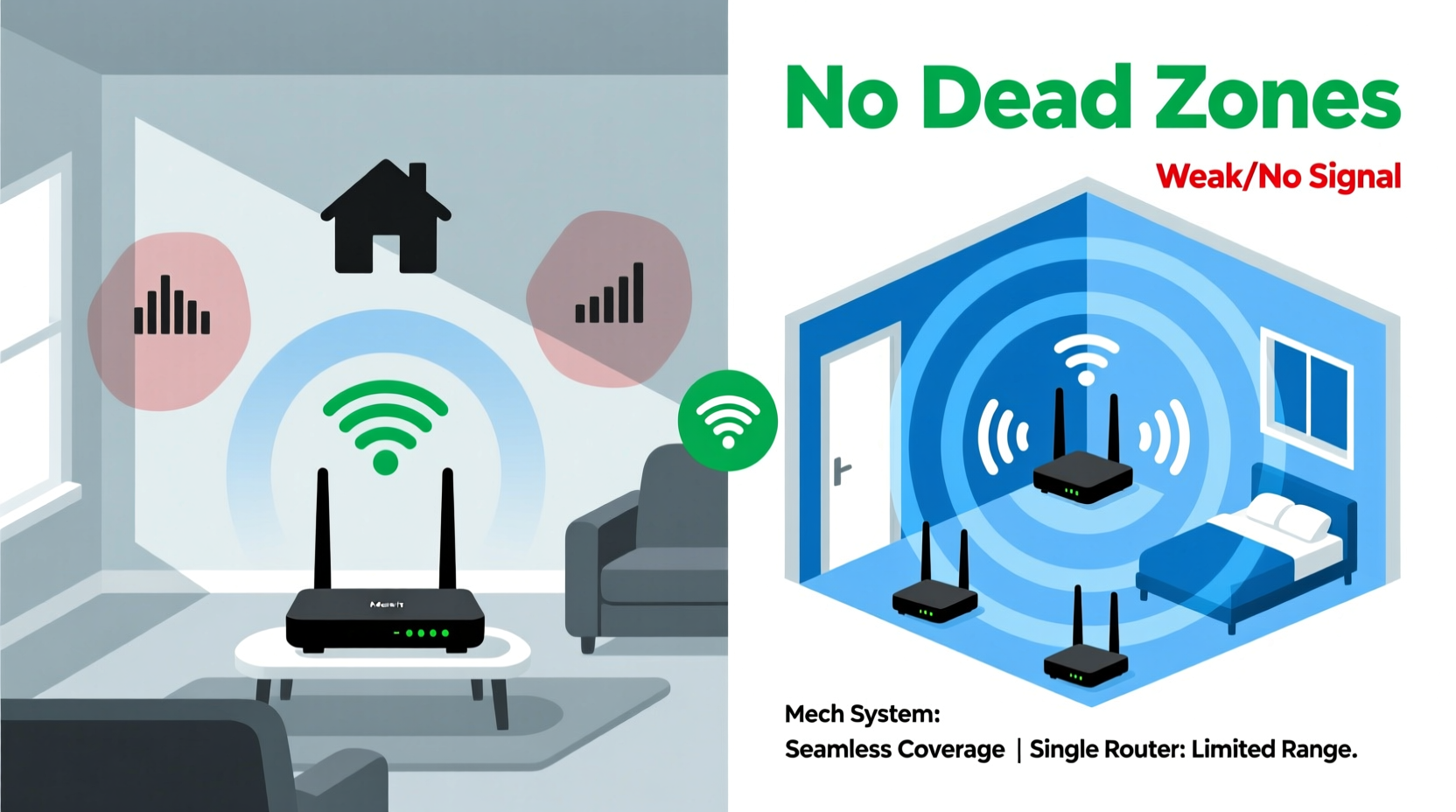
Wi-Fi routers transmit data using radio waves, typically on the 2.4 GHz and 5 GHz frequency bands. The 2.4 GHz band offers better range but slower speeds and more interference from household appliances. The 5 GHz band provides faster throughput but has a shorter range and struggles to penetrate solid obstacles like walls, floors, and metal structures.
Dead zones emerge when physical barriers block signals or when distance exceeds the router’s effective range. Materials such as concrete, brick, plaster, and even large appliances absorb or reflect radio waves, weakening connectivity. Additionally, larger homes with multiple levels or open floor plans can stretch a single router beyond its limits.
A single router placed in one corner of a house may cover the immediate area well but leave distant rooms with spotty or nonexistent service. This limitation is where alternative solutions come into play.
Single Router Systems: Strengths and Limitations
A single router system consists of one central device that broadcasts a Wi-Fi network. It’s the most common setup in smaller homes and apartments. When properly positioned—ideally in a central, elevated location with minimal obstructions—a single router can provide adequate coverage up to approximately 1,500 square feet, depending on layout and construction.
Advantages:
- Limited equipment reduces complexity and cost.
- Easier to manage with one login, one network name (SSID), and unified settings.
- Lower latency due to direct connection paths.
- Sufficient for small-to-medium homes with simple layouts.
Disadvantages:
- Signal degrades rapidly with distance and obstacles.
- No built-in redundancy—if the router fails, the entire network goes down.
- Extenders can help but often create separate networks or reduce bandwidth.
- Struggles in multi-story homes or those with dense walls.
While some users attempt to boost performance with Wi-Fi extenders, these devices merely repeat the existing signal, often cutting bandwidth in half and introducing lag. They also tend to broadcast under a different network name, requiring manual switching between zones—an inconvenience that undermines seamless connectivity.
Mesh Router Systems: Designed for Whole-Home Coverage
Mesh Wi-Fi systems use multiple nodes (a main router and satellite units) that work together to form a unified network. Unlike extenders, mesh nodes communicate intelligently, creating dynamic pathways for data to travel efficiently. Each node broadcasts the same SSID, allowing devices to roam freely without reconnecting.
These systems are engineered specifically to eliminate dead zones. Nodes are placed strategically throughout the home—typically one per floor or major zone—to ensure overlapping coverage. Advanced models support tri-band technology, dedicating one band exclusively to communication between nodes, preserving speed and stability.
Advantages:
- Seamless roaming with a single network name.
- Self-healing networks: if one node fails, traffic reroutes automatically.
- Consistent performance across large or complex spaces.
- Easy app-based setup and remote management.
- Built-in features like parental controls, guest networks, and enhanced security.
Disadvantages:
- Higher upfront cost than single routers.
- Requires power outlets near optimal placement points.
- Some models may introduce slight overhead due to internal routing logic.
“Mesh networks have redefined home Wi-Fi by prioritizing coverage consistency over raw speed in a single location.” — Dr. Rajiv Mehta, Network Infrastructure Analyst at Broadband Insights Group
Comparative Analysis: Mesh vs Single Router
| Feature | Single Router System | Mesh Router System |
|---|---|---|
| Coverage Range | Up to ~1,500 sq ft (ideal conditions) | Scalable: 2,000–6,000+ sq ft with multiple nodes |
| Dead Zone Reduction | Moderate; requires optimal placement | High; designed to eliminate coverage gaps |
| Roaming Experience | Poor; manual reconnection needed with extenders | Seamless; automatic handoff between nodes |
| Setup Complexity | Simple | Easy via mobile app, but more hardware involved |
| Cost | $50–$150 | $200–$600+ depending on node count |
| Network Resilience | Single point of failure | Redundant; self-healing capabilities |
| Ideal For | Small apartments, studios, offices under 1,200 sq ft | Large homes, multi-level buildings, older constructions |
Real-World Scenario: A Family Home Transformed
Consider the Thompson family living in a 2,800-square-foot colonial-style home with three bedrooms, a basement, and thick interior walls. Their original single router, located in the living room, provided strong signal in the front of the house but failed in the back bedroom and basement. Streaming frequently buffered, and Zoom calls dropped during evening hours.
They initially tried a Wi-Fi extender in the hallway, but it created a second network (\"LivingRoom_Ext\") and halved their download speeds. After researching alternatives, they invested in a three-node mesh system. The primary node connected to their modem, a second was placed upstairs near the bedrooms, and the third in the basement recreation room.
Within minutes of setup, all devices automatically connected to the strongest node. Video streams loaded instantly, online gaming lag dropped by 60%, and smart speakers in every room responded reliably. Over six months, they reported zero dead zones and improved overall network stability—even during peak usage times.
This case illustrates how mesh systems address structural limitations that single routers cannot overcome alone.
Step-by-Step Guide to Choosing and Installing the Right System
- Assess Your Space: Measure total square footage and note the number of floors, wall types, and areas with poor reception.
- Evaluate Current Pain Points: Identify specific dead zones and determine whether they stem from distance, interference, or building materials.
- Determine Device Load: Count connected devices (phones, laptops, TVs, IoT gadgets). Homes with 20+ devices benefit from mesh scalability.
- Choose Based on Size:
- Under 1,500 sq ft: A high-performance single router may suffice.
- 1,500–3,000 sq ft: Consider a dual-node mesh system.
- Over 3,000 sq ft or multi-story: Opt for a three- or four-node mesh setup.
- Install Strategically:
- Place the main router near the modem in a central area.
- Position satellites halfway between the main unit and dead zones—avoid placing them too close together.
- Keep nodes elevated and away from electronics that cause interference.
- Test and Adjust: Use a Wi-Fi analyzer app to check signal strength in previously problematic areas. Reposition nodes if necessary.
Expert Recommendations and Common Pitfalls
According to industry experts, the decision between mesh and single router systems should be based on architectural realities rather than budget alone. “Many consumers buy powerful single routers thinking more watts mean better coverage,” says Lena Torres, senior product advisor at NetSure Labs. “But physics dictates that signal penetration through walls diminishes regardless of antenna strength. You can’t overpower drywall and insulation—you need strategic placement.”
Common mistakes include:
- Placing the router in a closet or basement, limiting broadcast potential.
- Using outdated hardware incapable of supporting modern standards like Wi-Fi 6.
- Assuming all mesh systems are equal—lower-end models may lack backhaul optimization.
- Ignoring firmware updates, which can improve performance and fix vulnerabilities.
Frequently Asked Questions
Can I mix mesh nodes from different brands?
No. Mesh systems are proprietary; nodes must be from the same brand and compatible series. Mixing brands will not create a functional network.
Do I still need a modem with a mesh system?
Yes. Mesh routers replace your Wi-Fi router, not your modem. You’ll need a compatible cable or fiber modem to connect to the internet.
Will a mesh system improve my internet speed?
It won’t increase your base internet plan speed, but it can make your existing bandwidth more accessible across your home by reducing dropouts and optimizing signal delivery.
Action Plan: Eliminate Dead Zones for Good
If you're tired of walking around your house searching for a stable connection, it's time to upgrade your strategy. Start by mapping out your current coverage using a free tool like Wi-Fi Analyzer or the built-in diagnostics in mesh apps. Identify true dead zones—not just slow spots caused by congestion.
For homes under 1,500 square feet with open layouts, a modern single router with Wi-Fi 6 support may still be sufficient. But if you live in a larger or structurally complex space, a mesh system is the superior long-term investment. Look for models with dedicated backhaul bands, strong encryption (WPA3), and regular firmware updates.
Remember, eliminating dead zones isn’t about buying the most expensive gear—it’s about deploying the right technology in the right way. Whether you choose a single router or go full mesh, proper placement and maintenance are key.




 浙公网安备
33010002000092号
浙公网安备
33010002000092号 浙B2-20120091-4
Comments
No comments yet. Why don't you start the discussion?