
In modern homes filled with smart devices, streaming services, and remote workstations, a reliable Wi-Fi signal is no longer a luxury—it’s a necessity. One of the most common frustrations for homeowners is the presence of dead zones: areas where the internet connection weakens or disappears entirely. These can occur behind thick walls, on upper floors, or in distant corners of the house. When it comes to solving this issue, two primary solutions emerge: traditional single-unit routers and mesh Wi-Fi systems. But which one truly eliminates dead zones more effectively?
The answer depends on your home’s size, layout, construction materials, and usage demands. While both options have their strengths, understanding how they operate—and where they fall short—is essential to making an informed decision.
How Wi-Fi Signals Travel and Why Dead Zones Occur
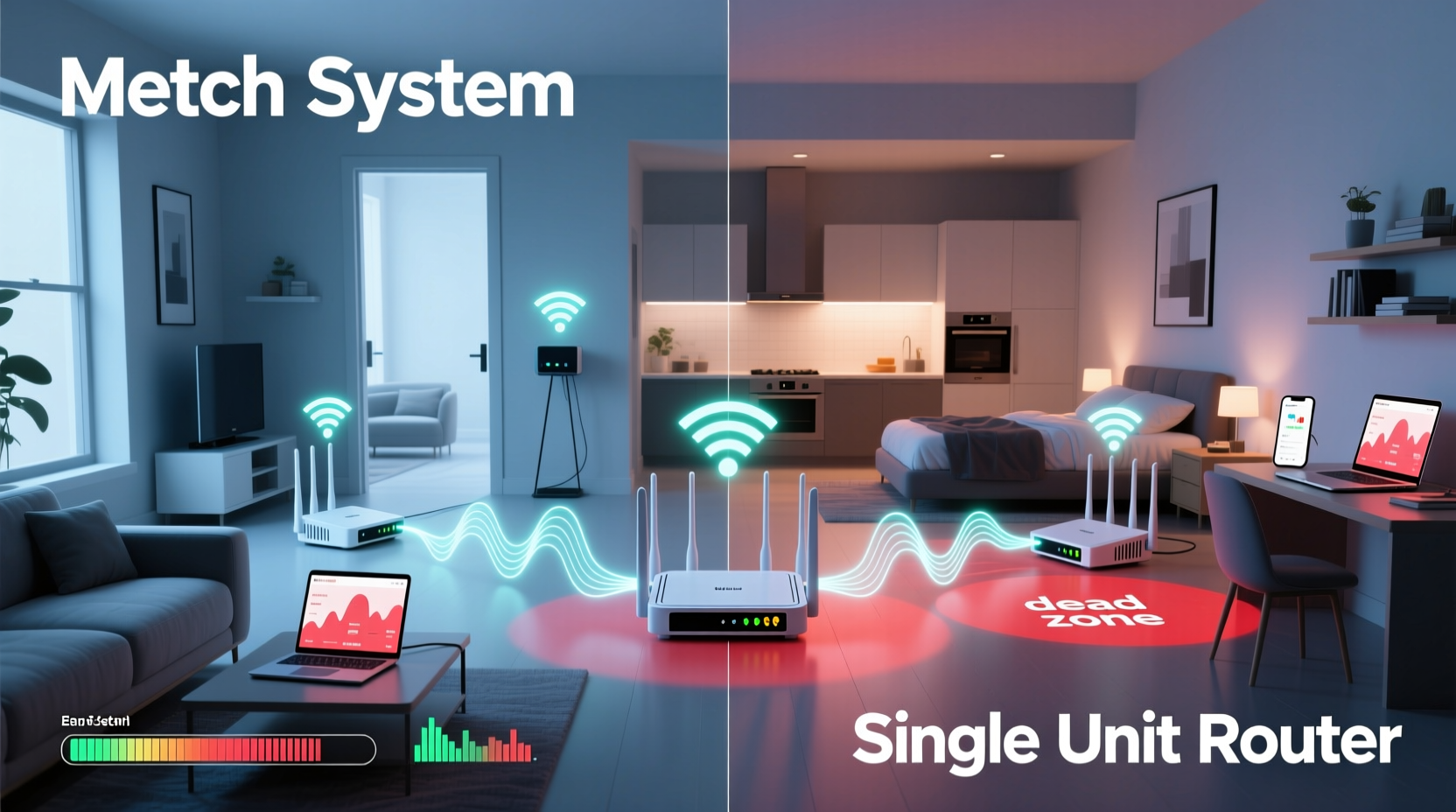
Wi-Fi signals are radio waves that travel from your router to connected devices. However, unlike light, these signals don’t pass through obstacles unimpeded. Common household features such as concrete walls, metal framing, mirrors, large appliances, and even water-filled fish tanks can absorb or reflect signals, creating interference and weak spots.
Single-unit routers emit signals from one central location. The strength of that signal diminishes with distance and obstruction. Even high-powered models struggle to maintain consistent speeds beyond 30–50 feet in open space, and significantly less when walls or floors are involved.
Dead zones typically form in areas that are:
- Far from the router
- Behind multiple walls or floors
- Near sources of electromagnetic interference (microwaves, cordless phones)
- In basements or attics with poor line-of-sight
To combat this, manufacturers developed mesh networking technology—designed not just to boost range, but to intelligently distribute coverage across an entire property.
Understanding Single-Unit Routers: Strengths and Limitations
A single-unit router is the traditional setup most people are familiar with. It connects directly to your modem and broadcasts a Wi-Fi network from one physical location. Modern versions often include dual- or tri-band capabilities, beamforming, and MU-MIMO (multi-user, multiple input, multiple output) technology to improve efficiency.
Advantages:
- Lower upfront cost
- Simpler setup and management
- Familiar interface for users
- Adequate for small apartments or homes under 1,500 sq ft
Limitations:
- Coverage drops sharply with distance and obstructions
- Signal degradation over multiple floors
- No built-in redundancy—if the router fails, the whole network goes down
- Manual optimization required (e.g., repositioning, channel selection)
For many urban dwellers in compact living spaces, a powerful single router may suffice. However, larger homes or those with challenging layouts often require more robust solutions.
How Mesh Wi-Fi Systems Eliminate Dead Zones
Mesh Wi-Fi systems consist of a primary router and one or more satellite nodes placed throughout the home. These units communicate seamlessly with each other, forming a unified network that blankets your space with consistent coverage.
Unlike older range extenders—which simply rebroadcast a weakened signal—mesh nodes create intelligent pathways. They use dedicated backhaul bands (on tri-band systems) to maintain strong internal communication while serving client devices, minimizing latency and bandwidth loss.
Key benefits of mesh systems include:
- Seamless roaming: Devices automatically connect to the strongest node without dropping the connection
- Adaptive pathfinding: Data routes dynamically between nodes based on congestion and signal quality
- Self-healing networks: If one node fails, traffic reroutes through others
- Scalability: Additional satellites can be added to cover growing or complex spaces
Most mesh systems also come with mobile apps that simplify setup, offer parental controls, device prioritization, and security monitoring—all from a user-friendly dashboard.
“Mesh networks represent a fundamental shift in home networking—they’re designed not just for speed, but for reliability and consistency across every room.” — David Lin, Senior Network Engineer at NetForma Labs
Direct Comparison: Mesh vs Single Router Performance
| Feature | Single-Unit Router | Mesh Wi-Fi System |
|---|---|---|
| Coverage Area | Up to 1,500 sq ft (ideal conditions) | 1,500–5,500+ sq ft (scalable) |
| Dead Zone Reduction | Moderate; relies on placement | High; multi-point signal distribution |
| Installation Complexity | Low | Medium (requires node placement planning) |
| Roaming Experience | Potential disconnects when moving | Seamless handoff between nodes |
| Cost (Entry-Level) | $60–$120 | $200–$300 (for 2–3 pack) |
| Network Resilience | Single point of failure | Distributed; partial uptime if node fails |
| Ideal For | Small homes, budget-conscious users | Larger homes, multi-story buildings, tech-heavy households |
This comparison shows that while single routers win on simplicity and cost, mesh systems outperform them in eliminating dead zones—especially in environments where architectural barriers or large footprints challenge signal propagation.
Real-World Example: Solving Connectivity Issues in a Two-Story Home
Consider a typical suburban home: 2,200 square feet, two stories, brick exterior walls, and a basement used as a home office. The homeowner initially used a high-end single-unit router placed near the cable modem in the living room on the first floor.
Despite the router’s advertised range, the second-floor bedrooms experienced intermittent connectivity, and the basement had no usable signal at all. Streaming frequently buffered, video calls dropped, and smart lights responded slowly.
The solution was a three-node mesh system. The main unit connected to the modem, a second node was placed halfway up the staircase, and a third was stationed in the basement. Within minutes of setup, every room showed full bars of Wi-Fi. The homeowner reported stable 4K streaming in the basement and uninterrupted Zoom meetings—even when moving between floors.
What changed? The mesh system created overlapping coverage zones, bypassing structural interference by using multiple transmission points. The network adjusted automatically as devices moved, maintaining optimal connections without manual intervention.
When a Single Router Might Still Be Enough
It’s important not to assume that bigger always means better. In certain scenarios, a single-unit router remains the most practical choice:
- Compact apartments or condos: In spaces under 1,000 sq ft with open layouts, a modern dual-band router can provide excellent coverage.
- Budget constraints: Mesh systems typically cost two to three times more than standalone routers.
- Low device count: Households with only a few smartphones and a laptop may not need advanced load balancing.
- Temporary setups: Renters who move frequently may prefer portable, simple solutions.
If you live in a studio or one-bedroom apartment and experience minimal interference, upgrading to mesh may offer diminishing returns. Instead, optimizing router placement and updating firmware can yield significant improvements.
Step-by-Step Guide to Choosing the Right Solution
Follow this process to determine whether a mesh system or single router best suits your needs:
- Map Your Space: Measure your home’s square footage and note the number of floors and major walls (especially concrete, brick, or metal).
- Identify Dead Zones: Walk through your home with a Wi-Fi analyzer app (like NetSpot or Wi-Fi Analyzer) to detect weak signal areas.
- Assess Device Load: Count how many devices connect simultaneously—smart TVs, phones, laptops, IoT gadgets. High-density usage favors mesh.
- Test Current Setup: Move your existing router to a central, elevated position and retest coverage. Sometimes, simple repositioning resolves issues.
- Evaluate Budget: Determine how much you’re willing to invest. Entry-level mesh kits start around $200, while premium models exceed $500.
- Decide on Expandability: Will you add outdoor cameras, a shed office, or future expansions? Mesh systems are easier to scale.
- Purchase and Install: Choose a reputable brand (e.g., Eero, Google Nest Wifi, TP-Link Deco, Netgear Orbi), install according to guidelines, and verify coverage post-setup.
FAQ: Common Questions About Mesh vs Single Routers
Can I use a mesh system with my existing internet provider?
Yes. Mesh Wi-Fi systems replace your router, not your modem. As long as your modem has an Ethernet port, you can connect any mesh system to it. Most are compatible with major ISPs including Comcast, Spectrum, AT&T, and Verizon.
Do mesh routers slow down my internet speed?
Not inherently. However, single-band or poorly placed mesh nodes can reduce throughput due to signal rebroadcasting (half-duplex). Tri-band mesh systems avoid this by using a dedicated wireless backhaul channel, preserving client bandwidth.
Is it worth replacing my ISP-provided router with a mesh system?
Often, yes. ISP-provided equipment is usually optimized for cost, not performance. Upgrading to a mesh system can dramatically improve coverage, stability, and speed—especially if you currently suffer from dead zones.
Conclusion: Eliminating Dead Zones Starts With the Right Choice
When it comes to eliminating dead zones, mesh Wi-Fi systems are objectively superior to single-unit routers in medium to large homes. Their ability to blanket complex spaces with seamless, adaptive coverage makes them ideal for modern digital lifestyles. While they come at a higher price and require slightly more planning, the payoff in reliability and performance is substantial.
That said, single routers still serve a vital role—for smaller spaces, temporary setups, or users seeking simplicity. The key is matching the technology to your environment and needs, rather than assuming one-size-fits-all.
If you’re tired of walking around your house searching for a stronger signal, or if family members constantly complain about buffering and dropouts, it’s time to consider a change. Evaluate your space, test your current setup, and choose the solution that delivers consistent, whole-home coverage. The difference isn’t just technical—it’s transformative.




 浙公网安备
33010002000092号
浙公网安备
33010002000092号 浙B2-20120091-4
Comments
No comments yet. Why don't you start the discussion?