
Dead zones—those frustrating corners of your home where the Wi-Fi signal disappears—are more than just an annoyance. They disrupt video calls, slow down downloads, and make smart home devices unreliable. When trying to eliminate these weak spots, most people consider two common solutions: mesh Wi-Fi systems and range extenders. But which one truly solves the problem? While both aim to expand coverage, their performance, reliability, and long-term value differ significantly. Understanding these differences is key to making a smart investment in your home network.
How Wi-Fi Dead Zones Form
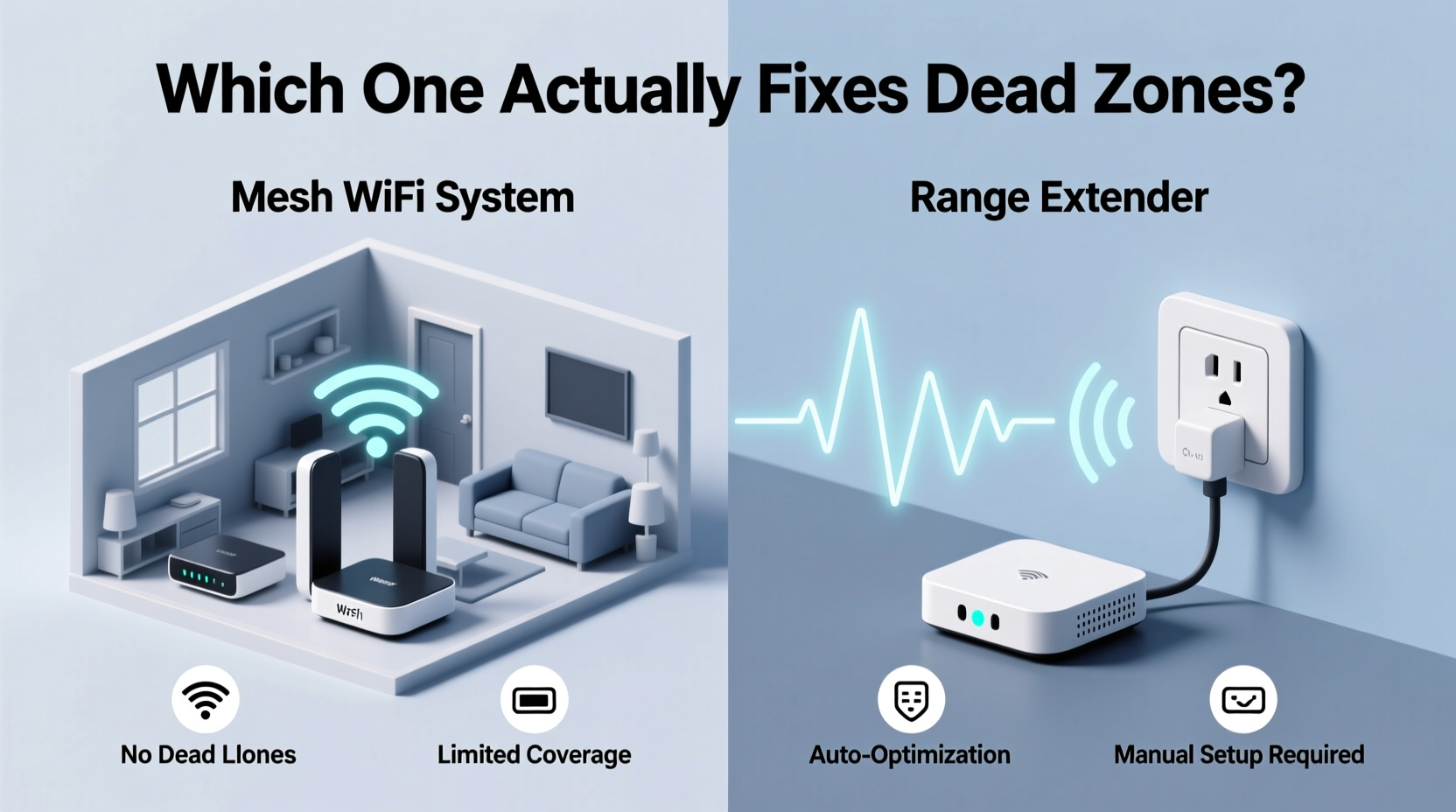
Wi-Fi signals are radio waves that travel from your router but weaken over distance and through obstacles. Common causes of dead zones include thick walls (especially concrete or brick), metal framing, large appliances, and interference from neighboring networks. Multi-story homes and open-concept layouts with long hallways also challenge traditional routers. The farther you move from the router, the weaker the signal becomes—eventually dropping below usable levels.
In many homes, the original router placed in a basement or garage struggles to reach upstairs bedrooms or backyard patios. This is where signal boosters come in. However, not all boosters are created equal. What works for a small apartment may fail in a sprawling ranch-style house.
What Is a Range Extender and How It Works
A Wi-Fi range extender, also known as a repeater, captures your existing Wi-Fi signal and rebroadcasts it to extend coverage. It’s typically a small plug-in device placed halfway between your router and the dead zone. While simple to set up and relatively inexpensive, its effectiveness comes with trade-offs.
Extenders operate on the same frequency band as your router, meaning they must receive and retransmit data using the same radio. This halves the available bandwidth—a process known as \"half-duplex\" operation. For example, if your router delivers 100 Mbps to the extender, devices connected to the extender may only get 30–50 Mbps due to overhead and signal degradation.
Another issue is network naming. Many extenders create a separate SSID (network name), forcing users to manually switch between the main network and the extended one. Even when using seamless roaming features, handoffs between router and extender can be inconsistent, leading to dropped connections.
“Range extenders are a Band-Aid solution. They’re better than nothing, but they often degrade performance rather than enhance it.” — David Lin, Senior Network Engineer at NetSignal Labs
How Mesh Wi-Fi Systems Work Differently
Mesh Wi-Fi systems consist of multiple interconnected nodes that work together as a single, unified network. One node connects directly to your modem (the primary router), while satellite units are placed throughout your home to fill coverage gaps. Unlike extenders, mesh nodes communicate over dedicated backhaul channels—either via Wi-Fi or Ethernet—preserving more bandwidth for end users.
Modern mesh systems support seamless roaming (802.11k/v/r protocols), so your phone or laptop automatically switches to the strongest node without dropping the connection. All devices see one consistent network name (SSID) and password, eliminating the need to manually switch networks as you move through the house.
Mesh systems also offer intelligent traffic management. Advanced models use tri-band technology: one band for client devices, and a dedicated high-speed band for communication between nodes. This ensures that extending the signal doesn’t sacrifice speed or responsiveness.
Real-World Example: The Two-Story Home Struggle
Consider Sarah, who lives in a 2,200-square-foot two-story home. Her ISP-provided router sits in the basement media room. Upstairs bedrooms and the backyard deck consistently lose signal. She first tried a $40 range extender in the hallway. Initially, it seemed to help—but streaming quality was poor, and her smart doorbell frequently disconnected.
Frustrated, she upgraded to a three-node mesh system. She placed the main unit near the modem, one node upstairs, and the third outside near the deck. Instantly, every room had full bars. Video calls stabilized, and her security cameras streamed smoothly. More importantly, her phone stayed connected as she moved between floors without interruption.
Sarah’s experience reflects a broader trend: while extenders provide marginal improvements, mesh systems deliver holistic network upgrades.
Performance Comparison: Mesh vs Extender
| Feature | Range Extender | Mesh Wi-Fi System |
|---|---|---|
| Setup Complexity | Easy (plug-and-play) | Moderate (app-guided setup) |
| Network Name (SSID) | Often creates duplicate network | Single, unified network |
| Seamless Roaming | Rare or unreliable | Standard (with modern systems) |
| Bandwidth Efficiency | Low (halves throughput) | High (dedicated backhaul options) |
| Coverage Flexibility | Limited to line-of-sight placement | Scalable with multiple nodes |
| Interference Risk | High (shares channel with router) | Lower (smart channel selection) |
| Price Range | $30–$80 | $150–$500+ |
| Long-Term Reliability | Poor under heavy load | Consistent with QoS features |
When a Range Extender Might Be Enough
Despite their limitations, range extenders still have a place in certain scenarios. They can be effective in smaller homes or apartments where the dead zone is limited to one adjacent room. If you're on a tight budget and only need occasional internet access in a basement office or guest bedroom, an extender might suffice.
Additionally, newer AC-range extenders with dual-band support and beamforming technology perform better than older models. Some even offer Ethernet ports for connecting wired devices like gaming consoles or smart TVs, reducing wireless congestion.
Step-by-Step: Choosing the Right Solution
- Evaluate Your Home Layout: Measure square footage and note construction materials. Homes over 2,000 sq ft or with multiple floors usually benefit more from mesh.
- Map Existing Coverage: Use a Wi-Fi analyzer app (like NetSpot or Wi-Fi Analyzer) to identify weak zones and signal strength.
- Assess Device Load: Count how many devices connect simultaneously. High-density usage (streaming, gaming, smart home) favors mesh.
- Test Router Placement: Ensure your primary router is optimally located before adding hardware.
- Budget Consideration: Determine whether short-term savings (extender) or long-term performance (mesh) matters more.
- Future-Proofing: Consider upcoming needs—remote work, additional smart devices, or 4K/8K streaming.
- Make Decision: Choose mesh for whole-home reliability; extender only for minor, low-demand coverage gaps.
Expert Tips for Maximizing Either Solution
- For Extenders: Place no farther than 75% of the router’s maximum range. Too far, and the extender receives a weak signal, creating a slower extended network.
- Use Same Security Settings: Match encryption type (WPA2/WPA3) and password across all devices to avoid connection issues.
- Update Firmware Regularly: Both extenders and mesh systems receive updates that improve stability and security.
- Enable Quality of Service (QoS): Prioritize critical devices like laptops or video conferencing tools if supported.
- Use Ethernet Backhaul When Possible: Some mesh systems allow wired connections between nodes, dramatically improving performance and consistency.
Checklist: Should You Upgrade to Mesh?
Answer “yes” to any of the following? It’s time to consider a mesh system:
- More than one dead zone exists in your home.
- You frequently move between rooms with connected devices (e.g., phone calls on mobile).
- Your household has 10+ connected devices.
- You stream 4K content or play online games in distant rooms.
- You’ve already tried an extender and remained unsatisfied.
- Your home is larger than 1,800 square feet or has multiple levels.
- You rely on smart home devices (doorbells, thermostats, lights) that disconnect intermittently.
FAQ: Common Questions About Mesh vs Extenders
Can I use a mesh system with my existing router?
Yes. Most mesh systems can operate in \"AP mode\" or be configured as satellites while your current router handles routing. However, for best results, replace your ISP router with the mesh system as the primary gateway.
Do mesh systems work with all internet providers?
Absolutely. Mesh Wi-Fi systems connect to any standard modem or gateway. As long as you have a coaxial, DSL, or fiber connection, a mesh system can manage your internal network regardless of ISP.
Will a range extender slow down my internet?
It can. Because extenders rebroadcast the same signal, they consume bandwidth twice—once to receive, once to transmit. This often cuts speeds by 30–50%, especially on older dual-band models without dedicated backhaul.
Final Verdict: Which Actually Fixes Dead Zones?
While both technologies aim to expand Wi-Fi coverage, only mesh systems consistently eliminate dead zones without compromising performance. Range extenders offer a quick, low-cost fix but often introduce new problems: reduced speed, network fragmentation, and unreliable connections. In contrast, mesh Wi-Fi provides seamless, scalable, and future-ready networking tailored to modern households.
The initial cost of a mesh system may be higher, but the long-term benefits—stable connections, better device handling, and simpler management—make it a superior investment. For anyone serious about fixing dead zones permanently, mesh isn’t just an upgrade—it’s the right solution.




 浙公网安备
33010002000092号
浙公网安备
33010002000092号 浙B2-20120091-4
Comments
No comments yet. Why don't you start the discussion?