
In modern homes packed with smart devices, streaming needs, and remote work setups, consistent WiFi coverage is no longer a luxury—it’s a necessity. Dead zones—areas where signal strength drops or disappears entirely—are one of the most common frustrations homeowners face. Two leading solutions dominate the market: mesh WiFi systems and WiFi 6 routers. While both promise improved connectivity, they approach the problem differently. Understanding their strengths, limitations, and real-world performance can help you determine which technology eliminates dead zones faster and more effectively.
Understanding the Core Differences
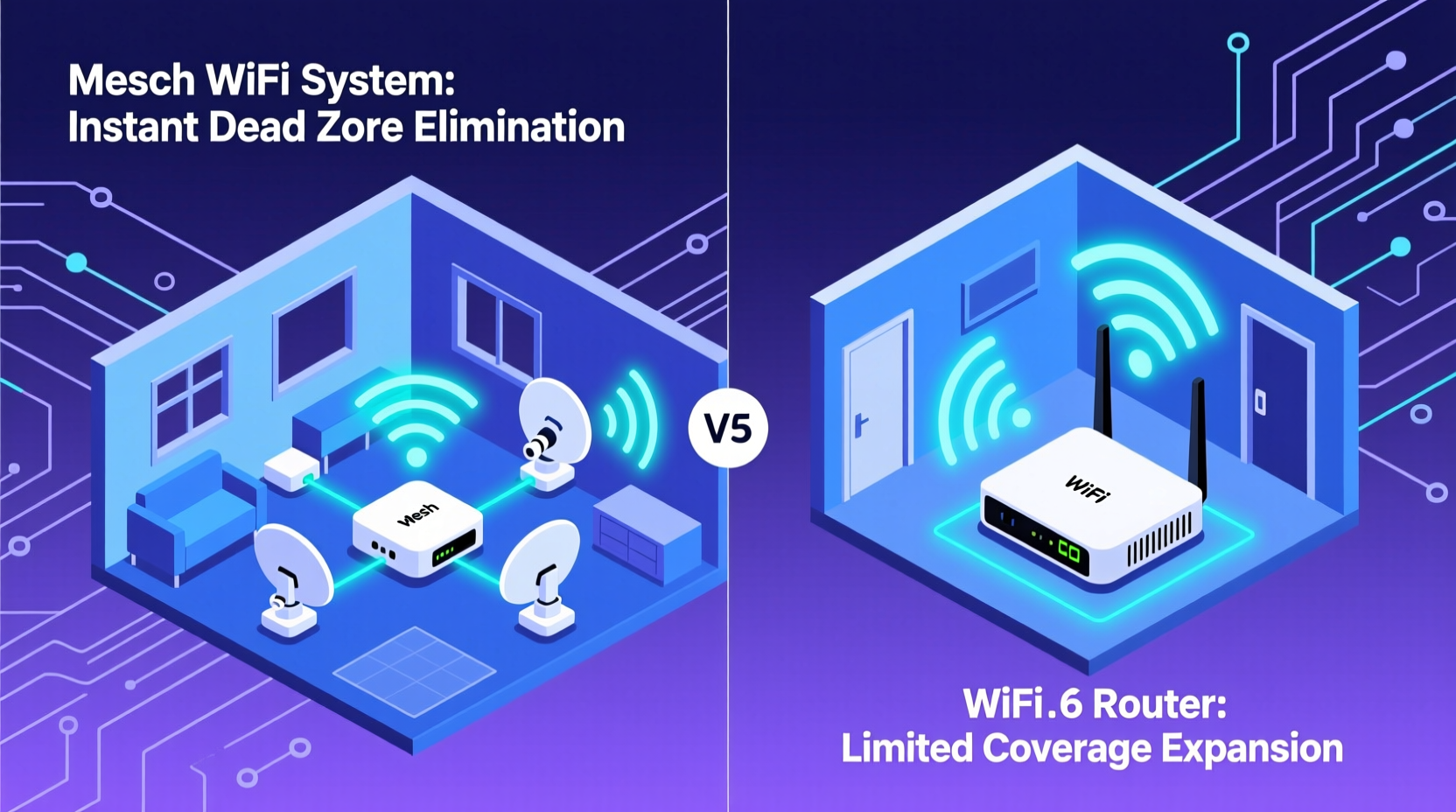
Before comparing speed and coverage, it's essential to clarify what each technology actually is. A mesh WiFi system and a WiFi 6 router are not mutually exclusive—they can even complement each other—but they solve connectivity issues in fundamentally different ways.
A mesh WiFi system consists of multiple hardware units (nodes) placed throughout your home. One node connects directly to your modem, while the others wirelessly or via Ethernet extend the network. These nodes communicate seamlessly, creating a single, unified WiFi network that blankets large or complex spaces. The key advantage lies in distributed coverage: instead of relying on one central source, the signal comes from multiple access points.
A WiFi 6 router, on the other hand, is a single device that uses the latest 802.11ax wireless standard. It improves data transfer speeds, reduces latency, and handles more connected devices simultaneously. WiFi 6 includes advanced technologies like OFDMA (Orthogonal Frequency Division Multiple Access), MU-MIMO (Multi-User, Multiple Input, Multiple Output), and Target Wake Time, all designed to boost efficiency. However, it still operates from a single location, meaning its ability to eliminate dead zones depends heavily on placement and structural interference.
The critical distinction: mesh systems improve coverage through spatial distribution, while WiFi 6 enhances performance and capacity at the source.
How Each Technology Tackles Dead Zones
Dead zones occur when physical obstructions (walls, floors, appliances), distance from the router, or electromagnetic interference weaken the signal. Let’s examine how each solution addresses these challenges.
Mesh WiFi: Coverage Through Proximity
Mesh networks excel at eliminating dead zones by placing access points closer to problem areas. Instead of forcing one router to cover 3,000 square feet, three mesh nodes can each handle 1,000 square feet with minimal overlap loss. This proximity ensures stronger signal penetration into basements, garages, or backyard offices.
Modern mesh systems use tri-band backhaul—dedicating one band solely for communication between nodes—so client devices don’t interfere with internal traffic. This maintains speed and stability across extended coverage.
WiFi 6 Router: Power and Efficiency in One Unit
WiFi 6 routers combat dead zones using enhanced signal modulation and beamforming. Beamforming allows the router to focus signals directly toward connected devices rather than broadcasting uniformly in all directions. This increases effective range and reliability, especially for devices on the edge of coverage.
Additionally, WiFi 6 supports higher transmit power (within regulatory limits) and better receiver sensitivity, allowing devices to maintain connections at greater distances. However, physics remains a limiting factor: even the best single router struggles with thick concrete walls or long hallways without repeaters.
“While WiFi 6 improves per-device performance, it doesn’t inherently solve spatial coverage gaps. You can have the fastest router in the world, but if it’s on the first floor and your bedroom is on the third, you’ll still experience dropouts.” — David Lin, Senior Network Engineer at NetSignal Labs
Performance Comparison: Speed, Latency, and Real-World Results
To determine which option eliminates dead zones faster, we need to look beyond marketing claims and consider real-world deployment scenarios.
| Feature | Mesh WiFi System | WiFi 6 Router |
|---|---|---|
| Coverage Range | Up to 6,000 sq ft (with 3-node setup) | Up to 2,500–3,000 sq ft (ideal conditions) |
| Signal Penetration | High (due to multiple access points) | Moderate to high (with beamforming) |
| Backhaul Options | Wireless or Ethernet (wired preferred) | N/A (single unit) |
| Device Capacity | 75+ devices (distributed load) | 40–50 devices (depends on model) |
| Setup Complexity | Easy (app-guided) | Simple (standard configuration) |
| Dead Zone Elimination Speed | Faster in large/complex layouts | Faster in small-to-medium open spaces |
The data shows a clear pattern: mesh systems provide faster relief from dead zones in larger or structurally challenging environments. In contrast, a standalone WiFi 6 router delivers excellent results in homes under 2,500 square feet with open floor plans.
Real-World Example: The Suburban Family Home
Consider a two-story suburban house measuring 2,800 square feet with brick walls and a finished basement. The family streams 4K video in the living room, works remotely from upstairs bedrooms, and uses smart lights and cameras throughout.
They initially installed a high-end WiFi 6 router in the basement near the modem. Despite strong specs, the second-floor master bedroom and backyard patio suffered frequent disconnections. Upgrading to a tri-band mesh system with nodes on each floor eliminated those dead zones within minutes of setup. Signal strength improved from 2 bars to full bars in previously weak areas, and upload/download consistency increased dramatically.
This case illustrates that raw speed (offered by WiFi 6) cannot always overcome architectural barriers. Strategic node placement did what a powerful single router could not.
When to Choose Which Solution
Selecting the right option depends on your home layout, usage patterns, and budget. Here’s a step-by-step guide to help you decide:
- Assess your home size and layout. Homes over 2,500 sq ft or with multiple levels benefit more from mesh systems.
- Identify current dead zones. Walk through your space with a WiFi analyzer app to map signal strength.
- Evaluate construction materials. Concrete, brick, and metal framing block signals more than wood or drywall.
- Count connected devices. Households with 20+ devices may overwhelm a single router, even if it’s WiFi 6.
- Determine wiring availability. If you can run Ethernet cables between rooms, a mesh system with wired backhaul offers optimal performance.
- Test a WiFi 6 router first if applicable. In smaller homes, upgrading to WiFi 6 may resolve issues without needing additional hardware.
Hybrid Approach: Best of Both Worlds
Many users achieve the fastest dead zone elimination by combining both technologies. For example, a WiFi 6-compatible mesh system (like Google Nest Wifi Pro or ASUS ZenWiFi AX) uses the efficiency of WiFi 6 across multiple nodes. This gives you wide coverage, high device capacity, and future-proof performance.
In such setups, each node supports OFDMA and MU-MIMO, ensuring that even as more devices connect, individual throughput remains stable. This hybrid model is increasingly becoming the gold standard for whole-home coverage.
Frequently Asked Questions
Can a WiFi 6 router replace a mesh system?
Not reliably in large or obstructed homes. While a WiFi 6 router offers superior speed and efficiency, it still functions as a single broadcast point. Without additional nodes, it cannot match the spatial coverage of a mesh network. However, in apartments or small houses, a WiFi 6 router may be sufficient.
Do mesh systems slow down internet speed?
Poorly designed mesh systems can introduce latency, especially if using wireless backhaul over long distances. However, modern tri-band mesh kits dedicate a full band to node-to-node communication, minimizing slowdowns. Wired backhaul (via Ethernet) eliminates this concern entirely, offering near-native speeds across all nodes.
Is WiFi 6 necessary for eliminating dead zones?
WiFi 6 improves overall network efficiency and device handling but doesn’t directly expand physical coverage. It helps maintain strong connections at the edge of a signal, but won’t reach areas completely blocked by walls. For true dead zone elimination, coverage extension (via mesh) matters more than protocol generation.
Action Plan: Eliminate Dead Zones in 5 Steps
If you're ready to fix your WiFi issues quickly, follow this checklist:
- ✅ Use a free app like WiFi Analyzer or NetSpot to identify weak spots.
- ✅ Reposition your current router to a central, unobstructed location.
- ✅ Upgrade to a WiFi 6 router if your home is under 2,500 sq ft and mostly open.
- ✅ Install a mesh WiFi system if you have dead zones in distant rooms or multiple floors.
- ✅ Connect mesh nodes via Ethernet whenever possible for maximum speed and stability.
Most users report noticeable improvements within 30 minutes of setting up a mesh system. The visual feedback from companion apps—showing expanded coverage maps and signal strength upgrades—makes the impact immediately clear.
Conclusion: Speed Isn't Just About Bandwidth
Eliminating dead zones isn’t just about having the fastest internet plan or the newest router. It’s about intelligent signal distribution. While WiFi 6 brings significant advancements in speed, efficiency, and congestion management, it operates within the constraints of physics and building design. A mesh WiFi system, by distributing access points throughout your space, addresses the root cause of dead zones: distance and obstruction.
For most homes larger than 2,000 square feet or with complex layouts, a mesh system eliminates dead zones faster and more completely than any single WiFi 6 router. But the ideal solution often combines both: a WiFi 6-enabled mesh system that delivers broad coverage, high capacity, and future-ready performance.




 浙公网安备
33010002000092号
浙公网安备
33010002000092号 浙B2-20120091-4
Comments
No comments yet. Why don't you start the discussion?