
Dead zones—areas in your home where Wi-Fi signals weaken or disappear entirely—are a common frustration for modern households. Whether you're streaming 4K video, attending remote meetings, or gaming online, inconsistent connectivity can disrupt productivity and enjoyment. Two popular solutions dominate the market: mesh Wi-Fi systems and traditional Wi-Fi extenders. While both aim to improve coverage, they differ significantly in performance, ease of use, and long-term value. Understanding these differences is essential to choosing the right solution for your space.
Understanding Dead Zones and Signal Challenges
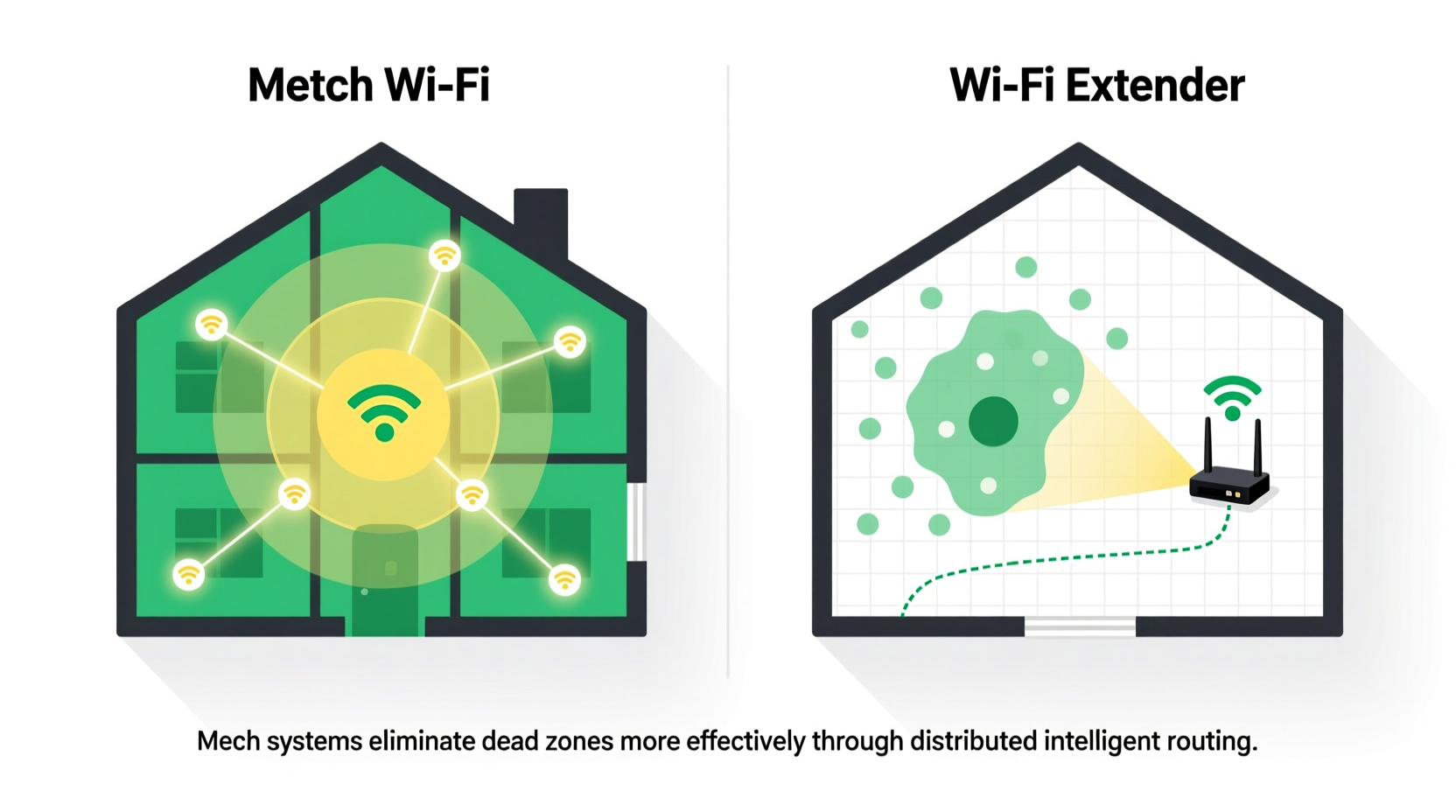
Wi-Fi signals are radio waves that travel from your router but weaken over distance and through obstacles like walls, floors, mirrors, and large appliances. Materials such as concrete, brick, and metal are particularly disruptive. In multi-story homes or layouts with thick internal walls, even high-end routers struggle to maintain consistent signal strength throughout.
Dead zones aren't just about slow speeds—they can mean dropped video calls, buffering streams, or devices that fail to connect altogether. The goal isn’t just to “extend” the signal, but to ensure seamless, high-speed, low-latency connectivity across every room.
Traditional fixes like repositioning the router or upgrading firmware offer limited gains. For meaningful improvement, most users turn to either Wi-Fi extenders or mesh networks—two fundamentally different approaches to solving the same problem.
How Wi-Fi Extenders Work—and Where They Fall Short
A Wi-Fi extender (also called a repeater) captures the existing signal from your primary router and rebroadcasts it to areas with weak reception. It’s typically a plug-in device placed halfway between your router and the dead zone.
While this seems straightforward, the process has inherent limitations:
- Signal degradation: Extenders halve the available bandwidth because they must receive and transmit on the same frequency band.
- Separate network names (SSIDs): Many extenders create a new network (e.g., “Home-WiFi_Ext”), forcing manual switching between zones.
- Latency spikes: Each hop introduces delay, making extenders poor choices for real-time applications like gaming or video conferencing.
- Inconsistent roaming: Devices often stick to a weak signal instead of seamlessly transitioning to the extender.
Despite being affordable and easy to set up, extenders act as a temporary fix rather than a robust solution. They may work acceptably in small apartments or single-room expansions but falter in larger or complex environments.
“Repeaters can technically expand coverage, but they do so at the cost of performance. You’re trading reach for speed and stability.” — Dr. Alan Tran, Network Infrastructure Engineer at NetVision Labs
The Mesh Wi-Fi Advantage: Seamless, Scalable Coverage
Mesh Wi-Fi systems consist of multiple interconnected nodes—usually one main unit connected to your modem and satellite units placed strategically around your home. Unlike extenders, mesh systems operate as a unified network, using intelligent routing protocols to deliver consistent performance.
Key advantages include:
- Single network name (SSID): Devices automatically connect to the strongest node without manual intervention.
- Tri-band backhaul (on premium models): Dedicated wireless channels allow nodes to communicate without interfering with client traffic, preserving speed.
- Self-healing networks: If one node fails, others reroute traffic to maintain connectivity.
- Advanced features: Built-in parental controls, guest networks, automatic updates, and app-based management enhance usability.
Mesh systems excel in dynamic environments where multiple devices compete for bandwidth. They provide not just extended range, but improved quality of service across the entire footprint.
Comparative Analysis: Mesh vs Extender Performance
| Feature | Wi-Fi Extender | Mesh Wi-Fi System |
|---|---|---|
| Setup Complexity | Simple (plug-and-play) | Moderate (app-guided setup) |
| Network Name (SSID) | Often separate (manual switching) | Single SSID (seamless roaming) |
| Speed Retention | ~50% loss due to repeating | 70–90% retention with dedicated backhaul |
| Coverage Area | Limited (one additional zone) | Scalable (add nodes as needed) |
| Latency & Stability | High variability; prone to lag | Low latency; optimized routing |
| Device Management | Basic or none | Full app control (QoS, schedules, security) |
| Ideal Use Case | Small homes, budget-conscious users | Large homes, multi-device households |
This comparison highlights why mesh systems outperform extenders in nearly every technical category. While extenders are cheaper upfront, their performance trade-offs make them less effective for eliminating true dead zones—especially in homes larger than 1,500 square feet or with dense construction.
Real-World Example: A 3-Bedroom Home Struggles with Connectivity
Consider the Martinez family living in a two-story, 2,200-square-foot suburban home. Their primary router sits in the basement media room. Upstairs bedrooms and the backyard patio consistently suffer from weak signals. Initially, they installed a $50 Wi-Fi extender in the hallway. While it showed bars on devices, streaming still buffered, and Zoom calls frequently disconnected.
After switching to a three-node mesh system (main unit in the basement, satellites on each floor), all devices connected seamlessly. Video streams played instantly, smart home devices responded reliably, and remote work became stable. Crucially, their phones and tablets automatically switched between nodes without dropping connections—a feature absent with the extender.
The initial investment was higher (~$300 vs. $50), but the improvement in daily usability justified the cost. This case illustrates how mesh systems solve not just range issues, but quality-of-experience problems that extenders cannot address.
Step-by-Step Guide to Eliminating Dead Zones
Follow this proven sequence to determine the best solution for your home:
- Map your current coverage: Walk through your home with a Wi-Fi analyzer app (like NetSpot or Wi-Fi Analyzer) to identify actual signal strength in dBm. Note areas below -70 dBm as potential dead zones.
- Evaluate your router’s placement: Central, elevated locations away from obstructions yield the best baseline performance. Avoid basements, closets, or near microwaves.
- Test with minimal interference: Temporarily disconnect non-essential devices and check if performance improves. This helps isolate congestion issues.
- Determine your home’s layout complexity: Homes with open floor plans may benefit from a single extender. Multi-level or obstructed spaces require mesh.
- Choose based on needs:
- Budget-focused, small space? Try a dual-band extender.
- Multiple users, large home, or future-proofing? Invest in a tri-band mesh system.
- Install and optimize: Position extenders halfway between router and dead zone. For mesh, place nodes where signal drops to -60 dBm, ensuring overlap.
- Monitor and adjust: Use your system’s app to view device connections, update firmware, and fine-tune placement over time.
When an Extender Might Still Be the Right Choice
Despite mesh superiority, there are niche scenarios where extenders remain viable:
- Rental properties: Tenants unable to modify infrastructure may prefer a portable, reversible solution.
- Garages or sheds: An isolated outdoor structure used occasionally doesn’t justify a full mesh node.
- Temporary setups: Events, pop-up offices, or guest rooms with infrequent use.
In these cases, modern extenders with WPA3 encryption and MU-MIMO support can provide adequate service. However, they should be viewed as supplemental—not primary—coverage tools.
Frequently Asked Questions
Can I use a mesh system with my existing router?
Yes. Most mesh systems support router mode or bridge mode. You can disable your ISP router’s Wi-Fi and let the mesh system take over, or run the mesh as a secondary network. Check compatibility with your modem type (e.g., DOCSIS 3.1 for cable).
Do mesh systems work with smart home devices?
Absolutely. In fact, they’re ideal for smart homes. Their stable, low-latency connections ensure reliable communication between hubs, cameras, thermostats, and voice assistants. Some systems (like Google Nest Wifi) even double as smart speakers.
Is a Wi-Fi 6 extender better than a mesh system?
Not necessarily. Even Wi-Fi 6 extenders suffer from the fundamental limitation of shared bandwidth. A Wi-Fi 5 mesh system with dedicated backhaul will typically outperform a Wi-Fi 6 extender in real-world conditions. Technology generation matters less than network architecture.
Final Recommendation: Mesh Wins for Most Users
For eliminating dead zones effectively, mesh Wi-Fi systems are superior in almost every measurable way. They deliver faster speeds, lower latency, seamless roaming, and smarter management—exactly what modern households need. While extenders have a place in specific, limited-use cases, they compromise too much on performance to be considered a reliable long-term solution.
The shift toward remote work, 4K streaming, and IoT devices demands robust, scalable networks. Mesh technology meets that demand. As prices continue to drop—entry-level kits now start under $200—the value proposition grows stronger.
“The future of home networking isn’t about extending weak signals—it’s about creating intelligent, adaptive ecosystems. Mesh is that evolution.” — TechRadar, Networking Trends 2024
Take Action Today for a Stronger, Smarter Home Network
If you're tired of walking around your house searching for a stable connection, it's time to upgrade your strategy. Start by testing your current signal, then evaluate whether a mesh system fits your lifestyle and budget. With proper placement and configuration, you can eliminate dead zones permanently and enjoy fast, reliable Wi-Fi in every corner of your home.




 浙公网安备
33010002000092号
浙公网安备
33010002000092号 浙B2-20120091-4
Comments
No comments yet. Why don't you start the discussion?