
In today’s connected homes, consistent Wi-Fi coverage is no longer a luxury—it’s a necessity. From video conferencing in the basement to streaming 4K content in the backyard, every corner of your home should have reliable internet access. Yet, many households still struggle with frustrating dead zones—areas where the signal drops or becomes unusably slow. Two popular solutions dominate the market: mesh Wi-Fi systems and traditional range extenders. While both promise improved coverage, only one delivers a seamless, high-performance experience that truly eliminates dead zones.
The difference between these two technologies lies not just in price, but in architecture, reliability, and user experience. Understanding how each works—and where they fall short—is essential to making an informed decision for your home network.
How Range Extenders Work (And Why They Often Fall Short)
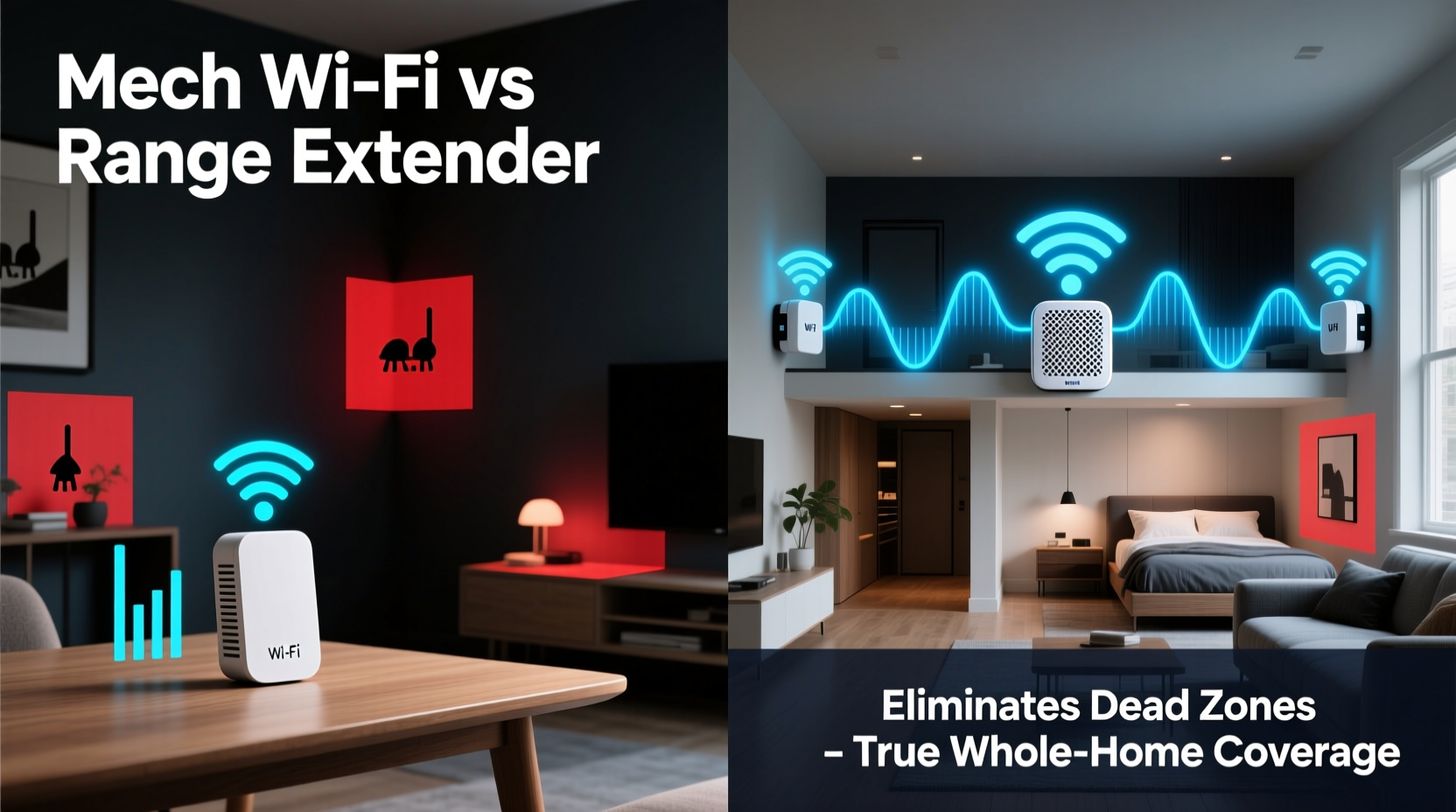
A Wi-Fi range extender, sometimes called a repeater, is a device that captures your existing router’s signal and rebroadcasts it to areas with weak or no coverage. It essentially acts as a middleman, receiving data from your main router and transmitting it further into your home.
This sounds effective in theory, but in practice, extenders come with significant limitations:
- Signal degradation: Every time a signal is repeated, it loses strength and speed. Extenders typically cut bandwidth in half because they use the same radio frequency to communicate with both the router and your device.
- Separate network names (SSIDs): Most extenders create a second network (e.g., “HomeWiFi_Ext”), forcing you to manually switch between networks as you move through the house.
- Latency spikes: The double-hop communication increases latency, making extenders poor choices for gaming, video calls, or smart home automation.
- Placement sensitivity: To function properly, an extender must be within strong range of the main router—yet far enough to cover new territory. This narrow \"sweet spot\" is difficult to find.
“Range extenders are a Band-Aid solution. They can help in small spaces, but they don’t solve the root cause of poor coverage.” — David Lin, Network Infrastructure Engineer at NetSecure Labs
How Mesh Wi-Fi Systems Deliver Seamless Coverage
Mesh Wi-Fi is a modern networking solution designed to replace or augment traditional routers with multiple interconnected nodes placed throughout your home. Unlike extenders, mesh systems operate as a single, intelligent network.
Each node in a mesh system communicates with the others using dedicated backhaul channels (either over Wi-Fi or Ethernet), ensuring fast, stable connections across all devices. When you move from room to room, your phone or laptop automatically connects to the strongest node without dropping the connection—a process known as roaming.
Key advantages of mesh Wi-Fi include:
- Single network name (SSID): No need to switch between networks; your devices connect seamlessly.
- Intelligent routing: Data travels via the fastest available path between nodes, minimizing lag.
- Better bandwidth management: Tri-band models use a dedicated wireless channel for node-to-node communication, preserving bandwidth for your devices.
- App-based control: Most systems include mobile apps for monitoring usage, setting parental controls, and running speed tests.
- Scalability: You can add more nodes as needed to cover larger homes or multi-story buildings.
Real-World Example: Eliminating Dead Zones in a Two-Story Home
Consider a 2,200-square-foot home with brick walls and a finished basement. The primary router is located in the living room on the first floor. Residents frequently lose signal in the master bedroom upstairs and have no connectivity in the basement gym.
They first try a range extender placed halfway up the stairs. While this improves signal slightly in the bedroom, the basement remains unaffected. Streaming buffers, and video calls drop during peak hours. Devices often stick to the weaker router signal instead of switching to the extender.
After switching to a three-node mesh system—one node in the living room, one upstairs hallway, and one in the basement—the entire home gains full 5 GHz coverage. All devices automatically connect to the nearest node. Streaming is smooth, and smart lights respond instantly. For the first time, the homeowner can take Zoom calls from the basement without interruption.
Mesh WiFi vs Range Extender: A Direct Comparison
| Feature | Mesh Wi-Fi System | Range Extender |
|---|---|---|
| Network Name (SSID) | Single, unified network | Dual SSID (router + extender) |
| Roaming Experience | Seamless handoff between nodes | Manual switching or unreliable auto-switching |
| Bandwidth Efficiency | High (especially with tri-band models) | Low (halved due to repeating) |
| Installation Complexity | Easy (guided app setup) | Simple, but placement-critical |
| Cost | Higher ($200–$600 for 2–3 nodes) | Lower ($50–$150) |
| Ideal Use Case | Large homes, multi-story buildings, dense walls | Small apartments, temporary fixes |
| Backhaul Support | Wireless or wired (Ethernet) | Wireless only |
When a Range Extender Might Still Make Sense
Despite their drawbacks, range extenders aren’t entirely obsolete. In certain situations, they can serve as a cost-effective stopgap:
- Small apartments or condos: If your dead zone is limited to one far corner, an extender may suffice.
- Budget constraints: For users who can’t invest $200+ in a mesh system, an extender offers basic improvement.
- Temporary setups: Renters or those hosting short-term events may prefer a non-permanent solution.
However, even in these cases, newer plug-in mesh nodes (like Google Nest Wifi points) often outperform extenders at similar price points, offering better integration and reliability.
Step-by-Step Guide to Choosing the Right Solution
- Map your dead zones: Walk through your home with a Wi-Fi analyzer app (such as Wi-Fi Analyzer for Android or AirPort Utility for iOS) to identify weak signal areas.
- Assess your home layout: Note the square footage, number of floors, wall materials (brick and concrete block signals), and distance from your router.
- Evaluate your internet plan: If you have gigabit service, a range extender will bottleneck your speeds. Mesh systems handle high bandwidth more efficiently.
- Count your devices: Homes with 20+ connected devices (phones, tablets, smart TVs, cameras, etc.) benefit from mesh intelligence and load balancing.
- Determine budget and scalability needs: Can you afford a full mesh system now? Will you need to expand coverage later?
- Test before committing: Many mesh brands offer return windows. Try a system like Eero, Netgear Orbi, or TP-Link Deco risk-free.
Expert Insight: What Network Engineers Recommend
“In enterprise environments, we’ve moved away from repeaters for over a decade. Mesh technology brings that same reliability to homes. If you’re serious about eliminating dead zones, mesh isn’t just better—it’s the standard.” — Maria Chen, Senior Network Architect at ConnectHome Solutions
Industry professionals emphasize that while extenders may appear cheaper upfront, their long-term performance costs—in frustration, buffering, and reboots—often outweigh the savings. Mesh systems, by contrast, future-proof your network and integrate smoothly with smart home ecosystems.
Frequently Asked Questions
Can I use a mesh node and a range extender together?
Technically yes, but it’s not recommended. Mixing systems can cause IP conflicts, inconsistent roaming, and degraded performance. Stick to one ecosystem for optimal results.
Do mesh systems work with my existing internet provider?
Absolutely. Mesh Wi-Fi replaces your router’s coverage but works with any ISP. Just connect the main node to your modem, and the rest follows.
Will a mesh system improve my internet speed?
It won’t increase your plan’s maximum speed, but it will deliver that speed consistently throughout your home. What feels like “slower internet” in dead zones is usually weak signal strength—not ISP throttling.
Checklist: Is Mesh Wi-Fi Right for Your Home?
- ☐ Do you have dead zones in multiple rooms or floors?
- ☐ Are you frustrated with buffering or dropped video calls?
- ☐ Do you own more than 10 Wi-Fi devices?
- ☐ Is your home over 1,500 square feet or built with thick walls?
- ☐ Do you want a single, reliable network name everywhere?
- ☐ Are you willing to invest in a long-term solution?
If you answered “yes” to three or more, a mesh system is likely your best path forward.
Conclusion: Eliminate Dead Zones for Good
When it comes to eradicating Wi-Fi dead zones, mesh Wi-Fi systems outperform range extenders in every meaningful category—coverage, speed, reliability, and user experience. While extenders offer a quick fix, they compromise performance and scalability. Mesh networks, on the other hand, provide a holistic upgrade that grows with your needs and adapts to your lifestyle.
The investment in a quality mesh system pays off in daily convenience: uninterrupted streaming, responsive smart devices, and seamless video conferencing from any room. As homes become more connected, the network infrastructure must keep pace. Mesh Wi-Fi isn’t just the better option—it’s the necessary evolution of home internet.




 浙公网安备
33010002000092号
浙公网安备
33010002000092号 浙B2-20120091-4
Comments
No comments yet. Why don't you start the discussion?