
In two-story homes, inconsistent Wi-Fi coverage is a common frustration. One moment you’re streaming seamlessly on the first floor, and the next, your video call drops as you climb the stairs. Dead zones—areas with weak or no signal—are especially prevalent between floors due to construction materials like drywall, wood, and insulation that interfere with wireless signals. To solve this, many homeowners consider either mesh Wi-Fi systems or range extenders. But which one truly eliminates dead zones? The answer isn’t always straightforward, but understanding how each technology works—and where it falls short—can guide you to the right choice for your home.
How Wi-Fi Signals Behave in Multi-Story Homes
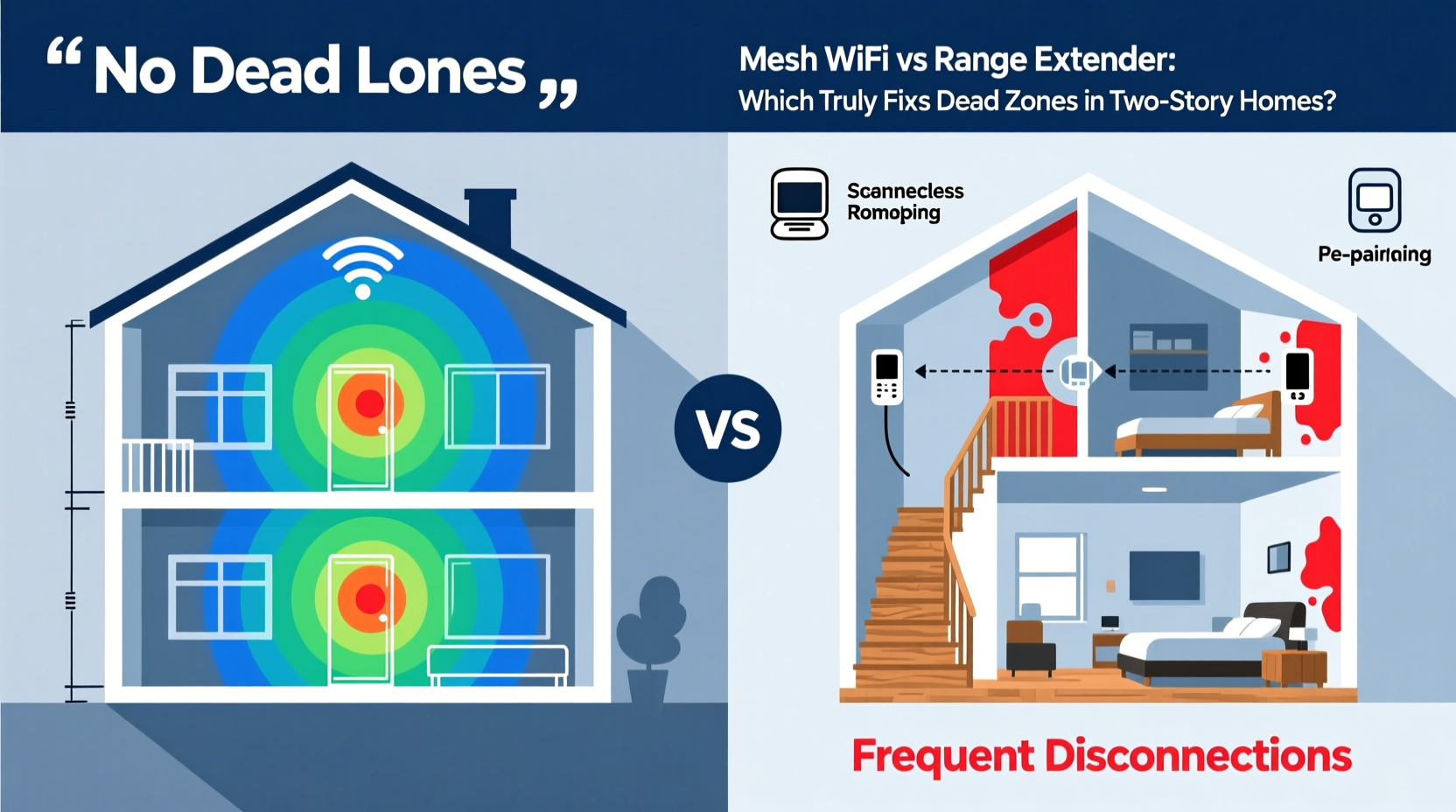
Wi-Fi operates using radio waves, typically on 2.4 GHz and 5 GHz frequency bands. The 2.4 GHz band travels farther and penetrates walls better, while the 5 GHz band offers faster speeds but over shorter distances. In a two-story house, signals from a single router placed on the ground floor often struggle to reach upper levels, especially if the router is tucked away in a cabinet or basement.
Additionally, modern building materials such as metal studs, concrete, and energy-efficient windows can reflect or absorb signals. Furniture, appliances, and even water pipes contribute to interference. As a result, upstairs bedrooms or attic offices may experience frustratingly slow connections or complete dropouts.
The goal isn't just to “boost” the signal—it’s to deliver consistent, high-speed coverage throughout all living areas. This is where the distinction between mesh Wi-Fi and range extenders becomes critical.
Range Extenders: How They Work (and Where They Fall Short)
A Wi-Fi range extender—also known as a repeater—sits between your router and the dead zone, receiving the existing signal and rebroadcasting it. It’s a plug-and-play solution that requires no rewiring and is generally inexpensive, making it an attractive option for budget-conscious users.
However, extenders come with significant trade-offs:
- Signal halving: Because most extenders use the same radio to receive and transmit data, they effectively cut available bandwidth in half. If your original connection is 100 Mbps, devices connected through the extender may only get around 50 Mbps—or less, depending on distance.
- Separate network names (SSIDs): Many extenders create a second network (e.g., “HomeWiFi_Ext”), forcing users to manually switch networks as they move through the house.
- Latency spikes: For activities like video conferencing or online gaming, the added hop between router and extender introduces lag, degrading performance.
- Placement sensitivity: An extender must be close enough to the router to receive a strong signal but far enough to cover the dead zone—a narrow sweet spot that’s hard to achieve on the second floor.
“Range extenders are a Band-Aid solution. They might give you connectivity, but not the quality of service modern households demand.” — David Lin, Network Infrastructure Consultant
Mesh Wi-Fi: Designed for Whole-Home Coverage
Mesh Wi-Fi systems consist of multiple nodes (a primary unit connected to your modem and satellite units placed throughout the home) that work together as a single network. Unlike traditional routers or extenders, mesh systems use intelligent routing protocols to direct traffic efficiently across the network.
Key advantages include:
- Seamless roaming: All nodes broadcast the same SSID. As you move from room to room or floor to floor, your device automatically connects to the strongest signal without dropping the connection.
- Dedicated backhaul (on dual/tri-band models): Higher-end mesh systems use a separate wireless band to communicate between nodes, preserving client bandwidth. This means full-speed performance even on extended coverage areas.
- Self-healing networks: If one node fails or experiences interference, traffic reroutes through others, maintaining uptime.
- App-based management: Most systems include mobile apps for monitoring speed, setting parental controls, and running diagnostics.
In a two-story home, placing one node on each floor ensures strong vertical coverage. The system dynamically adjusts signal strength and channel usage to minimize interference, delivering reliable performance even during peak usage times.
Mini Case Study: The Thompson Family Home
The Thompsons live in a 2,200-square-foot colonial-style home with hardwood floors, thick interior walls, and a finished basement. Their original router sat in the basement media room, leaving the second-floor master bedroom and children’s study area with spotty connectivity.
They first tried a $60 range extender in the upstairs hallway. While it restored basic internet access, video calls frequently froze, and online homework sessions were interrupted by buffering. After upgrading to a three-node mesh system (one in the basement, one on the main floor, one upstairs), they reported immediate improvements. Streaming, remote work, and smart home devices all functioned reliably across all floors. According to Mrs. Thompson, “It’s the first time everyone can be online at once without complaints.”
Head-to-Head Comparison: Mesh Wi-Fi vs Range Extender
| Feature | Mesh Wi-Fi System | Range Extender |
|---|---|---|
| Coverage Area | Up to 6,000 sq ft (multi-node) | Adds ~500–1,000 sq ft |
| Network Name (SSID) | Single, seamless SSID | Often creates duplicate SSID |
| Bandwidth Efficiency | High (dedicated backhaul available) | |
| Setup Complexity | Easy (guided app setup) | Very easy (plug and configure) |
| Cost | $200–$600+ (multi-unit) | $40–$100 |
| Best For | Large homes, multiple users, reliability | Small spaces, temporary fixes, tight budgets |
Step-by-Step Guide: Choosing the Right Solution for Your Two-Story Home
- Map your current coverage: Walk through your home with a Wi-Fi analyzer app (like NetSpot or Wi-Fi Analyzer) to identify exact dead zones. Note where signal strength drops below -70 dBm.
- Evaluate your internet plan: If you have gigabit service, a range extender will bottleneck your speed. Mesh systems preserve more of your paid bandwidth.
- Assess device load: Count how many devices are regularly connected (phones, laptops, smart TVs, security cameras). High-density environments benefit more from mesh intelligence.
- Plan node placement: For mesh, place the primary node near your modem. Secondary nodes should be within 30–50 feet of each other, ideally on the same floor or adjacent stairwells. Avoid enclosing them in cabinets.
- Test before finalizing: Most mesh systems allow returns within 30 days. Use this period to test performance in previously problematic areas.
- Consider future needs: If you plan to add smart home devices or upgrade your internet speed, invest in a scalable mesh system that supports Wi-Fi 6 or Wi-Fi 6E.
When a Range Extender Might Still Be Acceptable
While mesh Wi-Fi is superior for whole-home coverage, there are limited scenarios where a range extender makes sense:
- You rent and can’t modify wiring or install permanent equipment.
- Your dead zone is small and used infrequently (e.g., a guest bathroom).
- You need temporary coverage for a home office during renovations.
- Budget is strictly under $100, and basic browsing/email is the primary need.
Even then, opt for an extender with both 2.4 GHz and 5 GHz support and use WPA3 encryption for security. Avoid older models that only rebroadcast on one band.
Checklist: Upgrade Your Two-Story Wi-Fi Like a Pro
- ✅ Conduct a signal walkthrough using a Wi-Fi analyzer app
- ✅ Confirm your router is optimally placed (central, elevated, away from obstructions)
- ✅ Determine whether you need coverage or capacity (more users = more nodes)
- ✅ Choose a mesh system with dedicated backhaul for best performance
- ✅ Position secondary nodes on different floors, avoiding metal barriers
- ✅ Enable automatic updates and security features via the companion app
- ✅ Test speed in former dead zones after installation
Frequently Asked Questions
Can I mix a mesh system with a range extender?
Technically yes, but it's not recommended. Doing so can create network conflicts, reduce performance, and complicate troubleshooting. If you already have a mesh system, rely on adding another node instead of introducing an extender.
Do mesh systems work through floors better than routers?
Yes. By placing a node on each level, mesh systems eliminate reliance on vertical signal penetration. Each floor gets its own strong source, reducing dependency on the original router’s ability to shoot signals upward.
Is powerline networking a better alternative?
Powerline adapters use electrical wiring to extend network signals and can work well in older homes with poor Wi-Fi propagation. However, performance varies based on circuit layout and electrical noise. They’re best paired with mesh nodes rather than used alone.
Conclusion: Fixing Dead Zones Requires More Than Just Signal Boosting
Dead zones in two-story homes aren’t just an annoyance—they disrupt work, entertainment, and daily life. While range extenders offer a quick, low-cost fix, they compromise speed, stability, and user experience. Mesh Wi-Fi systems, though more expensive upfront, provide a holistic solution designed for modern connectivity demands.
The key insight isn’t just about hardware—it’s about network design. A well-planned mesh system treats your home as a unified environment, not a collection of isolated rooms. For families with multiple devices, high-speed internet plans, and reliance on cloud services, mesh Wi-Fi isn’t just better—it’s essential.




 浙公网安备
33010002000092号
浙公网安备
33010002000092号 浙B2-20120091-4
Comments
No comments yet. Why don't you start the discussion?