
For many households, poor Wi-Fi coverage is a daily frustration—buffering videos, dropped video calls, and slow downloads plague corners of homes where the signal weakens. As internet use intensifies with smart devices, remote work, and streaming, extending your network effectively has never been more important. Two popular solutions dominate the market: mesh Wi-Fi systems and traditional range extenders. While both aim to eliminate dead zones, they differ significantly in performance, reliability, and user experience. Understanding these differences is key to choosing the best solution for your home.
How Wi-Fi Signals Work—and Why They Fade
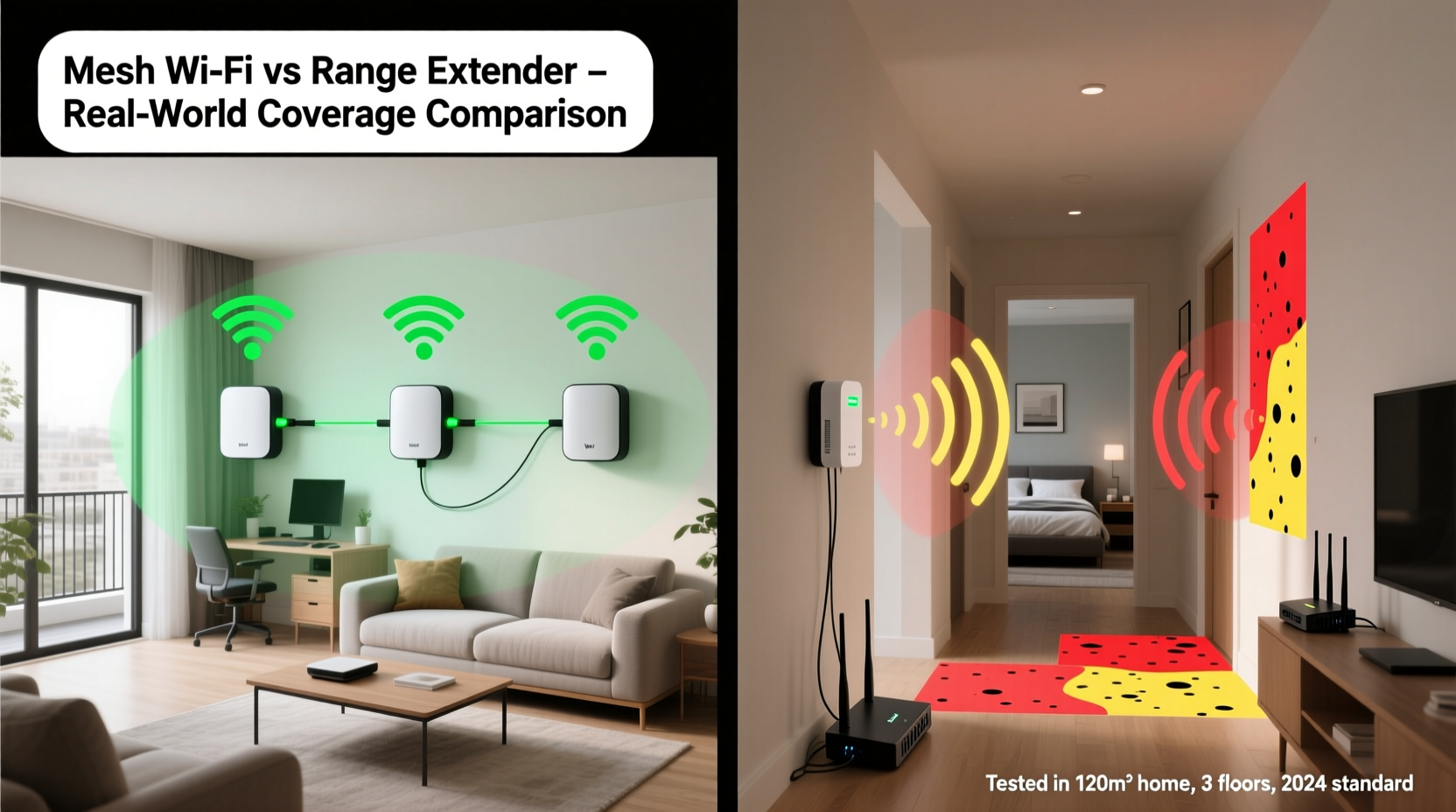
Wi-Fi signals travel through radio waves, typically on the 2.4 GHz or 5 GHz frequency bands. These waves can be absorbed, reflected, or blocked by walls, furniture, appliances, and even human bodies. The farther you are from the router, the weaker the signal becomes. Materials like concrete, brick, and metal are particularly disruptive. In multi-story homes or larger layouts, a single router often can't cover every room effectively.
When the signal degrades, so does performance. Latency increases, bandwidth drops, and connections may drop entirely. This is where signal extension technologies come into play. But not all extensions are created equal. The method you choose impacts speed consistency, ease of management, and long-term scalability.
What Is a Range Extender and How Does It Work?
A Wi-Fi range extender (also called a repeater) is a device that captures your existing Wi-Fi signal from the main router and rebroadcasts it to expand coverage. It's typically plug-and-play: you place it within range of your router, power it on, and connect devices to its extended network.
While simple to set up, extenders have inherent limitations. Because they rely on receiving and retransmitting the same signal, they effectively halve the available bandwidth. If your original connection is 100 Mbps, devices connected to the extender may only get 50 Mbps—or less, depending on interference. Additionally, most extenders create a separate network name (SSID), forcing users to manually switch between networks as they move around the house.
Pros and Cons of Range Extenders
| Pros | Cons |
|---|---|
| Affordable (typically $30–$80) | Reduces bandwidth by up to 50% |
| Easy to install without technical knowledge | Creates a separate network name (SSID) |
| No rewiring or major changes needed | Poor roaming support—devices stick to weak signals |
| Works with any existing router | Limited customization and monitoring features |
What Is a Mesh Wi-Fi System and How Does It Work?
A mesh Wi-Fi system replaces or supplements your existing router with multiple interconnected nodes placed throughout your home. Unlike extenders, mesh systems operate as a single, unified network. Each node communicates seamlessly with the others, forming a dynamic web of coverage. Devices automatically connect to the strongest available node without manual switching.
Mesh systems use intelligent routing protocols to direct data efficiently across the network. Many support tri-band technology, dedicating one band exclusively to communication between nodes (backhaul), preserving the other two bands for client devices. This prevents the bandwidth loss common with extenders.
Setup is typically managed via a mobile app, allowing users to customize settings, monitor connected devices, apply parental controls, and receive firmware updates remotely. Brands like Google Nest Wifi, Eero, Netgear Orbi, and TP-Link Deco dominate this space, offering scalable options for homes of various sizes.
“Mesh networks represent a fundamental upgrade in home Wi-Fi architecture. They offer seamless roaming, better load balancing, and consistent throughput—something repeaters simply can’t match.” — David Liu, Senior Network Engineer at Broadband Insights Group
Pros and Cons of Mesh Wi-Fi Systems
| Pros | Cons |
|---|---|
| Seamless roaming with a single SSID | Higher upfront cost ($150–$500+) |
| Better performance due to dedicated backhaul (in tri-band models) | Takes up more outlets and physical space |
| Advanced features: app control, guest networks, parental controls | May require replacing your ISP-provided router |
| Scalable—add nodes as needed | Slight learning curve for advanced settings |
Real-World Example: A 2,500-Square-Foot Home with Coverage Issues
Consider the Johnson family living in a two-story suburban home with thick interior walls and a basement office. Their ISP-provided router sits in the living room on the first floor. Upstairs bedrooms and the backyard patio suffer from spotty connectivity. Initially, they try a $50 range extender in the hallway upstairs. Streaming improves slightly, but video calls remain choppy, and devices frequently disconnect when moving between floors.
Frustrated, they invest in a three-node mesh system. One node connects directly to the modem, acting as the primary router. The second goes upstairs, and the third in the basement. Within minutes of setup using the companion app, all devices automatically connect to the strongest node. Video calls stabilize, 4K streaming runs smoothly, and smart home devices respond instantly—even in previously dead zones.
The difference isn’t just about signal strength—it’s about network intelligence. The mesh system dynamically manages traffic, avoids congestion, and maintains consistent speeds regardless of location.
Step-by-Step: Choosing the Right Solution for Your Home
Deciding between mesh Wi-Fi and a range extender shouldn’t be arbitrary. Follow this logical process to ensure optimal results:
- Assess your home layout. Measure square footage, note the number of floors, and identify construction materials. Homes over 2,000 sq ft or with multiple levels usually benefit more from mesh.
- Map current Wi-Fi performance. Use tools like Wi-Fi Analyzer (Android) or AirPort Utility (iOS) to check signal strength in problem areas. Look for spots below -70 dBm.
- Evaluate your usage needs. Heavy streaming, gaming, or multiple connected devices demand higher performance and stability—favoring mesh.
- Determine budget and long-term goals. If you plan to add smart home devices or work from home regularly, investing in mesh pays off over time.
- Test a range extender first (if budget-constrained). Try a mid-range model with Ethernet backhaul support. If performance remains inadequate, upgrade to mesh.
- Install and optimize placement. For mesh, place nodes in central, elevated locations with minimal obstructions. Avoid placing near microwaves or cordless phones.
- Monitor and adjust. Use the mesh app to review device connections, update firmware, and fine-tune settings for peak efficiency.
Which Gives Better Coverage? The Verdict
When comparing mesh Wi-Fi versus range extenders for home coverage, mesh systems consistently outperform in nearly every category: speed consistency, reliability, ease of use, and future readiness. They provide true whole-home coverage with intelligent handoffs between nodes, eliminating the need to manually reconnect to different networks.
Range extenders still have a place—for small apartments, temporary setups, or users on a tight budget. However, their technical limitations make them unsuitable for modern, high-demand households. The bandwidth reduction and lack of seamless roaming undermine the very convenience they promise.
If your home is larger than 1,800 square feet, has multiple floors, or hosts several Wi-Fi-dependent devices, a mesh system is the superior long-term investment. For smaller spaces with minor dead zones, a high-quality extender with Ethernet bridging capability might suffice—but expect trade-offs in performance.
Checklist: What to Consider Before Buying
- ✅ Square footage and number of floors in your home
- ✅ Number of connected devices (phones, laptops, smart TVs, etc.)
- ✅ Internet speed from your ISP (e.g., 100 Mbps, 500 Mbps, Gigabit)
- ✅ Presence of thick walls, mirrors, or metal structures
- ✅ Need for advanced features (parental controls, guest network, device prioritization)
- ✅ Budget range: under $100 (extender) or $150+ (mesh)
- ✅ Ability to replace or bypass your ISP’s router
- ✅ Support for Wi-Fi 6 or Wi-Fi 6E if future-proofing is important
Frequently Asked Questions
Can I use a mesh system with my existing router?
Yes, most mesh systems can operate in \"access point mode\" or replace your current router. You’ll connect the primary mesh node to your modem, disabling the router function of your old device to prevent conflicts.
Do range extenders work with all routers?
Most modern extenders are universally compatible with standard Wi-Fi routers. However, performance varies based on the router’s signal strength and the extender’s capabilities. Older or proprietary systems may have compatibility issues.
Is mesh Wi-Fi worth the extra cost?
For homes with coverage gaps and multiple users, yes. The improved speed, reliability, and ease of management justify the investment. Over time, reduced frustration and better productivity offset the initial price.
Final Thoughts: Building a Smarter Home Network
Your home Wi-Fi should be invisible—working flawlessly in the background so you can focus on what matters. Whether you're attending virtual meetings, streaming movies, or managing smart lights and security cameras, consistent connectivity is non-negotiable. While range extenders offer a quick fix, mesh Wi-Fi delivers a comprehensive, intelligent solution designed for today’s connected lifestyles.
The goal isn’t just to eliminate dead zones—it’s to create a responsive, adaptive network that grows with your needs. With mesh Wi-Fi, you’re not just extending coverage; you’re upgrading the entire foundation of your home internet experience.




 浙公网安备
33010002000092号
浙公网安备
33010002000092号 浙B2-20120091-4
Comments
No comments yet. Why don't you start the discussion?