
In compact urban living spaces, every square foot counts. As entertainment becomes more central to home life, the choice between a mini projector and a large TV is no longer just about picture quality—it’s about how well the device fits into your lifestyle, spatial constraints, and aesthetic preferences. For city dwellers in studios or one-bedroom apartments, balancing immersive viewing with minimal footprint is essential. This guide compares mini projectors and large TVs across key dimensions: space efficiency, image performance, cost, installation, and long-term usability—helping you make an informed decision without sacrificing comfort or enjoyment.
Spatial Impact: How Each Option Uses Space
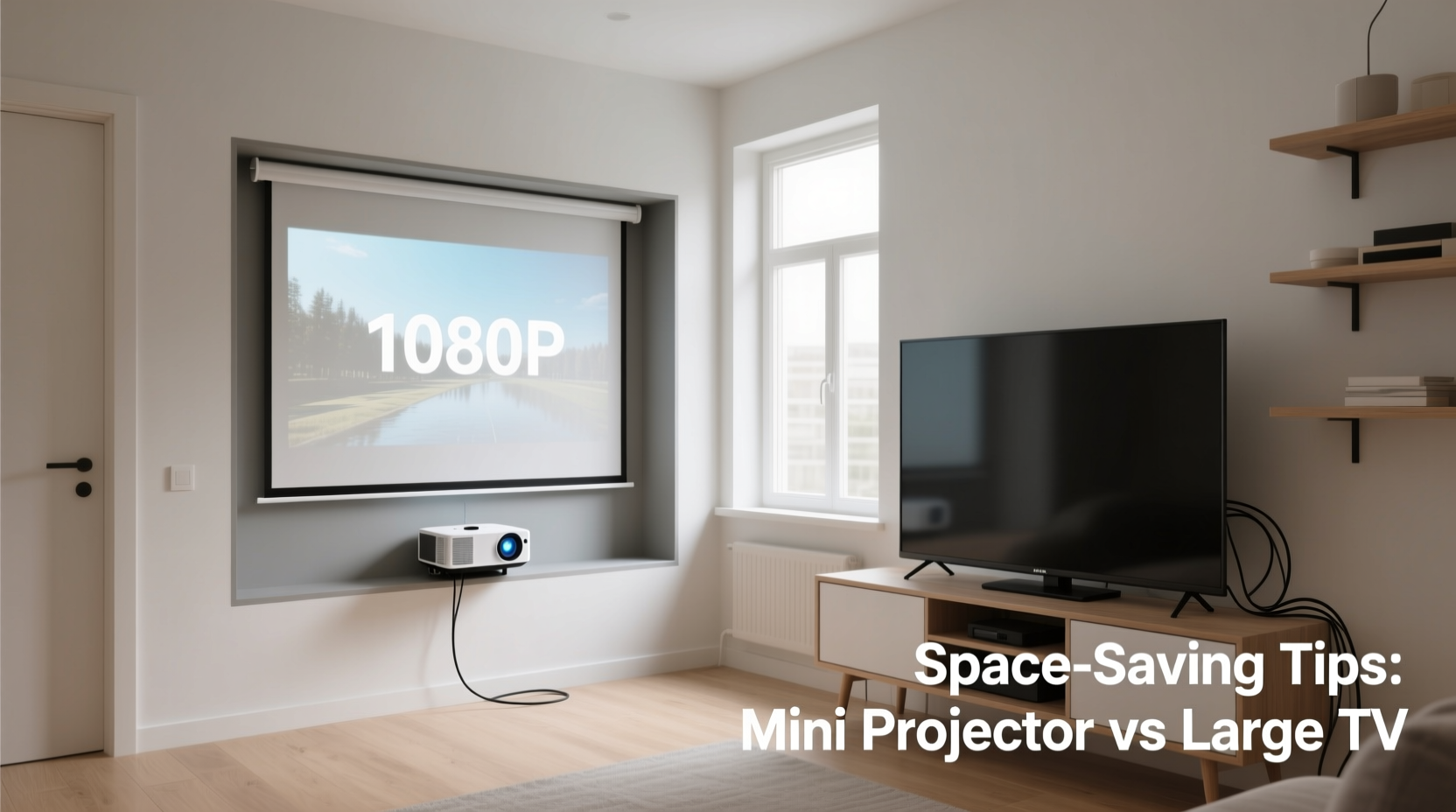
When floor and wall space are limited, the physical presence of your entertainment system matters. A 65-inch or larger flat-screen TV demands dedicated wall mounting or a sturdy stand, consuming visual and physical real estate. Even when mounted, it remains a fixed focal point. In contrast, mini projectors are inherently portable. Many models fit in a backpack, weigh under three pounds, and can be stored on a shelf or tucked behind furniture when not in use.
The projection screen—or wall—becomes your display surface. Without a permanent screen, you gain flexibility: watch on a blank wall one night, roll out a retractable screen the next, or even project onto a ceiling for reclined viewing. This adaptability makes projectors ideal for multi-functional rooms where the living area doubles as a bedroom or workspace.
However, projectors require throw distance—the space between the device and the wall. Most mini projectors need 6 to 12 feet to produce a 100-inch image. In very small rooms (under 10x10 feet), this can limit placement options unless you opt for ultra-short-throw models, which are often more expensive.
Image Quality and Viewing Experience
Modern large TVs, especially OLED and QLED models, deliver exceptional brightness, color accuracy, and contrast. They perform consistently in any lighting condition, making them suitable for daytime viewing or mixed-use environments. High dynamic range (HDR), fast refresh rates, and deep blacks enhance movies, sports, and gaming.
Mini projectors have improved significantly but still face limitations. Most cap at 1080p resolution, with brightness measured in lumens—typically 300 to 1,500 ANSI lumens. In ambient light, images can appear washed out. For optimal results, viewing must occur in dimmed or darkened rooms. While some high-end models handle moderate light, they rarely match the vibrancy of a premium TV.
Screen size is where projectors shine. A $500 projector can create a 120-inch image, rivaling a home theater, while a similarly priced TV maxes out at around 55 inches. The immersive effect of a wall-filling display enhances movie nights and gaming sessions, offering a cinematic feel unmatched by even the largest flat panels.
“Projectors transform small spaces into theaters, but only if lighting is controlled. For all-day usability, TVs remain the practical standard.” — David Lin, AV Integration Specialist
Comparison Table: Mini Projector vs Large TV
| Feature | Mini Projector | Large TV (65”+) |
|---|---|---|
| Footprint | Small (portable, storable) | Large (wall/stand mounted) |
| Max Screen Size | 100–150 inches | 65–85 inches typical |
| Brightness Performance | Fair to good (needs dark room) | Excellent (daylight viewable) |
| Resolution | 720p–1080p (some 4K) | 4K standard, 8K available |
| Sound Quality | Poor to average (external speakers advised) | Good to excellent (built-in soundbars) |
| Lifespan | 2,000–5,000 hours (lamp/LED) | 60,000+ hours (LED/LCD) |
| Mobility | High (use in multiple rooms) | None (fixed location) |
| Average Cost | $300–$1,200 | $600–$3,000+ |
Practical Tips for Maximizing Space with Either Option
Regardless of your choice, smart integration ensures your setup enhances rather than dominates your apartment. Here are actionable strategies to maintain openness and functionality.
For TV Owners
- Use slim mounts: Low-profile brackets keep the TV flush against the wall, reducing protrusion.
- Hide cables: Run wires through wall channels or use cable covers to maintain clean lines.
- Choose a minimalist stand: Opt for narrow media consoles with hidden storage to avoid clutter.
- Integrate into cabinetry: Install the TV inside a closed cabinet with motorized doors for a disappearing effect.
For Projector Users
- Install on the ceiling or high shelf: Permanent mounting frees floor space and optimizes throw angle.
- Use a pull-down or motorized screen: Retractable screens vanish when not in use, preserving wall aesthetics.
- Pair with a soundbar: Most projectors lack robust audio; a compact Bluetooth soundbar improves immersion.
- Automate lighting: Use smart bulbs or blackout shades to quickly darken the room before viewing.
Real-Life Example: Transforming a Studio Apartment
Jamal lives in a 450-square-foot Brooklyn studio. His main concern was avoiding a “giant black mirror” effect from a large TV dominating his living space. After testing both options, he chose a 1080p mini projector with 1,200 lumens and mounted it on a high shelf opposite his sofa. He uses a motorized 100-inch screen that rolls down from the ceiling—a custom install costing $300, including remote control.
During the day, the screen is invisible. At night, Jamal dims his smart LED strips and enjoys theater-quality viewing. For casual daytime YouTube browsing, he connects the projector to a tablet and projects onto a closet door. When guests visit, he moves the projector to the bedroom wall for private movie nights.
“It gave me back my wall,” Jamal says. “Now my space feels open, but I still get that big-screen thrill.”
Step-by-Step Guide: Choosing & Installing Your System
- Measure your room: Note the distance from seating to the intended screen/wall. For projectors, ensure minimum throw distance matches available space.
- Assess lighting: Track natural and artificial light sources. If your room gets bright midday, a TV may be more practical.
- Determine primary use: Gamers benefit from low input lag and high refresh rates—check specs. Movie lovers prioritize screen size and contrast.
- Set a budget: Include accessories—sound systems, mounts, screens, HDMI cables. These can add $100–$500.
- Test placement: For projectors, temporarily place the unit and project onto the wall to check alignment and size.
- Install securely: Wall-mount TVs with anchors rated for drywall. Ceiling-mount projectors using proper hardware. <7> Optimize settings: Calibrate brightness, contrast, and aspect ratio. Disable motion smoothing for film content.
- Conceal wires: Use raceways, in-wall conduits, or cord clips to maintain a clean look.
Expert Insight: Balancing Form and Function
“In small spaces, the best tech disappears when not in use. Projectors win on invisibility, but only if users plan for audio and lighting. TVs win on convenience but demand design integration.” — Lena Park, Interior Technologist & Smart Home Consultant
Park emphasizes intentional design: “Technology should serve the space, not define it. Whether you choose a projector or TV, consider sightlines, furniture layout, and daily routines. A projector behind the couch, aimed at a painted screen wall, can be as seamless as a flush-mounted OLED.”
FAQ: Common Questions Answered
Can a mini projector replace a TV completely?
Yes, for many users—but with caveats. If you mostly watch in the evening, enjoy big-screen immersion, and don’t mind dimming lights, a projector can fully replace a TV. However, if you watch news or videos during daylight, or prefer instant-on reliability, a TV remains more versatile.
Do projectors damage walls over time?
No, not under normal use. Projectors emit non-UV light, so they won’t fade paint or harm surfaces. However, prolonged static images (like a paused menu) could cause temporary image retention on certain paints. Always turn off the projector when idle.
Are short-throw projectors worth the extra cost?
If space is extremely tight (e.g., projecting from 3–4 feet away), yes. Short-throw models reduce shadow interference and allow placement on a table directly in front of the screen. They’re ideal for bedrooms or L-shaped rooms where rear placement isn’t possible.
Checklist: Before You Buy
- ✅ Measure room dimensions and seating distance
- ✅ Evaluate natural and artificial lighting conditions
- ✅ Decide on primary use (movies, gaming, streaming, etc.)
- ✅ Set a total budget including accessories
- ✅ Research input lag (for gamers) and HDR support
- ✅ Plan cable management and power outlet access
- ✅ Test projector throw distance using online calculators
- ✅ Consider future mobility needs (multi-room use?)
Final Thoughts: Make Space Work for You
The debate between mini projectors and large TVs isn’t about which is objectively better—it’s about which aligns with your space, habits, and priorities. In a small apartment, minimizing visual clutter while maximizing utility is the ultimate goal. A large TV offers plug-and-play excellence with top-tier image quality, but it occupies valuable real estate. A mini projector delivers cinematic scale and vanishes when not in use, though it requires environmental control and additional components for optimal performance.
The smartest setups blend technology with intentionality. Whether you mount a sleek OLED flush against the wall or hide a projector in a floating shelf, the key is designing around your lifestyle—not letting the device dictate your space.




 浙公网安备
33010002000092号
浙公网安备
33010002000092号 浙B2-20120091-4
Comments
No comments yet. Why don't you start the discussion?