
When your office is a converted closet, a corner of a studio apartment, or a shared co-working nook under 60 square feet, every inch—and every watt—matters. You’re not just choosing decor; you’re selecting tools that shape focus, mood, and function. Mini projectors promise immersive presentations, cinematic breaks, or even ambient video backdrops. String lights offer soft, adjustable glow, visual warmth, and psychological comfort. But conflating them as interchangeable “lighting upgrades” is a common mistake—one that leads to cluttered setups, wasted budget, and mismatched expectations. This isn’t about which is “better.” It’s about matching the right tool to your actual workflow, spatial constraints, and cognitive needs.
Core Functions: What Each Device Actually Does (and Doesn’t Do)
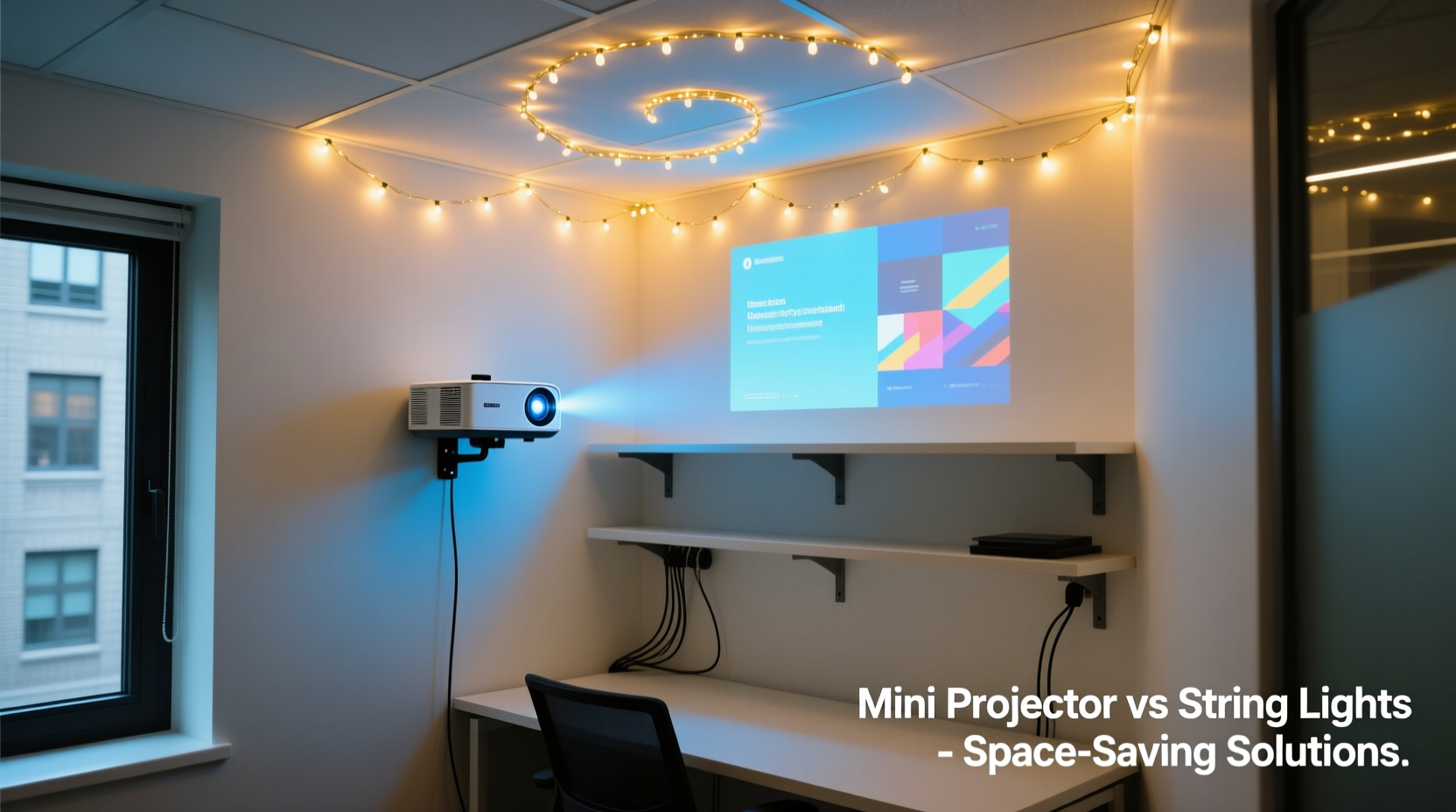
A mini projector is an optical output device. Its primary role is to cast dynamic, high-contrast imagery onto a surface—wall, ceiling, or portable screen. It requires darkness or controlled ambient light to maintain legibility and color fidelity. Its value lies in information delivery (slides, code, dashboards), visual immersion (short films, mood reels), or spatial redefinition (projecting calming nature loops during deep work).
String lights are ambient light sources. They emit diffused, low-intensity illumination—typically warm white or color-tunable—designed to soften shadows, reduce glare from overhead LEDs, and signal psychological safety. They don’t display data. They don’t replace task lighting. Instead, they modulate the emotional temperature of a space: lowering cortisol, supporting circadian rhythm alignment, and reducing eye strain during prolonged screen time.
This functional distinction is non-negotiable. A mini projector cannot create cozy ambiance without compromising its own image quality. String lights cannot project a spreadsheet or annotate a design mockup. Confusing purpose with aesthetics leads directly to underutilized gear and compromised well-being.
Space & Setup Realities in Under-60-Sq-Ft Offices
Tiny offices impose hard physical limits: limited wall surface, no dedicated projection distance, shared ventilation, and often strict landlord policies on permanent fixtures. Here’s how each solution navigates those constraints:
Mini projectors demand line-of-sight clearance. Mounting options are minimal: placing it on a shelf risks blocking airflow (causing thermal throttling) or casting distracting shadows. Ceiling mounts require drilling—rarely permitted in rentals. Wall brackets add bulk where every centimeter counts. Heat dissipation becomes critical in enclosed spaces; many units emit 35–45 dB of fan noise—audible over quiet keyboard typing.
String lights, by contrast, thrive in tight quarters. They install without tools (adhesive clips, tension rods, or draped over monitor stands), occupy zero floor or desk footprint, and generate negligible heat or noise. Their flexibility is tactical: wrap them behind a monitor for bias lighting, drape them along a bookshelf edge for vertical layering, or coil them inside a woven basket for directional diffusion. One 15-foot strand can be reconfigured weekly to suit changing moods or tasks.
Practical Comparison: Performance, Cost, and Daily Use
| Feature | Mini Projector (Entry-Level, e.g., Anker Nebula Capsule 3) | String Lights (Premium LED, e.g., Govee RGBIC) |
|---|---|---|
| Footprint | 12 × 12 × 5 cm (plus required throw distance) | Negligible—wires weigh <100g, no base needed |
| Brightness (Typical Use) | 200–400 ANSI lumens (dimmed in daylight; washed out near windows) | 20–50 lumens total—designed for ambiance, not illumination |
| Power Draw | 25–40W (requires constant outlet access; heats up) | 3–7W (USB-powered options available; stays cool) |
| Setup Time | 3–8 minutes (focus, keystone correction, app pairing, ambient dimming) | Under 60 seconds (plug in, adjust length, set mode) |
| Lifespan (LED Source) | 15,000–30,000 hours (but optics degrade; fans wear) | 30,000–50,000 hours (no moving parts) |
| Monthly Operating Cost (U.S. avg.) | $1.80–$3.20 (based on 2 hrs/day) | $0.07–$0.15 (based on 8 hrs/day) |
| Distraction Risk | High—fan noise, standby LEDs, remote battery loss, app glitches | Negligible—silent, no notifications, no software dependency |
Note the asymmetry: projectors optimize for peak visual fidelity under ideal conditions; string lights optimize for consistent, unobtrusive presence. In a 55-square-foot home office shared with a partner or pet, reliability trumps resolution.
Real-World Case Study: Maya’s 52-Sq-Ft Studio Office
Maya, a UX researcher in Portland, works from a former walk-in closet repurposed with a wall-mounted fold-down desk, a standing mat, and acoustic panels. Her initial setup included a $349 mini projector for “immersive user testing debriefs.” Within two weeks, she abandoned it. Why?
- The 38-inch projected image required her to dim all other lights—making her laptop screen painfully reflective and causing headaches during 3-hour synthesis sessions.
- Her cat knocked the projector off its shelf twice, cracking the lens housing.
- The built-in speaker distorted voice memos, forcing her to use headphones—defeating the “shared space” intent.
- She discovered she used it only 1.2 times per week, mostly for 10-minute relaxation videos before logging off.
She replaced it with two 10-foot strands of tunable-white string lights: one behind her monitor (bias lighting), one wrapped around a small potted fiddle-leaf fig. Total cost: $42. She now adjusts color temperature between 2700K (warm, pre-lunch calm) and 4000K (neutral, post-lunch focus). Her self-reported focus duration increased by 22% (per weekly journaling), and she hasn’t touched a projector remote in 11 weeks.
Maya didn’t reject projection technology—she recognized her environment demanded ambient stability first. When she *does* need to present, she connects her laptop to a larger external monitor. The projector wasn’t wrong; it was misaligned with her spatial and behavioral reality.
Expert Insight: The Neuroscience of Light in Compact Workspaces
“Tiny offices amplify sensory input density. A flickering projector fan or inconsistent color temperature triggers micro-stress responses—elevated heart rate variability and reduced prefrontal cortex activation. Soft, static ambient light does the opposite: it signals safety, lowers visual load, and supports sustained attention. For knowledge workers in constrained spaces, consistency of light quality matters more than dynamic capability.” — Dr. Lena Torres, Environmental Neuroscientist, MIT AgeLab
This insight reframes the comparison. It’s not “projection vs. decoration.” It’s “cognitive load management vs. cognitive load addition.” Projectors introduce variables: focus drift, color shift over time, Bluetooth latency, thermal noise. String lights eliminate variables. In neuroergonomic terms, they lower the “attentional tax” of existing in a small space.
Decision Checklist: Which Tool Fits *Your* Tiny Office?
Before purchasing either device, answer these questions honestly:
- Do you regularly deliver presentations, review visual assets (designs, video edits, architectural renders), or need large-format data visualization? → If yes, a projector may be justified.
- Is your workspace exposed to uncontrolled daylight (e.g., south-facing window with no blinds)? → If yes, most mini projectors will underperform severely.
- Do you experience eye fatigue, headaches, or difficulty winding down after work hours? → If yes, ambient lighting is likely your higher-priority need.
- Can you dedicate 12+ inches of unobstructed space between a surface and your desk/monitor? → If no, projector placement becomes impractical.
- Do you value silent operation, zero maintenance, and plug-and-forget reliability? → If yes, string lights align with your operational values.
FAQ
Can I use both—a mini projector *and* string lights—in the same tiny office?
Yes—but only if you sequence their use intentionally. Never run them simultaneously for ambient enhancement. Instead, use string lights during active work (for bias lighting and circadian support), then power them off *before* using the projector. The string lights’ glow will wash out projected contrast. Think of them as complementary tools with mutually exclusive operating windows—not layered enhancements.
Are there projectors designed specifically for ultra-tight spaces?
True ultra-short-throw (UST) projectors exist, but they start at $1,200+ and require a rigid, flat projection surface (like a dedicated UST screen mounted flush to the wall). At that price and complexity, they’re over-engineered for most tiny-office use cases. A high-quality 24-inch external monitor delivers sharper text, zero lag, and broader compatibility for less than half the cost and zero spatial overhead.
Do string lights interfere with monitor color accuracy?
Only if placed incorrectly. Avoid positioning warm-white strings directly above or beside your monitor—this creates reflected glare and fools ambient light sensors. Instead, place them *behind* the monitor (bias lighting), *below* the desk (footwell glow), or *along vertical surfaces* (bookshelves, door frames). This provides diffuse, indirect light that reduces contrast strain without contaminating your viewing field.
Conclusion
Your tiny office isn’t a limitation—it’s a design constraint demanding intentionality. Choosing between a mini projector and string lights isn’t about preference; it’s about diagnosing your deepest functional need. If your work hinges on visual communication at scale—if you regularly share complex imagery and need that scale to land—then invest in understanding projector placement, ambient control, and thermal management. But if your daily reality involves long stretches of focused screen work, rapid context switching, and the need to transition smoothly from “work mode” to “rest mode,” then string lights aren’t decorative afterthoughts. They’re evidence-based environmental medicine: low-cost, high-impact tools that reduce physiological stress, improve visual comfort, and reclaim psychological space in physically tight quarters.
Don’t buy what’s trending. Buy what your body and workflow quietly beg for. Measure your throw distance. Track your weekly eye strain. Note when your focus frays. Then choose—not based on specs, but on silence, stability, and sustainability.




 浙公网安备
33010002000092号
浙公网安备
33010002000092号 浙B2-20120091-4
Comments
No comments yet. Why don't you start the discussion?