
Choosing a home security camera isn’t just about finding one that records video—it’s about reliability, ease of use, long-term costs, and how well it integrates into your daily life. Two major players in the smart home space, Google’s Nest Cam and Samsung’s SmartCam (part of the SmartThings ecosystem), promise peace of mind with HD video, motion alerts, and cloud storage. But when budget and performance matter, which one truly delivers better value?
This isn’t a marketing pitch. It’s a real-world breakdown based on image quality, smart integration, subscription models, setup simplicity, and long-term ownership costs. Whether you're securing a front porch or monitoring a nursery, understanding the differences can save you time, frustration, and unnecessary monthly fees.
Image Quality and Field of View
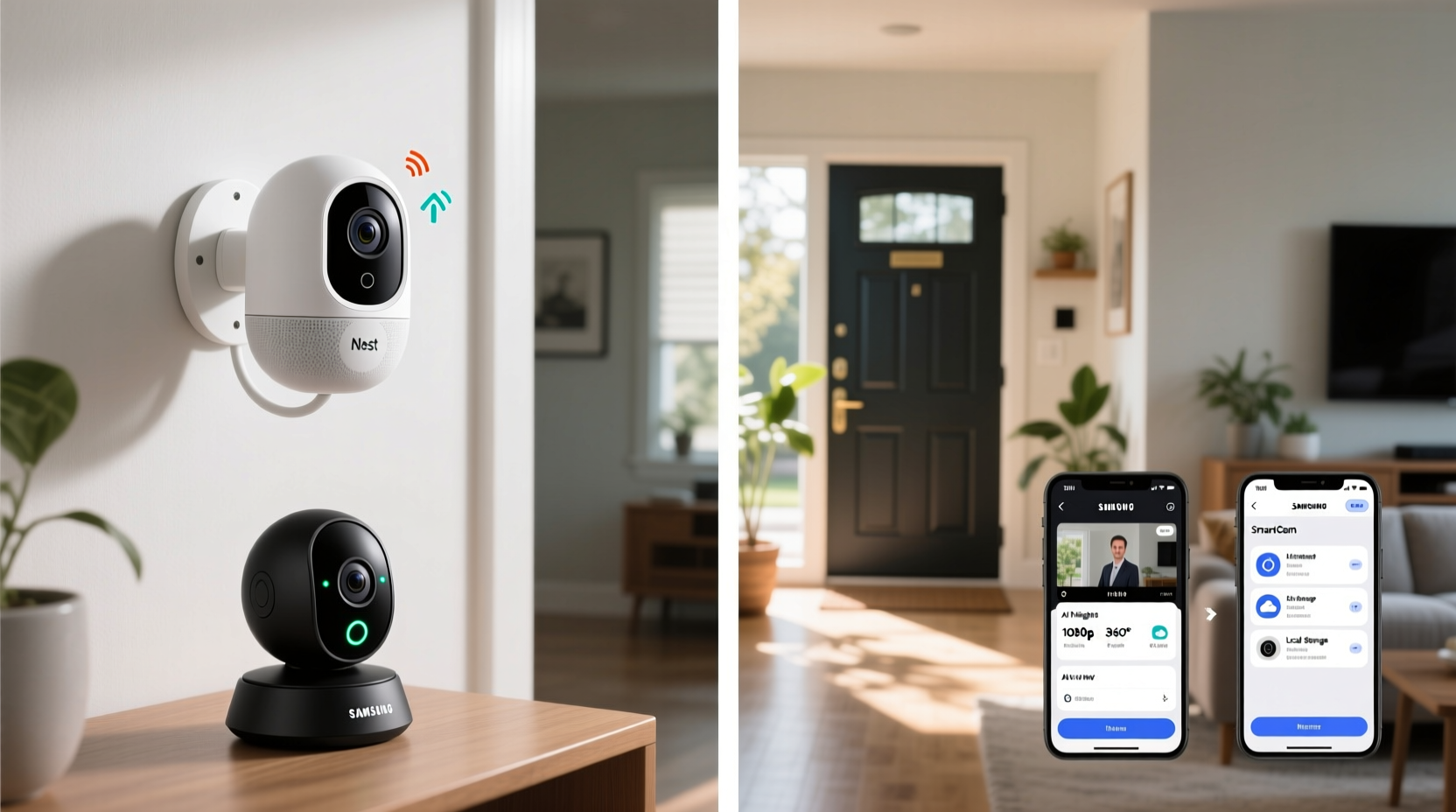
Both Nest Cam and Samsung SmartCam offer 1080p Full HD resolution, which remains sufficient for identifying faces and license plates at moderate distances. However, the devil is in the details—especially in low-light conditions and dynamic range.
The Nest Cam consistently outperforms in night vision clarity thanks to its advanced infrared sensors and HDR processing. Even in near-total darkness, it captures more defined edges and less grain than the Samsung SmartCam. Users report that Nest’s auto-exposure adjustment handles sudden light changes—like a car pulling into a driveway—more smoothly.
Samsung’s SmartCam delivers acceptable video but tends to overexpose bright areas when dark zones are present, making shadows harder to interpret. Its field of view is slightly narrower (110° vs. Nest’s 130°), meaning you may need additional units to cover the same area.
Smart Home Integration and Ecosystem Fit
Your choice should align with your existing smart home setup. Nest Cams are deeply integrated with Google Assistant and work seamlessly across Android phones, Google Home speakers, and Chromecast-enabled TVs. You can say, “Hey Google, show me the front door,” and instantly see the feed on your TV.
Samsung SmartCam, on the other hand, shines within the SmartThings ecosystem. If you own Samsung appliances, Galaxy phones, or SmartThings sensors (like door/window detectors), the SmartCam acts as a natural extension. For example, if a door sensor triggers at night, the camera can automatically start recording and send a clip.
Cross-platform support varies. While both cameras work with Amazon Alexa, Nest lacks native Bixby compatibility, and Samsung SmartCam doesn’t integrate with Google Assistant as fluidly. Apple users will find neither offers robust HomeKit support without third-party bridges.
“Ecosystem lock-in is real in smart security. The best camera isn’t always the most advanced—it’s the one that works effortlessly with what you already own.” — David Lin, IoT Product Analyst at TechHome Insights
Subscription Models and Long-Term Costs
This is where the value equation shifts dramatically. Both brands require subscriptions for continuous video history and intelligent alerts, but their pricing structures differ significantly.
| Feature | Nest Cam (via Google Nest Aware) | Samsung SmartCam (via SmartThings Cloud) |
|---|---|---|
| Free Tier | Limited event snapshots only | 24-hour event video history |
| Premium Plan | $8/month per device or $24/month for all-home plan | $5/month per camera or $10/month for up to 5 cameras |
| Video History | 30–60 days (depending on plan) | Up to 30 days |
| AI Features | Person, vehicle, animal, and sound detection | Basic motion and person detection |
| Local Storage | No microSD slot | Supports microSD card (up to 512GB) |
Here’s the catch: Nest doesn’t allow local storage. All footage goes to the cloud. That means no access to recordings if your internet drops or subscription lapses. Samsung lets you insert a microSD card for offline backup—a major advantage for privacy-conscious users or those wary of recurring fees.
If you plan to install multiple cameras, Samsung’s tiered subscription becomes far more economical. Five cameras would cost $40/month under Nest’s all-home plan, versus $10/month with Samsung.
Setup, Usability, and Mobile Experience
Setting up either camera takes under 15 minutes via their respective apps: Google Home for Nest, SmartThings for Samsung. Both guide you through Wi-Fi pairing, mounting, and alert customization with clear visuals.
Nest’s app feels more polished. Video streams load faster, and the timeline interface makes browsing recorded events intuitive. Search filters like “people” or “vehicles” save time reviewing footage. Samsung’s SmartThings app, while functional, can feel cluttered—especially if you manage multiple devices beyond cameras.
One underrated difference: audio quality. Nest uses noise-canceling mics that filter out wind and background hum, making two-way talk clearer. Samsung’s microphone picks up ambient noise more easily, which can make conversations harder to hear during storms or windy nights.
Real-World Example: The Johnson Family Decision
The Johnsons wanted indoor monitoring for their toddler and outdoor coverage for package theft. They owned a Galaxy phone and a SmartThings vacuum but used a Google Nest thermostat. After testing both systems, they chose Samsung SmartCam for two reasons: the microSD option gave them backup during internet outages, and the multi-camera subscription saved $30/month compared to Nest. However, they noted the app felt slower and less intuitive than Google’s. Their compromise? They mounted the Samsung cameras high to compensate for the narrower field of view and rely on SmartThings automations to trigger lights when motion is detected at night.
Step-by-Step: How to Choose the Right Camera for Your Needs
- Assess your smart ecosystem. Are you invested in Google/Android or Samsung/SmartThings? Stick with the native brand for smoother automation.
- Determine how many cameras you’ll install. More than two? Samsung’s bundled plan likely saves money.
- Evaluate your internet reliability. If outages are common, choose Samsung for local storage via microSD.
- Decide on AI needs. Do you want to distinguish between pets and people? Nest offers superior detection.
- Test the mobile app. Download Google Home and SmartThings, even without devices, to compare interface comfort.
- Calculate 3-year ownership cost. Include hardware, subscription, and potential accessories like mounts or weather covers.
Frequently Asked Questions
Can I use these cameras without a subscription?
Yes, but functionality is limited. Nest allows live viewing only; no recordings unless you pay. Samsung provides 24 hours of event-based history for free and supports local microSD storage, making it more usable without a subscription.
Which camera has better night vision?
Nest Cam wins here. Its infrared night vision produces sharper, more balanced images in complete darkness. Samsung’s night mode sometimes washes out nearby objects while leaving distant corners too dark.
Are these cameras vulnerable to hacking?
Both use end-to-end encryption for video streams and require two-factor authentication. However, Samsung allows local storage, reducing reliance on cloud servers—a plus for data privacy. Regular firmware updates from both brands help patch security flaws promptly.
Final Verdict: Which One Is Worth the Money?
If you prioritize image quality, intelligent alerts, and seamless Google integration, the **Nest Cam** is worth the premium price—especially for single-camera setups. Its superior software experience and AI detection justify the higher subscription cost for users who review footage frequently.
But if you’re installing multiple cameras, value long-term savings, or want control over your data with local storage, **Samsung SmartCam** offers better overall value. It’s not as sleek or smart, but it’s reliable, affordable at scale, and fits naturally into Samsung-centric homes.
Ultimately, \"worth the money\" depends on your priorities. Cutting-edge AI and polish come at a cost with Nest. With Samsung, you trade some refinement for flexibility and lower ongoing expenses.




 浙公网安备
33010002000092号
浙公网安备
33010002000092号 浙B2-20120091-4
Comments
No comments yet. Why don't you start the discussion?