
For retro gaming enthusiasts, few debates spark as much passion as the choice between using original hardware and modern emulation. The Nintendo DS, with its dual screens, touch interface, and expansive library of cult classics, sits at the heart of this conversation. Purists argue that only original hardware delivers the true experience, while tech-savvy players praise emulators for their convenience, enhancements, and accessibility. The truth lies somewhere in between—depending on what you value most in your retro gaming journey.
This article explores both sides of the equation: the tactile authenticity of holding a real DS in your hands versus the precision and flexibility of running games through software like DeSmuME or melonDS. Whether you're preserving nostalgia, building a collection, or simply reliving childhood favorites, understanding the trade-offs is essential to making an informed decision.
The Case for Original Hardware: Authenticity Above All
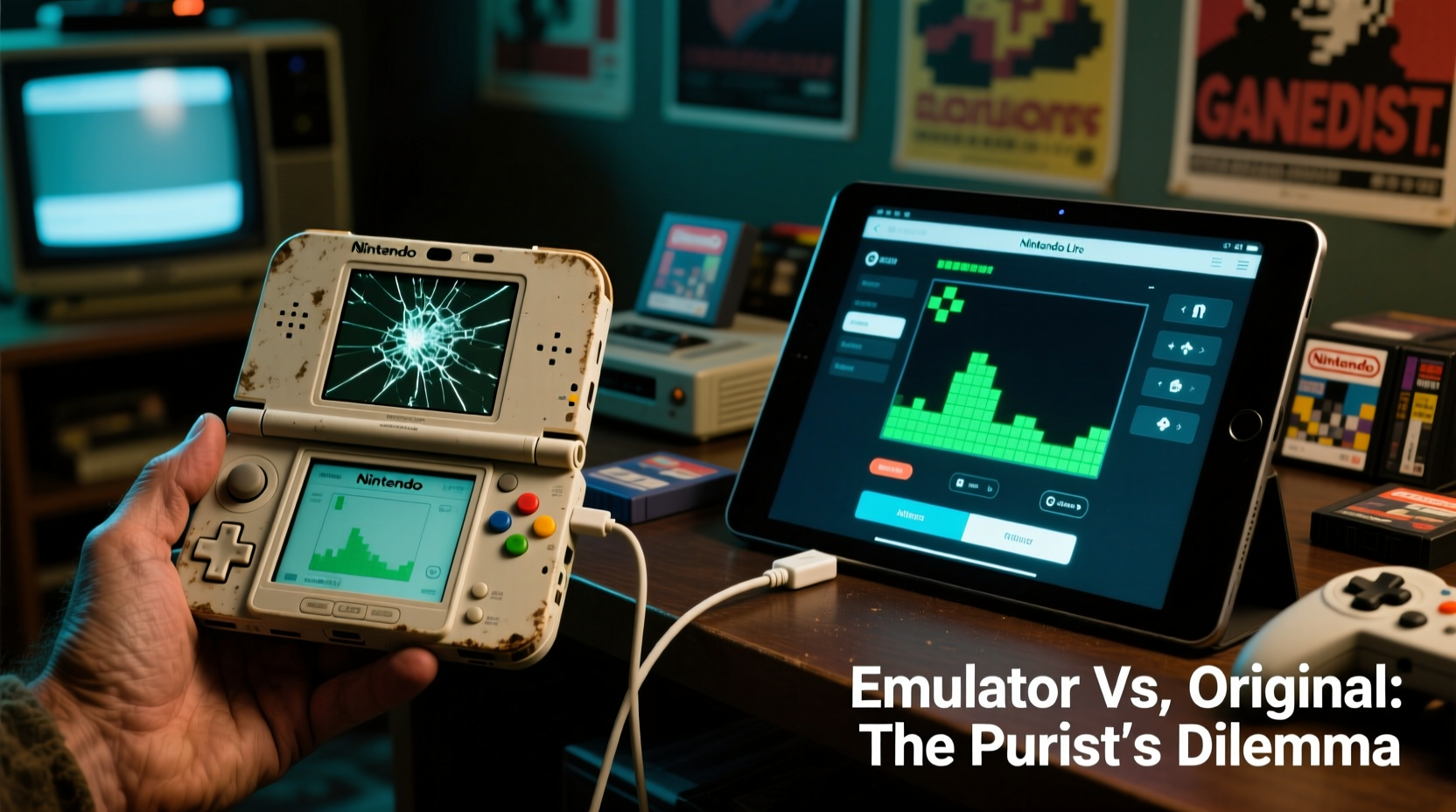
For many retro gamers, playing on original hardware isn’t just a preference—it’s a principle. There's an undeniable charm in powering up a worn clamshell DS Lite, feeling the resistance of the physical buttons, and navigating menus with a real stylus on a responsive touchscreen. These sensory details are part of the experience, not incidental to it.
Original hardware offers unaltered performance. Games run exactly as they were designed, without frame rate adjustments, input lag from abstraction layers, or graphical glitches introduced by imperfect emulation. For titles where timing is critical—like rhythm games such as *Elite Beat Agents* or fast-paced platformers like *New Super Mario Bros.*—this fidelity matters.
Beyond performance, there's emotional resonance. Holding the same device you used as a child evokes memories more powerfully than any high-resolution texture pack ever could. Collectors appreciate the craftsmanship of Nintendo’s design evolution across models—the Game Boy Advance cartridge slot on early units, the sleek matte finish of the DSi, or the brighter backlit screen of the DS Lite.
“The DS was revolutionary because of how it felt to use. The hinge, the weight, the sound of the buttons—it’s all part of the game.” — Marcus Tran, Vintage Console Curator at RetroTech Archive
Emulation Advantages: Power, Precision, and Preservation
While original hardware wins points for nostalgia, emulation excels in functionality. Modern emulators have reached a point where accuracy rivals—or even surpasses—real hardware in certain areas. Emulators like melonDS and DeSmuME now support netplay, save states, rewind features, and high-resolution rendering that can upscale DS games to 4K on compatible monitors.
One major benefit is preservation. As original DS cartridges degrade over time due to flash memory wear, oxidation, or physical damage, having digital backups ensures these games remain playable decades from now. Emulation allows users to archive their legally owned copies and play them without risking further wear on fragile hardware.
Accessibility is another strength. Not everyone has access to functioning DS systems or can afford rare cartridges like *Mother 3* (Japan-only) or special editions like *The Legend of Zelda: Phantom Hourglass* with bonus items. Emulation opens doors for global audiences to explore games that were region-locked or never officially localized.
Additionally, emulators offer customization. You can remap controls to suit personal preferences, enable widescreen hacks for select titles, or adjust volume balance between the two audio channels—a feature absent on original devices.
Performance Comparison: Accuracy, Compatibility, and Usability
It’s important to acknowledge that no emulator is perfect. While compatibility has improved dramatically, some games still exhibit bugs, audio desynchronization, or graphical anomalies. For example, *Legaia 2: Duel Saga* suffers from frequent crashes in older versions of DeSmuME, and certain Pokémon titles may glitch during wireless trading simulations unless configured precisely.
In contrast, original hardware provides plug-and-play reliability—if the system and cartridge are functional. However, aging components present their own challenges: failing hinges, dead pixels, dimming screens, and unreliable cartridge readers plague secondhand units.
To help clarify the differences, here's a detailed comparison table:
| Feature | Original Hardware | Emulation (melonDS/DeSmuME) |
|---|---|---|
| Input Lag | Negligible (native response) | Minimal with good setup; varies by PC/mobile |
| Screen Quality | Native 256x192 per screen (low res) | Scalable up to 4K with filtering |
| Save States | No – limited to in-game saves | Yes – instant load/save at any point |
| Battery Life | 5–10 hours depending on model | Depends on host device (unlimited if plugged in) |
| Multitasking | No – single-tasking OS | Yes – switch apps, take screenshots, record gameplay |
| Wireless Play | Local multiplayer only | Netplay available (e.g., online Pokémon trades) |
| Long-Term Viability | Degrading over time | Potentially infinite with proper archiving |
The data shows that emulation leads in flexibility and future-proofing, while original hardware maintains superiority in immediacy and tactile feedback.
Real-World Example: A Collector’s Dilemma
Consider Alex Rivera, a retro game collector based in Portland who owns over 200 DS cartridges and three different DS models. He initially refused to use emulators on ethical grounds, believing that “if you didn’t buy it, you shouldn’t play it.” But after his DS Lite hinge snapped during a cross-country move—and with repair costs exceeding $80—he reluctantly turned to melonDS to continue playing *Radiant Historia*, one of his favorite SRPGs.
To his surprise, he found the experience enhanced. Playing on a large monitor allowed him to appreciate the intricate timeline diagrams more clearly, and save states helped him experiment with branching paths without fear of permanent consequences. Still, when he eventually repaired his DS Lite, he returned to it for daily play. “There’s something about closing that lid,” he said, “that feels like putting a bookmark in a story I care about.”
His journey illustrates a growing trend: hybrid usage. Many purists aren’t rejecting emulation entirely but using it strategically—preserving fragile carts, testing games before purchasing, or accessing titles unavailable in their region.
Step-by-Step Guide: Setting Up a Balanced Retro Experience
You don’t have to choose one side exclusively. Here’s how to build a sustainable, enjoyable retro gaming setup that honors both authenticity and practicality:
- Assess Your Collection: Inventory your existing DS cartridges and identify which are rare, frequently played, or prone to degradation.
- Create Backups (Legally): Use a flash cart like R4i SDHC or CycloDS to dump ROMs of games you own. This preserves them digitally without piracy.
- Choose an Emulator: Install melonDS for higher accuracy or DeSmuME for broader compatibility. Configure controls and graphics settings to match your display.
- Maintain Hardware: Clean cartridge contacts regularly, store devices in low-humidity environments, and replace batteries in older units.
- Use Emulation Strategically: Reserve it for travel, repairs, or games difficult to find physically. Stick to original hardware for core experiences.
- Stay Ethical: Never download ROMs of games you don’t own. Support re-releases and remasters when available.
Frequently Asked Questions
Is using a Nintendo DS emulator legal?
Yes, owning and using an emulator is legal. However, downloading copyrighted ROMs without owning the original game is not. Creating backups of games you physically own falls into a legal gray area but is widely accepted among collectors and preservationists.
Can emulation replicate the DS touchscreen accurately?
Modern emulators do a strong job mimicking touch input, especially with mouse or touchscreen displays. Some even support pressure sensitivity when paired with graphics tablets. However, the physical sensation of dragging a stylus across a resistive screen remains unique to original hardware.
Why do some DS games run poorly on emulators?
The DS uses dual ARM processors and custom graphics chips that are complex to emulate precisely. Timing-sensitive operations, especially those involving both CPUs or relying on precise GPU behavior, can be challenging to replicate perfectly. Developers continuously improve accuracy, but edge cases persist.
Checklist: Embrace Both Worlds Responsibly
- ✅ Own physical copies of games before using ROMs
- ✅ Maintain original hardware with regular cleaning
- ✅ Use emulators for backup, repair, or travel scenarios
- ✅ Explore netplay and save states for richer gameplay
- ✅ Support official re-releases and remasters
- ✅ Share knowledge ethically within the retro community
Conclusion: Honor the Past, Play How You Want
The divide between Nintendo DS emulation and original hardware doesn’t need to be absolute. True retro gaming purism isn’t about rigid adherence to one method—it’s about respect for the history, design, and cultural impact of these games. Whether you’re flipping open a DSi at your desk or enjoying *Phoenix Wright* on a 4K monitor with flawless audio, what matters most is engagement and appreciation.
Technology evolves, but passion endures. By combining the best of both worlds—preserving original hardware while responsibly embracing emulation—you ensure that DS classics remain accessible, enjoyable, and meaningful for generations to come.




 浙公网安备
33010002000092号
浙公网安备
33010002000092号 浙B2-20120091-4
Comments
No comments yet. Why don't you start the discussion?