
When Nintendo released the Switch OLED model in 2021, it promised a refined experience for fans of the original hybrid console. With a larger, more vibrant screen, improved audio, and enhanced dock features, the upgrade seemed compelling. But for many gamers, especially those already owning a standard Switch, the question remains: is the OLED model truly worth the additional $50 to $100 price tag? To answer this, we need to look beyond marketing claims and examine real differences in display quality, portability, battery life, sound, storage, and long-term usability.
The core gameplay experience—access to titles like The Legend of Zelda: Breath of the Wild, Super Mario Odyssey, and Animal Crossing: New Horizons—remains identical across both models. They run the same software, support the same accessories, and offer the same hybrid functionality. The distinction lies in hardware refinements that affect comfort, immersion, and convenience. Whether these upgrades justify the premium depends on how and where you play your Switch.
Display Quality: The Heart of the Upgrade
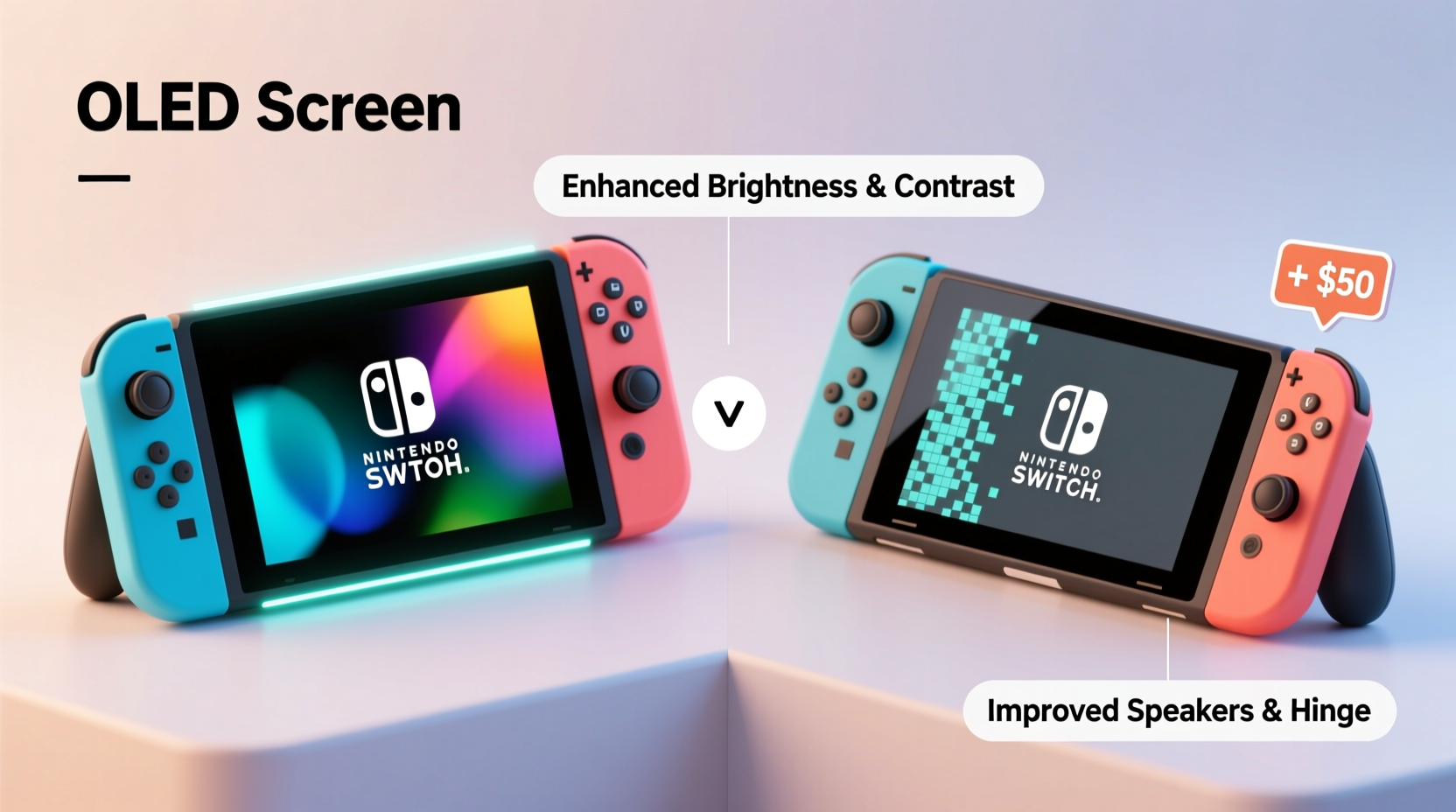
The most significant change in the OLED model is its 7-inch organic LED screen, replacing the 6.2-inch LCD found in the standard version. This shift brings tangible improvements in color accuracy, contrast, and brightness. OLED technology allows individual pixels to turn off completely, resulting in deeper blacks and more vivid visuals, particularly noticeable during darker scenes in games like Metroid Dread or Hollow Knight: Silksong.
In direct side-by-side comparisons, the OLED screen delivers richer saturation and better viewing angles. Colors pop without appearing oversaturated, and sunlight readability outdoors is slightly improved due to higher peak brightness. For handheld gamers who prioritize visual fidelity, this alone may be enough to sway the decision.
However, it’s important to note that resolution remains unchanged at 720p in handheld mode. While the image appears sharper due to the larger screen and superior panel quality, there’s no increase in pixel density. Gamers expecting a jump to 1080p will be disappointed—the OLED model doesn’t support higher resolutions, even when docked (output remains 1080p).
Design and Build Improvements
Beyond the screen, Nintendo made several subtle but meaningful design upgrades. The OLED model features a sturdier, wider kickstand with adjustable positioning, a major improvement over the flimsy hinge on the original. This makes tabletop mode significantly more reliable, especially on uneven surfaces or while traveling.
The speakers have also been upgraded. Audio output is noticeably clearer and louder, with better midrange and bass response. While still not comparable to dedicated speakers or headphones, the enhancement makes casual gaming sessions more immersive—particularly in games with dynamic soundscapes like Stardew Valley or Celeste.
The internal storage has doubled from 32GB to 64GB, which helps accommodate larger modern titles. A single game like Elden Ring can take up over 20GB, so the added space provides breathing room before investing in a microSD card. Still, most serious players will eventually need expandable storage regardless of model.
The new dock includes a wired LAN port, allowing for stable internet connections during online multiplayer sessions without needing a USB adapter. This is especially valuable for competitive players in games like Super Smash Bros. Ultimate or Fortnite, where lag can impact performance.
Performance and Battery Life: No Major Differences
Despite the visual and structural upgrades, performance remains identical between models. Both use the same NVIDIA Tegra X1 processor and deliver consistent frame rates whether in handheld or docked mode. There are no enhancements to processing power, graphics rendering, or load times.
Battery life on the OLED model ranges from 4.5 to 9 hours depending on the game—a slight improvement over the early standard model’s 2.5 to 6.5 hours. However, this aligns with the revised standard model (introduced in 2019), which also features the longer-lasting battery. So if you own a post-2019 standard Switch, you won’t gain any meaningful advantage in endurance.
| Feature | Standard Switch (2017) | Revised Standard (2019+) | Switch OLED (2021) |
|---|---|---|---|
| Screen Size | 6.2 inches | 6.2 inches | 7.0 inches (OLED) |
| Display Type | LCD | LCD | OLED |
| Internal Storage | 32GB | 32GB | 64GB |
| Battery Life | 2.5–6.5 hrs | 4.5–9 hrs | 4.5–9 hrs |
| Kickstand | Fixed, small | Fixed, small | Adjustable, wide |
| Dock Features | No LAN port | No LAN port | Wired LAN port |
| Audio Quality | Average | Average | Enhanced |
| Price (MSRP) | $299 (discontinued) | $299 | $349 |
“While the OLED doesn’t revolutionize gameplay, its refinements make everyday use more enjoyable—especially for handheld-first players.” — Lucas Grant, Senior Editor at GameTech Review
Real-World Use Case: Commuter vs. Couch Gamer
Consider Sarah, a college student who commutes daily by train and plays her Switch during breaks. She previously used a standard model but found the screen hard to see in daylight and often struggled with the kickstand during lunchtime multiplayer matches with friends. After upgrading to the OLED model, she noticed immediate benefits: the screen was easier to view in varied lighting, the kickstand stayed put on wobbly cafeteria tables, and her downloaded indie games fit more comfortably in local storage.
In contrast, Mike, a parent who primarily uses his Switch docked on the living room TV for family game nights, sees little reason to upgrade. Since he rarely plays in handheld mode, the superior screen offers no benefit. His Wi-Fi connection is stable, eliminating the need for the dock’s LAN port, and he already uses a 512GB microSD card. For him, the $349 price feels unjustified given the lack of functional gains.
This illustrates a key insight: the value of the OLED model correlates directly with how much you rely on portable play. If your Switch spends most of its time undocked, the upgrade delivers measurable quality-of-life improvements. If it stays plugged into your TV, the changes are largely cosmetic.
Is the Upgraded Screen Worth the Extra Cost?
The $50 premium for the OLED model must be weighed against personal usage patterns. For frequent travelers, students, or anyone who values handheld immersion, the enhanced screen, audio, and build quality provide a noticeably better experience. The improved kickstand alone resolves one of the original’s most criticized flaws.
On the other hand, budget-conscious buyers or those who play mostly on a TV should consider whether the upgrades matter to them. The core gaming experience is unchanged. If you already own a revised standard model (with the longer battery), the incentive to upgrade diminishes further.
Additionally, third-party accessories now offer solutions that mimic some OLED advantages. For example, aftermarket stands eliminate reliance on the built-in kickstand, and Bluetooth audio adapters can bypass weak speakers. These options allow standard model users to close the gap at a fraction of the upgrade cost.
Step-by-Step: How to Decide Which Model Fits Your Needs
- Assess your primary play mode: Do you play mostly handheld, tabletop, or docked? If handheld or tabletop dominate, lean toward OLED.
- Check your current device: If you own the original 2017 model with poor battery life, upgrading—even to the revised standard—makes sense. If you already have the 2019+ model, evaluate whether OLED features add real value.
- Review your storage needs: If you frequently delete games due to space limits, the OLED’s 64GB may delay the need for an SD card purchase.
- Test network stability: If you experience lag in online play and lack a USB-to-LAN adapter, the OLED’s built-in Ethernet could improve your experience.
- Compare prices and availability: Sometimes retailers bundle OLED models with games or accessories, improving overall value.
Frequently Asked Questions
Can I use my existing accessories with the OLED model?
Yes. All Joy-Con controllers, docks (except for LAN functionality), charging cables, and cases are fully compatible between models. The OLED is designed as a seamless evolution, not a new generation.
Does the OLED model have better graphics performance?
No. Graphics rendering, frame rates, and resolution remain identical to the standard model. The visual upgrade comes solely from the higher-quality screen panel, not enhanced processing.
Is the OLED screen more durable than the standard model’s?
The OLED screen is slightly more scratch-resistant due to a strengthened glass layer, but it remains vulnerable to pressure and sharp impacts. Using a screen protector is recommended, especially for mobile users.
Final Verdict: Who Should Upgrade?
The Nintendo Switch OLED is not a revolutionary leap forward, but a thoughtful refinement of an already successful design. It addresses known pain points—fragile stand, weak speakers, limited storage—and elevates the handheld experience with a superior display. For players who prioritize portability, visual clarity, and daily usability, the extra cost is justified.
However, if you’re satisfied with your current Switch or mainly play on a TV, the practical benefits are minimal. In such cases, saving $50 or investing in games, expansions, or accessories may offer greater long-term enjoyment.
Nintendo didn’t aim to reinvent the Switch with the OLED model. Instead, they polished it—smoothing rough edges and enhancing comfort for those who hold it most. That kind of quiet improvement is easy to overlook, but for the right user, it makes every session feel just a little better.




 浙公网安备
33010002000092号
浙公网安备
33010002000092号 浙B2-20120091-4
Comments
No comments yet. Why don't you start the discussion?