
When it comes to handheld gaming in 2024, two devices dominate the conversation: the Nintendo Switch OLED and the Steam Deck. One is a polished, console-grade portable from a gaming giant; the other is a pocket-sized PC that brings full Steam library access on the go. Choosing between them isn’t just about specs—it’s about playstyle, game preferences, and how you define \"portable.\" This in-depth analysis breaks down every key factor to help you decide which device truly wins for your gaming lifestyle.
Design, Build Quality, and Portability
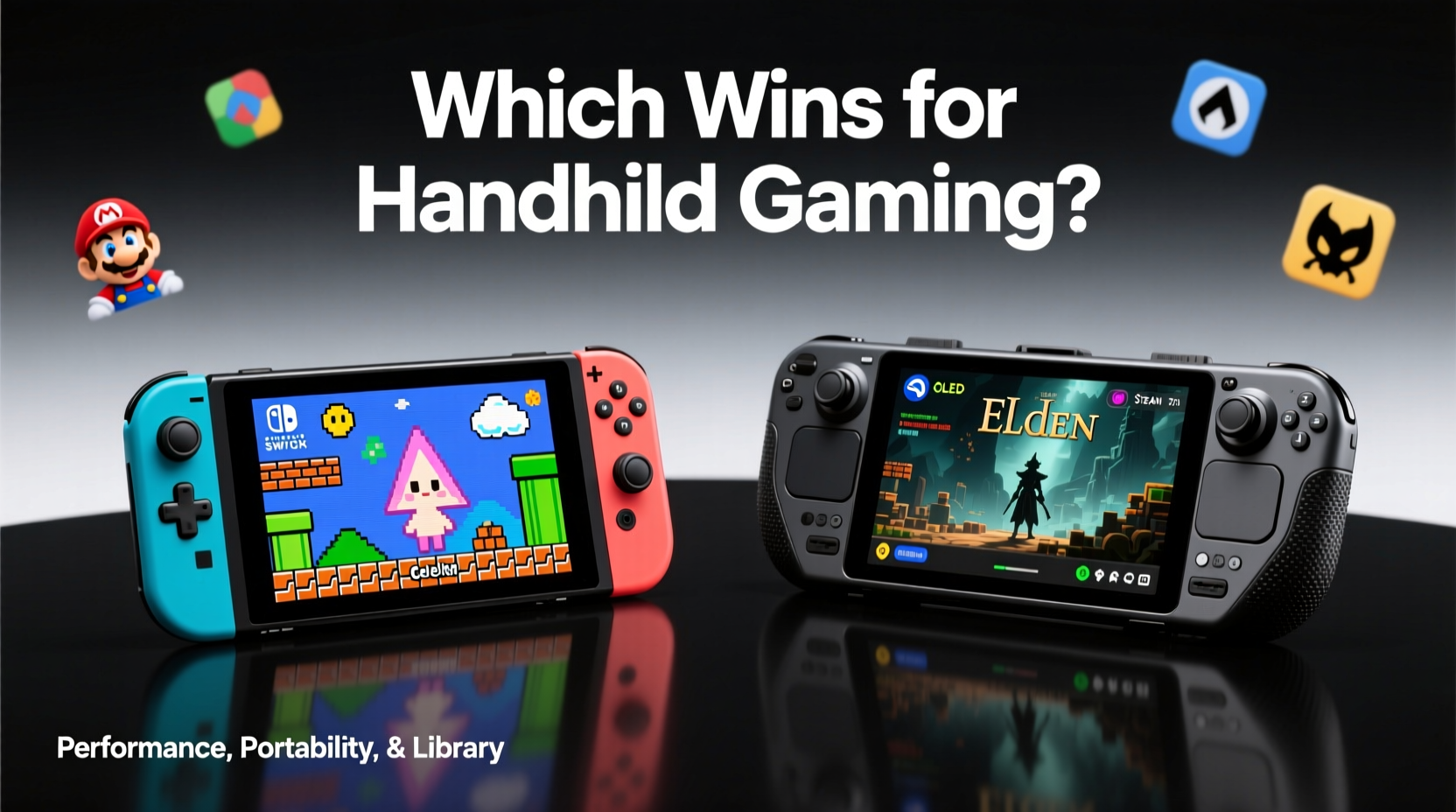
The Nintendo Switch OLED and Steam Deck take different approaches to form and function. The Switch OLED weighs in at approximately 420 grams (with Joy-Cons attached) and features a sleek, minimalist design with a vibrant 7-inch OLED screen. Its foldable kickstand is sturdier than the original model, but still not ideal for uneven surfaces. The build feels lightweight and balanced, making it exceptionally comfortable for long sessions on the couch or during travel.
In contrast, the Steam Deck starts at around 669 grams—nearly 60% heavier—due to its larger 7.4-inch LCD touchscreen and internal components designed to run PC games. It has a more utilitarian, rugged look with prominent shoulder buttons, analog sticks, and trackpads. While bulkier, the weight distribution is well-balanced across both hands, and the matte finish resists fingerprints. For users seeking true pocketability, the Switch OLED clearly wins. But for those prioritizing control precision and immersive gameplay, the Steam Deck’s heft pays off.
Display and Audio: Screen Showdown
The Switch OLED’s most significant upgrade is its namesake display. The 7-inch OLED panel delivers deep blacks, vibrant colors, and excellent contrast, especially noticeable in games like The Legend of Zelda: Tears of the Kingdom or Ori and the Will of the Wisps. It’s a joy to use in dim lighting and performs respectably outdoors with sufficient brightness.
The Steam Deck uses a 1280x800 LCD screen with higher resolution than the Switch OLED’s 720p, but lacks OLED’s per-pixel lighting. Colors are accurate but less punchy, and blacks appear grayish in dark scenes. However, the higher pixel density means text and UI elements in PC games remain sharp, which matters for complex RPGs or strategy titles. Outdoor visibility is better due to higher peak brightness, though glare can be an issue without an aftermarket anti-reflective coating.
Audio quality favors the Switch OLED. Its speakers are louder, clearer, and more spatially balanced. The Steam Deck’s dual speakers are functional but tinny by comparison, often requiring headphones for an optimal experience—especially since many Steam games rely heavily on audio cues.
Performance and Game Compatibility
This is where the fundamental philosophies diverge. The Switch OLED runs on custom NVIDIA hardware optimized for efficiency and consistency. Most first-party Nintendo titles run at a locked 30–60fps with native resolutions between 540p and 720p. Third-party ports, however, vary widely in quality—some, like Baldur’s Gate 3, are impressive; others, such as older Ubisoft titles, suffer from frame drops and long load times.
The Steam Deck, powered by a custom AMD APU (Zen 2 CPU + RDNA 2 GPU), targets PC-level performance. Valve rates it to handle most modern games at 30fps on medium settings. In practice, titles like Elden Ring, Hades, and Disco Elysium run smoothly, while graphically intense games like Cyberpunk 2077 require significant downscaling and frame rate caps. Proton compatibility layers enable thousands of Windows games to run natively, and tools like Steam Play simplify setup.
“Valve didn’t just build a handheld—they redefined what portable gaming could be by bringing the entire Steam ecosystem into your hands.” — Marcus Tran, Senior Editor at Portable Gamers Weekly
Nintendo’s closed system ensures optimization but limits flexibility. Every game is curated, tested, and built specifically for the platform. The Steam Deck offers freedom: install emulators, mod games, run non-Steam clients like GOG or Epic, or even browse the web while playing. But that freedom comes with complexity—some users may struggle with troubleshooting crashes or driver issues.
Game Library Comparison
Let’s compare the heart of any gaming device: the games.
| Category | Nintendo Switch OLED | Steam Deck |
|---|---|---|
| Exclusive Titles | Super Mario Bros. Wonder, Zelda, Metroid, Animal Crossing, Splatoon | None (open platform) |
| Third-Party Support | Limited ports; some delayed or lower quality | Full access to Steam’s 50,000+ titles |
| Indie Games | Strong presence (Hades, Stardew Valley) | Excellent support with native Linux compatibility |
| Backward Compatibility | Full for digital & cartridge-based Switch games | Depends on emulator or re-releases |
| Emulation | Possible via homebrew (not officially supported) | Full retro compatibility up to PS2/GameCube era with Lakka or RetroArch |
If you crave Super Smash Bros. Ultimate or want to explore Hyrule with Link, the Switch OLED is unmatched. Its exclusives are industry-leading and often serve as system sellers. The Steam Deck doesn’t compete here—but it doesn’t need to. Instead, it opens doors to genres underrepresented on Nintendo: survival crafting, immersive sims, grand strategy, and adult-oriented narrative games.
For example, someone who loves tactical RPGs might find XCOM 2 unplayable on Switch due to lack of port, but it runs flawlessly on Steam Deck. Similarly, fans of retro emulation can relive PS1 classics like Final Fantasy IX with high-resolution shaders—a level of customization impossible on Switch without jailbreaking.
Battery Life and Real-World Usage
Battery life is a major differentiator. The Switch OLED delivers 4.5 to 9 hours depending on the game. Lightweight indie titles like Stardew Valley can stretch close to nine hours, while demanding 3D games like Bayonetta 3 drain the battery in under five. This variability makes it reliable for commutes or short trips but less predictable for extended travel.
The Steam Deck averages 2–4 hours when running modern AAA titles at full settings. Lowering resolution via FSR, capping frame rates, and reducing brightness can extend this to 5–6 hours for less intensive games. Unlike the Switch, the Deck allows users to fine-tune performance profiles. Some players report getting over 8 hours with turn-based games like Divinity: Original Sin 2.
Mini Case Study: Travel Gamer’s Dilemma
Sophia, a frequent flyer and avid gamer, faced a decision before her two-week trip across Southeast Asia. She wanted something compact enough for flights yet capable of deep gaming experiences. She brought both devices initially but ended up relying solely on the Switch OLED. Why? Because she could play Animal Crossing: New Horizons for six hours straight on a single charge, enjoy local co-op with friends using detachable Joy-Cons, and easily slip it into her daypack. The Steam Deck, while powerful, required constant charging and felt cumbersome during long bus rides. For her, portability and battery trumped raw power.
However, when she returned home, she switched back to the Steam Deck for playing Warhammer 40K: Rogue Trader, a complex CRPG unavailable on Switch. Her experience underscores a key truth: these devices aren’t direct competitors—they’re tools for different needs.
Controls and Customization
The Switch OLED uses symmetrical analog sticks, standard ABXY layout, and capacitive touch buttons. Its Joy-Con controllers offer motion controls and HD rumble, which enhance games like 1-2-Switch or The Legend of Zelda: Breath of the Wild. However, stick drift remains a known issue, and the small size can cause hand fatigue during marathon sessions.
The Steam Deck introduces trackpads, rear grip buttons (shoulder triggers), and user-reprogrammable controls. You can map keyboard shortcuts, create macros, or simulate mouse input—critical for games originally designed for desktop. The analog sticks are larger and textured for better grip, and the d-pad is clicky and precise. For gamers transitioning from PC, this level of customization is invaluable.
- Remap any button via Steam Input
- Create per-game control profiles
- Use gyro aiming in non-native games (e.g., FPS titles)
- Enable virtual keyboard for chat or commands
Checklist: Choosing the Right Device for You
- Ask yourself: Do I prioritize Nintendo exclusives? → Lean toward Switch OLED.
- Do I play a lot of indie or retro games? Both work, but Steam Deck offers deeper emulation.
- Am I comfortable tweaking settings? If yes, Steam Deck rewards technical curiosity.
- Is battery life critical? Switch OLED generally lasts longer.
- Do I want one device for everything? Consider Steam Deck’s versatility—or pair both for maximum coverage.
Price and Value Over Time
The base model Switch OLED retails at $349.99 and includes the dock, HDMI cable, and AC adapter—making it a complete home-and-handheld package. Additional accessories like extra Joy-Cons or Pro Controllers increase cost, but the core system is ready to use out of the box.
The Steam Deck starts at $399 for the 64GB eMMC model, $549 for 256GB NVMe SSD, and $649 for the 512GB SSD with anti-glare glass. None include a dock by default, though Valve sells one separately ($99). The higher-tier models offer faster storage speeds, crucial for reducing load times in large open-world games.
Long-term, the Steam Deck offers greater expandability. You can replace the SSD, upgrade RAM (in future revisions), and install alternative OSes like Windows or Batocera. The Switch OLED is sealed and non-upgradable, locking users into its factory configuration.
FAQ
Can the Steam Deck run all Steam games?
No—not all Steam games are compatible. Valve maintains a verification program: “Verified,” “Playable,” “Unsupported,” and “Unknown.” As of 2024, over 70% of top 100 Steam games are verified or playable. Performance depends on optimization and settings.
Is the Switch OLED worth upgrading to from the original Switch?
If you value screen quality, sound, and storage, yes. The improved OLED display and 64GB internal storage (double the original) make a tangible difference. But if you already own a Switch and don’t mind the LCD, the upgrade is optional.
Which is better for multiplayer gaming on the go?
The Switch OLED excels here. Local wireless play in Super Mario Party or Overcooked! 2 with detachable Joy-Cons is seamless. The Steam Deck supports Bluetooth controllers for multiplayer, but spontaneous couch co-op isn’t as intuitive.
Conclusion: Which Handheld Wins?
Declaring a single “winner” between the Nintendo Switch OLED and Steam Deck oversimplifies their strengths. They cater to distinct audiences and lifestyles. The Switch OLED wins for accessibility, battery life, family-friendly gaming, and unmatched first-party franchises. It’s the ideal choice for casual players, parents, and Nintendo loyalists who want a seamless, plug-and-play experience.
The Steam Deck wins for versatility, customization, and access to a vast library of mature, complex, and niche titles. It’s the go-to device for PC gamers who refuse to be deskbound, modders, retro enthusiasts, and those who value open ecosystems.
Ultimately, the best handheld is the one that aligns with how you play. If you must choose only one, consider your game library first. Want to explore Hyrule or battle friends in Smash Bros.? Go Switch. Craving Starfield, The Witcher 3, or classic PlayStation RPGs on the train? The Steam Deck delivers.




 浙公网安备
33010002000092号
浙公网安备
33010002000092号 浙B2-20120091-4
Comments
No comments yet. Why don't you start the discussion?