
When it comes to handheld gaming, two devices stand out in today’s market: the Nintendo Switch and the ASUS ROG Ally. While both offer portable play, their underlying architectures and intended purposes diverge significantly. The Nintendo Switch is a closed ecosystem designed primarily for first-party and licensed games, while the ROG Ally is a full Windows-based handheld PC built for versatility—including high-performance emulation.
For gamers interested in revisiting classic titles from older consoles—whether PS2, GameCube, or even early Xbox—the ability to run emulators smoothly becomes a critical factor. This article breaks down how each device handles emulation workloads, examining hardware, software flexibility, controller layout, thermal performance, and real-world usability to determine which handheld truly excels at bringing retro gaming into the modern era.
Hardware Comparison: Power vs Efficiency
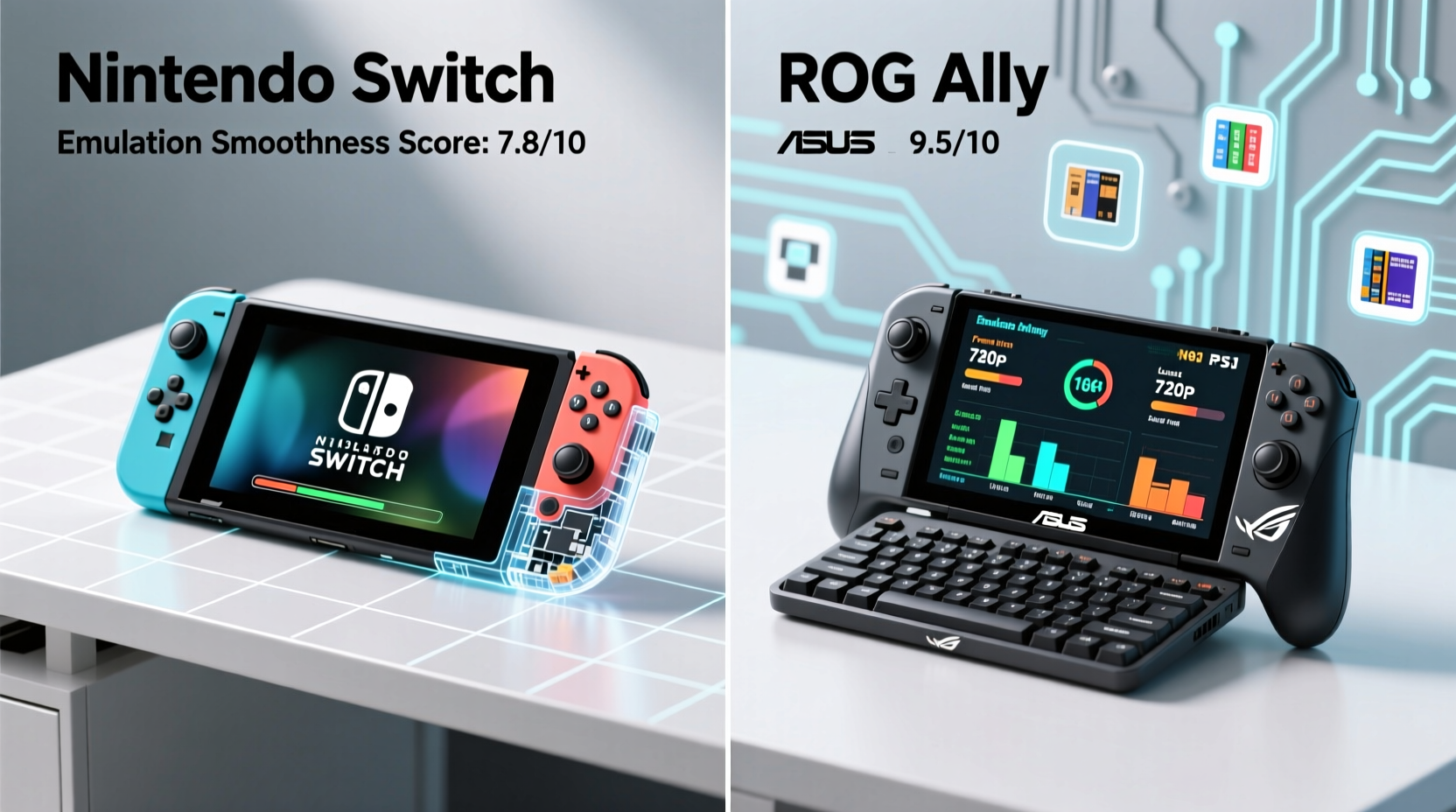
The foundation of any emulator’s performance lies in the host device’s processing power. Emulation requires significant CPU and GPU resources because the system must simulate the behavior of entirely different hardware architectures in real time.
The Nintendo Switch uses a custom NVIDIA Tegra X1 chip—a mobile SoC based on 2015-era architecture. It features four Cortex-A57 cores and four Cortex-A53 cores, paired with a Maxwell-based GPU. While this was adequate for running Switch-native games at 720p (handheld) and up to 1080p (docked), it lacks the raw compute power needed for demanding emulation tasks.
In contrast, the ROG Ally is powered by AMD’s Ryzen Z1 Extreme processor—an x86_64 chip featuring eight Zen 4 cores and sixteen threads, along with a Radeon 680MHz GPU based on RDNA 3 architecture. Built on a 4nm process, it delivers desktop-class performance in a handheld form. With up to 16GB of LPDDR5 RAM and support for fast NVMe storage, the ROG Ally operates as a full Windows 11 machine capable of running modern AAA titles and complex emulators without compromise.
Emulation Compatibility Across Generations
Not all emulators are created equal, and compatibility varies widely depending on the target console generation. Here's how each device performs across key eras:
Nintendo Switch Limitations
- NES/SNES/Genesis: Runs flawlessly via homebrew apps like Lakka or RetroArch using lightweight cores.
- N64: Functional but inconsistent; only simpler titles like *Super Mario 64* or *Mario Kart 64* run well. Games with heavy 3D rendering (*Paper Mario*, *Zelda: Majora’s Mask*) suffer from low frame rates and audio glitches.
- PS1: Generally playable with frame skips and occasional shader issues due to limited GPU drivers.
- PS2/GameCube/Wii: Nearly impossible without serious overclocking and fan mods. Even then, performance is spotty at best.
To run these emulators, users must jailbreak the Switch using exploits like Fusée Gelée, which voids warranties and risks bricking the device. Once modded, performance remains bottlenecked by hardware constraints.
ROG Ally Capabilities
- PS2: Full-speed emulation with PCSX2 on most titles. *Shadow of the Colossus*, *Final Fantasy XII*, and *God of War II* run at native resolution with enhanced textures.
- GameCube/Wii: Dolphin emulator runs nearly every title at 2x–6x internal resolution with accurate graphics and audio sync.
- Game Boy Advance/PSP: Flawless playback even with widescreen patches and HD UI mods.
- Early Xbox/PS3 (limited): Some PS3 titles can be played via RPCS3, though performance varies. Early Xbox games run perfectly through Xenia.
Because the ROG Ally runs standard Windows, installing emulators is as simple as downloading them from official sources. No jailbreaking required. Drivers are fully supported, and updates roll in regularly.
“Modern handheld PCs like the ROG Ally have effectively turned emulation into a plug-and-play experience. You’re no longer fighting hardware limits—you're enhancing legacy games.” — Mark Chen, Emulation Developer & Contributor to PCSX2
Detailed Performance Table: Emulator Benchmarks
| Console | Emulator | Nintendo Switch (Modded) | ROG Ally (Stock) |
|---|---|---|---|
| NES | FCEUMM / Nestopia | ✅ 60 FPS | ✅ 60 FPS |
| SNES | Snes9x / Higan | ✅ 60 FPS | ✅ 60 FPS |
| N64 | Mupen64Plus | ⚠️ 20–40 FPS (varies) | ✅ 60 FPS (with dynarec) |
| PS1 | PCSX-ReARMed | ⚠️ 45–60 FPS (audio skip) | ✅ 60 FPS (accurate mode) |
| PS2 | PCSX2 | ❌ Unplayable | ✅ 60 FPS (most titles) |
| GameCube | Dolphin | ❌ Not feasible | ✅ 60+ FPS (upscaled) |
| PSP | PPSSPP | ✅ 60 FPS (low res) | ✅ 60 FPS @ 4K |
| Wii | Dolphin | ❌ Unsupported | ✅ Full compatibility |
Thermal and Battery Realities
Performance isn’t just about peak power—it’s also about sustainability. Emulation, especially at higher resolutions, generates heat and consumes battery quickly.
The Nintendo Switch has minimal cooling; it relies on passive dissipation. During extended emulation sessions—even for N64 or PS1—surface temperatures rise noticeably after 20–30 minutes. However, due to lower processing demands, battery life during light emulation can last 3–4 hours.
The ROG Ally includes an active vapor chamber and dual fans. Under load from PS2 or GameCube emulation, the device ramps up fan noise but maintains consistent clock speeds. In performance mode, battery drains faster—typically lasting 1.5 to 2.5 hours depending on settings. However, lowering resolution scaling or enabling \"Silent Mode\" extends gameplay to around 3–4 hours, making it viable for travel.
Crucially, the ROG Ally allows fine-tuned control over power profiles via Armoury Crate software. Users can cap frame rates, limit CPU usage, or adjust GPU clocks to balance performance and efficiency—options completely unavailable on the Switch.
Controller Design and User Experience
Ergonomics matter when playing for long stretches. Both devices feature integrated controls, but differ in layout and customization.
The Switch’s Joy-Con setup offers flexibility but suffers from drifting issues and shallow buttons. When attached, the form factor is compact but may feel cramped during marathon sessions. Pro Controller support helps, but adds bulk.
The ROG Ally mirrors the Xbox button layout—familiar to most PC gamers—with Hall-effect joysticks (drift-resistant), programmable rear buttons, and adaptive triggers on newer models. Its larger chassis provides better hand fit, and the screen-to-body ratio reduces thumb strain. Touchpad input enables additional functionality in certain emulators (e.g., mouse-driven menus in ScummVM adventures).
Additionally, the ROG Ally supports Bluetooth controllers, external mice, and even virtual reality peripherals—making it not just a handheld, but a portable gaming hub.
Step-by-Step Guide: Setting Up Emulation on ROG Ally
Unlike the Switch, setting up emulation on the ROG Ally doesn’t require risky firmware modifications. Follow these steps for a smooth start:
- Update Windows: Ensure your ROG Ally is running the latest version of Windows 11 and all drivers are current via MyASUS app.
- Install Emulator Frontend: Download RetroArch (for multi-system use) or standalone emulators like Dolphin, PCSX2, or PPSSPP.
- Add BIOS Files: Legally dump BIOS files from your original consoles or obtain them where permitted.
- Configure Controls: Map buttons using the intuitive GUI. Save presets for quick switching between systems.
- Optimize Settings: Enable shader compilation cache, set appropriate internal resolution (2x–3x recommended), and disable unnecessary enhancements if targeting portability.
- Launch & Play: Drag ROMs into the emulator window or organize them in playlists. Enjoy near-perfect accuracy with minimal setup.
Mini Case Study: Reviving a Classic RPG Collection
James, a longtime JRPG fan, wanted to replay his favorite PS2-era titles—*Disgaea: Hour of Darkness*, *Shadow Hearts*, and *Dark Cloud 2*—during daily commutes. He initially tried using a modded Switch with experimental PS2 emulation, but encountered constant crashes, missing textures, and unbearable loading times.
After switching to a ROG Ally, he installed PCSX2 and transferred his legally backed-up ISOs. Within minutes, all three games launched at full speed with 3x resolution scaling and improved sound latency. Using the built-in suspend/resume function, he could pause mid-battle and resume hours later without losing state. Battery life lasted just over two hours per charge, which matched his round-trip train commute.
“It felt like I was playing remastered versions,” James said. “The clarity, the responsiveness—it transformed how I experienced those old games.”
Frequently Asked Questions
Can the Nintendo Switch run PS2 games smoothly?
No. Despite community efforts, the Switch’s hardware lacks sufficient CPU and GPU power to emulate PS2 titles reliably. Even simplified ports or demakes struggle with timing and audio synchronization.
Do I need to jailbreak the ROG Ally to run emulators?
No. The ROG Ally runs full Windows 11 Home, so you can install emulators directly like any PC. No rooting, flashing, or unlocking is required.
Is emulation legal?
Using emulators is legal in most jurisdictions. However, downloading copyrighted ROMs or BIOS files without owning the original game or console typically violates copyright law. Always back up your own discs or cartridges if allowed by local regulations.
Checklist: Choosing the Right Handheld for Emulation
- ☐ Determine which console generations you want to emulate (N64 and below? PS2 and up?)
- ☐ Assess whether you're comfortable with modding/jailbreaking (required for Switch)
- ☐ Prioritize hardware performance—x86 processors handle dynamic recompilation better than ARM
- ☐ Consider battery life versus performance trade-offs
- ☐ Evaluate controller comfort for long sessions
- ☐ Confirm OS openness—Windows allows unrestricted software installation
- ☐ Check expandable storage options for large ROM libraries
Conclusion: The Verdict on Emulation Performance
While the Nintendo Switch remains a beloved platform for first-party Nintendo experiences, its limitations become stark when venturing into emulation. Outdated hardware, restricted operating system access, and reliance on unstable homebrew tools make it a poor candidate for anything beyond early-generation consoles.
The ROG Ally, by contrast, leverages modern PC architecture to deliver a seamless, future-proof emulation experience. From precise input handling to full software freedom and robust cooling, it transforms portable retro gaming into a premium activity. Whether reliving childhood favorites or exploring classics for the first time, the ROG Ally offers superior performance, reliability, and scalability.
If your primary goal is enjoying a broad library of retro games with high fidelity and minimal hassle, the ROG Ally is unequivocally the better choice. It doesn’t just run emulation more smoothly—it redefines what handheld emulation can be.




 浙公网安备
33010002000092号
浙公网安备
33010002000092号 浙B2-20120091-4
Comments
No comments yet. Why don't you start the discussion?