
In the world of digital note-taking, two tools consistently rise to the top: Notion and Obsidian. Both offer powerful ways to organize thoughts, manage tasks, and build personal knowledge systems. Yet they approach these goals in fundamentally different ways. For many casual users—students, hobbyists, or professionals who just want a simple place to jot down ideas—the choice between them can feel overwhelming. Is Obsidian really too complex for everyday use, or does its learning curve unlock long-term benefits that Notion can’t match?
This article examines both platforms from the perspective of usability, flexibility, and real-world application. We’ll break down their core differences, evaluate their suitability for casual users, and provide practical guidance on choosing the right tool based on how you think, work, and grow.
The Core Philosophies Behind Notion and Obsidian
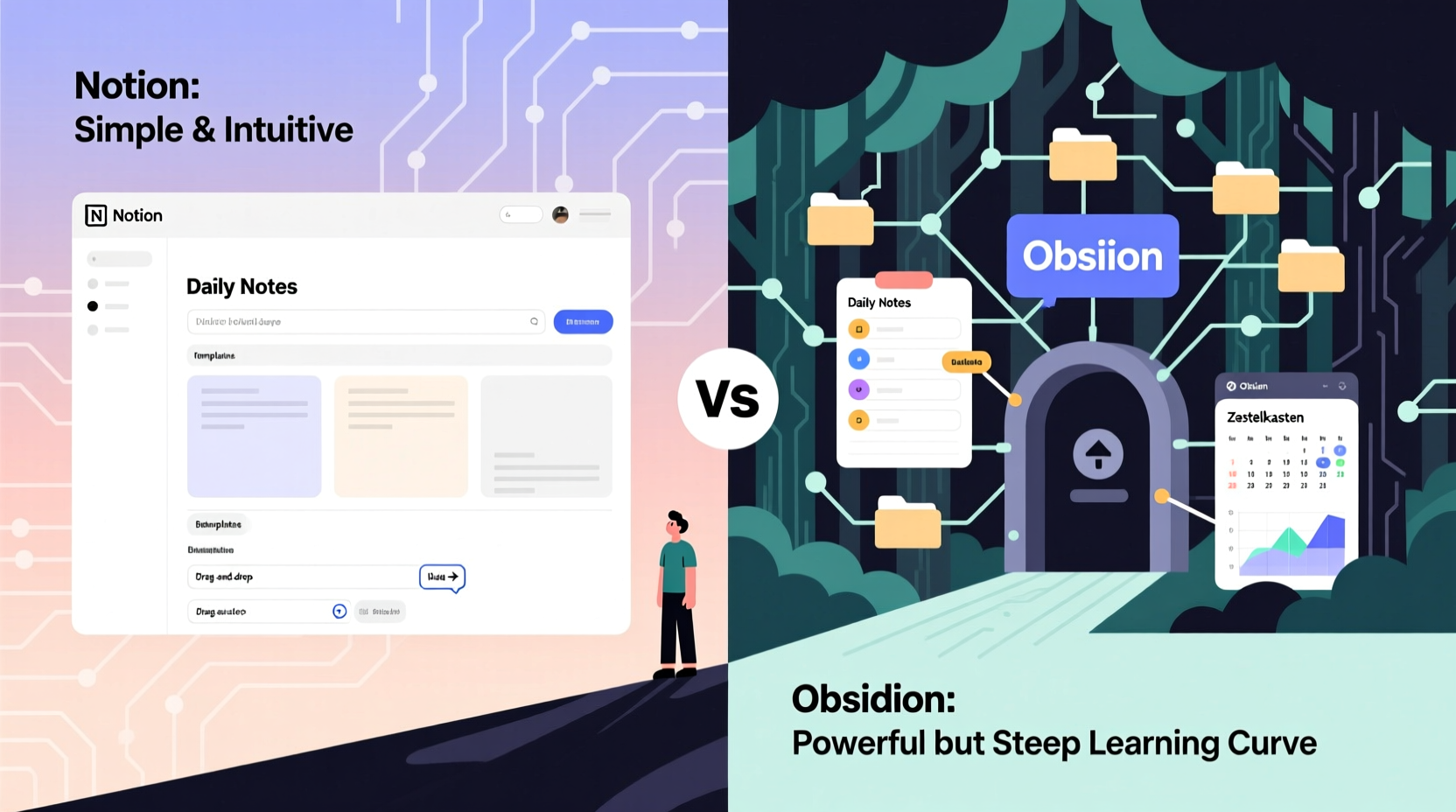
Understanding the foundational design principles of each app reveals why one might feel intuitive while the other seems daunting.
Notion operates as an all-in-one workspace. It combines notes, databases, task management, calendars, and collaboration features into a single, cloud-based platform. Its interface is clean, drag-and-drop friendly, and instantly familiar to anyone who’s used tools like Google Docs or Trello. Everything lives online, synced across devices, and accessible through a web browser or mobile app.
Obsidian, by contrast, treats your notes as files stored locally on your device. It functions more like a personal knowledge base built around Markdown files. Instead of relying on servers, Obsidian reads and links your plain text files, enabling deep interconnections between ideas using backlinks and graph views. The system emphasizes ownership, privacy, and customization—but at the cost of initial complexity.
These opposing philosophies shape user experience profoundly. Notion prioritizes ease of entry and collaborative functionality. Obsidian values control, longevity, and cognitive depth. Neither is inherently better; the ideal choice depends on your needs and comfort with technology.
Usability Comparison: First Impressions Matter
For casual users, first impressions often determine whether a tool gets adopted—or abandoned after a week.
When you open Notion for the first time, you’re greeted with templates: meeting notes, habit trackers, project plans. You can start typing immediately, embed tables, toggle lists, and create pages within minutes. The visual editor feels natural, almost like writing in a word processor. Collaboration is seamless: share a link, invite teammates, and co-edit in real time.
Obsidian, however, presents a starker welcome screen. There are no pre-built templates (unless installed manually), no flashy UI elements, and no immediate indication of what to do next. You begin with a blank slate—a folder of Markdown files. To make meaningful progress, you need to understand concepts like linking notes ([[My Note]]), using tags (#project), and navigating the graph view. While powerful, this requires upfront effort.
Learning Curve Analysis
Notion’s learning curve is shallow and short. Most users grasp 80% of its functionality within a few hours. Advanced features like rollups, formulas, or relations take longer but aren’t necessary for basic use.
Obsidian’s curve is steep and extended. Mastering core navigation takes days. Understanding plugins, CSS snippets, and automation may take weeks or months. However, once internalized, these tools enable workflows that feel deeply personalized and intellectually rewarding.
“Obsidian isn’t hard because it’s poorly designed—it’s hard because it gives you freedom. And freedom requires responsibility.” — Tiago Forte, productivity researcher and author of *Building a Second Brain*
Feature Breakdown: What Each Tool Does Best
To assess suitability for casual users, let’s compare key features side by side.
| Feature | Notion | Obsidian |
|---|---|---|
| Setup Time | Minutes | Hours to days |
| User Interface | Visual, WYSIWYG editor | Markdown-based, minimal UI |
| Data Ownership | Hosted on Notion’s servers | Fully local, file-based |
| Offline Access | Limited without subscription | Full offline support |
| Linking Notes | Possible via page references | Native backlinks and graph view |
| Customization | Moderate (templates, databases) | Extensive (plugins, themes, scripts) |
| Collaboration | Excellent (real-time editing) | Poor (requires third-party sync) |
| Long-Term Viability | Depends on company sustainability | Future-proof (plain text files) |
This comparison shows that Notion wins on accessibility and teamwork, while Obsidian excels in autonomy, longevity, and intellectual structuring. Casual users who value simplicity and sharing will lean toward Notion. Those who prioritize privacy, permanence, and personal insight may find Obsidian worth the investment—even if it takes time.
Real-World Example: A Student’s Journey
Consider Sarah, a college sophomore studying psychology. She wants a place to take lecture notes, track assignments, and brainstorm paper ideas. Initially, she tries Notion. She loves the colorful templates, easily creates a semester dashboard, and shares group project pages with classmates. Everything works smoothly—for a while.
But over time, she notices gaps. Her notes exist in isolation. When reviewing for exams, she struggles to see connections between concepts like cognitive dissonance and behavioral conditioning. She searches manually instead of discovering relationships automatically.
Curious, she experiments with Obsidian. At first, it feels alien. Typing [[Cognitive Dissonance]] to link topics seems awkward. But after setting up a few notes, she clicks the graph view and sees clusters of related ideas emerge visually. A forgotten connection between memory encoding and sleep patterns suddenly becomes clear. This “aha” moment changes her approach to studying.
She still finds Obsidian less intuitive than Notion, especially when formatting or syncing across devices. But the payoff in deeper understanding keeps her engaged. Over months, she builds a living network of knowledge that evolves with her learning.
Sarah’s story illustrates a critical point: complexity isn’t always a flaw. Sometimes, it’s the price of gaining richer insights.
Can Obsidian Be Simplified for Casual Use?
The question isn’t whether Obsidian is complex—it clearly is—but whether that complexity can be mitigated for non-technical users.
The answer is yes, with intentional setup.
Obsidian supports a vast ecosystem of community plugins that simplify workflows. For example:
- Templater automates note creation with predefined structures.
- Daily Notes helps maintain a journaling habit effortlessly.
- Quick Switcher++ improves navigation speed.
- Tag Wrangler organizes hashtags cleanly.
Additionally, users can adopt minimalist configurations. Start with only essential plugins. Use simple folder organization. Avoid advanced scripting until comfortable. Many casual users thrive in Obsidian by treating it like a digital notebook with supercharged linking—not a full-scale knowledge management engine.
Step-by-Step: Setting Up a Beginner-Friendly Obsidian Vault
- Create a new vault named “Personal Notes.”
- Make folders: “Daily,” “Projects,” “Reference,” “Archive.”
- Enable “Daily Notes” from Settings → Core Plugins.
- Install the “Templater” plugin via Community Plugins.
- Create a template called “Lecture Note” with sections: Topic, Key Points, Questions, Related Ideas.
- Use
[[ ]]to link terms as you write (e.g., [[Memory]])—don’t overthink it. - Open the Graph View weekly to explore connections passively.
- Sync your vault using free tools like Syncthing or iCloud (for basic cross-device access).
This approach strips away unnecessary complexity while preserving Obsidian’s unique strengths: bidirectional linking and local data control.
FAQ: Common Concerns About Obsidian and Notion
Is Obsidian only for tech-savvy users?
No. While Obsidian appeals to technically inclined individuals, many casual users—including writers, therapists, and educators—use it successfully. With guided setup and curated plugins, it can serve non-developers effectively. The key is starting small and growing gradually.
Can I use both Notion and Obsidian together?
Absolutely. Many people use Notion for team projects, databases, and structured planning, while reserving Obsidian for private thinking, research, and idea exploration. This hybrid model leverages the strengths of both: collaboration where needed, depth where desired.
What happens if Obsidian shuts down?
Unlike cloud-based apps, Obsidian stores your notes as standard Markdown files. Even if the app disappears tomorrow, your data remains readable in any text editor. This makes it one of the most future-proof note-taking tools available.
Checklist: Choosing the Right Tool for You
Use this checklist to decide which tool aligns with your habits and goals:
- ✅ Do you collaborate frequently with others? → Lean toward Notion.
- ✅ Are you uncomfortable with file management or command-line concepts? → Notion may suit you better.
- ✅ Do you want your notes to last decades without vendor lock-in? → Choose Obsidian.
- ✅ Do you enjoy making connections between ideas and exploring knowledge networks? → Obsidian offers superior tools.
- ✅ Do you prefer polished, visual interfaces over text-based ones? → Notion delivers a smoother aesthetic.
- ✅ Are you willing to invest time upfront for long-term gains? → Obsidian rewards patience.
- ✅ Do you already use Markdown or plain text for writing? → Obsidian integrates naturally.
Conclusion: Complexity Isn’t the Enemy—Misalignment Is
The debate over Notion versus Obsidian ultimately comes down to alignment: does the tool fit how you work, think, and evolve?
Obsidian isn’t too complex for casual users—it’s differently designed. Its power lies not in ease of first use, but in depth of long-term utility. For someone who journals occasionally, tracks groceries, or shares class notes, Notion remains the more practical choice. But for anyone seeking to turn scattered thoughts into coherent understanding, Obsidian offers unmatched potential.
You don’t need to master every feature to benefit. Even basic use of linking and graph visualization can transform passive note-taking into active thinking. The barrier isn’t technical skill; it’s mindset. Are you taking notes to capture information, or to create insight?




 浙公网安备
33010002000092号
浙公网安备
33010002000092号 浙B2-20120091-4
Comments
No comments yet. Why don't you start the discussion?