
In an age of information overload, the idea of a “second brain” — an external system to capture, organize, and retrieve knowledge — has become essential. Two apps dominate this space: Notion and Obsidian. Both promise powerful tools for managing ideas, but they approach the problem in fundamentally different ways. Choosing between them isn’t about which is objectively superior, but which aligns better with your thinking style, workflow, and long-term goals.
Notion offers a highly visual, collaborative workspace where notes live alongside databases, calendars, and project trackers. Obsidian, by contrast, is a local-first, Markdown-based knowledge vault that emphasizes deep linking and personal insight through networked thought. This article breaks down their strengths, weaknesses, and ideal use cases to help you decide which platform truly supports the creation of a functional second brain.
The Philosophy Behind Each App
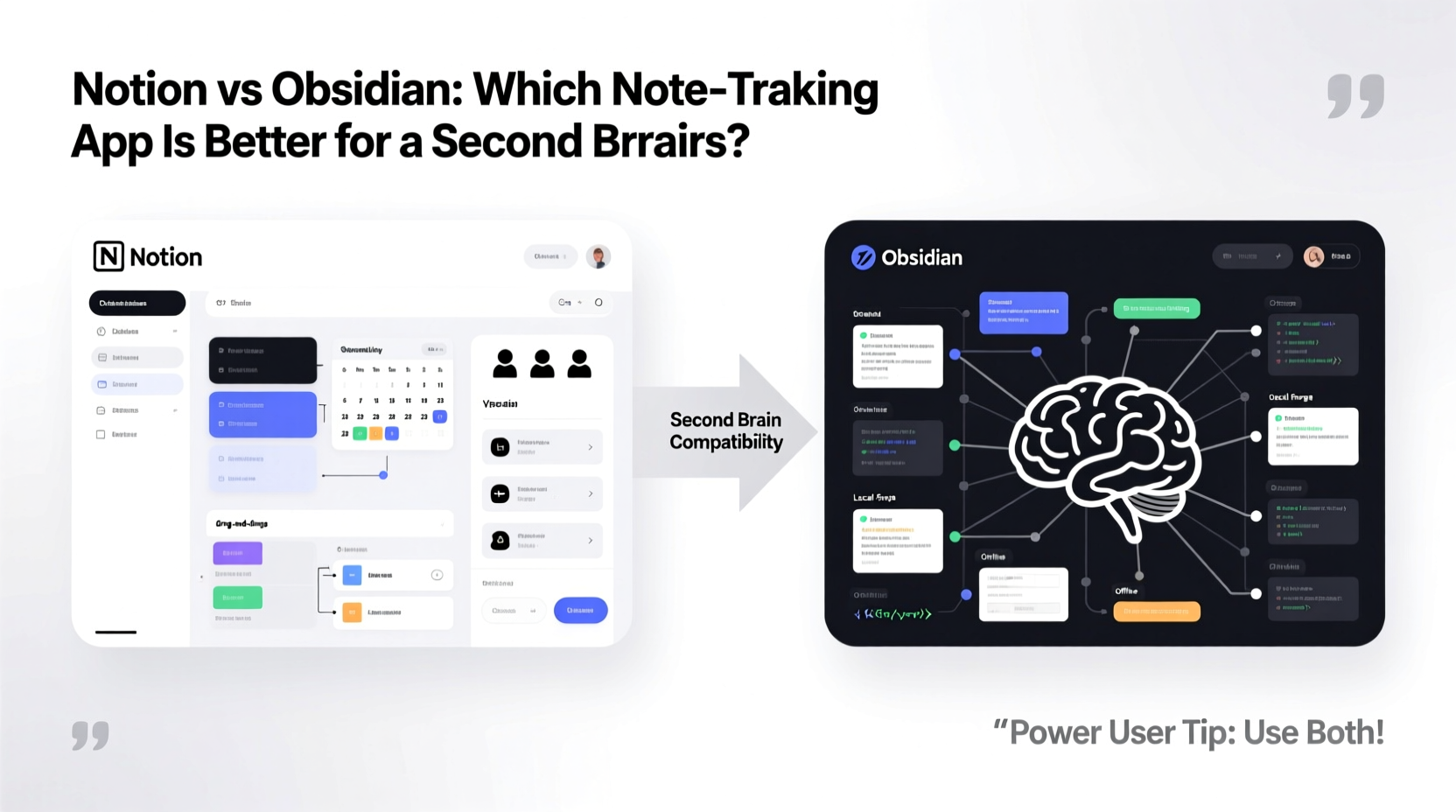
Understanding the core philosophy of each app is key to evaluating its suitability for a second brain.
Notion is built around flexibility and integration. It’s designed as an all-in-one workspace where teams and individuals can manage tasks, write documentation, track progress, and store knowledge. Its block-based editing system allows users to embed tables, to-do lists, images, and even entire databases within a single page. The result is a rich, dynamic environment that feels like a digital office.
Obsidian, on the other hand, is rooted in the principles of the Zettelkasten method and personal knowledge management. It treats your notes as nodes in a growing web of interconnected ideas. Every file is stored locally as plain Markdown text, giving you full ownership and control. The emphasis is on bidirectional linking, backlinks, and graph visualization to reveal hidden connections across your thinking.
“Your second brain should reflect how you think, not how software wants you to think.” — Tiago Forte, productivity expert and creator of the PARA method
This divergence in design philosophy leads to distinct user experiences. Notion excels at structure and collaboration; Obsidian thrives in depth and autonomy.
Core Features Compared
To evaluate which app serves as a better foundation for a second brain, we need to compare their capabilities across several dimensions.
| Feature | Notion | Obsidian |
|---|---|---|
| Data Ownership | Cloud-based; data stored on Notion servers | Local-first; files stored as Markdown on your device |
| Offline Access | Limited (requires subscription for full offline sync) | Full offline access by default |
| Linking & Backlinks | Basic page linking; no native backlink preview | Robust bidirectional linking with automatic backlink display |
| Customization | Templates, toggle lists, inline databases | Plugins, themes, community scripts, CSS tweaks |
| Graph View | No native concept map | Interactive graph showing note relationships |
| Collaboration | Real-time team editing, comments, permissions | Limited; requires paid sync or third-party tools |
| Pricing Model | Free tier + paid plans for teams and advanced features | Free for personal use; optional paid sync and publishing |
While both platforms allow note creation and organization, their approaches diverge significantly. Notion prioritizes ease of use and real-time collaboration, making it ideal for shared workspaces. Obsidian focuses on personal cognition, enabling deeper reflection and connection-building over time.
Workflow Integration: Building Your Second Brain
A second brain isn’t just about storing information — it’s about transforming it into insight. The process typically follows a framework like PARA (Projects, Areas, Resources, Archives) or CODE (Capture, Organize, Distill, Express), popularized by thinkers like Tiago Forte.
In Notion, setting up PARA is straightforward. You can create top-level pages for Projects, Areas, and Resources, then use nested databases to categorize notes, tasks, and references. For example, a “Resources” database might include tags for topics, sources, and relevance, allowing you to filter and sort content efficiently. Kanban boards can visualize progress, while linked databases keep related information synchronized.
In Obsidian, the same goal is achieved differently. Instead of hierarchical folders, many users adopt a flat structure with extensive tagging and linking. A note about “active recall” might link to “spaced repetition,” which links to “learning strategies,” forming a cluster of related ideas. Over time, these connections surface patterns and insights that wouldn’t be visible in a linear system.
The graph view becomes a powerful tool for discovery, revealing clusters of activity and isolated notes that may need integration. Daily notes and periodic reviews encourage regular engagement, turning passive storage into active thinking.
Step-by-Step: Setting Up a Second Brain in Each App
- Capture Everything: In Notion, use a quick-entry form or inbox database. In Obsidian, create an “Inbox” note or use quick-switcher to draft new entries.
- Organize by Context: Apply PARA categories. In Notion, assign database properties. In Obsidian, use folder prefixes or tags like #project/work or #area/health.
- Link Related Ideas: In Notion, manually link pages. In Obsidian, use [[double brackets]] to create internal links effortlessly.
- Review Weekly: Schedule time to process unlinked notes, update projects, and identify emerging themes.
- Distill Insights: Turn raw notes into concise summaries. In Notion, use toggle lists or callout blocks. In Obsidian, create “evergreen” notes that synthesize key concepts.
Case Study: From Scattered Notes to Strategic Insight
Consider Maya, a freelance writer researching AI trends. Initially, she saved articles, quotes, and ideas in random Google Docs. After adopting a second brain approach, she tried both Notion and Obsidian.
In Notion, she created a database called “AI Research” with fields for source, topic, summary, and status. She embedded tweets, added video transcripts, and linked related projects. The structured layout helped her pitch clients with organized evidence. However, she found herself spending too much time formatting pages rather than thinking.
Switching to Obsidian, she began writing shorter, atomic notes — one idea per file. She linked “transformer models” to “LLM limitations” and “ethical AI,” gradually building a web of understanding. During a weekly review, her graph view highlighted a dense cluster around bias in training data — a theme she hadn’t consciously noticed. This became the focus of her next article, earning her industry recognition.
For Maya, Obsidian didn’t just store knowledge — it generated insight. But if she had been collaborating with an editorial team, Notion’s real-time editing and task assignments would have been indispensable.
When to Choose Notion
Notion shines when your second brain overlaps with your working environment. If you manage projects, coordinate with others, or rely on integrated tools like calendars and task managers, Notion provides a seamless experience.
- You collaborate frequently with teammates or clients
- You want dashboards that combine notes, tasks, and timelines
- You prefer WYSIWYG editing without learning Markdown
- Your second brain includes operational content (e.g., SOPs, meeting agendas)
Its drag-and-drop interface lowers the barrier to entry, making it easier to get started quickly. However, this convenience comes at the cost of long-term portability and cognitive depth. Without deliberate effort, Notion can become a digital junk drawer — full of content but lacking coherence.
When to Choose Obsidian
Obsidian is ideal for solo knowledge workers, researchers, writers, and lifelong learners who prioritize deep thinking over immediate productivity.
- You value data ownership and long-term accessibility
- You want to discover unexpected connections between ideas
- You’re comfortable with Markdown or willing to learn
- You plan to maintain your knowledge base for years or decades
Because every note is a plain text file, your vault remains readable even if the app disappears. Third-party tools can sync your data across devices using iCloud, Dropbox, or Git. And with over 1,500 community plugins, Obsidian can evolve with your needs — whether you want spaced repetition, diagramming, or AI-assisted writing.
Frequently Asked Questions
Can I use both Notion and Obsidian together?
Yes — many people do. Use Obsidian as their private thinking space and Notion as a collaborative output hub. For example, develop ideas in Obsidian, then publish polished summaries or reports in Notion for team access.
Is Obsidian worth learning if I’m not technical?
Absolutely. While Obsidian uses Markdown, the basics are easy to pick up. The app includes a live preview mode, and most daily actions — typing, linking, searching — require no coding. The initial learning curve pays off in long-term flexibility.
Does Notion support bidirectional linking like Obsidian?
Not natively. You can link pages in Notion, but there’s no automatic backlink panel showing where a note is referenced. This makes it harder to trace the evolution of ideas over time — a critical function for a true second brain.
Action Plan: Building Your Second Brain
Regardless of which tool you choose, success depends on consistency and intentionality. Follow this checklist to get started:
- Week 1: Setup
- Create your core structure (e.g., PARA) in your chosen app.
- Set up an inbox for capturing fleeting thoughts.
- Week 2: Capture
- Commit to saving at least three new insights daily.
- Use voice memos, browser extensions, or quick notes to reduce friction.
- Week 3: Organize
- Process your inbox. Link related notes. Delete duplicates.
- In Obsidian, explore the graph view. In Notion, test filtered views.
- Week 4: Reflect
- Write a synthesis note connecting recent ideas.
- Schedule a weekly review to maintain momentum.
“The quality of your life depends on the quality of your decisions. The quality of your decisions depends on the quality of your thinking. And the quality of your thinking depends on the quality of your information.” — Naval Ravikant, entrepreneur and philosopher
Conclusion
Choosing between Notion and Obsidian isn’t about finding the best app — it’s about choosing the right partner for your mind. Notion empowers collaboration and structure, making it ideal for team-based knowledge work. Obsidian nurtures introspection and connection, offering a private sanctuary for evolving thought.
If your second brain is meant to be a living, breathing extension of your cognition — one that surprises you with insights and matures over time — Obsidian holds a distinct advantage. But if your knowledge system must integrate tightly with workflows, deadlines, and other people, Notion’s versatility is unmatched.
Start where you are. Import old notes. Write one new idea today. Link it to something you already know. That small act is the beginning of a smarter, more resilient mind. The best second brain isn’t built overnight — it grows with you.




 浙公网安备
33010002000092号
浙公网安备
33010002000092号 浙B2-20120091-4
Comments
No comments yet. Why don't you start the discussion?