
The arrival of consumer-grade mixed reality headsets has brought immersive technology into homes, workplaces, and rehabilitation centers. Two leading devices—Meta’s Oculus Quest 3 and Apple’s Vision Pro—are redefining what users expect from spatial computing. While both deliver cutting-edge hardware and software experiences, their approaches to accessibility and ease of use differ significantly. For everyday consumers, older adults, people with disabilities, or those new to virtual environments, these differences can determine not just convenience but actual usability.
This comparison dives deep into how each headset performs in real-world accessibility features, setup simplicity, interface navigation, comfort over time, and support for diverse user needs. The goal isn’t just to list specs, but to assess which device truly opens doors—and which might inadvertently close them.
Design Philosophy: Inclusivity by Design vs. Premium Experience First
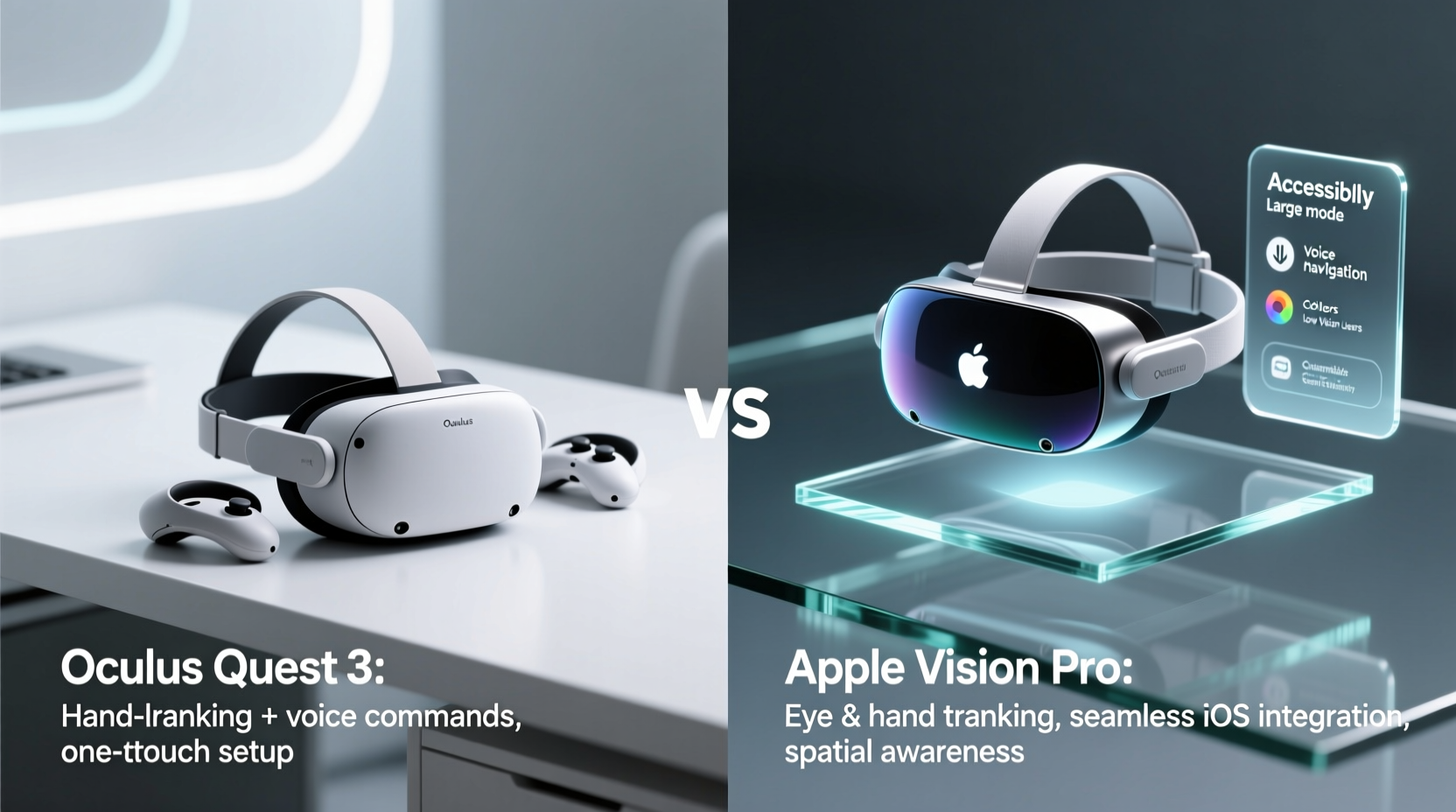
The foundational difference between the Oculus Quest 3 and Apple Vision Pro lies in their design ethos. Meta built the Quest line as a mass-market platform aimed at broad adoption. From day one, it prioritized affordability, standalone functionality, and intuitive interaction—key ingredients for accessible tech. The Quest 3 continues this legacy with wireless freedom, inside-out tracking (no external sensors), and voice-guided setup.
In contrast, Apple designed the Vision Pro around precision, immersion, and high-end integration within its ecosystem. It targets professionals, creatives, and early adopters willing to invest heavily in an elite experience. This focus results in exceptional visual fidelity and gesture accuracy—but also introduces complexity that may challenge less tech-savvy users.
Apple emphasizes “natural” interactions through eye tracking and hand gestures, minimizing reliance on controllers. However, mastering these inputs requires fine motor control and consistent lighting conditions—barriers for some users with physical or neurological conditions. Meanwhile, the Quest 3 retains a familiar controller-based system while adding optional hand tracking, offering a hybrid path that accommodates different abilities.
“Accessibility isn’t a feature—it’s a measure of whether a product serves humanity. The best tech empowers everyone, not just the most dexterous.” — Dr. Lena Patel, Assistive Technology Researcher at Stanford University
Setup and Initial User Experience
First impressions matter, especially when introducing someone to VR or AR for the first time. A smooth onboarding process can reduce anxiety and encourage continued use.
The Oculus Quest 3 excels here. Out of the box, it guides users through a step-by-step mobile app-assisted setup. Voice prompts help align the headset, define play areas, and pair controllers. Total setup time averages under 10 minutes, even for novice users. No PC, cables, or complex configurations are required.
Apple Vision Pro demands more involvement. Users must pair the device with an iPhone, go through a detailed calibration sequence involving iris mapping, and adjust fit using a custom light seal. While visually elegant, the process takes 15–25 minutes and assumes familiarity with Apple’s ecosystem. There’s no voice guidance during setup; everything is text- or icon-driven, which can be challenging for low-vision users without magnification tools.
Navigation and Interaction Models Compared
How users move through menus, launch apps, and interact with content defines daily usability. Both headsets offer unique input methods, but their practicality varies widely across user groups.
The Quest 3 uses a combination of handheld controllers and optional hand tracking. Menus respond reliably to button presses, thumbstick navigation, and trigger clicks—inputs familiar to anyone who’s used a gamepad. Hand tracking works well enough for basic gestures like selecting items or scrolling, but it’s less precise than physical controls and drains battery faster.
Apple Vision Pro eliminates controllers entirely in favor of eye gaze and pinch gestures. You look at an app icon and tap your fingers together to open it. Scrolling happens by swiping in the air. While innovative, this model presents challenges:
- Users with tremors or limited hand mobility may struggle to perform accurate pinches.
- Eye tracking requires stable head positioning—difficult for individuals with involuntary movements.
- Bright ambient light can interfere with camera-based gesture recognition.
Moreover, prolonged use of gesture-only input leads to fatigue, commonly referred to as “gorilla arm.” This ergonomic issue makes extended sessions uncomfortable, particularly for older adults or those recovering from injury.
Accessibility Features Built-In
Both platforms include assistive technologies, but their depth and implementation vary.
| Feature | Oculus Quest 3 | Apple Vision Pro |
|---|---|---|
| Text-to-Speech | Limited menu narration; third-party app dependent | Full system-level voiceover with spatial audio cues |
| High Contrast Mode | No native option | Yes, adjustable via Settings |
| Closed Captioning | Available in select media apps | System-wide support across video content |
| Motion Sickness Mitigation | Adjustable IPD, reduced motion effects, static reference frames | Dynamic environment anchoring, optional passthrough dimming |
| One-handed Use Support | Controller remapping possible; hand tracking allows single-hand input | Gesture system supports one-handed operation with limitations |
| Hearing Aid Compatibility | AirLink streaming compatible; Bluetooth audio support | MFi-certified hearing aid pairing via AirPods integration |
Apple clearly leads in system-level accessibility, particularly for blind and low-vision users thanks to its mature VoiceOver framework adapted from iOS. The Vision Pro delivers spoken feedback for nearly every UI element, making it usable without sight. Meta has made progress but still treats accessibility as secondary, relying heavily on community-developed mods and third-party apps.
Comfort, Fit, and Long-Term Wearability
Even the most advanced headset fails if it cannot be worn comfortably for more than a few minutes. Physical accessibility includes weight distribution, adjustability, and accommodation for glasses or facial differences.
The Quest 3 weighs approximately 503 grams (17.7 oz) and uses an elastic strap with a top stabilizer band. It's balanced well enough for moderate sessions, though pressure on the face bridge can become noticeable after 30+ minutes. Meta offers an Elite Strap upgrade for better weight distribution, sold separately.
The Vision Pro is heavier at 656 grams (1.45 lbs), partly due to dual high-resolution micro-OLED displays and advanced sensor arrays. Apple addresses this with a modular fit system: three sizes of light seals, multiple headband options, and a dial-tightening rear band. When properly fitted, it distributes weight across the forehead and back of the head effectively. However, improper fit can cause discomfort quickly, and adjusting the seal requires careful attention.
For users with prescription lenses, both offer solutions. The Quest 3 supports magnetic prescription inserts from third parties like Pixel Eyes or Gunnar Optiks. The Vision Pro integrates custom Zeiss optical inserts that magnetically attach—more seamless but significantly more expensive ($149 per lens).
Real-World Example: Using VR for Cognitive Therapy
Consider Maria, a 68-year-old stroke survivor undergoing cognitive rehabilitation. Her therapist recommends immersive exercises to improve memory and spatial awareness. She has mild hemiparesis (weakness on one side), wears progressive lenses, and struggles with small text.
Her clinic tests both headsets. With the Quest 3, she uses the right-hand controller with her stronger hand while resting her left arm. The interface uses large icons and simple menus. She completes guided meditation and memory games with minimal frustration. Motion sickness is managed using fixed horizon lines in apps.
When trying the Vision Pro, she finds the gesture system tiring. Pinching repeatedly causes strain in her weaker hand. Although the display clarity helps her see details, the lack of controller means she must rely solely on gestures, which aren't always recognized consistently. Without tactile feedback, she feels uncertain about selections. Ultimately, the clinician concludes the Quest 3 is better suited to her current abilities.
This scenario illustrates a broader truth: ease of use isn’t just about innovation—it’s about matching technology to human capability.
Step-by-Step: Choosing the Right Headset for Your Needs
Follow this decision timeline to determine which headset fits your accessibility priorities:
- Assess physical ability: Can you make precise hand gestures? Do you have tremors or limited dexterity? If yes, prioritize controller-based input (Quest 3).
- Evaluate vision needs: Are you blind or low-vision? If so, Apple’s VoiceOver gives Vision Pro a strong advantage.
- Check existing devices: Do you own an iPhone, Mac, or iPad? Vision Pro integrates tightly with Apple’s ecosystem. Quest 3 works independently or with Android/iOS phones.
- Test wearing duration: Try short sessions (10–15 min). Note any discomfort, eye strain, or fatigue. Adjust straps and seals accordingly.
- Determine budget: Quest 3 starts at $499. Vision Pro starts at $3,499. Factor in additional costs like prescription inserts or accessories.
- Review app availability: Check if essential tools (e.g., communication aids, therapy apps) exist on each platform. Quest 3 has a larger library of accessible third-party apps.
Frequently Asked Questions
Can someone with arthritis use the Apple Vision Pro comfortably?
Prolonged use may be difficult due to the reliance on finger pinching gestures, which require fine motor control. Those with moderate to severe arthritis often report fatigue and inaccuracies. A controller-based alternative like the Quest 3 is generally more manageable.
Is voice control available on both headsets?
The Quest 3 supports basic voice commands through the Meta Assistant (e.g., “Hey Meta, open browser”), but functionality is limited. The Vision Pro does not currently support voice navigation for system menus, though dictation works in text fields. Neither offers full voice-driven UI control like Siri on iPhone.
Which headset is better for seniors new to technology?
The Oculus Quest 3 is typically easier for seniors due to its straightforward setup, physical controllers, and forgiving interface. Tutorials are built-in, and many family members already understand its gamepad-like controls. The Vision Pro’s novelty and gesture demands create a steeper learning curve.
Checklist: Accessibility Readiness Before Purchase
- ✅ Determine dominant hand and motor capabilities
- ✅ Verify compatibility with prescription eyewear
- ✅ Test gesture recognition in typical room lighting
- ✅ Confirm presence of closed captioning in desired apps
- ✅ Assess noise sensitivity—both devices emit fan sounds during heavy processing
- ✅ Ensure caregiver or support person can assist with initial setup
- ✅ Review return policy—try risk-free if possible
Final Verdict: Balancing Innovation with Inclusion
The Apple Vision Pro represents a leap forward in visual quality, spatial audio, and hands-free interaction. Its accessibility tools for blind and low-vision users are unmatched in the XR space. Yet, its premium price, demanding input model, and ecosystem lock-in limit widespread access.
The Oculus Quest 3 may lack the same level of refinement, but it wins on practical accessibility. Its affordable price, reliable controllers, and growing library of inclusive apps make it the more universally usable device today. For people with physical disabilities, older adults, or those exploring VR for therapeutic purposes, the Quest 3 offers a proven, adaptable entry point.
Ultimately, the choice depends on who will use the device and why. For creative professionals seeking cinematic immersion, the Vision Pro justifies its cost. But for everyday users—including those with accessibility needs—the Quest 3 remains the more approachable, flexible, and genuinely inclusive option.




 浙公网安备
33010002000092号
浙公网安备
33010002000092号 浙B2-20120091-4
Comments
No comments yet. Why don't you start the discussion?