
Virtual reality has moved beyond niche gaming circles and into mainstream living rooms. For casual users—those who enjoy occasional immersive experiences, fitness apps, or social hangouts in VR—the choice of headset can shape how enjoyable and accessible the experience feels. Two of the most talked-about standalone headsets today are the Meta Quest 3 and the Pico 4. Both promise high-quality visuals, wireless freedom, and intuitive interfaces. But when you're not a hardcore gamer or developer, which one truly delivers?
This comparison cuts through technical jargon to focus on what matters most to casual users: ease of use, comfort, app availability, price, and long-term enjoyment. Whether you’re considering your first VR headset or upgrading from an older model, this guide breaks down the real-world differences between the Oculus Quest 3 (now officially branded as Meta Quest 3) and the Pico 4.
Design and Comfort: Wearing VR Shouldn’t Feel Like Work
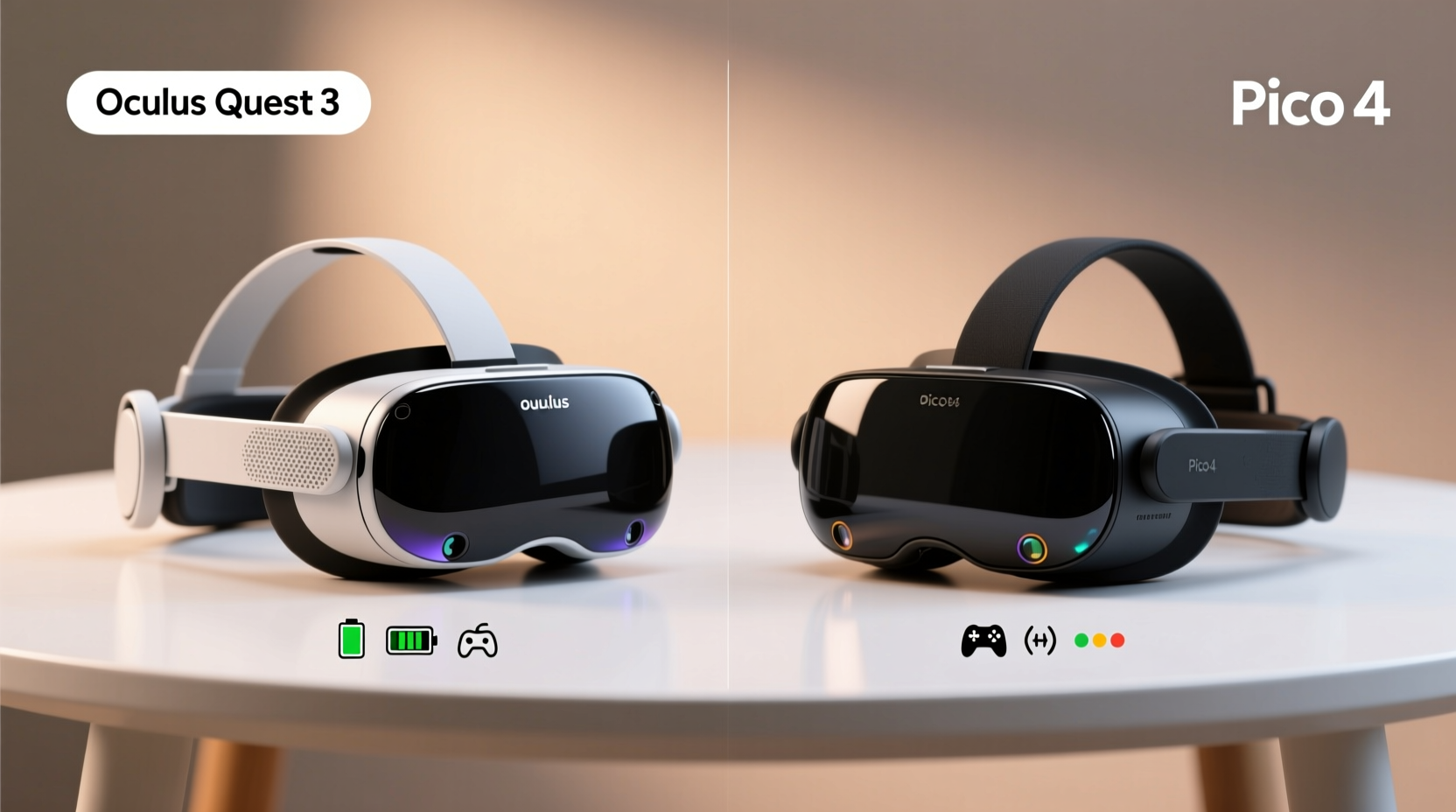
For casual users, comfort is non-negotiable. If a headset feels heavy, slips during use, or causes pressure behind the ears after 20 minutes, it won’t get used often. Both the Quest 3 and Pico 4 prioritize ergonomics, but they take different approaches.
The **Meta Quest 3** uses a balanced weight distribution system with a front-facing battery module that counteracts the weight of the display. This design reduces neck strain and keeps the center of gravity closer to your face. The facial interface is soft and pliable, and the head strap, while improved over previous models, still benefits from third-party upgrades for extended wear.
In contrast, the **Pico 4** employs a unique dual-dial adjustment system—one at the back and one on top—that allows for precise fit customization. Its carbon-fiber-inspired body is lightweight (around 295g), slightly lighter than the Quest 3’s 503g. However, some users report that the rigid foam around the eyes creates more pressure points, especially for those who wear glasses.
When worn for short to medium sessions (under 45 minutes), both headsets perform well. But for users planning to watch movies or do light workouts weekly, the Quest 3’s softer padding and better weight balance may offer a slight edge in all-day comfort.
Display and Visual Experience: Clarity Meets Realism
Visual quality directly impacts immersion. Casual users aren’t necessarily chasing 120Hz refresh rates for competitive gaming, but they do want crisp text in apps, vibrant colors in 360° videos, and minimal screen-door effect (the visible grid between pixels).
The **Quest 3** features a higher-resolution LCD display with 2064 x 2208 pixels per eye and introduces pancake lenses, which allow for a slimmer profile and better light transmission. It also supports mixed reality (MR) through its advanced passthrough cameras, offering full-color, high-resolution views of your surroundings—a feature unmatched by Pico 4.
The **Pico 4** uses RGB subpixel layout LCDs with a resolution of 2160 x 2160 per eye. While technically similar, early reviews note slightly less sharpness in peripheral vision due to lens curvature. Its monochrome passthrough is functional but lacks depth and color, limiting MR applications.
| Feature | Meta Quest 3 | Pico 4 |
|---|---|---|
| Resolution per Eye | 2064 x 2208 | 2160 x 2160 |
| Lens Type | Pancake | Pancake |
| Passthrough Quality | Full-color, high-res (stereo) | Monochrome, lower-res (mono) |
| Refresh Rate | 72Hz, 80Hz, 90Hz, 100Hz, 120Hz | 72Hz, 90Hz |
| Mixed Reality Support | Yes, advanced spatial tracking | Limited overlay support |
If you enjoy blending digital content with your physical space—like placing a virtual screen on your wall or playing AR games—the Quest 3’s full-color passthrough makes a meaningful difference. For passive viewing like YouTube VR or Netflix in virtual theaters, both deliver satisfying image quality, though the Quest 3 edges ahead in brightness and contrast.
“Casual users benefit most from intuitive hardware and seamless visuals. The Quest 3 lowers the barrier to entry with natural passthrough and strong ecosystem integration.” — Lena Torres, VR Usability Researcher at Stanford HAI
Content and App Ecosystem: What Will You Actually Use?
No matter how sleek the hardware, a headset is only as good as the content available. This is where platform dominance becomes critical.
The **Meta Quest Store** hosts over 500 titles, including popular casual-friendly apps like *Beat Saber*, *Supernatural* (fitness), *Glimpse* (travel), and *Bigscreen Beyond* (social cinema). Meta has invested heavily in exclusive content and partnerships, ensuring regular updates and new releases. Even simple utilities—like web browsing in 3D space or attending Zoom calls via *Horizon Workrooms*—are polished and user-tested.
The **Pico Store**, while growing, remains limited outside China. Many Western users rely on sideloading apps via platforms like SideQuest, which requires technical know-how and voids warranties. Popular apps such as *Walkabout Mini Golf* or *I Expect You to Die* are available, but performance optimization varies. Additionally, customer support for non-Chinese users is inconsistent.
For someone who wants to pick up the headset and immediately dive into a workout, meditation app, or multiplayer party game without tinkering, the Quest 3 offers a smoother out-of-box experience.
Recommended Casual Apps by Platform
- Meta Quest 3: Wander (virtual travel), Les Mills Bodycombat (fitness), Echo VR (social fun), Netflix VR (entertainment)
- Pico 4: Ultra Fit (workout tracking), Demeo (turn-based RPG), Red Matter 2 (story-driven adventure)
Battery Life and Daily Usability
Casual usage patterns typically involve 20–45 minute sessions a few times per week. Battery life should accommodate this without constant recharging.
The **Quest 3** lasts about 1.5 to 2 hours under moderate use (gaming, video streaming). Heavy mixed reality or 120Hz gameplay drains it faster. Charging takes roughly 2 hours via USB-C.
The **Pico 4** averages 2 to 2.5 hours, thanks to its smaller battery and efficient power management. However, continuous passthrough use or high-brightness settings reduce longevity. It also charges fully in about 2 hours.
Neither headset allows hot-swapping batteries, so unplugging mid-session is inevitable with frequent use. That said, both integrate well into daily routines—just charge them overnight like a smartphone.
Mini Case Study: Sarah’s Introduction to VR
Sarah, a 38-year-old teacher from Portland, bought a Pico 4 on sale last winter. She wanted to try yoga in VR and explore Paris virtually. After struggling to install the English version of the Pico app and finding her favorite guided meditation app missing, she resorted to sideloading. Though she eventually got it working, the process took three weekends. When a firmware update broke compatibility, she switched to a Quest 3. “It just worked,” she said. “I opened the box, followed the voice prompts, and was floating above Earth in Within five minutes.”
Sarah’s experience highlights a key insight: frictionless setup and reliable software matter more to casual users than raw specs.
Price and Value Over Time
The upfront cost is important, but total value includes longevity, resale potential, and ongoing content access.
As of 2024:
- Meta Quest 3: Starts at $499 (128GB), $649 (512GB)
- Pico 4: Starts at $429 (256GB), occasionally discounted to $379
On paper, the Pico 4 wins on price-to-storage ratio. But consider hidden costs: third-party straps, cleaning kits, and potential repair fees due to thinner build quality. More importantly, Meta consistently supports older devices with software updates for 3+ years, while Pico’s roadmap beyond Pico 5 remains unclear.
Resale value also favors Meta. Used Quest 2 units still fetch $150–$200; Pico 4 models depreciate faster due to lower demand outside Asia.
Checklist: Choosing the Right Headset for Your Lifestyle
- ✅ Do you want to use mixed reality features? → Choose Quest 3
- ✅ Is English-language support essential? → Choose Quest 3
- ✅ Are you on a tight budget and okay with tech troubleshooting? → Pico 4 could work
- ✅ Do you plan to use VR mainly for fitness or media? → Either works, but Quest has better app polish
- ✅ Do you value long-term software updates? → Strongly favor Quest 3
Frequently Asked Questions
Can I use either headset without a Facebook or Meta account?
Yes, but with limitations. The Quest 3 requires a Meta account for setup and login, but you don’t need an active Facebook profile. Pico 4 uses a Pico ID, separate from social networks. Neither forces social sharing unless you opt in.
Is the Pico 4 compatible with SteamVR or PC VR games?
Only through third-party tools like ALVR or AirLink, which require strong Wi-Fi and technical setup. The Quest 3 natively supports Air Link and Virtual Desktop, making PC VR streaming far easier and more stable.
Which headset is better for watching movies?
Both support major streaming apps. However, the Quest 3’s brighter display, superior audio drivers, and ability to place virtual screens anywhere in your room give it an immersive advantage. Add spatial audio support, and cinematic experiences feel more lifelike.
Final Verdict: Who Should Choose Which?
For the average casual user—one who values simplicity, reliability, and rich content—the **Meta Quest 3** is the clear recommendation. Its combination of full-color passthrough, robust app library, and seamless ecosystem integration makes it ideal for stress-free exploration of VR.
The **Pico 4** remains a compelling alternative for budget-conscious buyers, particularly those in regions where it’s officially supported (Europe, parts of Asia). If you’re comfortable navigating app stores outside mainstream channels and prioritize storage capacity over future-proofing, it can deliver solid performance.
But remember: VR adoption hinges on consistency. The easier it is to pick up and enjoy, the more likely you are to keep using it. And for sustained engagement, convenience trumps cost savings every time.
“The best VR headset isn’t the one with the highest specs—it’s the one you actually use.” — Dr. Marcus Lin, Human-Computer Interaction Lab, University of Michigan
Take the Next Step
You don’t need to be a tech enthusiast to enjoy virtual reality. With the right headset, you can meditate on a tropical beach, attend concerts from your couch, or learn dance moves in your living room—all without leaving home. Now that you understand the real differences between the Oculus Quest 3 and Pico 4, you’re equipped to make a choice aligned with your lifestyle.




 浙公网安备
33010002000092号
浙公网安备
33010002000092号 浙B2-20120091-4
Comments
No comments yet. Why don't you start the discussion?