
For professional photographers, retouchers, and digital artists, the choice of display technology can make or break the final output. Color accuracy isn’t just a preference—it’s a requirement. When working on high-stakes projects where skin tones, sky gradients, or product colors must be reproduced faithfully, even slight deviations can lead to costly revisions or client dissatisfaction. Two leading display technologies dominate the premium monitor market today: OLED and QLED. But when it comes to photo editing, which one truly excels in color fidelity?
This isn't simply about brightness or contrast ratios—it's about how closely a monitor reflects reality. To determine the winner, we need to examine not only technical specifications but also real-world behavior under controlled lighting, long-term consistency, calibration capabilities, and viewing conditions.
The Science Behind Color Accuracy
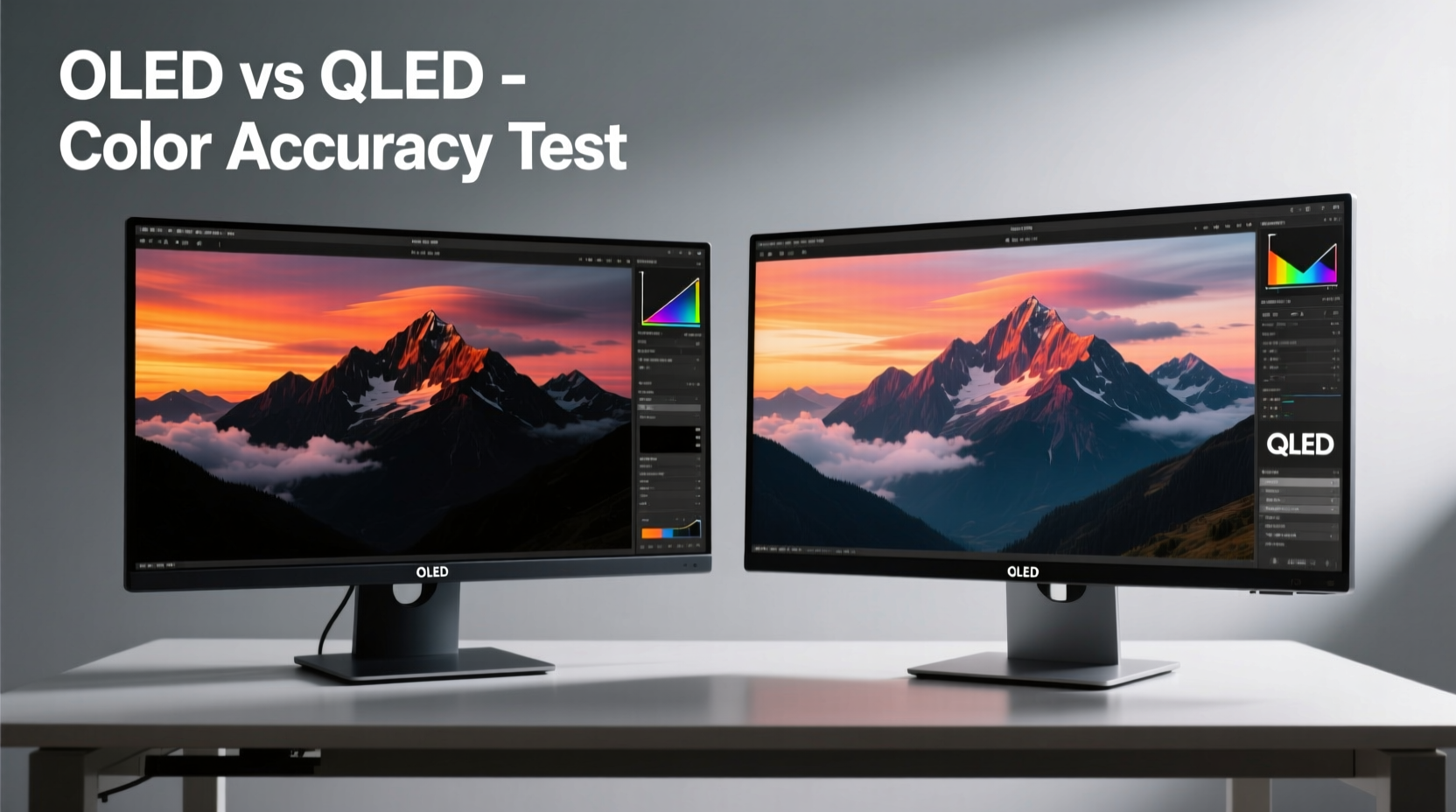
Color accuracy refers to how closely a display reproduces colors relative to a known standard—typically sRGB, Adobe RGB, or DCI-P3. It’s measured using Delta E (ΔE), a metric that quantifies the difference between a displayed color and its intended value. A ΔE below 2 is generally considered indistinguishable to the human eye under normal conditions.
Beyond raw numbers, factors like panel uniformity, gamma stability, white point consistency, and ambient light handling play critical roles. Monitors used for photo editing should maintain consistent color across the entire screen and over time, without shifts due to temperature changes or prolonged use.
OLED (Organic Light-Emitting Diode) and QLED (Quantum-dot Light Emitting Diode) achieve image reproduction through fundamentally different mechanisms, which directly impact their performance in color-critical workflows.
OLED: Self-Illuminating Precision
OLED panels consist of organic compounds that emit light when an electric current passes through them. Each pixel is self-emissive, meaning it generates its own light and can turn completely off to produce true blacks. This allows for infinite contrast ratios—a major advantage when editing images with deep shadows or night scenes.
In terms of color, OLEDs deliver exceptional saturation and wide color gamuts, often covering over 99% of DCI-P3 and Adobe RGB standards in high-end models. Because each pixel controls its own luminance, color blending at low brightness levels is smoother than on backlit displays. This results in more accurate midtones and shadow detail, crucial when recovering highlights or pulling out details from dark areas in RAW files.
However, OLED isn’t without trade-offs. One concern among professionals is potential burn-in from static UI elements like toolbars or histogram overlays during extended editing sessions. While modern OLED monitors include pixel refresh routines and logo dimming features, this remains a consideration for users who work long hours with fixed layouts.
“OLED’s per-pixel control gives it a natural edge in tonal gradation, especially in low-luminance zones where subtle transitions matter most.” — Dr. Lin Wei, Display Technology Researcher at MIT Media Lab
QLED: Brightness and Stability Through Quantum Dots
QLED is a Samsung-developed technology that enhances traditional LCD/LED displays using quantum dots—nanocrystals that emit precise wavelengths of light when excited by a blue backlight. These dots improve color purity and expand the range of reproducible hues, particularly in the green and red spectra.
Unlike OLED, QLED relies on a full-array or edge-lit backlight system, which means pixels don’t turn off independently. Even with advanced local dimming zones, some degree of blooming (light bleed around bright objects on dark backgrounds) occurs. This limits contrast compared to OLED, though top-tier QLED monitors now feature hundreds of dimming zones to minimize the effect.
Where QLED shines is peak brightness and longevity. Capable of reaching 1,500–2,000 nits, QLED monitors are better suited for environments with uncontrolled ambient light. High brightness helps simulate daylight viewing conditions, which is important when preparing images for print or web consumption in varied settings.
Additionally, QLED panels do not suffer from burn-in, making them ideal for users who leave their systems running for days with fixed interface layouts. They also tend to maintain color accuracy longer over time, as quantum dots degrade slower than organic materials in OLEDs.
Direct Comparison: OLED vs QLED for Photo Editing
| Feature | OLED | QLED |
|---|---|---|
| Contrast Ratio | Infinite (true black via pixel-off) | High (limited by backlight bleed) |
| Color Gamut Coverage | 99%+ DCI-P3, ~98% Adobe RGB | 95–99% DCI-P3, up to 99% Adobe RGB |
| Peak Brightness | 800–1,000 nits (typical) | 1,500–2,000+ nits |
| Color Accuracy (ΔE avg) | ≤1.5 (factory calibrated) | ≤2.0 (high-end models) |
| Burn-In Risk | Moderate (mitigated by software) | None |
| Lifespan | ~30,000 hours (blue subpixel decay) | ~60,000+ hours |
| Viewing Angles | Near-perfect (up to 84° off-axis) | Good (color shift beyond 40°) |
| Ambient Light Performance | Poor (glare, reflections) | Excellent (anti-glare coatings available) |
The data shows a clear divide: OLED leads in contrast, viewing angles, and low-light precision; QLED dominates in brightness, durability, and environmental adaptability. For photo editors, the decision hinges on workflow context.
Real-World Scenario: A Freelance Retoucher’s Workflow
Consider Maria, a commercial retoucher based in Barcelona, who works primarily on fashion and beauty photography. Her studio has controlled lighting, and she edits in a dimmed room calibrated to D50 (5000K). She frequently works with skin tones requiring micro-adjustments in hue and saturation.
She tested both an LG UltraFine OLED Pro 32EP950 and a Samsung ViewFinity S9 for three months. With the OLED, she found that shadow textures in dark hair and fabric folds were rendered with unmatched clarity. The ability to see subtle gradients without banding improved her masking precision. However, after two weeks of continuous use with visible histograms and layers panels, faint ghosting appeared temporarily when switching to full-screen mode.
The QLED monitor required more manual tuning to match the same level of shadow detail, but once calibrated, maintained stable performance throughout the day. Its higher brightness made soft-proofing for HDR web formats easier, and she appreciated the lack of any image retention—even after leaving Photoshop open overnight.
Maria ultimately chose the OLED for primary editing tasks but keeps the QLED as a secondary reference display for cross-checking prints and client previews under brighter conditions.
Step-by-Step: Choosing the Right Monitor for Your Needs
- Assess your editing environment. If you work in a bright or variable-light setting, prioritize high-nit QLEDs with anti-reflective coatings.
- Determine your color space needs. Adobe RGB coverage is essential for print work; DCI-P3 matters for digital publishing. Verify specs with independent reviews.
- Test for uniformity. Display a grayscale gradient and check for clouding or dirty screen effects—more common in large QLED panels.
- Evaluate calibration support. Look for hardware calibration compatibility (e.g., X-Rite, Datacolor) and built-in lookup tables (LUTs).
- Simulate long sessions. Run your typical layout (toolbars, panels) for several hours to observe any retention issues on OLED.
- Compare factory calibration reports. Reputable brands provide individual ΔE measurements before shipping.
Expert Recommendations and Industry Trends
According to the Imaging Science Foundation (ISF), “While both technologies have matured significantly, OLED currently holds a measurable advantage in color fidelity metrics when operating under optimal conditions.” Their 2023 evaluation of 12 professional-grade monitors placed four OLED models in the top five for ΔE performance, with average deviations below 1.2.
Yet, ISF also notes that QLED’s improvements in mini-LED backlights and AI-driven tone mapping are narrowing the gap. New hybrid approaches—such as QD-OLED, which combines quantum dots with self-emissive OLED structures—are emerging as strong contenders. Models like the Dell Alienware AW3423DW and Sony A9G leverage this tech to offer near-OLED contrast with enhanced brightness and color volume.
“The future belongs to hybrid architectures. Pure OLED and traditional QLED are approaching physical limits; innovation now lies at their intersection.” — Takashi Nishimura, Senior Engineer at BOE Technology
Frequently Asked Questions
Can I use an OLED monitor for long-term photo editing without burn-in?
Yes, with precautions. Modern OLED monitors include pixel shifting, automatic brightness limiting (ABL), and screen savers. Avoid displaying static elements at full brightness for extended periods. Use dark themes in editing software and enable auto-hide panels to mitigate risks.
Is QLED good enough for Adobe RGB photo work?
Top-tier QLED monitors like the Samsung ViewFinity S9 or BenQ PD3220U cover over 99% of Adobe RGB and come factory-calibrated. They are fully capable for professional editing, especially if you work in mixed lighting or require high screen brightness.
Do I need to calibrate both OLED and QLED monitors regularly?
Absolutely. All panels drift over time. OLED may show faster blue channel degradation, so recalibrate every 2–3 months. QLED is more stable but still benefits from quarterly calibration using a spectrophotometer.
Action Plan: Maximize Your Monitor’s Performance
- Invest in hardware calibration tools such as the X-Rite i1Display Pro or Datacolor SpyderX.
- Use consistent ambient lighting—ideally LED bulbs rated at 5000K with minimal flicker.
- Enable uniformity compensation if available in the monitor’s firmware.
- Limit daily brightness to 120 cd/m² for critical work to preserve panel life and mimic print viewing conditions.
- Switch between displays periodically to train your eyes and catch subtle inaccuracies.
Conclusion: So, Which Wins?
If pure color accuracy in controlled environments is your priority, OLED wins—narrowly. Its perfect blacks, pixel-level precision, and superior gradient handling give it an edge in revealing the finest details in photographic data. For editorial, portrait, and fine art photography, these qualities translate directly into better decisions during post-processing.
But if you value durability, brightness, and resistance to environmental variables, QLED offers compelling advantages. It may require more effort to achieve the same level of shadow refinement, but it delivers consistent, reliable performance over years of heavy use—without the anxiety of burn-in.
The smartest approach? Recognize that this isn’t a zero-sum game. Many professionals now adopt a dual-monitor setup: an OLED for primary editing and a calibrated QLED for proofing across devices and lighting conditions. Technology has evolved to the point where you don’t have to settle—you can leverage the strengths of both.




 浙公网安备
33010002000092号
浙公网安备
33010002000092号 浙B2-20120091-4
Comments
No comments yet. Why don't you start the discussion?