
When it comes to playing indie games on the go, the quality of your handheld’s display can dramatically shape your experience. Two of the most popular devices in this space—the Nintendo Switch OLED model and the original LCD-equipped Steam Deck—represent different philosophies in portable gaming design. One prioritizes portability and console integration; the other leans into PC flexibility and performance. But when you're deep in a pixel-art adventure or navigating hand-drawn landscapes in titles like *Hades*, *Celeste*, or *Disco Elysium*, which screen truly delivers a superior visual experience?
This isn’t just about resolution or brightness—it’s about how colors pop, how well details are rendered in dim lighting, and how immersive the game feels during extended play sessions. Let’s break down the core differences between the OLED Switch and the LCD Steam Deck, focusing specifically on what matters most for indie gaming.
Display Technology: OLED vs LCD Explained
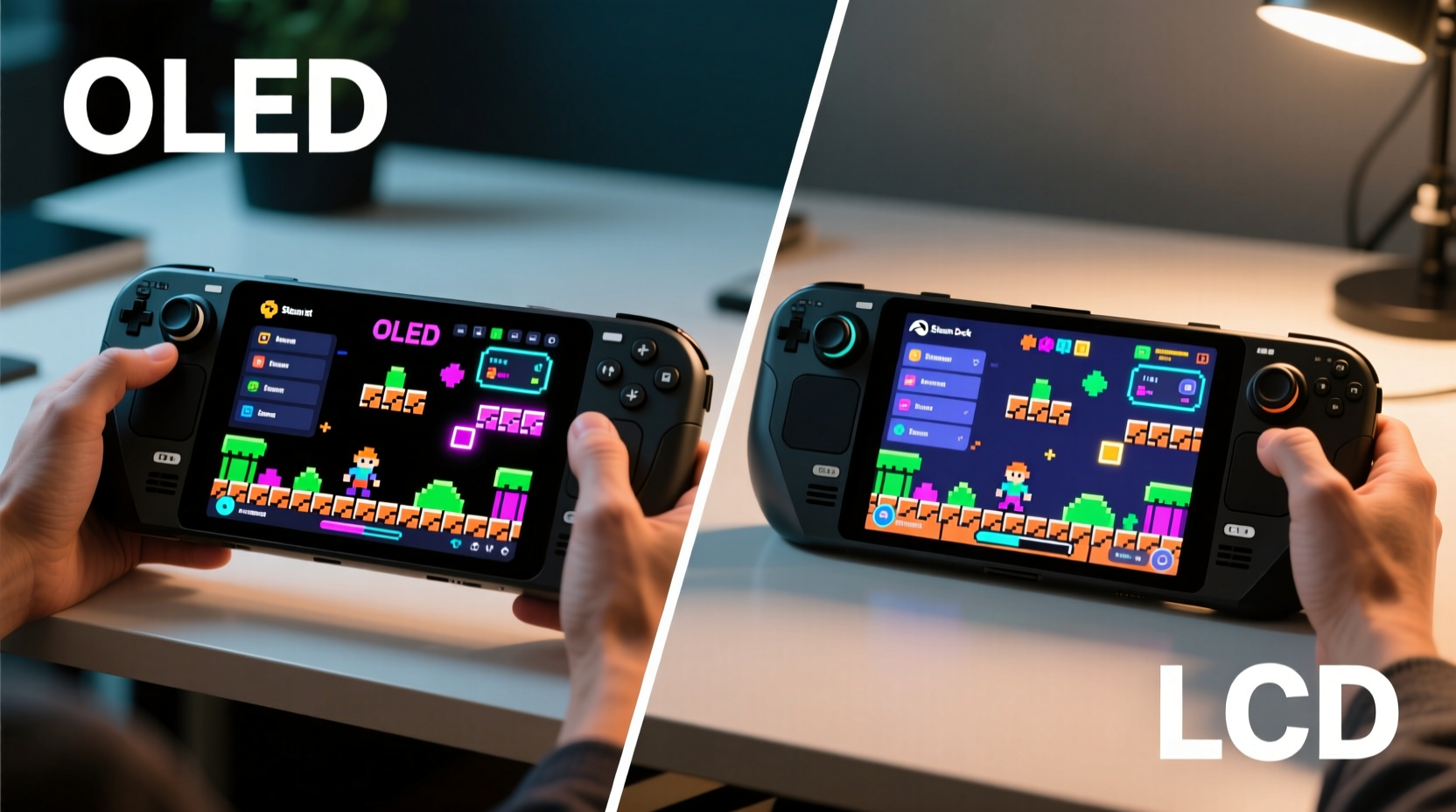
The fundamental difference lies in the underlying screen technology. The Nintendo Switch OLED model uses an organic light-emitting diode (OLED) panel, while the standard Steam Deck employs a traditional liquid crystal display (LCD) with LED backlighting. This distinction affects everything from black levels to power efficiency.
OLED screens produce their own light at the pixel level. Each pixel turns on or off independently, allowing for true blacks and infinite contrast ratios. When a pixel is off, it emits no light—resulting in deeper shadows and more vibrant colors. In contrast, LCDs rely on a constant backlight behind the liquid crystals. Even when a pixel should be black, some light bleeds through, leading to grayer blacks and lower contrast.
For indie games, many of which use stylized art direction and high-contrast visuals, this difference is significant. Consider a game like *Limbo*, where shadow detail and atmospheric depth are central to the mood. On the Switch OLED, the near-perfect blacks make the silhouetted world feel more ominous and cohesive. On the Steam Deck’s LCD, the same scenes appear slightly washed out due to backlight bleed, especially in dark environments.
“OLED’s per-pixel illumination gives it a natural edge in narrative-driven and visually expressive indie titles.” — Marcus Tran, Display Analyst at PortableTech Review
Color Accuracy and Gamut: How Indie Art Truly Looks
Indie developers often craft unique visual identities using bold color palettes and experimental art styles. Games like *Gris*, with its watercolor-inspired aesthetic, or *Cuphead*, with its 1930s cartoon rendering, depend heavily on accurate color reproduction.
The Switch OLED panel covers approximately 100% of the sRGB color gamut and delivers rich, saturated hues without oversharpening or artificial enhancement. Its color temperature is slightly warm, which complements hand-drawn and painterly visuals. The Steam Deck’s LCD, while capable, caps out around 95% sRGB and tends to render colors with a cooler, bluer tint. This can shift the intended tone of certain games—for instance, making warmer emotional scenes in *Night in the Woods* feel less intimate.
Beyond gamut, color consistency across viewing angles also favors the OLED. The Switch maintains stable color integrity even when tilted, whereas the Steam Deck shows noticeable shifts in brightness and hue when viewed off-axis—a factor during relaxed couch or bed gaming.
Resolution and Pixel Density: Clarity vs Practicality
On paper, the Steam Deck has a clear advantage: a 1280x800 resolution on its 7-inch screen versus the Switch OLED’s 1280x720 on a 7.4-inch display. That translates to roughly 180 pixels per inch (PPI) for the Steam Deck compared to 167 PPI on the Switch. Higher PPI means sharper text and crisper image detail—important for reading dialogue in narrative-heavy games like *Kentucky Route Zero*.
However, real-world perception narrows this gap. Because the Steam Deck’s screen is larger but housed in a bulkier chassis, viewing distance is typically greater. Most users hold the device farther from their eyes than they would the Switch, reducing the visibility of individual pixels. Meanwhile, the Switch’s slightly lower resolution is mitigated by OLED’s superior contrast and color depth, which enhance perceived sharpness.
Additionally, many indie games are designed with lower-resolution displays in mind. Titles built in pixel art or retro aesthetics—such as *Stardew Valley* or *A Short Hike*—don’t benefit significantly from higher resolutions. In these cases, the Steam Deck’s resolution edge becomes negligible, while the Switch’s richer blacks and smoother gradients improve overall immersion.
Performance and Frame Rate: Does Smoothness Beat Fidelity?
The Steam Deck runs full PC games, including indie titles optimized for its AMD APU. It targets 30–60 FPS depending on settings, and many indie games run smoothly at native resolution with minimal tweaking. The Switch, on the other hand, often renders indie ports at lower frame rates—sometimes locked at 30 FPS—and may suffer from input lag due to its older hardware.
Yet, fluidity isn’t everything. For turn-based, puzzle, or exploration-focused indies—games like *Outer Wilds* or *Inscryption*—frame rate stability matters less than visual coherence. Here, the Switch’s OLED display compensates for performance limitations with superior image quality. A slightly choppier *Inscryption* session on Switch feels more atmospheric thanks to deeper shadows and richer textures.
Conversely, fast-paced indie platformers such as *Katana ZERO* or *Nuclear Throne* benefit from the Steam Deck’s consistent frame pacing and lower input latency. The ability to tweak graphics settings also allows players to balance performance and clarity based on personal preference—an option unavailable on the closed Switch ecosystem.
| Feature | Nintendo Switch OLED | Steam Deck (LCD) |
|---|---|---|
| Panel Type | OLED | IPS LCD |
| Resolution | 1280 x 720 | 1280 x 800 |
| Screen Size | 7.4 inches | 7.0 inches |
| PPI | ~167 | ~180 |
| Contrast Ratio | ∞:1 (true blacks) | ~1000:1 (grayish blacks) |
| Color Accuracy | Excellent (warm, natural tones) | Good (slightly cool bias) |
| Viewing Angles | Superior | Moderate (color shift off-axis) |
| Backlight Bleed | None | Noticeable in dark scenes |
| Adjustable Settings | Limited | Extensive (brightness, gamma, etc.) |
Real-World Example: Playing *Dead Cells* on Both Devices
Take *Dead Cells*, a roguelike indie hit known for its fast combat and detailed sprite work. On the Steam Deck, the game runs at a steady 60 FPS with crisp UI elements and responsive controls. Textures remain sharp, and the higher resolution makes enemy projectiles easier to track during chaotic fights. However, in darker biomes like the Ancient Sewers, background details blur into a murky gray due to LCD’s limited contrast.
On the Switch OLED, the same areas feel more defined. Shadows have depth, and environmental lighting cues stand out clearly. While the frame rate occasionally dips below 30 FPS during intense moments, the visual clarity helps anticipate enemy movements. The result? A trade-off: the Steam Deck offers smoother gameplay, but the Switch provides better situational awareness through superior image quality.
This scenario illustrates a broader pattern: for reaction-heavy indie games, the Steam Deck’s performance shines. For atmosphere-driven or visually nuanced titles, the OLED display creates a more engaging world.
User Experience and Ergonomics
Ergonomics influence how long you can comfortably play—and that affects how much you absorb from an indie title’s storytelling or environment. The Steam Deck is heavier (around 670g) and wider, requiring two-handed use for most. Its larger screen offers more real estate for HUDs and maps, useful in expansive indie RPGs like *Eastward*. However, prolonged single-player sessions can lead to hand fatigue.
The Switch OLED is lighter (~420g in handheld mode) and more compact, making it ideal for short bursts or travel. Its form factor encourages casual, pick-up-and-play sessions—perfect for bite-sized indie experiences like *Untitled Goose Game* or *Gorogoa*. The kickstand also enables tabletop play, great for sharing local co-op indies with friends.
Ultimately, comfort plays into display effectiveness. A sharper screen means little if you’re forced to stop playing due to discomfort. For marathon indie campaigns, consider how each device fits your physical usage patterns.
Expert Tips for Optimizing Your Indie Gaming Display
- Use night mode settings if available—warmer color temperatures reduce eye fatigue during evening play.
- Avoid glossy screen protectors on the Steam Deck, as they amplify glare and diminish already-mediocre contrast.
- Enable HDR mode selectively—some indie games support HDR on Steam Deck, enhancing dynamic range despite the LCD limitations.
- Calibrate gamma manually on the Steam Deck via SteamOS settings to improve shadow detail in darker indie titles.
- Play in shaded environments when possible. OLED excels indoors, while LCD struggles under bright light.
Frequently Asked Questions
Is the OLED Switch worth it just for indie games?
If you value visual fidelity, color richness, and immersive atmosphere in indie titles, yes. The OLED upgrade is most noticeable in games that rely on mood and artistry rather than raw performance. For pure functionality and access to a broader library, the Steam Deck may still be preferable.
Can the Steam Deck compete with OLED picture quality?
Not in absolute terms. No LCD can match OLED’s contrast and per-pixel lighting. However, the Steam Deck compensates with higher resolution, adjustable settings, and better performance in demanding titles. For competitive or fast-paced indies, it often feels more responsive—even if less cinematic.
Do indie developers optimize differently for each platform?
Yes. Switch ports are typically fixed in resolution and settings, relying on the console’s consistent hardware. Steam Deck versions, especially native Linux builds, allow graphical tweaks. Some developers release enhanced patches specifically for the Deck, improving texture filtering and anti-aliasing to offset LCD weaknesses.
Conclusion: Matching Display Strengths to Your Indie Preferences
There is no universal “better” display—only the one that aligns with how you play and what you value in indie games. If your library leans toward emotionally resonant, artistically driven experiences—titles where lighting, color, and mood matter—the Nintendo Switch OLED delivers a more compelling presentation. Its deep blacks and natural color reproduction elevate games designed as interactive art.
But if you prioritize control, customization, and access to a vast catalog of indie titles—including early access and mods—the Steam Deck’s LCD becomes a practical strength. You gain flexibility: lowering resolution for smoother performance, adjusting gamma for better visibility, or enabling frame rate limiters to conserve battery.
Your ideal handheld depends not on specs alone, but on the kind of indie experience you seek. Want to lose yourself in a hauntingly beautiful world? The OLED Switch pulls you in. Prefer tinkering with settings and playing cutting-edge indies before they hit consoles? The Steam Deck puts you in control.




 浙公网安备
33010002000092号
浙公网安备
33010002000092号 浙B2-20120091-4
Comments
No comments yet. Why don't you start the discussion?