
When it comes to high-performance gaming, display technology plays a decisive role in how immersive and responsive the experience feels. Two leading contenders dominate the premium TV market: OLED and QLED. While both deliver stunning visuals, their behavior under fast motion—especially during intense gaming sessions—can differ dramatically. For gamers who demand precision, clarity, and minimal motion blur in fast-paced scenes like first-person shooters or racing games, understanding these differences is critical.
Motion blur isn’t just about image smearing—it affects aim accuracy, reaction time, and overall visual comfort. The root causes lie in pixel response time, refresh rate capabilities, backlight behavior, and motion processing algorithms. This article dives deep into how OLED and QLED TVs perform in these areas, backed by technical analysis, real-world use cases, and expert insights.
Understanding Motion Blur in Gaming Displays
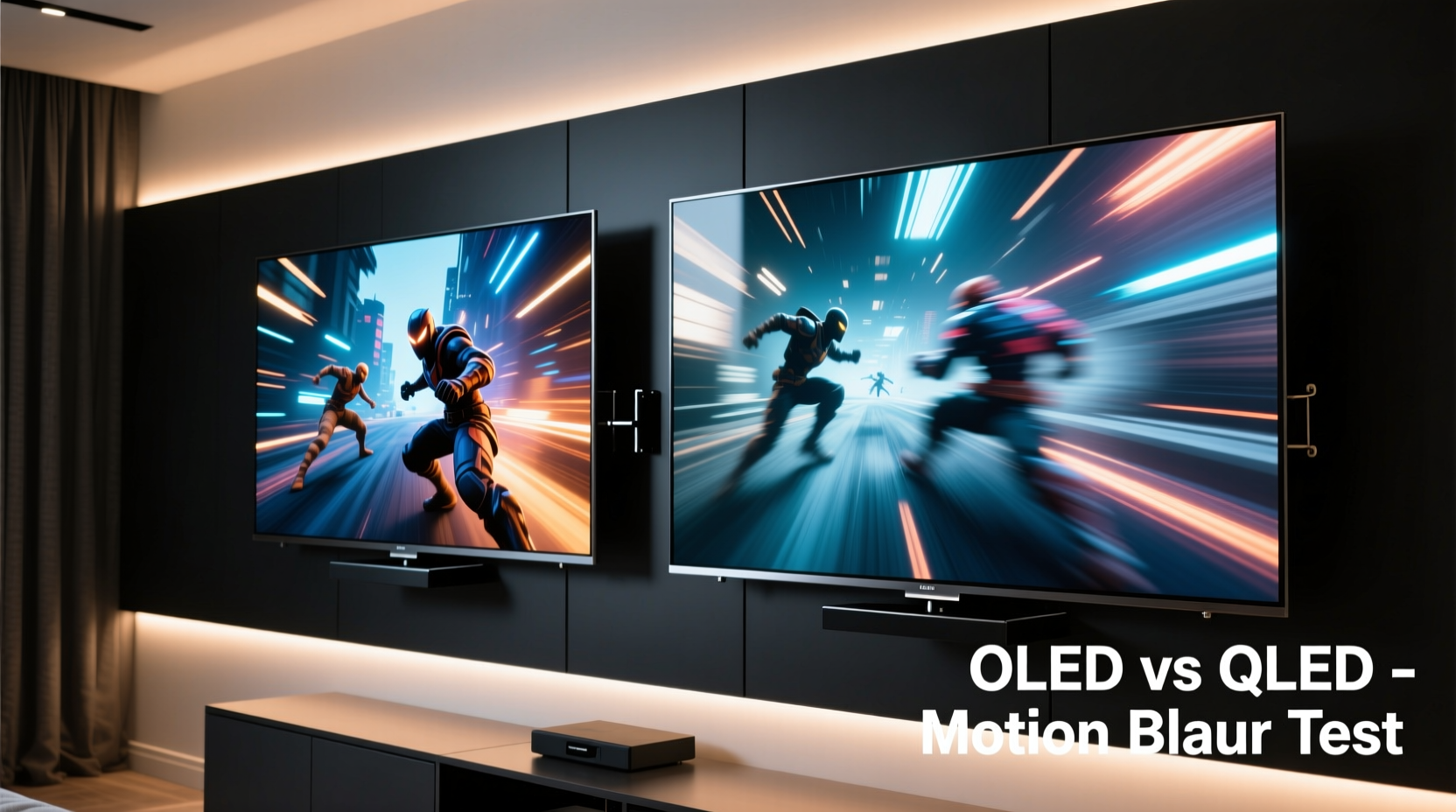
Motion blur on a screen occurs when moving objects leave behind faint trails or appear smeared during rapid camera pans or character movements. In gaming, this can compromise split-second decisions, especially in competitive titles where every frame counts. There are two primary sources of motion blur:
- Sample-and-hold effect: LCD-based displays (including QLED) maintain a static image between refresh cycles, which can create perceived blur due to human eye tracking.
- Slow pixel response: If pixels take too long to transition from one color to another, they lag behind the intended image change.
OLED and QLED handle these issues differently due to fundamental differences in panel technology. Understanding these mechanics is key to evaluating which display type minimizes motion blur more effectively.
OLED Technology: Speed and Precision
OLED (Organic Light-Emitting Diode) panels operate fundamentally differently than traditional LCDs. Each pixel emits its own light and can be turned completely off independently. This self-emissive nature gives OLED several advantages relevant to motion clarity:
- Near-instantaneous pixel response times—typically under 0.1ms.
- No need for a backlight, eliminating blooming and haloing that can distort fast-moving dark objects.
- Inherent per-pixel dimming enables perfect blacks and superior contrast during dynamic scenes.
The speed at which OLED pixels switch states means transitions between frames happen almost instantly. This drastically reduces ghosting and trailing effects common in fast motion. When playing games like Cyberpunk 2077 or Call of Duty: Modern Warfare, players often report sharper object definition and cleaner motion with OLED, particularly in low-light environments or during quick head turns.
“OLED’s sub-millisecond response time is unmatched in consumer displays. For competitive gaming, that edge in motion clarity can translate directly into better performance.” — Dr. Lena Park, Display Technologist at MIT Media Lab
QLED Technology: Brightness and Backlight Limitations
QLED (Quantum-dot Light Emitting Diode), despite the name, is not a self-emissive technology. It's an advanced form of LCD that uses a quantum dot layer to enhance color and brightness but still relies on a full-array or edge-lit LED backlight. This architectural difference introduces inherent limitations for motion handling:
- Pixels do not emit their own light; instead, they filter light from a separate source.
- Backlight persistence contributes to the sample-and-hold effect, increasing perceived motion blur.
- Local dimming zones can cause blooming around bright objects in motion, further degrading clarity.
While modern QLED panels have improved significantly—with some models reaching 144Hz refresh rates and supporting HDMI 2.1—they still face challenges matching OLED in motion sharpness. Pixel response times on even high-end QLEDs typically range from 2ms to 8ms, which, while acceptable, is orders of magnitude slower than OLED.
Additionally, many QLED sets employ aggressive motion interpolation (e.g., Samsung’s Auto Motion Plus) to simulate smoother motion. While this may benefit sports viewing, it introduces input lag and the so-called \"soap opera effect,\" making games feel unnatural and less responsive.
Side-by-Side Comparison: OLED vs QLED for Motion Clarity
| Feature | OLED | QLED |
|---|---|---|
| Pixel Response Time | < 0.1 ms | 2–8 ms |
| Native Refresh Rate | 120Hz (most models) | Up to 144Hz (select models) |
| Input Lag (Game Mode) | 10–15ms | 15–30ms |
| Motion Processing Artifacts | Minimal (when settings optimized) | Common (with motion interpolation enabled) |
| Black Frame Insertion Support | Yes (via BFI modes) | Limited or absent |
| Ambient Light Performance | Fair (prone to reflections) | Excellent (high peak brightness) |
| Best For Fast-Paced Gaming? | ✅ Yes – superior motion clarity | ⚠️ Situational – depends on lighting and content |
This comparison highlights that while QLED excels in brightly lit rooms due to higher peak brightness (often exceeding 1,500 nits), OLED maintains a clear lead in pure motion fidelity—a crucial factor for serious gamers.
Real-World Example: Competitive FPS Player Experience
Jamal Reyes, a semi-professional player in the Apex Legends circuit, switched from a high-end Samsung Neo QLED to a LG C3 OLED after testing both in tournament conditions. During matches played in dimly lit esports lounges, he noticed consistent trailing on enemy outlines when flicking his aim rapidly—particularly during night maps like World’s Edge at dusk.
“On the QLED, I’d see a slight smear behind fast-moving legends like Octane or Fuse,” Jamal explained. “It wasn’t game-breaking, but over hours of play, it added mental fatigue. With the OLED, everything snapped into place. No blur, no ghosting. My K/D ratio improved within two weeks.”
He emphasized that the improvement wasn't just about specs—it was perceptual. The immediate feedback from each movement made aiming feel more intuitive. He also disabled all motion smoothing and enabled OLED’s black frame insertion mode, which further reduced perceived blur without sacrificing frame rate.
Optimizing Your Setup: A Step-by-Step Guide
Even the best display won’t deliver optimal motion clarity without proper configuration. Follow this sequence to maximize performance regardless of whether you’re using OLED or QLED:
- Enable Game Mode: This disables post-processing filters and reduces input lag significantly.
- Turn Off Motion Smoothing: Disable features like TruMotion (LG), Auto Motion Plus (Samsung), or MotionFlow (Sony).
- Set HDMI Input to Full RGB / HDR Mode: Ensures no color compression that could affect detail visibility.
- Adjust Sharpness: Keep between 0–20% to avoid edge enhancement artifacts.
- Enable VRR (Variable Refresh Rate): Use FreeSync or G-Sync Compatible if supported to eliminate screen tearing.
- For OLED Only: Consider Black Frame Insertion (BFI): Reduces motion blur at the cost of slight brightness reduction.
- Calibrate Brightness & Contrast: Avoid overly bright settings that wash out details in dark scenes.
These steps ensure your TV operates as a responsive gaming monitor rather than a passive video display.
Checklist: Choosing the Right TV for Low Motion Blur
Before purchasing, verify the following features to ensure minimal motion blur:
- ✅ Sub-1ms gray-to-gray response time (OLED has natural advantage)
- ✅ 120Hz or higher native refresh rate
- ✅ HDMI 2.1 support with 4K@120fps capability
- ✅ Variable Refresh Rate (VRR) compatibility
- ✅ Low input lag (<20ms in Game Mode)
- ✅ Option to disable motion interpolation entirely
- ✅ Black Frame Insertion (preferred, especially for OLED)
- ✅ Good reviews specifically mentioning motion clarity in gaming
If most of these boxes aren’t checked, even a high-priced QLED may underperform in fast-paced scenarios compared to mid-tier OLEDs.
FAQ: Common Questions About OLED, QLED, and Motion Blur
Is OLED really better for motion blur than QLED?
Yes. Due to its near-instant pixel response and lack of backlight persistence, OLED produces significantly less motion blur than QLED, especially in dark or mixed lighting scenes. This makes it superior for gaming where precise tracking matters.
Can QLED ever match OLED in motion clarity?
Not currently. Even with 144Hz refresh rates and mini-LED backlights, QLED cannot overcome the physical limitations of LCD technology. Local dimming improves contrast but doesn’t eliminate motion blur caused by slow pixel transitions or sample-and-hold effects.
Does black frame insertion help reduce blur on OLED?
Yes. Black Frame Insertion (BFI) works by flashing the screen black between frames, reducing the duration each image is held. This mimics the impulse-driven perception of CRT monitors and cuts perceived motion blur by up to 50%, though it dims the overall image slightly.
Conclusion: Prioritize Motion Fidelity for Competitive Gaming
When evaluating OLED versus QLED for gaming—especially in fast-paced genres—motion blur should be a top consideration. Despite QLED’s strengths in brightness and longevity, OLED remains the gold standard for motion clarity due to its self-emissive pixels, ultra-fast response times, and advanced motion-handling features.
Gamers who prioritize precision, responsiveness, and clean visuals during intense gameplay will find OLED delivers a tangible edge. That said, viewing environment matters: in sunlit living rooms, QLED’s higher brightness may justify the trade-off in motion performance. But for dedicated gaming setups, home theaters, or competitive training, OLED is the superior choice.




 浙公网安备
33010002000092号
浙公网安备
33010002000092号 浙B2-20120091-4
Comments
No comments yet. Why don't you start the discussion?