
When selecting a TV for gaming, two panel technologies dominate the premium market: OLED and QLED. While both deliver stunning visuals, their underlying technology leads to significant differences in motion handling—critical for fast-paced games. Gamers care about smooth transitions, minimal blur, and responsive controls. So which panel type truly excels in delivering crisp, fluid motion during intense gameplay?
The answer isn’t just about marketing claims or peak brightness. It hinges on core display characteristics like pixel response time, refresh rate support, input lag, and how each technology manages motion clarity. Understanding these factors reveals why one panel may offer a perceptibly better experience, especially in genres like first-person shooters, racing, and action-adventure titles.
How Motion Clarity Works in Modern TVs
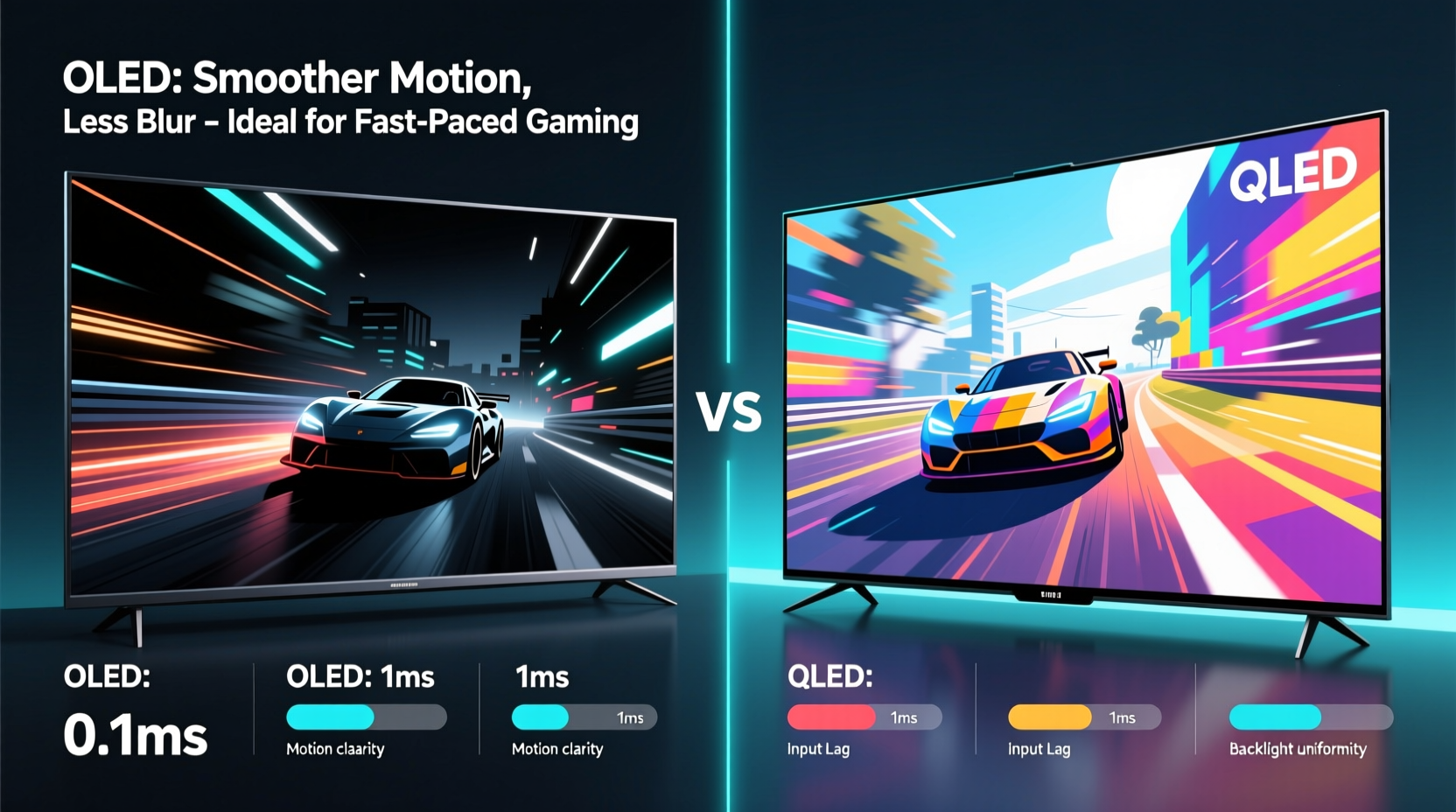
Motion clarity refers to how well a display renders fast-moving objects without smearing, ghosting, or blurring. Several technical elements contribute:
- Pixel Response Time: How quickly a pixel changes from one color to another. Slower transitions result in visible trails behind moving objects.
- Refresh Rate: Measured in Hz (typically 60Hz, 120Hz, or higher), this is how many times per second the screen updates. Higher rates improve motion fluidity.
- Input Lag: The delay between a controller input and the corresponding action appearing on screen. Lower is better for responsiveness.
- Motion Interpolation & Black Frame Insertion: Post-processing techniques that attempt to reduce blur but can introduce artifacts like the \"soap opera effect.\"
These factors interact differently depending on whether the display uses OLED or QLED technology. Let’s examine each panel type in detail.
OLED: Speed and Precision at the Pixel Level
OLED (Organic Light-Emitting Diode) panels are self-emissive—each pixel produces its own light and can turn off completely. This fundamental design enables near-instantaneous response times, typically under 0.1 milliseconds. When a pixel needs to switch from bright white to black, it does so almost instantly, eliminating trailing effects common in slower displays.
This speed directly translates to superior motion clarity. In fast-moving scenes—such as panning across a battlefield or speeding through a cityscape—OLED screens render edges sharply with minimal blur. There's no need for aggressive motion processing because the hardware itself handles transitions efficiently.
“OLED remains unmatched in native motion performance due to its sub-millisecond response times. For competitive gaming, that edge in clarity can make a tangible difference.” — Dr. Alan Zhou, Display Technology Researcher at MIT Media Lab
Modern OLED TVs also support HDMI 2.1, enabling 4K resolution at 120Hz with VRR (Variable Refresh Rate) and ALLM (Auto Low Latency Mode). These features synchronize the TV’s refresh rate with the console or PC output, reducing stutter and improving frame consistency. Combined with low input lag (often below 13ms in game mode), OLED delivers a responsive, immersive experience.
QLED: Brightness and Scale, But Trade-offs in Motion
QLED (Quantum-dot Light Emitting Diode) is a Samsung-developed technology based on LCD/LED panels enhanced with quantum dots for improved color and brightness. Unlike OLED, QLED relies on a backlight—either full-array local dimming (FALD) or edge-lit—to illuminate the pixels. This reliance introduces inherent limitations in motion handling.
Because liquid crystals must physically twist to block or allow light passage, response times are inherently slower than OLED—typically ranging from 2ms to 8ms depending on the model. While this may sound fast, it’s orders of magnitude slower than OLED and can lead to noticeable ghosting during rapid motion.
To compensate, manufacturers use motion interpolation (e.g., Samsung’s Auto Motion Plus) and high peak brightness to create an illusion of smoother motion. However, these techniques often come with trade-offs. Motion interpolation can introduce unnatural artifacts, such as halos around fast-moving objects or inconsistent frame pacing. High brightness helps with perceived sharpness in well-lit rooms but doesn’t fix the root issue of slow pixel transitions.
That said, high-end QLED models like the Samsung Neo QLED series have made strides with mini-LED backlights and faster VA or IPS-type panels. Some now support 120Hz refresh rates and HDMI 2.1, narrowing the gap in connectivity—but not in native motion clarity.
Comparative Analysis: OLED vs QLED for Gaming Motion Performance
| Feature | OLED | QLED |
|---|---|---|
| Native Response Time | < 0.1 ms | 2–8 ms |
| Refresh Rate Support | Up to 120Hz (native) | Up to 120Hz (some models) |
| Input Lag (Game Mode) | 10–15ms | 15–30ms |
| Black Level & Contrast | Perfect blacks (per-pixel dimming) | Good, but limited by backlight bleed |
| Motion Processing Reliance | Low (hardware handles motion) | High (requires software correction) |
| Peak Brightness | Moderate (600–800 nits typical) | Very high (up to 2000+ nits) |
| VRR & HDMI 2.1 Support | Widespread | Limited to premium models |
From this comparison, it’s clear that OLED has a decisive advantage in raw motion fidelity. Its per-pixel control and instant response eliminate the primary causes of motion blur. QLED compensates with brightness and scalability, making it ideal for HDR content in bright environments, but it cannot match OLED’s precision in dynamic scenes.
Real-World Example: Competitive FPS Gameplay
Consider a gamer playing *Call of Duty: Modern Warfare III* on a PS5. During a heated firefight, quick head-turns and enemy movements require split-second reactions. On an LG G3 OLED, the player sees clean, sharp outlines of enemies even during rapid pans. There’s no trailing or double imaging when snapping the camera left or right.
In contrast, on a mid-tier Samsung Q80C QLED, the same movement shows faint smearing behind fast-moving characters. While still playable, the reduced edge definition can make target acquisition slightly more difficult, particularly in dark indoor maps where contrast is already challenged. The player might perceive the game as “slightly softer” or “less crisp,” not realizing it’s due to pixel response limitations rather than resolution or frame rate.
This subtle difference becomes critical in competitive scenarios where milliseconds matter. Professional players often prioritize monitors with ultra-fast TN or OLED panels precisely because motion clarity affects reaction accuracy. While TVs aren’t used in tournaments, the same principles apply to home setups aiming for peak performance.
Actionable Checklist: Choosing the Right Panel for Smooth Gaming
Use this checklist to evaluate whether OLED or QLED suits your gaming needs:
- ✅ Prioritize OLED if you play fast-paced games (FPS, racing, platformers) and value motion clarity above all.
- ✅ Choose QLED if your room is very bright and you want maximum HDR impact, accepting some motion softness.
- ✅ Ensure the TV supports HDMI 2.1 with 4K@120Hz, VRR, and ALLM for next-gen console compatibility.
- ✅ Test motion settings: disable motion interpolation unless absolutely necessary; enable VRR.
- ✅ Check reviews for measured input lag and ghosting scores—not just advertised specs.
- ✅ Consider burn-in risk with OLED if you play games with static HUDs for hours daily.
Frequently Asked Questions
Does OLED suffer from burn-in when used for gaming?
Yes, prolonged use with static elements (like health bars, scoreboards, or minimaps) can cause temporary image retention or permanent burn-in on OLED panels. However, modern OLED TVs include pixel refreshers, logo dimming, and scrolling features to mitigate risk. Most users won’t encounter issues with varied gaming content over 5–7 years.
Can QLED ever match OLED in motion clarity?
Not with current LCD-based technology. The physics of liquid crystal response limits how fast pixels can change. Even with advanced mini-LED and overdrive algorithms, QLED cannot achieve the instantaneous switching of self-emissive OLED pixels. Future technologies like QD-OLED may bridge this gap.
Is higher brightness always better for gaming?
Not necessarily. While high brightness enhances HDR pop and visibility in sunny rooms, it doesn’t improve motion sharpness. In fact, excessive motion interpolation used to “enhance” bright scenes can degrade natural motion. For pure gameplay clarity, response time matters more than nits.
Expert Insight: The Future of Gaming Displays
“The next frontier isn't just about resolution or color—it's about temporal fidelity. How accurately a display reproduces motion over time will define the next generation of immersive experiences. OLED is leading today, but microLED and advanced hybrid technologies could redefine the landscape in five years.” — Lena Park, Senior Analyst at Display Supply Chain Consultants (DSCC)
As game engines push toward ray tracing, higher frame rates, and AI-driven rendering, display technology must keep pace. OLED’s strength lies in its ability to render each moment with precision. QLED continues to evolve, but it’s constrained by the legacy architecture of LCDs. Emerging formats like Samsung’s QD-OLED combine quantum dots with self-emissive design, offering a glimpse of what’s possible: the color volume of QLED with the speed of OLED.
Final Recommendation: Which Panel Wins for Smooth Motion?
For gamers who demand the smoothest motion and least blur, OLED is the superior choice. Its per-pixel lighting, near-zero response time, and excellent support for gaming-specific features make it the gold standard. The difference is most apparent in fast-moving scenes, where OLED maintains sharp detail without relying on artificial processing.
QLED holds advantages in brightness, longevity, and resistance to burn-in, making it suitable for mixed-use households or brightly lit living rooms. But when judged purely on motion performance, it falls short due to inherent LCD limitations.
If your primary use case is gaming—especially competitive or story-driven titles with cinematic camera work—OLED provides a more responsive, visually accurate experience. The reduction in motion blur isn’t just a spec; it’s a perceptible improvement that enhances immersion and control.




 浙公网安备
33010002000092号
浙公网安备
33010002000092号 浙B2-20120091-4
Comments
No comments yet. Why don't you start the discussion?