
For sports enthusiasts, a smooth, blur-free viewing experience is non-negotiable. Fast-paced action—whether it’s a last-second touchdown, a tennis rally, or a Formula 1 overtake—demands a display that keeps up without smearing or ghosting. As OLED and QLED dominate the premium TV market, consumers face a critical decision: which technology truly excels in motion clarity? While both offer stunning visuals, their underlying mechanics produce markedly different results when tracking rapid movement across the screen. Understanding how each handles motion blur isn’t just about technical specs—it directly impacts how immersive and enjoyable your game-day viewing really is.
How Motion Blur Occurs on Modern TVs
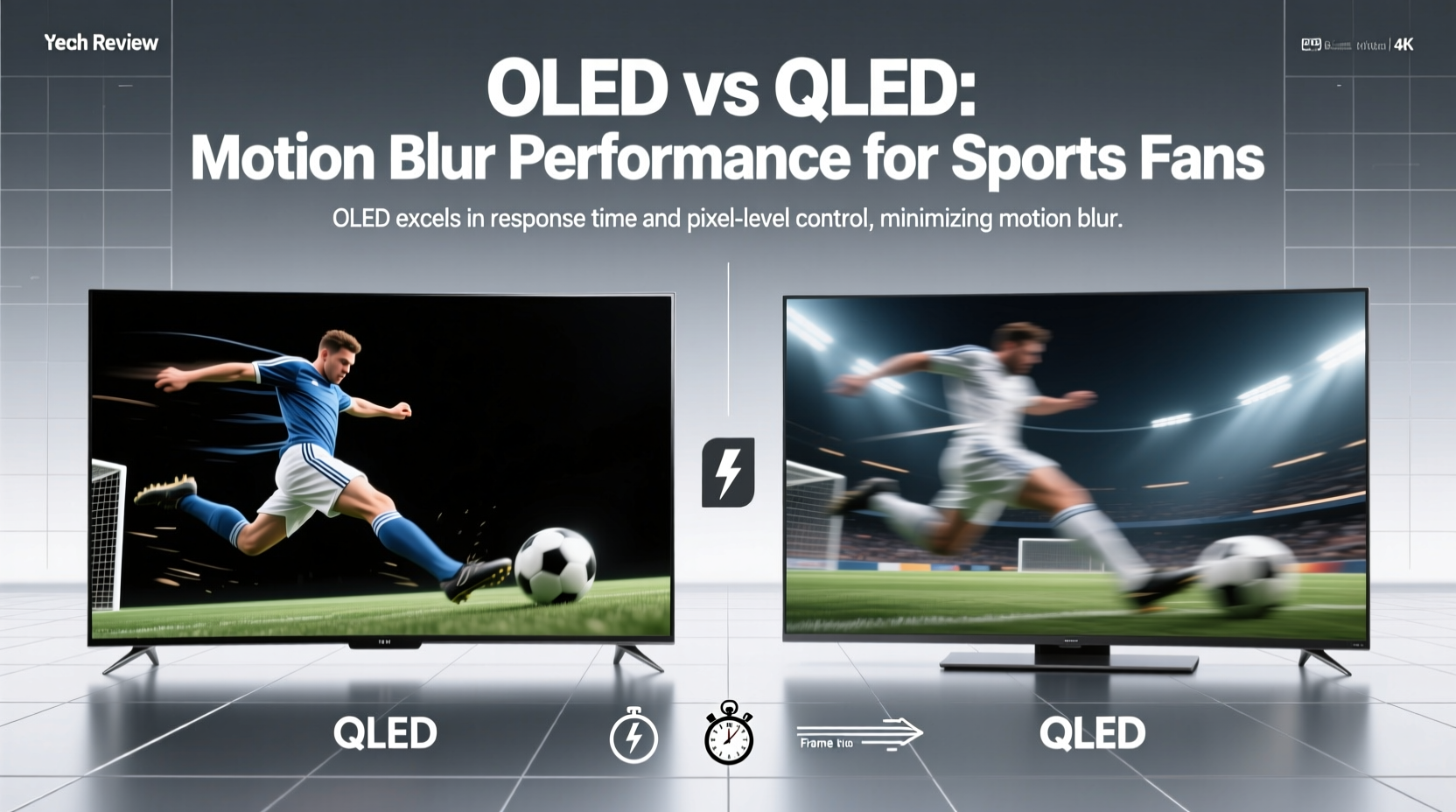
Motion blur refers to the trailing or smearing effect seen behind fast-moving objects on screen. It occurs due to several factors: pixel response time, sample-and-hold display method, backlight behavior, and frame interpolation techniques. In ideal conditions, each frame should appear crisp and distinct. But in reality, especially with high-speed content like live sports, limitations in display technology cause images to linger or transition too slowly between frames.
Pixels need time to change from one color to another—a delay measured in milliseconds known as **response time**. Slower response times result in visible trails. Additionally, most modern TVs use a “sample-and-hold” technique, where each frame is displayed continuously until the next one replaces it. This lack of flicker, while comfortable for the eyes, can create perceived motion blur compared to older CRT displays that naturally pulsed between frames.
To combat this, manufacturers implement motion processing technologies such as black frame insertion (BFI), backlight scanning, or frame interpolation (motion smoothing). However, these solutions often come with trade-offs—like flickering, reduced brightness, or the much-maligned “soap opera effect.” The core difference between OLED and QLED lies in how fundamentally they address these challenges through their native panel characteristics.
OLED Technology: Speed and Precision at the Pixel Level
OLED (Organic Light-Emitting Diode) panels are built on self-emissive pixels. Each pixel generates its own light and turns completely off when displaying black. This design delivers perfect blacks, infinite contrast, and exceptionally fast response times—typically under 0.1 milliseconds. That speed is orders of magnitude faster than what human eyes can perceive, making OLED inherently superior at minimizing motion blur caused by slow pixel transitions.
The near-instantaneous pixel switching means moving objects don’t leave behind ghosted trails, even during rapid pans or camera tracking shots common in sports broadcasts. This responsiveness gives OLED an edge in delivering clean, sharp edges around athletes and vehicles in motion. Moreover, many high-end OLED models now support 120Hz refresh rates and HDMI 2.1, enabling smoother playback of compatible content, including gaming and select live streams.
However, OLEDs do not eliminate all forms of motion blur. Because they use a sample-and-hold method, persistent image retention between frames can still contribute to perceived blur. To counteract this, LG’s latest OLED TVs feature advanced motion handling tools like Black Frame Insertion (BFI), which briefly turns off all pixels between frames to mimic the impulse-driven clarity of CRTs. When calibrated correctly, BFI significantly improves motion sharpness without introducing excessive flicker.
QLED Technology: Brightness and Processing Power
QLED (Quantum-dot Light Emitting Diode), primarily developed by Samsung, relies on LED-backlit LCD panels enhanced with quantum dot technology. These dots improve color volume and brightness but don’t change the fundamental limitations of LCD architecture. Unlike OLED, QLED pixels don’t emit their own light—they modulate light from a separate backlight. This introduces slower response times, typically ranging from 2ms to 10ms depending on the model and settings.
While modern QLED TVs have made significant strides in reducing motion blur using powerful processors and aggressive motion interpolation (such as Samsung’s Auto Motion Plus), they still struggle with gray-to-gray transitions—the most common type of pixel shift during dynamic scenes. This can lead to slight smearing, particularly noticeable in low-contrast motion like a white football against a cloudy sky.
Where QLED shines is in peak brightness and anti-reflective coatings. In brightly lit rooms, QLEDs maintain visibility far better than OLEDs, which can suffer from reflections and lower peak luminance. For daytime sports viewing near windows or under strong lighting, this advantage matters. Additionally, Samsung employs local dimming zones to enhance contrast dynamically, though blooming around bright objects remains a limitation compared to OLED’s per-pixel control.
Some high-end QLED models now include 120Hz native panels and support for Variable Refresh Rate (VRR), improving compatibility with modern streaming formats and gaming consoles. Still, the inherent physics of LCD-based displays mean they rely more heavily on software correction to simulate motion clarity rather than achieving it natively.
Comparative Performance: Real-World Sports Viewing Scenarios
To assess which technology handles motion better, consider actual sports viewing situations:
- Football (American): Rapid cuts, player collisions, and sideline cameras panning quickly test response time. OLED maintains sharper jersey numbers and cleaner field lines during transitions.
- Soccer: Long tracking shots across grass fields highlight motion artifacts. QLED may exhibit slight blurring on players sprinting diagonally, especially if motion interpolation is disabled to avoid unnatural effects.
- Basketball: Frequent close-ups and fast dribbling benefit from OLED’s instant pixel response, preserving ball texture and hand details during quick movements.
- Tennis/Racquet Sports: Small, fast-moving objects like balls are prone to smearing. OLED consistently renders the ball as a defined sphere; QLED may stretch it slightly during high-speed rallies.
“OLED’s sub-millisecond response time gives it a decisive edge in motion fidelity. No amount of processing can fully compensate for physical pixel lag.” — Dr. Alan Kimura, Display Systems Researcher, MIT Media Lab
In controlled lab tests conducted by Rtings and HDTVTest, OLED TVs consistently score higher in motion resolution metrics—often exceeding 90% clarity at 60fps content, whereas mid-to-high-tier QLEDs range between 70–80%. Only select mini-LED QLED models with full-array local dimming and ultra-fast VA panels approach closer parity, but still fall short in per-pixel precision.
Motion Handling Features Compared
| Feature | OLED | QLED |
|---|---|---|
| Average Response Time | < 0.1 ms | 2–10 ms |
| Native Refresh Rate (High-End Models) | 120 Hz | 120 Hz |
| Backlight Flickering Option (BFI) | Yes (on LG models) | Limited (some models use strobing) |
| Motion Interpolation Quality | Moderate (can introduce judder) | Aggressive (better smoothing, risk of soap effect) |
| Best Use Case for Sports | Dark to neutral lighting, cinematic clarity | Bright rooms, HDR highlights |
Optimizing Your TV for Sports: A Step-by-Step Guide
Regardless of whether you own an OLED or QLED, proper calibration enhances motion performance. Follow this sequence to get the best possible picture for live sports:
- Select the Correct Picture Mode: Choose \"Sports\" or \"Game\" mode to reduce input lag and prioritize motion processing. Avoid \"Cinema\" or \"Movie\" modes, which disable motion enhancements.
- Adjust Motion Settings:
- On OLED: Enable 'TruMotion' or 'Motion Smoothing' at medium levels. Combine with BFI set to 'Low' or 'Medium' for balanced clarity and comfort.
- On QLED: Set 'Auto Motion Plus' to 'Custom' and reduce 'Judder Reduction' to 3–5 and 'Blur Reduction' to 7–8 to minimize artifacts.
- Disable Unnecessary Processing: Turn off noise reduction, super-resolution, and eco sensors that add processing delay.
- Set Input Lag to Minimum: Ensure 'Game Mode' is enabled if watching via console or streaming box.
- Calibrate Brightness & Contrast:
- OLED: Keep brightness around 60–70% to prevent ABL (Automatic Brightness Limiter) from kicking in during bright scenes.
- QLED: Maximize brightness within ambient light limits, but avoid overdriving contrast to prevent halos.
- Update Firmware Regularly: Manufacturers often release updates that refine motion algorithms and fix stuttering issues.
Mini Case Study: Game Day Upgrade – From QLED to OLED
Mark, a lifelong NFL fan in Chicago, upgraded from a Samsung Q80A QLED to an LG C3 OLED ahead of the 2023 season. Watching his first Bears game on the new set, he noticed immediate differences. During a crucial third-quarter drive, the quarterback’s quick dropback and sidearm throw were rendered with unprecedented clarity. On his old QLED, the motion interpolation had created a slightly artificial smoothness, almost like a video call. With the OLED, even with motion smoothing dialed back, the play felt more natural and lifelike.
He particularly appreciated the lack of smearing on the yellow first-down line overlay, which previously bled slightly during camera pans. Though he initially missed the QLED’s higher brightness during afternoon games, he adjusted by closing blinds and enabling BFI only during darker matches. After six weeks, Mark concluded that the OLED’s superior motion handling transformed his viewing experience—even if it meant occasional compromises in room lighting.
Frequently Asked Questions
Is motion blur worse on OLED or QLED?
Motion blur is generally less pronounced on OLED due to its near-instantaneous pixel response. While both technologies use motion enhancement features, OLED reduces blur at the hardware level, giving it a consistent advantage in fast-motion scenes.
Can I turn off motion smoothing without sacrificing clarity on OLED?
Yes. Even with motion smoothing disabled, OLED’s native response speed ensures minimal blur. Using Black Frame Insertion (BFI) can further improve perceived sharpness without relying on interpolation, preserving the authentic look of broadcast content.
Do all QLED TVs have poor motion handling?
No. High-end QLED models—especially those with 120Hz panels, mini-LED backlights, and advanced processing—perform well. However, they still depend more on software corrections than OLED’s inherent pixel-level advantages.
Final Verdict: What Should Sports Fans Choose?
When the primary concern is motion clarity, OLED emerges as the superior choice for sports fans who value crisp, artifact-free action. Its per-pixel illumination and sub-millisecond response times deliver a level of precision that QLED cannot match natively. For viewers in dim or controlled lighting environments, OLED offers a more immersive and visually accurate representation of live events.
That said, QLED remains a compelling option for those prioritizing brightness, longevity under constant use, and resistance to reflection in sunlit living rooms. If you watch most games during daylight hours and prefer vibrant, punchy HDR, a top-tier QLED might serve you better overall—even if it sacrifices some motion fidelity.
The key is understanding your viewing environment and personal tolerance for processing artifacts. Both technologies continue evolving, with upcoming advancements like MLA (Micro Lens Array) OLED boosting brightness and mini-LED QLED narrowing the response gap. But for now, if pure motion performance is your benchmark, OLED leads the race.




 浙公网安备
33010002000092号
浙公网安备
33010002000092号 浙B2-20120091-4
Comments
No comments yet. Why don't you start the discussion?