
Smartphones have become indispensable tools for communication, productivity, and entertainment. But when your device starts running unusually hot—so much that it's uncomfortable to hold or begins slowing down—it’s a clear warning sign. Overheating can degrade performance, shorten battery life, and in extreme cases, cause permanent hardware damage. Understanding the root causes and knowing how to respond effectively is essential for maintaining your phone’s longevity and reliability.
Why Phones Overheat: The Science Behind the Heat
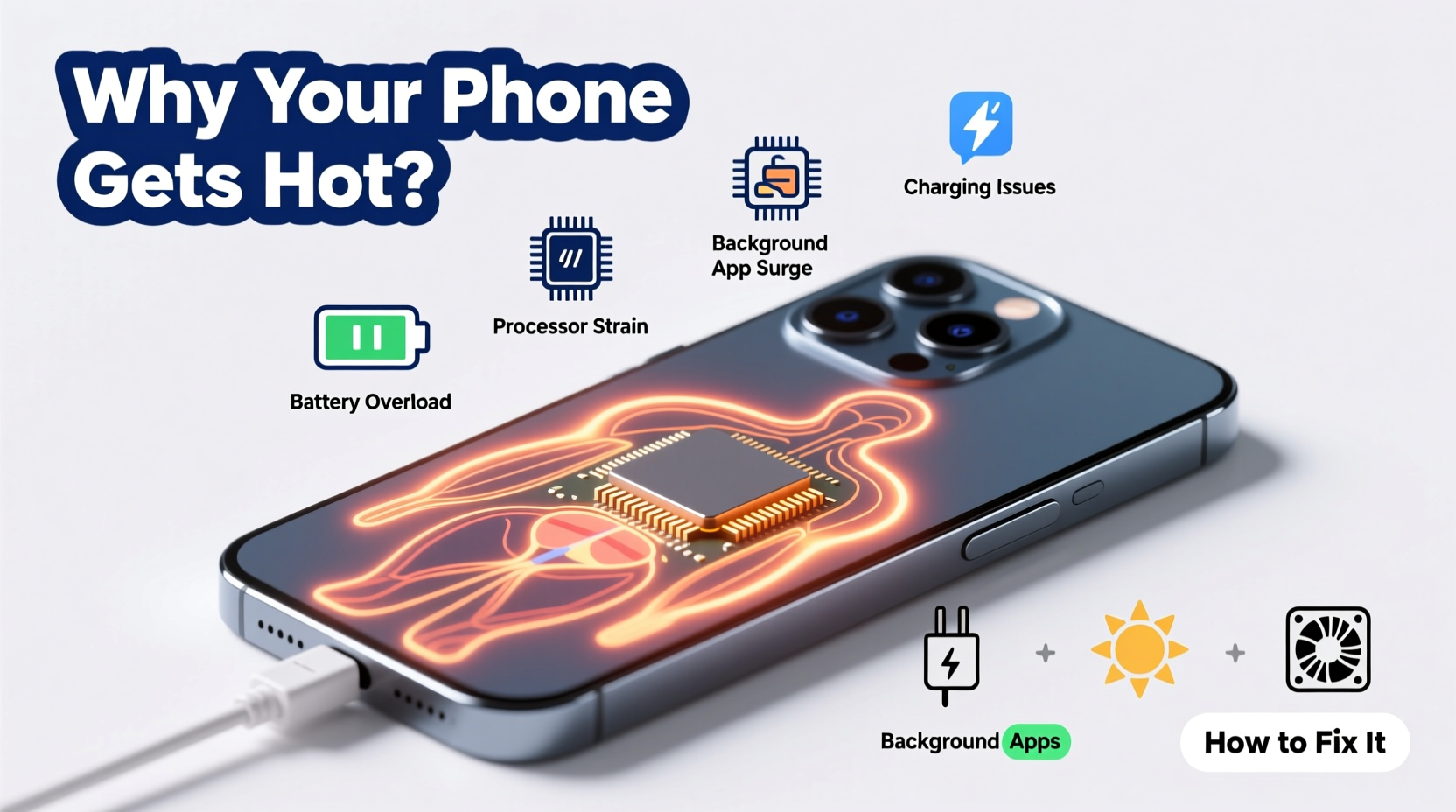
Your smartphone is a compact computer with multiple components working simultaneously: processor, battery, display, radios (Wi-Fi, Bluetooth, cellular), and sensors. When these parts operate, especially under heavy load, they generate heat. Normally, this heat dissipates quickly through the phone’s casing and internal design. However, several factors can disrupt this balance.
The primary sources of heat include:
- CPU/GPU Overload: Running graphics-intensive games, multitasking with many apps, or using augmented reality features pushes the processor hard.
- Battery Activity: Charging, especially fast charging, generates internal resistance and heat. A degraded battery may also overheat more easily.
- Environmental Exposure: Leaving your phone in direct sunlight, inside a hot car, or near other heat sources raises its base temperature.
- Poor Ventilation: Using your phone while charging, under a pillow, or in a thick case traps heat.
- Background Processes: Apps refreshing in the background, location tracking, and malware can silently consume resources.
“Modern smartphones are engineered to manage heat, but sustained high temperatures accelerate battery degradation and reduce overall lifespan.” — Dr. Lena Torres, Mobile Hardware Engineer at TechInsight Labs
How to Fix an Overheating Phone: Immediate Actions
If your phone is already hot, immediate intervention can prevent long-term damage. Follow these steps to cool it down safely:
- Stop Using It: Close all active apps and put the phone into airplane mode if possible. This halts network activity and reduces CPU load.
- Remove the Case: Take off any protective cover, especially if it’s made of silicone or leather, which insulates heat.
- Move to a Cool Environment: Get the device out of direct sunlight and into a shaded, well-ventilated area. Do not place it in a refrigerator or freezer—rapid temperature changes can cause condensation inside the phone.
- Turn It Off: Powering down stops all processes and allows the phone to cool faster.
- Unplug If Charging: Disconnect from power immediately. Fast chargers can exacerbate heating issues.
After 10–15 minutes of rest, check the temperature before resuming use. If the phone remains excessively hot even when idle, there may be a deeper issue such as battery swelling or failing hardware.
Prevention Checklist: Long-Term Cooling Strategies
To keep your phone operating efficiently and avoid recurring overheating, adopt these preventive habits:
- ✅ Remove case during charging or heavy usage
- ✅ Avoid leaving phone in direct sun or hot cars
- ✅ Update software regularly to patch inefficiencies
- ✅ Limit background app refresh and location services
- ✅ Use manufacturer-approved chargers and cables
- ✅ Close unused apps to reduce CPU strain
- ✅ Enable dark mode on OLED screens to reduce power draw
- ✅ Monitor battery health monthly via settings
Do’s and Don’ts of Managing Phone Temperature
| Do’s | Don’ts |
|---|---|
| Use lightweight cases designed for ventilation | Use thick, non-breathable cases during gaming or charging |
| Charge your phone in a cool, open space | Charge under pillows or blankets |
| Enable battery saver mode when overheating occurs | Continue playing high-performance games when hot |
| Install apps only from official stores | Download unknown APK files that may contain malware |
| Restart your phone weekly to clear memory | Ignore repeated overheating warnings |
Real Example: How One User Fixed Chronic Overheating
Jamal, a ride-share driver, relied on his phone for navigation, music, and passenger communication throughout the day. He noticed his Android device would frequently overheat, especially during summer afternoons, sometimes shutting down unexpectedly. After replacing the charger and case without improvement, he reviewed his settings and discovered three key issues: Google Maps was set to “High Accuracy” mode (constantly using GPS, Wi-Fi, and cellular), a third-party weather app was refreshing every five minutes in the background, and he was using a cheap magnetic car mount that blocked part of the phone’s vents.
He adjusted location settings to “Battery Saving” mode, disabled background refresh for non-essential apps, switched to a ventilated metal mount, and started removing the case while driving. Within days, the phone ran significantly cooler, and shutdowns stopped entirely. His experience highlights how small, overlooked settings can compound into major thermal stress.
When to Seek Professional Help
Occasional warmth is normal. Persistent overheating—even when idle—is not. Warning signs that require professional evaluation include:
- Frequent automatic shutdowns
- Swollen or bulging battery (visible warping of screen or back panel)
- Noticeable slowdown despite low usage
- Overheating alerts appearing repeatedly
If your phone exhibits any of these symptoms, visit an authorized service center. Continuing to use a damaged battery or malfunctioning component poses safety risks, including potential fire hazards.
FAQ: Common Questions About Phone Overheating
Can a virus make my phone overheat?
Yes. Malware can run hidden processes that max out your CPU, causing excessive heat. Install reputable security apps and avoid suspicious links or downloads to minimize risk.
Is it safe to use my phone while charging?
It’s generally safe, but doing so intensifies heat buildup—especially with fast charging or resource-heavy apps. For best results, avoid gaming or video calls while charging, particularly in warm environments.
Does closing apps help reduce heat?
Manually swiping away apps doesn’t always stop background activity. Instead, disable background refresh for specific apps in settings. On iOS, go to Settings > General > Background App Refresh. On Android, navigate to Settings > Apps > Special Access > Background Restrictions.
Conclusion: Keep Your Phone Cool, Capable, and Reliable
Overheating isn’t just a comfort issue—it’s a signal that your phone is under stress. By understanding what causes excess heat and taking proactive steps, you protect both performance and battery health. Simple changes like adjusting settings, optimizing charging habits, and choosing better accessories can make a dramatic difference. Don’t wait for a shutdown or swelling battery to act. Start today by auditing your usage patterns and applying the strategies outlined here.




 浙公网安备
33010002000092号
浙公网安备
33010002000092号 浙B2-20120091-4
Comments
No comments yet. Why don't you start the discussion?