
When it comes to choosing an Android flagship, hardware specs often dominate headlines—camera megapixels, processor speed, screen resolution. But for many users, the real differentiator lies beneath the surface: the software experience. A clean, intuitive, and uncluttered operating system can transform daily interactions with your phone, making navigation effortless and updates predictable. Two of the most respected Android devices—the Google Pixel 8 and the Samsung Galaxy S23—offer premium hardware, but their software philosophies diverge sharply. One is built by the creators of Android itself; the other by the world’s largest smartphone manufacturer. So which delivers the cleanest software experience?
This isn’t just about aesthetics. \"Clean\" software means minimal pre-installed apps, fast and reliable updates, consistent design language, and no unexpected behavior from manufacturer skins or third-party services. It’s about feeling in control of your device, not constantly navigating around unwanted features. In this analysis, we’ll dissect the software ecosystems of both phones across key dimensions: interface design, update policies, bloatware presence, customization, and long-term usability.
Stock Android vs. One UI: Design Philosophy Compared
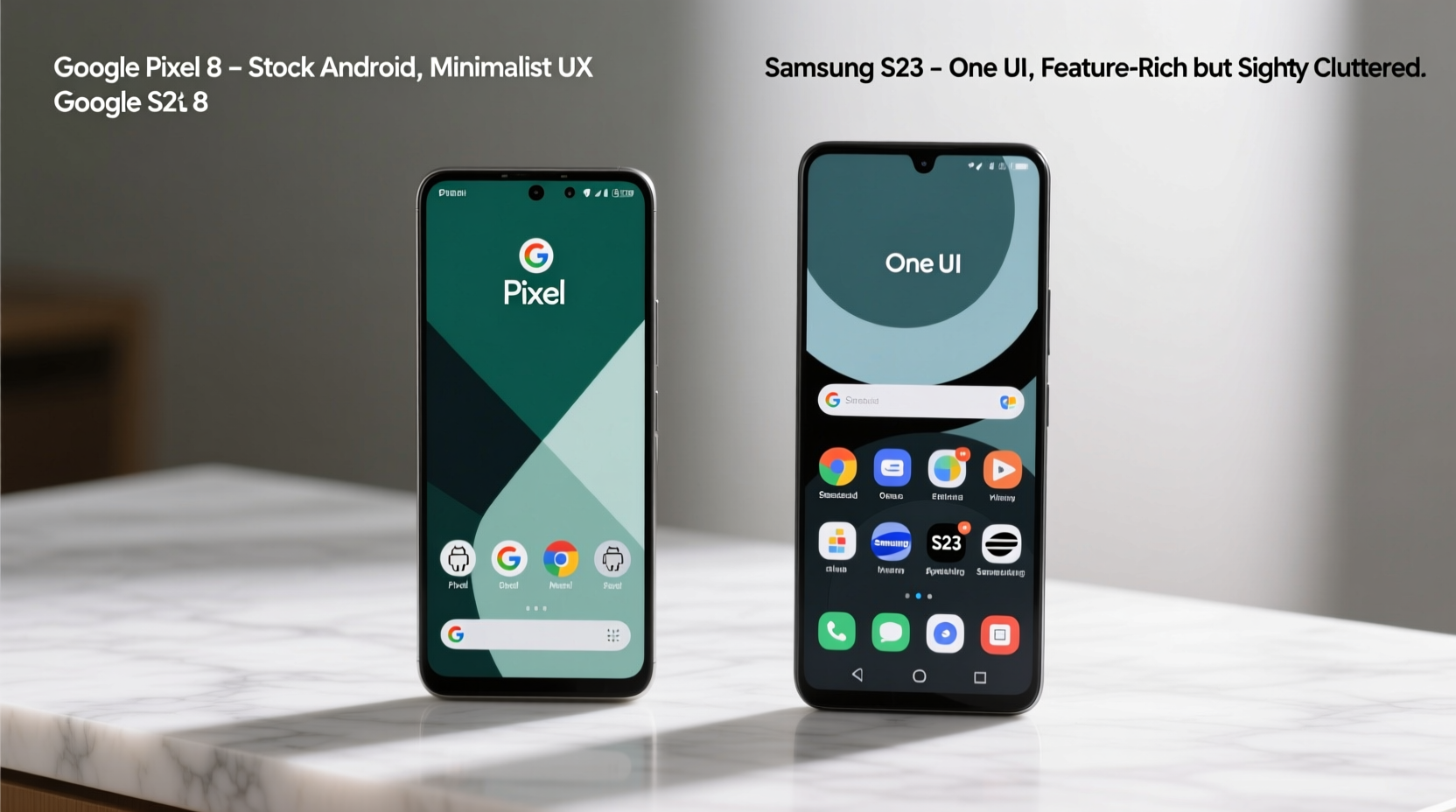
The core distinction between the Pixel 8 and the Galaxy S23 lies in their user interfaces. The Pixel 8 runs near-stock Android—specifically, Android 14 with minor enhancements under Google’s Material You design language. This means a minimalist home screen, uniform app icons (with dynamic color theming), and a settings menu that follows Google’s official guidelines to the letter. There are no alternate app drawers, duplicated apps, or hidden menus buried under layers of customization.
In contrast, the Galaxy S23 ships with Samsung’s One UI 6.1, a heavily customized skin layered over Android. While One UI has matured significantly over the years and now prioritizes ease of one-handed use and visual clarity, it still introduces numerous deviations from stock Android. These include:
- A separate Samsung App Store (Galaxy Store) alongside Google Play
- Duplicated system apps (e.g., two clocks, two calendar apps)
- Samsung-specific services like Bixby, Samsung Health, and Samsung Pay
- Different gesture navigation options and back-swipe behaviors
- Customized quick settings toggles and notification shading
For users who value consistency with Google’s vision for Android, the Pixel 8 feels more cohesive. Every animation, transition, and layout decision aligns with what you’d find on any other stock Android device. The S23, while polished and feature-rich, requires some mental adjustment if you’ve used pure Android before.
Software Updates: Speed, Longevity, and Reliability
One of the most critical aspects of a clean software experience is how quickly and reliably a device receives updates. Security patches, bug fixes, and new Android versions should arrive promptly and install smoothly. Here, Google holds a distinct advantage.
The Pixel 8 benefits from being a first-party Google device. It receives monthly security updates directly from Google, typically within days of release. Major Android version upgrades are also rolled out simultaneously with the public launch—often even before other manufacturers begin development. Google has committed to seven years of OS and security updates for the Pixel 8, setting a new benchmark in the industry.
Samsung has improved its update game dramatically in recent years. The Galaxy S23 receives four years of major OS upgrades and five years of security updates—a strong commitment, though still shorter than Google’s. However, updates must pass through Samsung’s own testing and customization process before deployment. This adds latency: while the Pixel 8 got Android 14 on day one, S23 users waited several weeks for their One UI 6.1 rollout.
“Timely updates aren’t just convenient—they’re essential for privacy and performance. Devices that lag behind become vulnerable and inconsistent.” — Dr. Lena Patel, Mobile Security Researcher at OpenFirmware Institute
Beyond timing, update reliability matters. Pixel devices undergo minimal modification, so updates integrate seamlessly. On Samsung devices, each update must reapply One UI customizations, increasing the risk of bugs or instability post-installation. While rare, reports of battery drain or app crashes after major S23 updates have surfaced on user forums.
Bloatware and Pre-Installed Apps: What You Can’t Remove
True software cleanliness includes freedom from unwanted apps. Bloatware—pre-installed applications that cannot be uninstalled—can consume storage, run background processes, and clutter the home screen.
The Pixel 8 carries almost no bloatware. All preloaded apps (Google Photos, Gmail, YouTube, etc.) are either core Google services or optional utilities. Most can be disabled or removed entirely. Even third-party apps like TikTok or Uber are absent unless manually installed.
The Galaxy S23, however, ships with a suite of non-removable Samsung apps. While many are useful (Samsung Pass, SmartThings, Secure Folder), others serve primarily as promotional tools or duplicates of existing Google apps. Examples include:
- Samsung Free (news feed)
- Microsoft SwiftKey (keyboard alternative)
- Facebook apps (Meta partnership)
- S Browser (alternative to Chrome)
- Netflix and Spotify shortcuts
You can disable some, but not all. And even when disabled, certain apps may reactivate during system updates or continue syncing data in the background. This undermines the sense of control that defines a truly clean software environment.
Performance Over Time: Does Clean Software Last Longer?
A clean software experience isn’t just about day-one freshness—it’s about how the phone feels after months or years of use. Fragmentation, background processes, and inefficient code can degrade performance over time.
Because the Pixel 8 runs stock Android with minimal overhead, it tends to maintain responsiveness longer. Google optimizes its software specifically for its Tensor G3 chip, ensuring tight integration between hardware and OS. Background tasks are tightly managed, and system animations remain smooth even after extended use.
The S23, powered by the Snapdragon 8 Gen 2, boasts superior raw performance in benchmarks. However, real-world longevity depends on software efficiency. One UI includes numerous always-on features—such as edge lighting, motion gestures, and AI-powered suggestions—that can contribute to background resource usage. While Samsung has implemented memory management improvements, long-term user reports suggest slightly faster decline in fluidity compared to Pixels.
A mini case study illustrates this: Sarah, a digital journalist, used a Galaxy S23 for 18 months before switching to a Pixel 8. She noted that while her S23 remained functional, it began showing signs of sluggishness—app reloads, delayed notifications, and occasional stutters—after the second year. Her Pixel 8, six months in, continues to feel snappy with no noticeable degradation.
“I didn’t realize how much mental load came from managing my phone until I switched,” she said. “The Pixel just works. No settings buried in submenus, no surprise pop-ups from ‘helpful’ assistants. It’s refreshing.”
Customization vs. Consistency: Finding Your Balance
Clean software doesn’t mean inflexible. The Pixel 8 allows meaningful personalization through Material You, which extracts colors from your wallpaper to theme the entire UI. Widgets, gesture controls, and accessibility settings are fully customizable without altering the underlying system integrity.
Samsung takes customization further—but at the cost of simplicity. One UI lets you change icon packs, fonts, boot animations, navigation styles, and even simulate iOS-like interfaces. Features like Good Lock offer deep UI tweaks, appealing to power users. However, this depth introduces complexity. New users may struggle to locate basic settings, and the abundance of options can make the experience feel inconsistent.
The fundamental trade-off is clear: the Pixel 8 offers curated simplicity; the S23 provides expansive flexibility. For those seeking a clean experience, simplicity wins. Every added toggle, menu, or alternative pathway increases cognitive load and potential friction.
| Feature | Pixel 8 | Galaxy S23 |
|---|---|---|
| User Interface | Near-stock Android (Material You) | One UI 6.1 (heavily customized) |
| OS Update Support | 7 years | 4 years |
| Security Updates | 7 years | 5 years |
| Bloatware | Minimal (all removable/disablable) | Moderate (some non-removable) |
| Update Speed | Immediate (direct from Google) | Delayed (weeks after release) |
| Customization Depth | Light to moderate | Extensive (via One UI & Good Lock) |
| Long-Term Performance | Consistently smooth | Strong, but gradual slowdown possible |
Frequently Asked Questions
Is stock Android really better than One UI?
It depends on your priorities. Stock Android offers a cleaner, more consistent, and faster-updating experience. One UI provides deeper customization and additional features like DeX, multi-device sync, and advanced camera modes. If you value simplicity and reliability, stock Android (as on the Pixel 8) is superior. If you want maximum control and ecosystem integration, One UI has strengths—but at the cost of purity.
Can I remove Samsung bloatware?
You can disable most pre-installed Samsung apps through Settings > Apps, but very few can be completely uninstalled without rooting the device. Some, like Samsung Free or Bixby Voice, may reappear after updates or continue running background services even when disabled.
Does the Pixel 8 feel too basic compared to the S23?
Some users initially perceive the Pixel 8 as “basic” due to its minimalist interface. However, this simplicity is intentional. Once users adapt, many appreciate the lack of clutter, faster navigation, and seamless integration with Google services. The experience is refined rather than stripped down.
Action Checklist: Choosing the Cleanest Software Experience
To determine which phone suits your preference for software cleanliness, follow this checklist:
- Evaluate your need for customization: Do you enjoy tweaking every aspect of your phone, or do you prefer it just working?
- Assess update importance: Are you someone who values immediate access to new Android versions and security patches?
- Consider app preferences: Do you rely heavily on Google services, or are you invested in Samsung’s ecosystem (SmartThings, Galaxy Watch, etc.)?
- Test long-term usage: Think about how you want your phone to perform after two years—smooth and consistent, or feature-rich but potentially slower?
- Try both interfaces: If possible, spend time with a Pixel 8 and S23 side-by-side to feel the difference in navigation, animations, and menu layouts.
Final Verdict: The Pixel 8 Delivers the Cleanest Software Experience
After evaluating interface design, update policies, bloatware presence, performance over time, and overall consistency, the verdict is clear: the Google Pixel 8 offers the cleanest software experience among current Android flagships, including the Samsung Galaxy S23.
Its adherence to stock Android principles—minimal modifications, rapid updates, no forced third-party apps, and a coherent design language—creates an environment where the user, not the manufacturer, remains in control. While the S23 is a powerful, well-built device with impressive features, its software layer adds complexity, delay, and redundancy that detract from true cleanliness.
If your priority is a distraction-free, efficient, and future-proof Android experience, the Pixel 8 is unmatched. It represents Android as Google intended: simple, secure, and smart.




 浙公网安备
33010002000092号
浙公网安备
33010002000092号 浙B2-20120091-4
Comments
No comments yet. Why don't you start the discussion?