
In the world of smartphone photography, few features have generated as much buzz as Night Mode. It promises to turn dark, murky scenes into bright, detailed images with just a tap. Two of the most respected players in this space—Google Pixel and Apple iPhone—have built robust versions of Night Mode, each claiming superior results. But beyond marketing claims and social media praise, does one truly outperform the other? Or is the difference negligible for most users? This comparison dives deep into real-world performance, image processing philosophy, hardware advantages, and user experience to determine whether the Pixel’s Night Mode dominance still holds—or if the iPhone has finally closed the gap.
The Evolution of Smartphone Night Photography
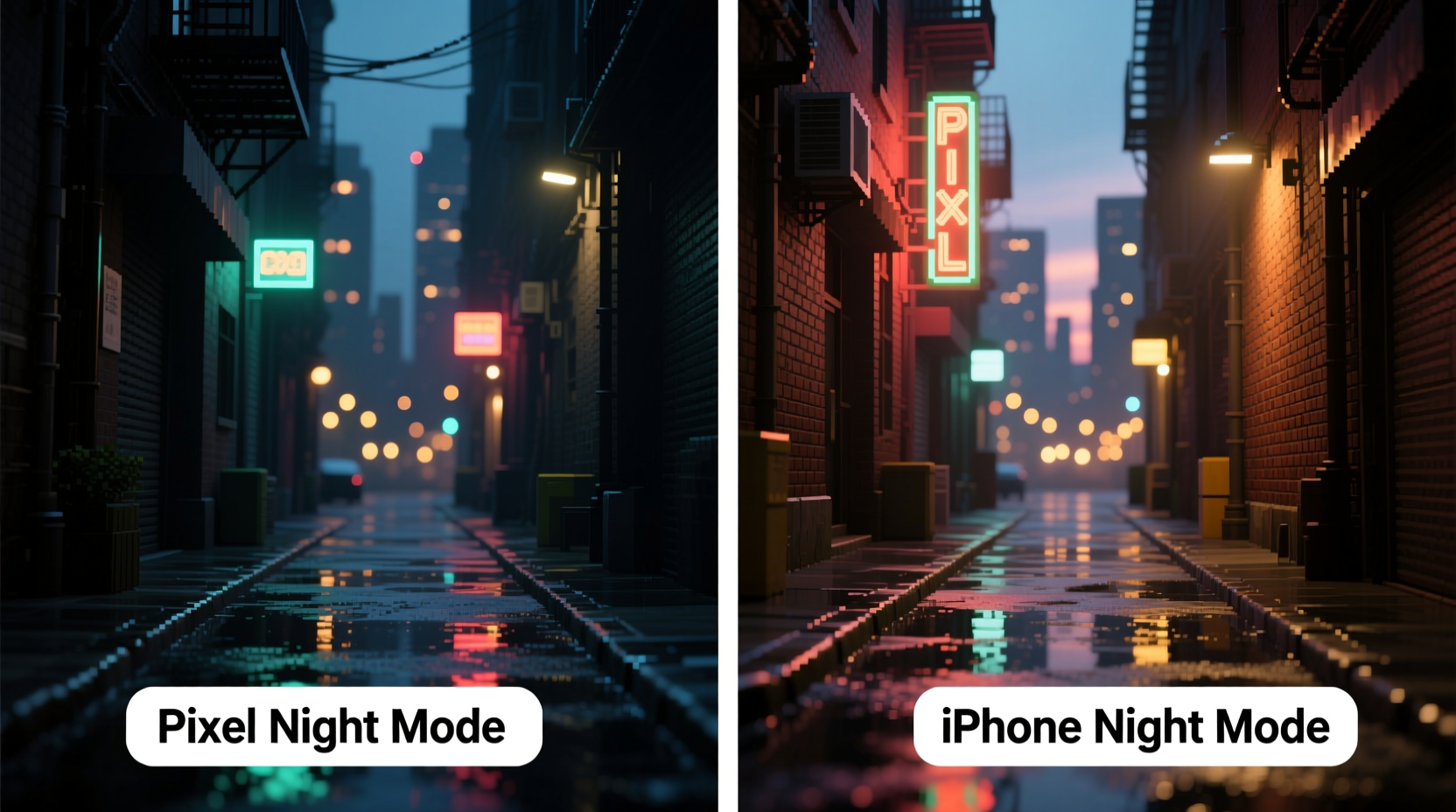
Night Mode isn’t just about brightness; it’s about balancing noise reduction, dynamic range, color accuracy, and detail preservation in near-dark conditions. Early implementations relied on long exposures alone, often resulting in blurry images due to hand movement. Modern systems use computational photography—combining multiple frames, AI-based noise suppression, and sensor stabilization—to produce cleaner, sharper results.
Google introduced Night Sight with the Pixel 3 in 2018, setting a new benchmark. Its ability to capture usable images in near-total darkness stunned reviewers and consumers alike. Apple followed with Night Mode on the iPhone 11 later, integrating it seamlessly into its camera interface. Since then, both companies have iterated aggressively, leveraging improved sensors, faster processors, and smarter algorithms.
How Pixel Night Mode Works
Google’s approach to Night Mode leans heavily on computational photography. The Pixel uses a technique called HDR+ with dual exposure control, capturing multiple short-exposure frames at different brightness levels. These are then aligned, merged, and processed using machine learning models trained on millions of images.
The standout feature of Pixel Night Mode is its flexibility. On supported devices (Pixel 6 and newer), users can manually adjust exposure time from 1/10s up to 30 seconds in Pro mode. Even in auto mode, the phone intelligently selects longer exposures when stability is detected—such as when placed on a surface or held steady.
iPhone’s Approach to Low-Light Imaging
Apple takes a more hardware-integrated route. Starting with the iPhone 11 series, Night Mode activates automatically in low light, using sensor-shift optical image stabilization (on Pro models) and the A-series Bionic chip’s Neural Engine for real-time processing.
iPhones prioritize natural color science and skin tones, aiming for consistency across lighting conditions. Unlike Pixel, the iPhone doesn’t allow manual exposure adjustment in Night Mode through the standard camera app—though third-party apps can bypass this. The system defaults to exposure times between 1 and 3 seconds, extending only when motion detection confirms stability.
“Apple focuses on seamless integration and realism. Their goal isn’t to make the scene look artificially bright, but to preserve the mood while improving clarity.” — David Chen, Mobile Imaging Analyst at DXOMARK
Head-to-Head Comparison: Pixel vs iPhone Night Mode
| Feature | Google Pixel (e.g., Pixel 8 Pro) | iPhone (e.g., iPhone 15 Pro) |
|---|---|---|
| Max Exposure Time (Auto) | Up to 6 seconds (adaptive) | Up to 3 seconds (adaptive) |
| Manual Control | Yes (via Pro mode, up to 30s) | No (native app) |
| Low-Light Detail Recovery | Excellent, especially in shadows | Very good, slightly more conservative |
| Noise Reduction | Aggressive, may soften textures | Balanced, preserves more grain naturally |
| Color Accuracy | Slightly cooler tones | Warmer, closer to human vision |
| Lights & Highlights | Can over-brighten streetlights | Better highlight retention |
| User Experience | Clear countdown timer, intuitive | Minimal UI, automatic activation |
Real-World Example: Cityscape After Dark
Consider a scenario where a photographer captures a dimly lit urban alleyway at 9 PM. Streetlights cast uneven pools of light, and building facades fade into shadow.
A Pixel 8 Pro captures the scene with remarkable clarity. Text on distant signs becomes readable, and cobblestones regain texture. However, the overall tone appears slightly washed out—like a well-lit daytime photo mistakenly taken at night. Some artificial lights bloom unnaturally, losing their glow effect.
The iPhone 15 Pro produces a darker image by comparison, but one that feels more authentic. The ambiance of twilight remains intact. While some shadow detail is lost, architectural contours and warm light reflections feel truer to life. Skin tones under lampposts remain consistent without oversaturation.
This illustrates a fundamental philosophical divide: Google maximizes visibility; Apple preserves atmosphere.
Which One Wins? It Depends on Your Priorities
Declaring an outright winner depends on what you value in a photograph.
- If you need maximum detail—for documentation, security, or capturing legible text in darkness—the Pixel delivers unmatched performance.
- If you value aesthetic authenticity—such as preserving the mood of a candlelit dinner or a moody city corner—the iPhone often produces more emotionally resonant results.
- For hybrid use, such as travel photography where both clarity and ambiance matter, many professionals carry both phones or rely on third-party RAW apps to extract more data from either device.
Actionable Tips for Getting the Best Night Photos
- Stabilize your phone: Rest it on a ledge, railing, or use a pocket tripod. Even minor movement degrades multi-frame merging. <
- Let the phone choose exposure: Unless you're experienced, avoid manual overrides unless shooting static scenes.
- Avoid zooming optically: Digital zoom drastically reduces low-light quality on both platforms.
- Shoot in RAW if possible: Both platforms support RAW via apps like Open Camera (Android) or Halide (iOS), giving more post-processing flexibility.
- Wait for processing to finish: Don’t exit the app immediately after capture—both phones continue optimizing for 2–3 seconds.
Frequently Asked Questions
Does Pixel Night Mode work on older iPhones?
No. Google’s Night Sight is exclusive to Pixel devices due to proprietary software and HDR+ pipeline. Third-party apps can simulate similar effects but lack the same optimization.
Can I turn off iPhone Night Mode?
Yes. Go to Settings > Camera > Options and disable “Night Mode Auto Macro” or toggle Night Mode off manually in the camera interface when the moon icon appears.
Why does my Pixel photo look too bright compared to the iPhone?
This is intentional. Pixel prioritizes lifting shadows and recovering detail, sometimes at the expense of natural lighting cues. You can adjust tone manually in Google Photos using the editing sliders.
Final Verdict: Hype vs Reality
The hype around Pixel Night Mode is real—but so are its trade-offs. In pure technical terms, it consistently extracts more visible information from darkness than any iPhone. Independent tests from sites like GSMArena and DPReview confirm that Pixels recover shadow detail better and maintain lower noise levels in extreme low light.
However, the iPhone counters with superior color fidelity, more natural dynamic range, and tighter integration across the ecosystem. For casual users who share photos on Instagram or WhatsApp, the iPhone’s output often looks “better” because it feels more familiar and less processed.
Ultimately, neither camera is objectively superior. The Pixel wins in laboratory benchmarks. The iPhone wins in emotional resonance. Your choice should depend on how you use your phone: as a tool for capturing every visible pixel, or as a companion for storytelling through imagery.




 浙公网安备
33010002000092号
浙公网安备
33010002000092号 浙B2-20120091-4
Comments
No comments yet. Why don't you start the discussion?