
Digital nomadism has transformed how people work, travel, and live. With a laptop in hand and Wi-Fi access, professionals now operate from beaches, mountain cabins, co-working spaces, and airport lounges. Yet, as remote work evolves, so do the tools that support it. One such tool gaining traction is the portable monitor—a lightweight, plug-and-play screen designed to extend or mirror a laptop’s display. But beyond the marketing hype, are these devices genuinely useful for digital nomads?
The answer isn’t a simple yes or no. For some, a portable monitor is a game-changer. For others, it’s an unnecessary accessory adding weight to an already full backpack. The real value lies in understanding how your workflow, environment, and priorities align with what a portable monitor can offer.
Why Screen Real Estate Matters on the Move
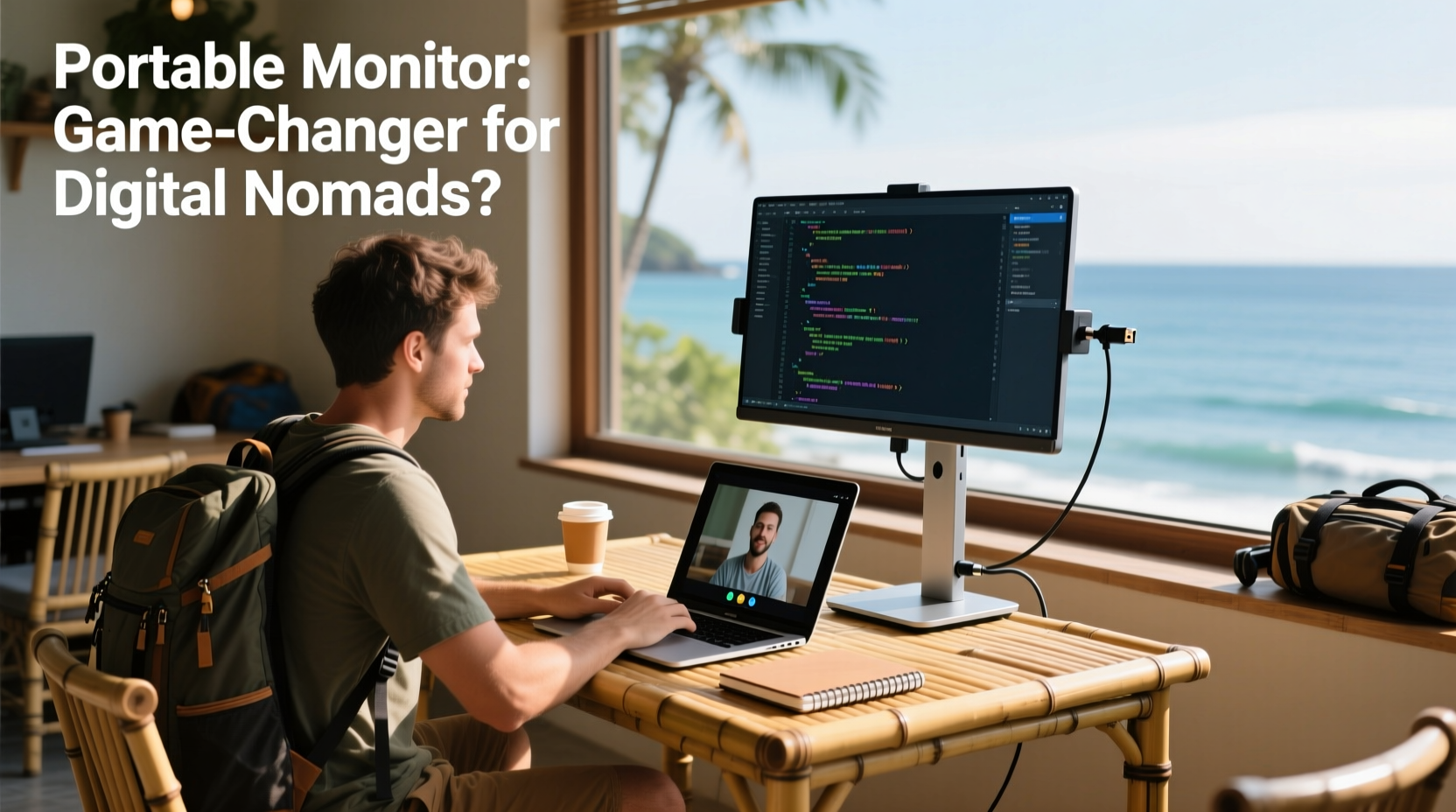
Most modern laptops come with high-resolution screens, but their size rarely exceeds 15 inches. That works fine for casual browsing or single-tasking, but when you're juggling video calls, coding, spreadsheet analysis, and research tabs simultaneously, a single screen becomes a bottleneck. Digital nomads often face extended work sessions in cramped environments—think café tables, hostel desks, or airplane tray tables—where managing multiple windows feels like playing digital Tetris.
Adding a second screen effectively doubles your workspace. According to a study by the University of Utah, productivity increases by up to 42% when using dual monitors. For nomads handling complex projects—designers editing visuals while referencing client feedback, developers debugging code across terminals, or writers researching while drafting—this boost is not theoretical. It’s measurable in time saved and mental clarity gained.
Key Benefits for Digital Nomads
The usefulness of a portable monitor hinges on specific advantages that align with the nomadic lifestyle. These include flexibility, improved ergonomics, and adaptability across locations.
1. Seamless Workspace Expansion
Portable monitors connect via USB-C or HDMI, often drawing power directly from the laptop. This means no extra cables, adapters, or power bricks in most cases. Once connected, you can extend your desktop, drag applications between screens, or duplicate content for presentations. In a co-working space, this lets you run a video call on one screen while taking notes on the other—without constant window shuffling.
2. Enhanced Ergonomics in Temporary Setups
Poor posture is a silent enemy of remote workers. Hunching over a laptop at a coffee shop leads to neck strain and back pain over time. A portable monitor allows you to position the screen at eye level (especially when paired with a stand or riser), reducing strain. You can keep your laptop closed and use an external keyboard and mouse, creating a desktop-like setup anywhere.
3. Flexibility Across Work Environments
Nomads don’t have fixed offices. One day you’re in a quiet library, the next in a noisy hostel common room. A portable monitor gives you control over your visual environment. Need to present to a local team? Plug in and share your screen clearly. Working late in a dim hotel room? Adjust brightness independently without affecting your main device.
“Mobility doesn’t have to mean compromising on productivity. A well-chosen portable monitor bridges the gap between office-grade setups and on-the-go work.” — Daniel Reyes, Remote Work Infrastructure Consultant
Real-World Use Cases: Who Actually Benefits?
Not every digital nomad needs a portable monitor. The decision depends on your profession, work style, and tolerance for added gear. Consider these scenarios:
Case Study: Maria, Freelance UX Designer
Maria travels through Southeast Asia, working from co-working spaces and guesthouses. Her work involves Figma designs, user research spreadsheets, and client Zoom calls. On her 13-inch MacBook, she constantly minimized windows, losing focus mid-session. After purchasing a 15.6-inch portable monitor, she arranged her setup with Figma on the left, research on the right, and kept Zoom floating centrally. She reported a 30% reduction in task-switching time and fewer instances of missing messages during calls.
Case Study: James, Crypto Trader
James monitors multiple exchanges and news feeds simultaneously. His trading strategy relies on spotting trends quickly. While traveling in Portugal, he found his laptop screen too small to track six charts and Telegram groups at once. A portable monitor allowed him to dedicate each screen to specific data streams—one for price action, the other for sentiment analysis. He credits the setup with helping him avoid a major loss during a volatile market swing.
Who Might Not Need One?
Content consumers—those primarily reading emails, writing short posts, or doing light admin—may find little benefit. Similarly, minimalists who prioritize ultra-light packing may decide the trade-off isn’t worth it. If your work fits comfortably on one screen and you change locations frequently, the added bulk might outweigh the gains.
Choosing the Right Portable Monitor: A Practical Checklist
If you’re considering a portable monitor, use this checklist to ensure you pick the right model for your nomadic life:
- Weight & Thickness: Look for models under 2 lbs and less than 0.5 inches thick.
- Connectivity: Prefer USB-C with power delivery to minimize cables.
- Resolution: 1080p is ideal; 4K is overkill unless you're in media production.
- Built-in Stand: A foldable kickstand or protective cover doubles as a stand.
- Power Source: Ensure it draws power from your laptop to avoid carrying extra chargers.
- Matte vs. Glossy: Matte screens reduce glare in bright environments like beaches or sunlit cafés.
- Portability Case: Always check if a protective sleeve is included.
Comparison Table: Top Portable Monitors for Nomads (2024)
| Model | Size | Weight | Resolution | Connectivity | Best For |
|---|---|---|---|---|---|
| Asus ZenScreen MB16QHG | 15.6\" | 1.76 lbs | 1080p | USB-C | All-around reliability, matte finish |
| Dell UltraSharp U1919PT | 13.3\" | 1.4 lbs | 1080p | USB-C + HDMI | Lightweight travelers |
| Lenovo ThinkVision M14 | 14\" | 1.5 lbs | 1080p | USB-C | Business users, good color accuracy |
| AOC I1601FWUX | 15.6\" | 1.7 lbs | 1080p | USB-C + HDMI | Budget-friendly option |
| GeChic Oryx Pro 1603I | 16\" | 1.98 lbs | 1080p | USB-C, HDMI, DC power | Advanced users needing multiple inputs |
Note: While all listed models support USB-C, only some offer power pass-through—confirm this feature if you plan to charge your laptop through the monitor.
Practical Tips for Using a Portable Monitor on the Road
Having the right device is only half the battle. How you use it determines its real-world impact.
- Use a Protective Sleeve: Even minor drops can crack LCD panels. Invest in a padded case.
- Pair with a Foldable Keyboard: Create a near-desktop experience without sacrificing portability.
- Adjust Brightness Settings: Lower brightness extends battery life and reduces eye strain in low-light hostels.
- Carry a Short USB-C Cable: Avoid tangling issues and ensure clean cable management in tight spaces.
- Position Strategically: Place the monitor slightly above eye level and about an arm’s length away.
Frequently Asked Questions
Can a portable monitor work with any laptop?
Most modern laptops with USB-C or HDMI ports can support a portable monitor. However, older models without DisplayPort Alt Mode over USB-C may require an adapter. Always verify compatibility with your device’s specifications before purchase.
Do portable monitors drain laptop battery quickly?
Yes, running a second screen increases power consumption. Expect a 15–25% faster drain depending on brightness and usage. To mitigate this, use the monitor only when plugged into power, or choose models with low-power IPS panels.
Are there alternatives to carrying a separate monitor?
Some consider foldable OLED screens or smartphone-to-monitor apps, but these lack the usability and screen size needed for serious work. For now, dedicated portable monitors remain the most practical solution for dual-screen mobility.
Final Verdict: Are They Worth It?
For digital nomads whose work demands multitasking, precision, and prolonged screen time, a portable monitor is more than a luxury—it’s a productivity multiplier. It transforms cramped, inefficient setups into functional workspaces, reduces physical strain, and supports professional-grade output regardless of location.
However, the decision must be intentional. If you value minimalism, move daily, or primarily consume content, the added gear may hinder more than help. But if you’re building a business, designing, coding, analyzing data, or managing complex workflows, the investment pays off in focus, comfort, and efficiency.
The best approach? Try one for a month. Rent or borrow before buying. See how it integrates into your rhythm. Does it stay packed away, or do you reach for it every morning? Your usage pattern will tell you everything.




 浙公网安备
33010002000092号
浙公网安备
33010002000092号 浙B2-20120091-4
Comments
No comments yet. Why don't you start the discussion?