
For photographers working in the field—whether capturing landscapes, events, or travel moments—the safety of image files is non-negotiable. Once a shot is taken, it must be backed up quickly and securely before equipment moves to the next location. This necessity has placed portable SSDs and external hard drives at the center of a critical decision: which storage solution best protects your work while you're on the move?
The answer isn't always straightforward. Each technology offers distinct advantages and trade-offs in speed, resilience, capacity, and price. Understanding these differences helps professionals and enthusiasts alike make informed choices that align with their workflow, budget, and risk tolerance.
How They Work: The Core Differences
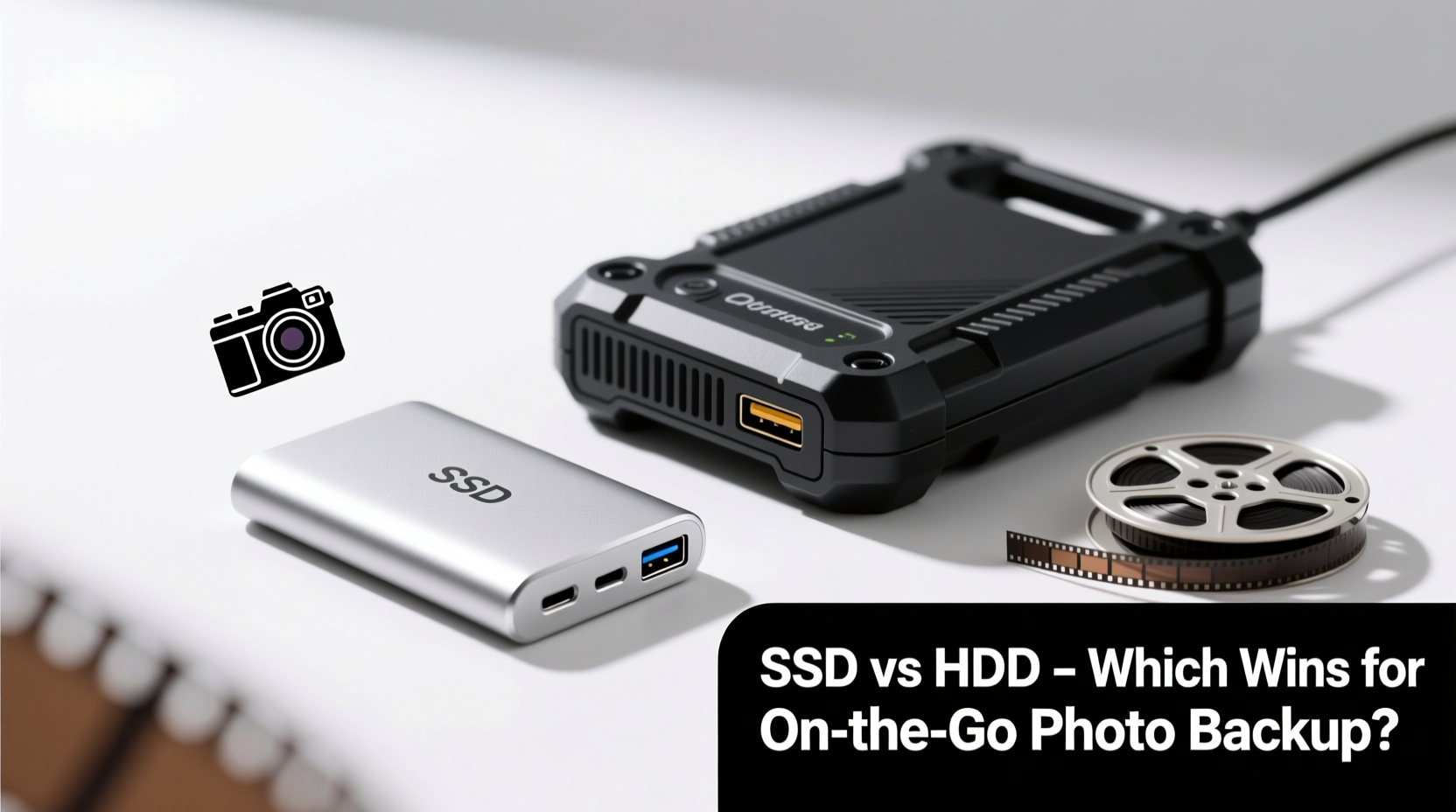
At the hardware level, portable SSDs (Solid State Drives) and external hard drives (HDDs) operate on fundamentally different principles.
External hard drives use spinning magnetic platters and a mechanical read/write head. Data access depends on physical movement, making them inherently slower and more vulnerable to shock damage. In contrast, portable SSDs store data on flash memory chips with no moving parts. This design enables faster transfers, silent operation, and superior resistance to drops and vibrations.
These structural differences translate directly into performance and reliability—two factors that matter deeply when you’re miles from a power outlet or editing suite.
Speed and Transfer Performance
When time is limited between shoots, fast data transfer can mean the difference between securing a backup and risking data loss. Portable SSDs typically offer read and write speeds ranging from 300 MB/s to over 2000 MB/s, depending on whether they use USB 3.2, Thunderbolt, or NVMe interfaces.
External HDDs, by comparison, average between 80–160 MB/s. While sufficient for small batches of JPEGs, this becomes a bottleneck with high-resolution RAW files or 4K video clips common in modern photography.
Consider a wedding photographer shooting 500 RAW images per hour, each averaging 50MB. That’s 25GB per hour. Transferring that volume takes under two minutes on a high-speed SSD but nearly four times longer on a traditional HDD.
“Time saved during backup is time gained for creative decisions. For mobile pros, SSDs are not a luxury—they’re a productivity tool.” — Daniel Reeves, Professional Travel Photographer & Workflow Consultant
Durability and Environmental Resistance
Photographers often work in unpredictable environments: dusty deserts, humid jungles, or rugged mountain trails. Equipment must withstand temperature swings, moisture, and accidental drops.
Portable SSDs excel here. Without moving components, they resist shocks up to 2–3 meters in many models. Many also feature IP55 ratings or better, offering protection against dust and water splashes. Brands like Samsung T-series, SanDisk Extreme, and Crucial X9 Pro build rugged enclosures designed for field use.
External HDDs are more fragile. A sudden jolt while writing data can damage the drive head or platter, leading to permanent data loss. Even minor vibrations during transport increase wear over time. Though some ruggedized HDDs exist (like the WD My Passport Rugged), they remain heavier and bulkier than their SSD counterparts.
| Feature | Portable SSD | External HDD |
|---|---|---|
| Average Speed | 300–2000 MB/s | 80–160 MB/s |
| Moving Parts | No | Yes |
| Drop Resistance | High (2m+) | Low to Moderate |
| Weight (avg.) | 40–60g | 150–250g |
| Lifespan (write cycles) | High endurance (modern TLC/QLC) | Long if undisturbed |
| Price per TB (2024 avg.) | $60–$100 | $35–$50 |
Capacity and Cost Considerations
While SSDs win in speed and durability, external HDDs still dominate in raw storage value. For photographers managing large archives—especially those shooting video—a single 4TB or 5TB HDD can cost less than half of an equivalent SSD.
This makes HDDs ideal for long-term archival once files are safely transferred. However, relying solely on HDDs for *on-the-go* backup introduces risk. Slower speeds delay redundancy, and mechanical fragility increases failure likelihood in transit.
A balanced strategy uses both: portable SSDs for immediate field backups, and external HDDs for consolidated storage once back in a controlled environment.
Real-World Scenario: Landscape Photography in Patagonia
Jessica Alvaro, a documentary landscape photographer, spent six weeks hiking through southern Chile. Her gear included two mirrorless cameras, multiple lenses, and three storage devices: one 2TB portable SSD and two 4TB external HDDs.
Each evening, she plugged her memory cards into a FieldPlayer card reader and copied all new images to the SSD first. The process took less than ten minutes. After verifying checksums, she powered down and stored the SSD in a padded pouch.
Once weekly, she connected the HDDs and mirrored the SSD’s contents. These drives remained in her base camp tent, only moved every few days. During one storm, her tent collapsed—her HDD survived due to padding, but the fall corrupted part of the archive. Fortunately, the SSD had intact copies.
“I lost a day’s worth of photos from the HDD,” she said. “But because I used the SSD as my primary field backup, everything else was safe. Now I wouldn’t go into remote areas with just HDDs.”
Power Efficiency and Portability
Battery life matters when you’re far from outlets. Portable SSDs consume significantly less power than HDDs, extending the usable life of power banks and camera batteries used for on-site transfers.
Most SSDs draw power directly from USB connections and require no external power—even at full speed. High-capacity HDDs, especially 2.5-inch models, may need dual USB cables or powered hubs to function reliably, adding complexity to mobile setups.
Size and weight further tip the scale toward SSDs. Many fit comfortably on a keychain, while HDDs demand dedicated pouch space. For ultralight backpackers or drone operators minimizing payload, every gram counts.
Backup Strategy Best Practices On the Go
No storage device is infallible. Even the most durable SSD can fail unexpectedly. Therefore, smart photographers follow the 3-2-1 backup rule: keep three copies of your data, on two types of media, with one copy offsite.
In a mobile context, this translates to:
- Primary Copy: On your memory card after shooting.
- Second Copy: Immediately backed up to a portable SSD (or HDD).
- Third Copy: Stored separately—either in cloud services via hotspot, or on a second physical drive kept apart from the first.
Automating verification is crucial. Use software like FreeFileSync, ChronoSync, or GoodSync to confirm file integrity after each transfer. Avoid simple drag-and-drop methods, which don’t validate successful writes.
Checklist: Essential Steps for Secure Photo Backup While Traveling
- ✅ Back up immediately after removing memory cards
- ✅ Use checksum verification or file comparison tools
- ✅ Label drives clearly (e.g., “Patagonia – Day 3 – Verified”)
- ✅ Store backup drives separately from original gear
- ✅ Carry at least two backup devices of different types
- ✅ Keep firmware updated for optimal compatibility
- ✅ Power down drives completely before packing
Frequently Asked Questions
Can I use an external HDD as my only backup in the field?
You can, but it’s risky. Mechanical drives are more prone to failure from drops or vibration. If budget limits you to one drive, choose a rugged SSD for better reliability despite higher cost.
Do portable SSDs last longer than HDDs?
In terms of physical durability, yes—especially in mobile scenarios. SSDs have no moving parts and handle shocks better. However, flash memory has finite write cycles. Modern SSDs use wear leveling and over-provisioning to extend lifespan well beyond typical usage, often lasting 5+ years under normal conditions.
Is cloud backup feasible while traveling?
It depends on connectivity. In urban areas or with a reliable mobile hotspot, uploading to services like Backblaze B2, Google Drive, or Dropbox can supplement local backups. But in remote regions with poor signal, relying on the cloud is impractical. Always prioritize local redundancy first.
Final Recommendation: Match Technology to Your Needs
There’s no universal winner between portable SSDs and external hard drives. The right choice depends on your priorities.
If speed, durability, and minimal weight are essential—and you shoot frequently in dynamic environments—a portable SSD is the smarter investment. Its upfront cost pays dividends in peace of mind and efficiency.
If you need massive storage on a tight budget and work in relatively stable conditions (e.g., studio-to-location shoots with careful handling), an external HDD remains viable, especially as a secondary archive.
For most serious photographers, the optimal setup combines both: use a portable SSD as your primary field backup device, then transfer to an external HDD later for long-term storage. This hybrid approach balances performance, safety, and cost.
“The best backup system is the one you actually use consistently. Choose tools that fit seamlessly into your workflow—not ones that slow you down.” — Lena Torres, Digital Asset Management Trainer
Take Action Today
Your photographs are irreplaceable. Whether documenting family milestones or global expeditions, losing them to a failed drive is preventable. Evaluate your current backup method. Are you relying on a single point of failure? Is your equipment suited for the conditions you face?
Upgrade your field workflow with a portable SSD if you haven’t already. Test it on your next outing. Implement verification steps. Share your experience with others. Small changes now can protect thousands of memories tomorrow.




 浙公网安备
33010002000092号
浙公网安备
33010002000092号 浙B2-20120091-4
Comments
No comments yet. Why don't you start the discussion?