
In an age where personal data is the new currency, Google remains one of the most pervasive collectors of user information. From search history and location tracking to app usage and email content, Google’s ecosystem quietly gathers vast amounts of data—often without users fully understanding the extent. While convenience has kept many locked into its services, growing awareness around digital privacy has sparked a movement toward reclaiming control. The good news: breaking free from Google is not only possible but increasingly practical. With the right tools and habits, you can significantly reduce your digital footprint and protect your personal information.
Why Leaving Google Matters
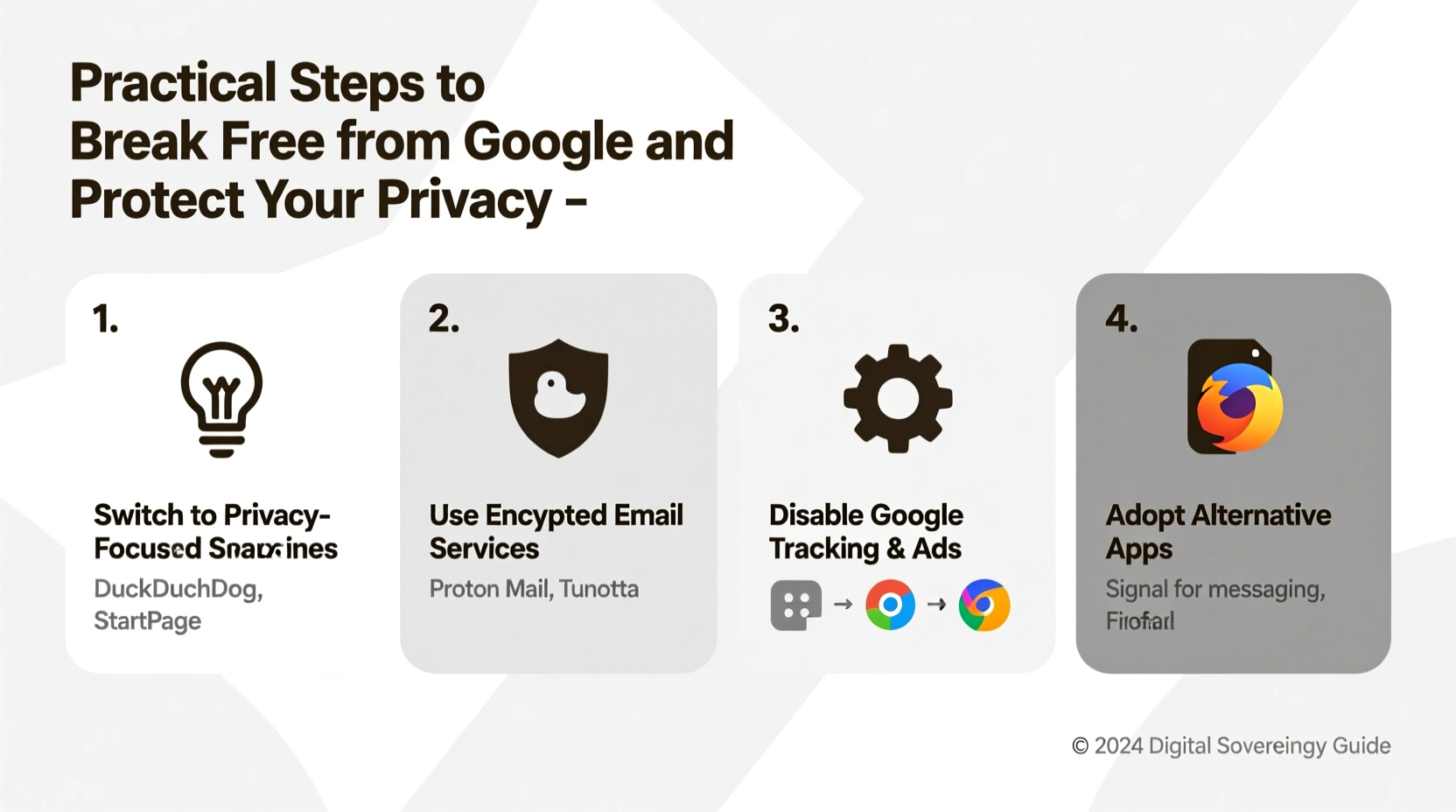
Google's dominance in online services—from Gmail and Chrome to Android and YouTube—makes it difficult to avoid. However, this integration comes at a cost: constant surveillance. Every search, every map query, every calendar event contributes to a detailed profile used for targeted advertising and behavioral prediction. Even if you trust Google today, data breaches, third-party sharing, and evolving privacy policies mean that your information may not remain secure tomorrow.
Privacy isn’t just about hiding something; it’s about autonomy. When you control your data, you decide who sees it, how it’s used, and when it’s shared. Reducing reliance on Google strengthens your digital sovereignty and minimizes exposure to mass surveillance.
“Privacy is not an option, and it shouldn’t be the price we accept for just getting on the Internet.” — Edward Snowden
Step-by-Step Guide to Detox from Google
Leaving Google doesn’t require drastic measures. A gradual, structured transition ensures minimal disruption while maximizing long-term privacy gains. Follow this timeline to systematically reduce your dependency:
- Week 1: Audit Your Google Usage
Review all devices and accounts linked to Google. List active services (Gmail, Drive, Photos, YouTube, etc.) and identify which are essential versus replaceable. - Week 2: Secure Your Data
Use Google Takeout to download your emails, photos, documents, and browsing history. Store them securely on encrypted drives or private cloud storage. - Week 3: Replace Search and Browser
Switch from Chrome to a privacy-focused browser like Firefox or Brave, and use DuckDuckGo or Startpage as your default search engine. - Week 4: Migrate Email and Calendar
Create an account with a secure email provider such as Proton Mail or Tutanota, then forward important emails and export calendar events. - Month 2: Transition Mobile OS or Apps
If using Android, consider GrapheneOS or /e/OS for a de-Googled phone experience. Otherwise, install F-Droid and replace Google apps with open-source alternatives. - Ongoing: Monitor and Maintain
Regularly review permissions, delete unused accounts, and stay informed about privacy tools.
Essential Privacy Tools and Alternatives
The key to successfully leaving Google lies in finding trustworthy substitutes that align with your workflow. Below is a comparison of major Google services and their privacy-respecting counterparts:
| Google Service | Privacy-Focused Alternative | Key Benefit |
|---|---|---|
| Google Search | DuckDuckGo / Startpage | No tracking, no personalized results |
| Chrome Browser | Brave / Firefox + uBlock Origin | Built-in tracker blocking and encryption |
| Gmail | Proton Mail / Tutanota | End-to-end encryption and zero-access architecture |
| Google Drive | Nextcloud / Tresorit | Self-hosted or encrypted cloud storage |
| Google Maps | Organic Maps / OsmAnd | Offline maps powered by OpenStreetMap |
| YouTube | Invidious / Piped | Ad-free, anonymous video streaming |
| Android OS | /e/OS / GrapheneOS | De-Googled mobile operating systems |
These tools are not just replacements—they’re upgrades in terms of transparency and control. For instance, Proton Mail encrypts messages so even the provider cannot read them, while Organic Maps allows navigation without sending your location to a central server.
Real Example: One User’s Journey Off Google
Sophie, a freelance writer from Berlin, spent years relying on Gmail, Google Docs, and Chrome. After learning her search history was being used to target political ads, she decided to make a change. She began by exporting her emails and documents using Google Takeout, then created a Proton Mail account. She switched to Firefox with strict privacy settings and started using Standard Notes for writing instead of Google Docs.
On her phone, she installed /e/OS, a privacy-first Android alternative that removes Google services entirely. She now uses FairEmail, Seedvault backups, and NewPipe for YouTube videos. “It took about three weeks to get comfortable,” she says, “but now I feel lighter—like I’m not constantly being watched.” Her internet experience is slightly slower at times, but the trade-off in peace of mind is worth it.
Checklist: How to Break Free from Google
- ✅ Download your data using Google Takeout
- ✅ Choose a secure email provider (e.g., Proton Mail)
- ✅ Install a privacy browser (Firefox, Brave)
- ✅ Set DuckDuckGo or Startpage as default search engine
- ✅ Replace Google Maps with Organic Maps or OsmAnd
- ✅ Use Invidious or Piped for YouTube access
- ✅ Switch to a de-Googled mobile OS or remove Google Play Services
- ✅ Enable DNS over HTTPS (DoH) in your browser
- ✅ Use a reputable VPN for additional anonymity
- ✅ Regularly audit connected apps and revoke unnecessary permissions
Frequently Asked Questions
Can I really live without Google?
Yes. While Google offers convenience, nearly every service has a functional, privacy-conscious alternative. It requires some adjustment, but thousands have made the switch successfully—especially those prioritizing security and autonomy.
Will leaving Google slow down my internet experience?
Potentially, yes—but often only slightly. Non-personalized search results may take longer to refine, and some apps load differently. However, many users report improved speed after removing bloatware and trackers embedded in Google services.
Is it safe to use non-Google apps on Android?
Yes, but with caveats. If you keep using standard Android with Google Play Services, you’re still tracked. For true privacy, consider installing microG on a custom ROM or switching to /e/OS or GrapheneOS, which eliminate Google dependencies.
Conclusion: Reclaim Your Digital Independence
Breaking free from Google is more than a technical shift—it’s a reclamation of personal freedom in the digital world. Each step you take, from switching browsers to migrating your email, reduces your exposure to surveillance and empowers you to own your data. You don’t need to do everything overnight. Start small, build momentum, and gradually reshape your digital life around principles of privacy and transparency.
The tools exist. The knowledge is available. Now it’s time to act.




 浙公网安备
33010002000092号
浙公网安备
33010002000092号 浙B2-20120091-4
Comments
No comments yet. Why don't you start the discussion?