
The glow of Christmas lights has always been a hallmark of the holiday season. But in recent years, static displays have given way to dynamic, choreographed spectacles that pulse and dance in sync with music. Behind these dazzling shows are programmable Christmas light controllers—devices that allow homeowners to create custom lighting sequences down to the millisecond. While traditional string lights still have their place, the rise of smart, addressable LEDs and accessible programming tools has made it easier than ever to go beyond blinking and chasing effects. The real question isn’t whether you *can* build a custom show—it’s whether the effort pays off.
For many, the idea of setting up programmable lights sounds like a technical hurdle best left to engineers or hobbyists. Yet thousands of families now run synchronized light displays each December, drawing neighbors, donations for charity, and even local news coverage. The investment in time and equipment is real, but so are the rewards: greater creative control, energy efficiency, reusability, and an unforgettable experience for viewers. This article explores why programmable Christmas light controllers aren’t just a novelty—they’re a meaningful upgrade for anyone serious about holiday lighting.
Why Go Beyond Basic Timers and Plugs?
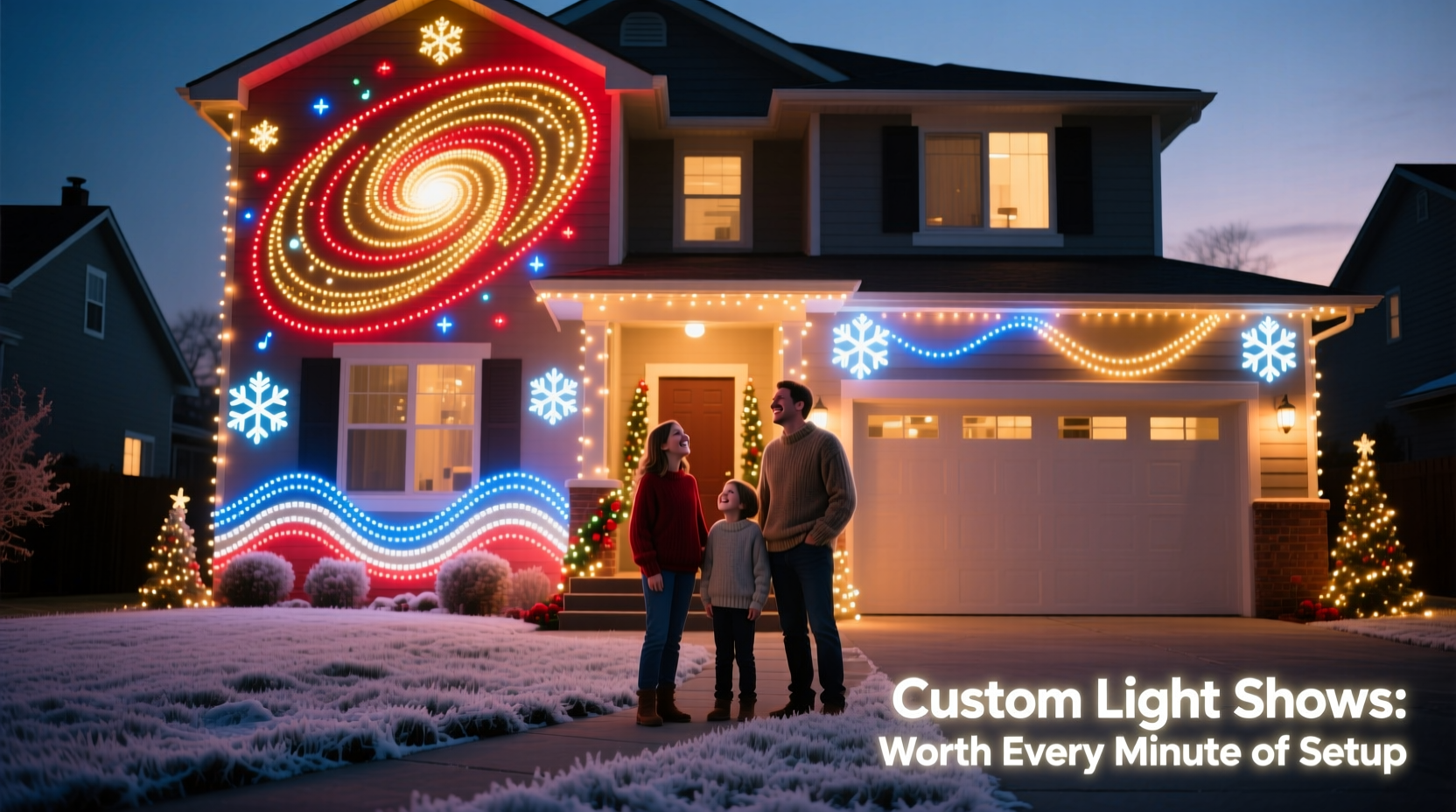
Traditional holiday lights rely on mechanical timers or simple plug-in controllers that cycle through preset patterns. These work well for modest setups but offer little flexibility. You can’t adjust brightness by zone, synchronize to music, or create complex animations. Programmable systems change that by treating each light—or group of lights—as an individual controllable unit.
Using protocols like DMX, E1.31 (sACN), or proprietary platforms such as Light-O-Rama or xLights, users can map out every strand, assign channels, and sequence them using software. This level of granularity turns a static roofline into a canvas for storytelling—imagine snowflakes falling in rhythm, reindeer “galloping” across eaves, or a tree pulsing gently with a lullaby.
The benefits extend beyond aesthetics. Programmable controllers often support scheduling, remote operation via smartphone apps, power monitoring, and integration with voice assistants or home automation systems. Some even detect faults in individual pixels, helping diagnose issues before they ruin the entire display.
Breaking Down the Components of a Programmable System
A typical programmable lighting setup consists of several key parts working together. Understanding each component helps demystify the process and ensures compatibility when purchasing gear.
- Addressable LED Strips or Nodes: Unlike standard lights, these contain chips (commonly WS2811, WS2812B, or SK6812) that let each bulb be controlled individually. They come in flexible strips, rigid bars, or standalone nodes for outdoor use.
- Controllers/Interfaces: Devices like the Falcon F16v3, SanDevices E682, or DIY Raspberry Pi setups translate digital commands into electrical signals the LEDs understand. These connect to your network and receive data from sequencing software.
- Power Supplies: Addressable LEDs usually run on 5V or 12V DC power. High-density installations may require multiple supplies distributed across zones to avoid voltage drop.
- Sequencing Software: Tools like xLights (free, open-source), Vixen Lights, or Light-O-Rama S4 allow you to design animations visually, align them to audio tracks, and export show files.
- Network Infrastructure: Most modern controllers use Ethernet or Wi-Fi to receive data. A reliable router and proper cabling (Cat5e/Cat6) are essential for glitch-free performance.
Once assembled, this system enables pixel-level precision. For example, a single strand of 50 lights can simulate a wave moving upward, freeze mid-motion, then explode outward—all timed perfectly to a musical climax.
Step-by-Step Guide to Setting Up Your First Custom Show
Creating a synchronized light show might seem daunting, but breaking it into phases makes it manageable—even enjoyable.
- Plan Your Layout (Weeks Before Installation): Sketch your house or yard and mark where lights will go. Decide which areas will be static vs. animated. Consider sightlines from the street and power access points.
- Choose Your Hardware: Select compatible LEDs, controllers, and power supplies. Stick to one voltage type if possible. Buy slightly more capacity than calculated to account for expansion.
- Install Physical Components: Mount lights securely using clips or conduit. Run waterproof cables neatly and label all connections. Test each segment before finalizing placement.
- Set Up Controller Network: Connect controllers to power and your home network. Assign static IP addresses to prevent connectivity drops during shows.
- Create Sequences in Software: Import your layout into xLights or similar software. Use the visual editor to assign colors, effects, and timing. Sync transitions to beats in your chosen song.
- Test Incrementally: Run short segments of your sequence to verify timing and brightness. Adjust gamma correction and color balance for accurate output.
- Schedule and Automate: Program daily start/stop times. Enable remote access so you can turn the show on/off from your phone.
- Launch and Share: On opening night, invite neighbors, post on social media, or link to a donation page for charity.
“With today’s tools, you don’t need to be an electrician or programmer to put on a professional-quality show. Passion and patience matter more.” — Mark Thompson, Founder of Holiday Coro Forums
Real Example: How One Suburban Home Became a Holiday Destination
In Maple Grove, Minnesota, the Peterson family installed their first programmable controller in 2018 after years of frustration with mismatched timers and tangled cords. Their goal was simple: make their display stand out without overwhelming their budget.
They began with two strands of 12V addressable LEDs along the roofline and gutters, connected to a single Falcon controller powered by a used laptop running xLights. Over three weekends, they sequenced a 3-minute show set to \"Sleigh Ride,\" adding twinkles, chases, and color fades aligned to instrument cues.
Opening night drew 47 visitors. By Christmas Eve, over 1,200 cars had passed by. Inspired, the Petersons added driveway inflatables synced to the same timeline, upgraded to wireless E1.31 transmission, and began accepting donations for the local food shelf. In 2023, their display raised $8,400 and was featured on regional TV.
What started as a technical experiment became a community tradition—all because they took the step beyond basic plugs.
Do’s and Don’ts of Programmable Lighting
| Do | Don't |
|---|---|
| Use weatherproof connectors and enclosures for all outdoor electronics. | Run low-voltage data lines parallel to high-voltage AC wiring (causes interference). |
| Label every channel and physical strand during installation. | Overload a single power supply; distribute load evenly across units. |
| Back up your show files and configuration settings annually. | Ignore firmware updates for controllers—they often fix bugs and improve stability. |
| Start with one song and perfect it before expanding your playlist. | Assume all RGB LEDs look the same—test color accuracy before committing to large orders. |
| Involve family members in sequencing—it becomes a shared creative project. | Forget about ambient light pollution; test your show at night under real conditions. |
Long-Term Value vs. Initial Effort
The upfront cost of a programmable system ranges from $300 for a basic setup to several thousand for large-scale, multi-zone displays. Add to that 20–40 hours of labor across planning, installation, and programming. Is it worth it?
Consider the longevity. Once installed, addressable LEDs last 30,000–50,000 hours—far longer than incandescent bulbs. Controllers are reusable year after year. Sequences can be saved, tweaked, or reused with minor adjustments. Unlike disposable decorations, this is infrastructure that appreciates in value over time.
Moreover, programmable systems reduce energy waste. Instead of powering entire strings all night, you can dim unused sections, schedule shorter run times, or activate only during peak viewing hours. Many users report lower electricity bills despite larger displays, thanks to efficient LEDs and targeted usage.
And then there’s the intangible return: joy. Watching children point excitedly at dancing trees, receiving thank-you notes from elderly neighbors who can’t leave their homes, or knowing your display brings warmth during dark winter months—these moments redefine what holiday spirit means.
Frequently Asked Questions
Can I use my existing Christmas lights with a programmable controller?
Not directly. Traditional incandescent or non-addressable LED strings cannot be individually controlled. However, you can integrate them into your show using relay controllers, which switch entire circuits on/off in sync with your main display. True pixel-level control requires addressable LEDs.
Is programming difficult for beginners?
Modern software like xLights includes wizards, templates, and drag-and-drop interfaces that simplify the learning curve. Many users learn the basics in a weekend. Online communities offer free tutorials, pre-made effects, and troubleshooting help. No coding is required unless you want advanced customization.
How do I handle outdoor weather and safety concerns?
Use only outdoor-rated components with proper IP ratings (IP65 or higher). Seal all splices with heat-shrink tubing or gel-filled connectors. Ground all metal enclosures and use GFCI-protected outlets. Keep high-voltage and low-voltage wiring separated to prevent surges. When in doubt, consult a licensed electrician for critical connections.
Checklist: Launching Your Custom Light Show
- ☐ Design layout and list required materials
- ☐ Purchase addressable LEDs, controllers, and power supplies
- ☐ Install physical lighting and secure cabling
- ☐ Set up network and assign static IPs to controllers
- ☐ Download and configure sequencing software (e.g., xLights)
- ☐ Map your layout in software and test communication
- ☐ Create and refine your first sequence with audio sync
- ☐ Perform full-system test at night
- ☐ Schedule daily show times and enable remote control
- ☐ Share with your community and collect feedback
Conclusion: Transforming Tradition Through Technology
Programmable Christmas light controllers represent more than a tech upgrade—they’re a shift in how we experience the holidays. What once required commercial budgets and engineering teams can now be achieved in a suburban garage with off-the-shelf parts and free software. The setup demands effort, yes, but it also offers unmatched creative freedom, lasting hardware, and deep personal satisfaction.
Whether you’re aiming to delight your neighborhood, support a cause, or simply bring more wonder into the season, custom light shows deliver. The first year might involve trial and error, but each December becomes easier, brighter, and more meaningful. The lights don’t just illuminate your home—they spark connection, nostalgia, and joy in ways no static display ever could.




 浙公网安备
33010002000092号
浙公网安备
33010002000092号 浙B2-20120091-4
Comments
No comments yet. Why don't you start the discussion?