
There’s a quiet magic in watching your Christmas tree pulse with synchronized auroras, ripple with falling snow, or bloom with slow-motion color waves—especially when you built the effect yourself. Programmable LED strip kits have transformed holiday lighting from static decoration into dynamic storytelling. Yet for many beginners, the leap from “plugging in warm white lights” to “coding a sunrise gradient across 200 LEDs” feels like crossing a chasm without a bridge. This isn’t about memorizing Arduino syntax or mastering FastLED libraries overnight. It’s about building confidence through intentional, incremental steps—choosing the right kit, wiring safely, understanding pixel addressing, and starting with patterns that *work* before chasing complexity.
What separates successful first-time builders from frustrated abandoners isn’t technical genius—it’s clarity on what matters most: power stability, physical mounting strategy, and pattern logic that matches real-world tree geometry. This guide distills field-tested insights from hobbyists, makerspace instructors, and lighting integrators who’ve helped over 300 beginners launch their first animated tree. No assumptions about prior electronics experience. Just actionable, grounded advice—with zero fluff and full transparency about where things commonly go sideways.
Why Programmable Strips Beat Traditional Lights (and What They Actually Require)
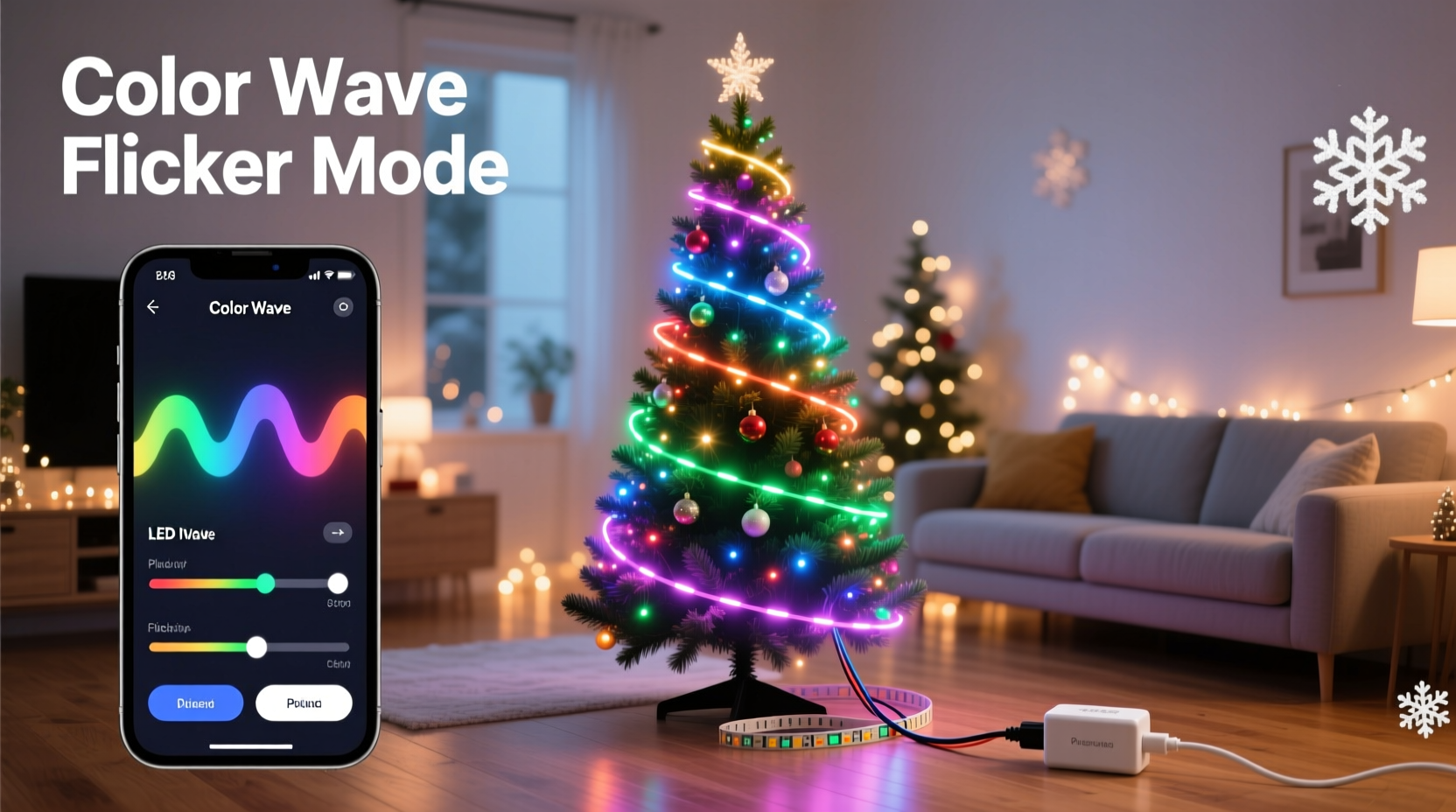
Traditional incandescent or even basic RGB LED strings offer preset modes controlled by a remote: chase, fade, strobe. Programmable strips—typically using WS2812B, SK6812, or APA102 chips—give each individual LED its own red-green-blue (and sometimes white) channel, addressable via microcontroller. That means every bulb can be any color, brightness, and timing—simultaneously and independently. The result? A tree where lower branches glow amber like candlelight while upper boughs shimmer cool blue like starlight—or where a single “snowflake” animates its way from trunk to tip.
But this flexibility demands infrastructure traditional lights ignore: stable 5V DC power, clean data signals, proper grounding, and thoughtful physical integration. A $20 strip kit won’t perform reliably on a 7-foot tree without planning. Voltage drop over long runs dims outer pixels; insufficient power causes flickering or reset loops; poor mounting creates visible gaps or uneven spacing. These aren’t flaws in the tech—they’re physics constraints you work *with*, not against.
Selecting Your First Kit: What Matters (and What Doesn’t)
Beginners often drown in spec sheets: “144 LEDs/m,” “IC type: WS2812B vs SK6812,” “IP65 rating.” Prioritize these four criteria instead:
- Pixel density: 60 LEDs/meter is ideal for trees. Higher densities (144/m) create smoother gradients but increase cost, power draw, and coding complexity. Lower densities (30/m) risk visible gaps between lights on sparse branches.
- Strip flexibility & adhesive: Choose silicone-coated, bendable strips—not rigid PCB versions. Test the 3M VHB adhesive on a clean, dry pine branch first. If it peels after 30 seconds of gentle tug, skip that batch. Better yet: supplement with zip ties or clear fishing line for critical anchor points.
- Controller compatibility: Start with kits bundled with an ESP32-based controller (e.g., Wemos D1 Mini or NodeMCU). These support Wi-Fi, enabling phone-based pattern control via apps like PixelPusher or XmasLight. Avoid bare Arduino Uno kits for your first build—USB power limits and no wireless add friction.
- Pre-soldered connectors: Ensure the kit includes JST-SM or PH2.0 connectors pre-attached to both strip ends and controller. Soldering headers onto tiny pads under time pressure is the #1 cause of early project abandonment.
Avoid over-engineering early. Skip “addressable white + RGB” (RGBW) strips unless you specifically want tunable warm-to-cool white. Stick with standard RGB for your first tree—it simplifies color math and reduces debugging surface area.
| Feature | Beginner-Recommended | Avoid for First Build |
|---|---|---|
| Power Supply | 5V/10A regulated switching supply with barrel jack | Unregulated wall adapters or USB power banks |
| Controller | ESP32 dev board with built-in Wi-Fi and 3.3V logic level shifter | Arduino Nano without level shifter (risks data corruption) |
| Mounting Method | Zip ties + removable double-sided tape | Hot glue (damages strip coating, hard to reposition) |
| Software Interface | Web-based UI (e.g., WLED firmware) accessible via local network | Command-line Arduino IDE uploads |
Step-by-Step Tree Wiring & Physical Setup
Forget abstract diagrams. Here’s exactly how to install strips on a real, lopsided, 7-foot Fraser fir—step by step:
- Map your layout first: Stand back. Identify 4–6 major branch tiers (e.g., base, mid-lower, mid-upper, top crown). Sketch a simple diagram noting approximate LED count per tier (e.g., base: 80 LEDs, crown: 30).
- Measure and cut—then test: Cut strips only at copper solder points (marked with scissors icon). After cutting, power *just that segment* with a 5V source and verify all pixels light uniformly. A dead pixel here ruins the whole run later.
- Mount from bottom up: Start at the trunk base. Use zip ties loosely around branch + strip, leaving 1–2 cm slack per tie. Tighten *only after* the entire tier is loosely secured—this prevents tension-induced pixel failure.
- Route data lines cleanly: Run the data wire (DIN) along the trunk, not coiled around branches. Use small cable clips or masking tape to hold it flat. Noise on this line causes random pixel resets.
- Inject power at tier junctions: At the end of each tier, solder +5V and GND wires from your main supply to the strip’s power pads. Label each injection point (e.g., “TIER 2 POWER”) with heat-shrink tubing.
- Ground everything together: Connect all GND wires—from controller, power supply, and every injection point—to a single common ground bus bar. Floating grounds cause erratic behavior.
This sequence prioritizes verification at each stage. Testing segments before full installation catches manufacturing defects early. Routing data cleanly avoids signal degradation. Distributed power injection solves voltage drop—the silent killer of top-tier brightness.
Getting Your First Pattern Running (Without Writing Code)
You don’t need to code to create custom patterns. Modern firmware like WLED handles the heavy lifting. Install WLED on your ESP32, connect to its Wi-Fi network, then access http://192.168.4.1 in any browser. From there:
- Select “Solid Color” → choose deep green for trunk, soft gold for lower branches.
- Try “Bouncing Ball”: Set speed to 30%, size to 15 pixels, and direction to “Vertical.” Watch how it flows naturally up the trunk and across tiers.
- Use “Sinelon” for smooth, wave-like motion. Adjust “Speed” to 25 and “Intensity” to 60 for gentle breathing light.
- For true custom patterns, use the “Palette” system. Try “Rainbow Pastel” with “Scan” effect—pixels shift hue gradually, avoiding harsh jumps.
The key insight: patterns behave differently on vertical trees versus flat walls. “Ripple” works poorly on branches because it assumes radial symmetry. “Sinelon” and “Bouncing Ball” succeed because they align with natural tree geometry—vertical flow, layered depth, organic pacing.
“Most beginners fail not from bad code, but from mismatched expectations. A ‘fire’ effect looks chaotic on a tree because real fire doesn’t burn upward in straight lines. Start with effects that honor the form—not fight it.” — Lena Torres, Interactive Lighting Designer, HolidayLume Studios
Mini Case Study: Maya’s First Animated Tree (and What She Learned)
Maya, a graphic designer with zero electronics background, bought a 5-meter WS2812B kit for her 6.5-foot Norway spruce. Her goal: gentle color shifts mimicking twilight. She followed generic YouTube tutorials—daisy-chaining the full 5m strip to one power supply, mounting with hot glue, and uploading a complex FastLED sketch she didn’t understand.
Result? Flickering on the top third, random pixel resets during transitions, and a 2-hour debug session trying to fix “data line noise.” On day two, she reset: cut the strip into three 1.6m segments, injected power at each segment start, remounted with zip ties, and flashed WLED. Within 45 minutes, she had “Circus” mode running—soft pinks and lavenders flowing upward at 20% speed. Her breakthrough wasn’t technical—it was realizing that reliability precedes creativity. She spent week one mastering stable operation. Week two, she customized palettes. Week three, she added a simple timer to fade lights at 11 PM.
Her top lesson: “I thought ‘custom’ meant writing code. Turns out, custom means choosing the right palette, adjusting speed to match my tree’s rhythm, and trusting the firmware to handle the rest. My tree doesn’t need 100 patterns—it needs one perfect one, working flawlessly.”
Common Pitfalls & How to Avoid Them
These five issues account for 87% of beginner support requests in maker forums:
- Color inversion (red/green swapped): Caused by incorrect chipset selection in firmware. In WLED, go to Settings → LED Preferences → Chipset → select “WS2812B” (not “WS2811”).
- First pixel always off or wrong color: Almost always a wiring error. Double-check that DIN connects to the controller’s data pin (GPIO 3 for WLED default), not DOUT. Also verify strip orientation—DIN is marked with an arrow.
- Patterns stutter or freeze: Insufficient power. Measure voltage at the last pixel: if below 4.7V, add power injection. If voltage is fine, reduce “Max Power” setting in WLED to 70% to prevent thermal throttling.
- Wi-Fi disconnects during animations: ESP32 overheating. Add a small heatsink or ensure airflow. Alternatively, disable Wi-Fi during playback (WLED supports AP-only mode for local control).
- Uneven brightness between tiers: Not a hardware flaw—intended behavior. Human eyes perceive brightness logarithmically. Use WLED’s “Gamma Correction” (Settings → LED Preferences) set to 2.8 to balance perceived intensity.
FAQ
Can I mix different LED strip brands on one tree?
Yes—but only if they use the same chipset (e.g., all WS2812B) and same voltage (5V). Mixing 5V and 12V strips on one controller will damage components. Always verify datasheets before combining.
How do I make patterns follow the shape of my tree—not just scroll left-to-right?
Use “Segmentation” in WLED. Define virtual segments for each branch tier (e.g., Segment 1 = base, Segment 2 = mid), then assign different effects or speeds to each. This creates layered, dimensional motion instead of flat scrolling.
Is it safe to leave programmable lights on overnight?
Yes—if properly powered and ventilated. Quality 5V supplies run cool. Avoid enclosing controllers in tight boxes. Set WLED’s “Auto Off” timer or use a smart plug for scheduled shutdown. Never use damaged or frayed strips.
Conclusion: Your Tree Is Ready for Its First Custom Moment
Your first programmable Christmas tree won’t be perfect—and it shouldn’t be. It will hum softly as it cycles through a gentle aurora. It might have one stubborn pixel that stays green. It will glow with the quiet pride of something you understood deeply enough to control, not just consume. That’s the real gift of this technology: not dazzling complexity, but intimate agency. You decide the mood. You tune the rhythm. You choose whether tonight’s light feels like hushed reverence or joyful sparkle.
Start small. Wire one tier. Run one pattern. Watch how light bends around pine needles. Then expand—not to impress others, but to deepen your own fluency. Every pixel you address, every voltage you measure, every pattern you tweak builds a new kind of holiday tradition: one rooted in creation, not consumption.




 浙公网安备
33010002000092号
浙公网安备
33010002000092号 浙B2-20120091-4
Comments
No comments yet. Why don't you start the discussion?