
Projection mapping on Christmas trees has long been associated with high-budget holiday displays at shopping malls, city squares, or luxury resorts—complex installations involving industrial projectors, custom 3D models, and teams of technicians. But what if you’re a homeowner in Portland or Pittsburgh, not a production studio in Los Angeles? Can you realistically transform your 7-foot Fraser fir into a dynamic canvas of swirling snowflakes, animated ornaments, or synchronized light pulses—without rewiring your garage or maxing out a credit card? The answer isn’t a simple yes or no. It’s a qualified, technically grounded *yes—with caveats*. Feasibility hinges not on magic, but on realistic expectations, smart gear selection, environmental awareness, and iterative testing. This article cuts through the marketing hype and technical jargon to deliver a field-tested assessment: what works, what doesn’t, and exactly how to execute it safely and effectively in a residential setting.
Why Home Projection Mapping Is More Accessible Than Ever
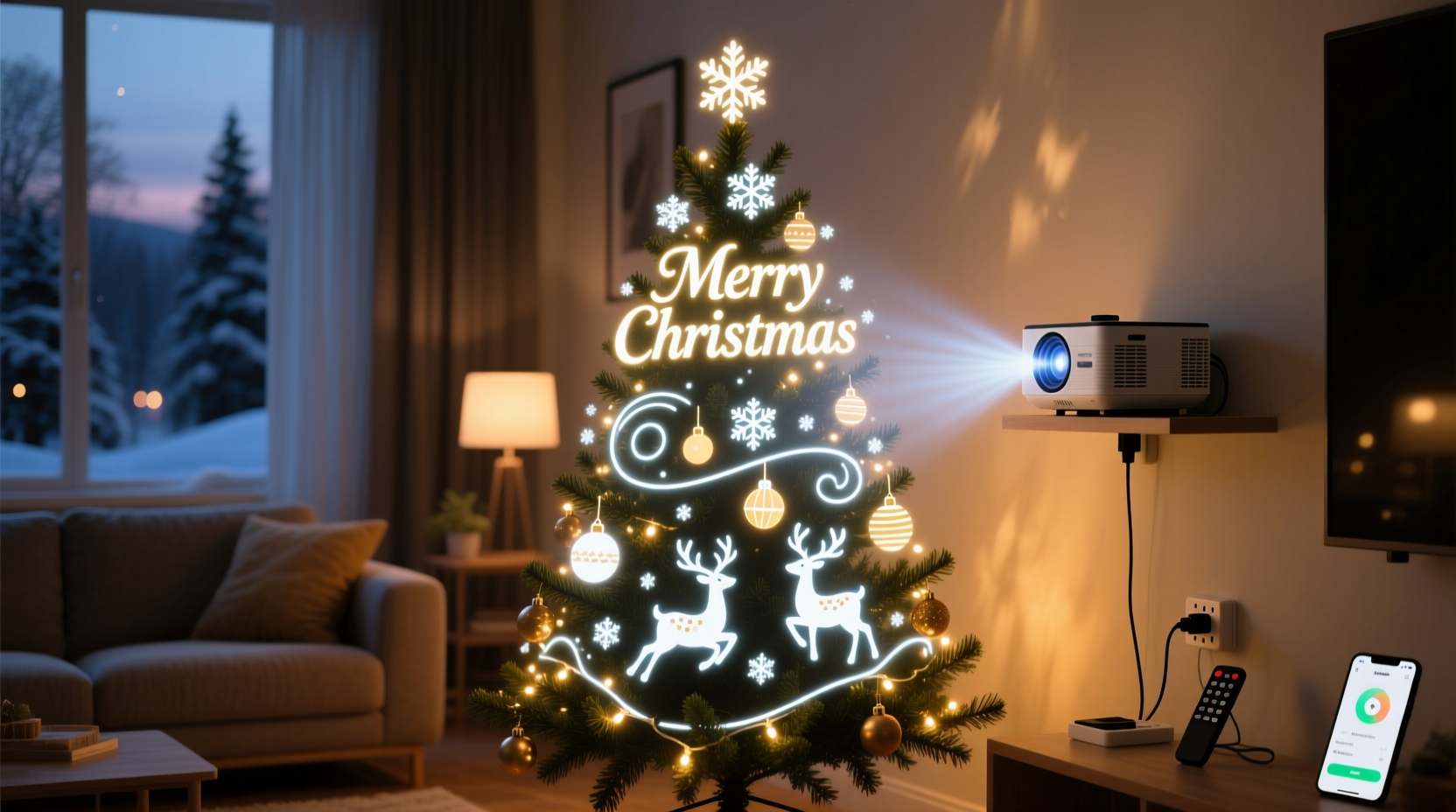
Three converging trends have dramatically lowered the barrier to entry. First, consumer-grade projectors now routinely deliver 3,000–5,000 lumens at sub-$1,000 price points—bright enough to overcome moderate ambient light in a dimmed living room or covered porch. Second, free and low-cost software like HeavyM, MadMapper Lite, and even TouchDesigner Basic offer intuitive warping, edge blending, and timeline-based animation tools previously reserved for six-figure professional suites. Third, the proliferation of affordable USB-C and HDMI capture cards means laptops can now output stable, low-latency video signals directly to projectors without expensive media servers.
Crucially, the “tree” itself is more forgiving than most assume. Unlike flat walls or irregular building façades, a conical evergreen offers predictable geometry. Its natural texture diffuses light evenly, minimizing hotspots. And because viewers rarely inspect it from all angles simultaneously (unlike a building), minor alignment imperfections are visually absorbed by the tree’s organic form and decorative elements. As lighting designer Lena Torres notes after deploying home-scale mapping for over 40 clients:
“The biggest misconception is that projection mapping requires perfection. On a Christmas tree, 80% of the impact comes from color rhythm, timing, and contrast—not pixel-perfect registration. A gently pulsing aurora effect looks magical even if it bleeds slightly onto the mantel.” — Lena Torres, Founder, Lumina Home Studio
Equipment Breakdown: What You Actually Need (and What You Don’t)
Forget industrial rigs. A functional home setup revolves around four core components—and one non-negotiable constraint: darkness. Below is a realistic, budget-conscious gear summary for a typical 6–8 foot indoor or covered outdoor tree.
| Component | Minimum Viable Spec | Recommended Home Spec | Why It Matters |
|---|---|---|---|
| Projector | 2,500 lumens, native 1080p, HDMI input, lens shift (optional) | 3,500–4,500 lumens, 1080p or 4K UHD, vertical/horizontal keystone + lens shift, 15,000+ hour LED lamp life | Lumens combat ambient light; lens shift preserves image quality vs. digital keystone (which degrades sharpness); LED lamps eliminate bulb replacement costs and heat buildup near foliage. |
| Computer | Intel i5-8300H / AMD Ryzen 5 3500U, 8GB RAM, integrated graphics | Intel i7-11800H / AMD Ryzen 7 5800H, 16GB RAM, dedicated GPU (NVIDIA GTX 1650 or better) | Real-time warping and multi-layer animation demand GPU acceleration. Integrated graphics struggle beyond basic loops. |
| Software | HeavyM (free tier), OBS Studio + projector plugin | HeavyM Pro ($199/year) or MadMapper ($399 one-time) + Adobe After Effects (for custom content) | Free tools handle basic masking and looping. Paid versions unlock precise mesh warping, multi-projector sync, and hardware control (e.g., triggering lights via DMX). |
| Mounting & Positioning | Sturdy tripod + adjustable projector mount | Wall-mounted bracket (for fixed indoor setups) or weighted floor stand with micro-adjustment knobs | Tree proximity is critical: most projectors need 8–12 feet for full coverage. Stability prevents drift during long runs. |
| Tree Prep | Bare or minimally decorated live/fake tree (no reflective tinsel) | Pre-lit warm-white LED tree (2,700K), branches fluffed outward, ornaments removed or clustered at base | Warm white LEDs provide subtle backlighting without competing with projections. Reflective surfaces cause glare and color contamination. |
The Real-World Setup Process: A Step-by-Step Timeline
Successful home projection mapping isn’t about instant results—it’s about methodical iteration. Here’s how experienced users execute it reliably, start to finish:
- Week 1: Environmental Audit & Gear Procurement
Measure exact distance from projector location to tree apex and base. Note ceiling height, wall colors, and nearby light sources (e.g., windows, recessed lights). Order projector and mount with 5-day delivery buffer. - Week 2: Tree Preparation & Baseline Capture
Fluff branches outward. Remove metallic ornaments, glass balls, and mirrored baubles. Use a smartphone to photograph the tree from the projector’s exact position—front, left, right. Import images into mapping software as reference layers. - Week 3: Warping & Mesh Creation
Create a basic conical mesh in your software. Project a grid pattern onto the tree. Adjust mesh vertices until grid lines follow branch contours. Save this as your “Tree Master Profile” for future years. - Week 4: Content Curation & Timing
Select 3–5 short loops (15–30 seconds each) with strong contrast and minimal fine detail (e.g., slow-motion snowfall, glowing pinecones, gentle color washes). Sync transitions to a 90-second audio track—no voiceover, just instrumental holiday music with clear rhythmic cues. - Week 5: Dry Run & Refinement
Run projections for 3 consecutive evenings. Note where light spills onto walls or furniture. Add soft-edge masks in software. Adjust brightness/contrast to avoid “burn-in” on green needles. Verify projector stays cool (<45°C surface temp) after 2 hours.
Mini Case Study: The Anderson Family in Cincinnati
The Andersons—a couple with two young children—wanted immersive holiday magic but had zero technical background. Their living room featured hardwood floors, beige walls, and a 7-foot pre-lit artificial tree placed 10 feet from their sofa. Budget: under $1,200. They purchased a BenQ TK700STi (3,000 lumens, 4K, short-throw), a heavy-duty tripod with pan/tilt head, and HeavyM Pro. Using the software’s built-in “cone mapper,” they created a base mesh in under an hour. Their breakthrough came when they realized projecting *only* onto the lower two-thirds of the tree—avoiding the sparse top branches—created stronger visual cohesion. They curated five animations: a slow amber pulse mimicking candlelight, a gentle blue wave simulating northern lights, rotating golden ornaments (vector-based, no raster blur), falling snow with depth layering, and a final 10-second “sparkle burst” timed to their favorite carol’s climax. For safety, they added a timer to shut off the projector at 11 p.m. nightly. Result: neighbors stopped by weekly; their kids named the tree “Lumina”; and total setup time dropped from 90 minutes in Week 1 to under 12 minutes by December.
Critical Limitations & Safety Considerations
Feasibility does not equal universality. Several hard constraints apply:
- Ambient Light is the #1 Killer: Even a single uncovered window facing west at dusk will reduce perceived contrast by 60%. True success requires a room that can achieve near-total darkness—or a covered patio with blackout curtains.
- Tree Density Dictates Detail: Sparse artificial trees or needle-shedding firs scatter light unevenly. Fine-textured animations (e.g., intricate mandalas or text) dissolve into muddy blobs. Prioritize bold shapes, saturated colors, and motion over resolution.
- Heat Management Is Non-Negotiable: Projectors emit infrared radiation. Placing one within 6 feet of dry foliage risks ignition. UL-certified projectors list minimum safe distances—adhere strictly. Never cover vents or operate unattended for >4 hours.
- Electrical Load Matters: A 4,500-lumen projector draws ~300W. Adding LED tree lights (50W) and a laptop (65W) pushes circuits near capacity. Use a dedicated outlet on a 15-amp breaker—not a power strip daisy-chained with other holiday lights.
FAQ
Can I use my existing home theater projector?
Maybe—but check specs carefully. Many 1080p home theater projectors max out at 1,800–2,200 lumens and lack lens shift. In a bright living room, they’ll appear dim and washed out. If yours is rated ≥2,800 lumens and supports horizontal/vertical keystone *with lens shift*, it’s viable. Otherwise, invest in a modern LED-based model designed for ambient light rejection.
Do I need 3D modeling skills?
No. Modern mapping software uses camera-assisted auto-warping or intuitive drag-and-drop mesh editors. You’re aligning to a physical object—not building a digital twin. Most users create serviceable mappings in under 20 minutes using reference photos and grid overlays.
Will projection damage my live Christmas tree?
Not if used responsibly. LED projectors emit negligible UV and minimal IR. The primary risk is heat buildup from poor ventilation—not light exposure. Keep projector exhaust paths clear, maintain ≥8 feet distance, and limit continuous runtime to 4 hours. Monitor needle moisture: if tips brown faster than usual, reduce daily projection time by 30 minutes.
Conclusion: Your Tree, Transformed—Thoughtfully
Projection mapping on a Christmas tree is no longer the exclusive domain of municipalities and theme parks. It’s a tangible, rewarding home project—one that blends artistry, technology, and tradition in a uniquely personal way. The feasibility isn’t theoretical; it’s proven across thousands of living rooms, porches, and garages where families have replaced static lights with living lightscapes. Success doesn’t demand perfection. It demands preparation: understanding your space’s light ecology, choosing gear that prioritizes brightness and thermal safety over flashy specs, and embracing iterative refinement over overnight mastery. Start small—map one side of the tree with a single pulsing color. Then add motion. Then sync to music. Each step deepens your confidence and refines your vision. This holiday season, don’t just illuminate your tree. Animate it. Tell a story with light. Make it breathe, shimmer, and surprise—not with spectacle alone, but with intention.




 浙公网安备
33010002000092号
浙公网安备
33010002000092号 浙B2-20120091-4
Comments
No comments yet. Why don't you start the discussion?