
Projection mapping—once reserved for high-end concerts and corporate events—is now within reach of homeowners looking to elevate their holiday displays. With the right tools, software, and planning, projecting animated Christmas scenes onto your house is not only possible but increasingly achievable as a DIY project. While it requires technical attention and some investment, many families have transformed their homes into festive spectacles without hiring professionals.
The appeal lies in its flexibility: unlike traditional string lights or inflatables, projection mapping allows dynamic visuals—falling snow, dancing reindeer, Santa’s sleigh soaring across the roof—that sync perfectly with music. And because there are no physical decorations to install or store, cleanup is minimal. But how realistic is it for an average homeowner to pull off? The answer depends on preparation, budget, and willingness to learn new technology.
Understanding Projection Mapping Basics
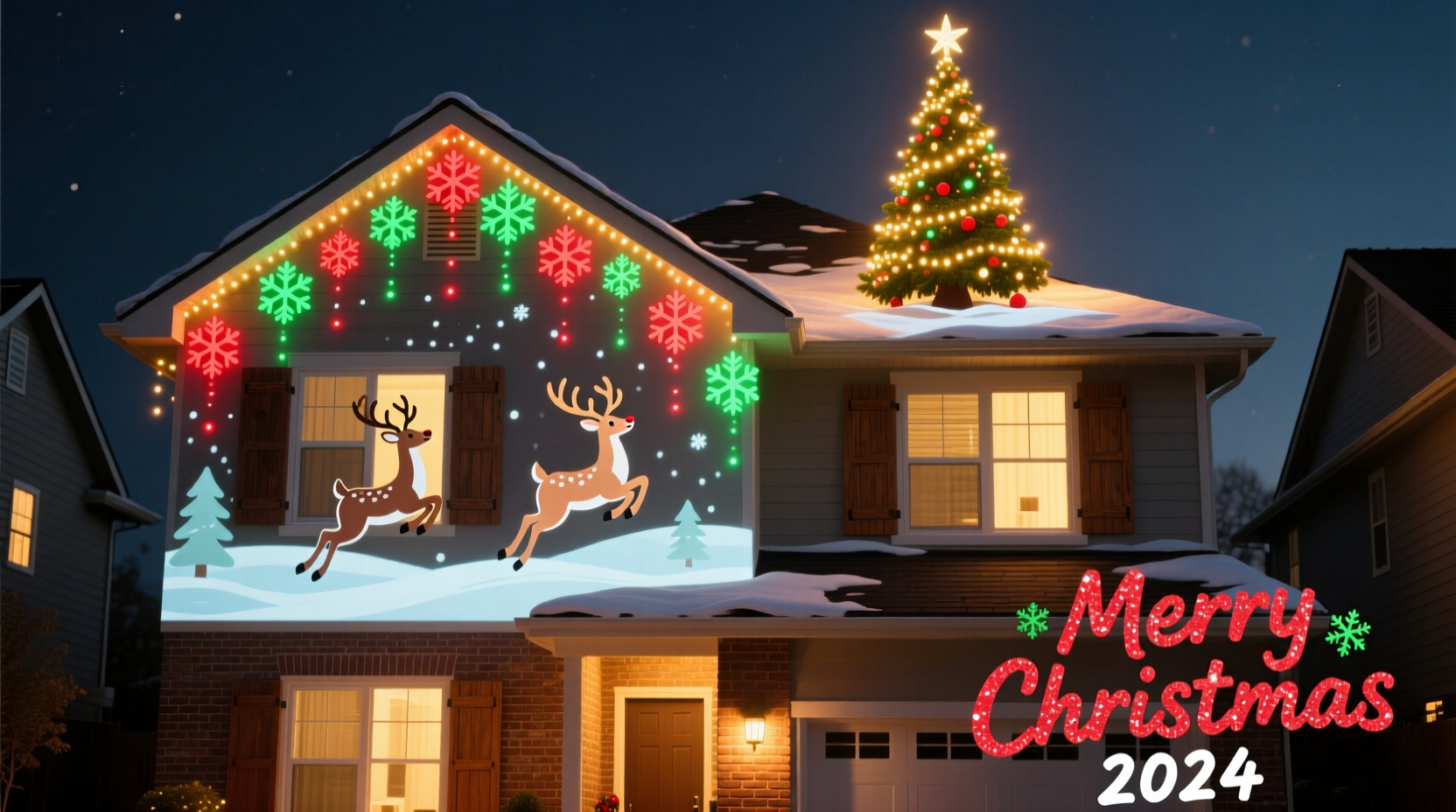
Projection mapping involves using a projector (or multiple) to cast video content precisely onto irregular surfaces—like the gables, windows, and eaves of a house. Unlike standard video projection, which assumes a flat screen, mapping software adjusts the image to fit architectural features through warping and masking. This creates the illusion that lights, patterns, or animations are part of the building itself.
For a Christmas show, this means turning your home into a canvas for holiday-themed visuals: glowing wreaths wrapping around corners, candy canes growing from the ground, or a 3D effect making it look like presents are stacked against the wall. When synced with audio, the result is immersive and memorable for neighbors and passersby.
While professional installations use calibrated projectors, custom-built media servers, and laser measurements, consumer-grade alternatives now make simplified versions accessible. Modern software handles much of the alignment work, and affordable HD projectors offer sufficient brightness for residential use—especially in suburban areas where ambient light is limited during winter evenings.
“Homeowners are pushing creative boundaries with projection tech every year. What used to take a team and $50,000 can now be done solo for under $1,000.” — Mark Linville, Digital Media Artist & Holiday Tech Consultant
Essential Equipment and Setup Requirements
Before diving in, assess whether your home environment supports outdoor projection. Key factors include distance between the projector and house, available power sources, weather protection, and surface color/texture. Light-colored siding works best; dark or heavily textured walls absorb or scatter light, reducing clarity.
Here's what you’ll need to get started:
- A high-lumen outdoor-rated projector (minimum 3,000 lumens, ideally 5,000+)
- A media source (laptop, Raspberry Pi, or USB-powered media player)
- Mapping software (such as MadMapper, HeavyM, or free options like VPT7)
- Extension cords and surge protectors rated for outdoor use
- Audio system synchronized with video output
- Sturdy mounting solution (tripod, deck mount, or secured stand)
Brightness is critical. Indoor projectors often fail outdoors due to ambient light and distance. Look for models labeled “outdoor” or “event-ready,” even if they cost more upfront. LED-based projectors run cooler and last longer than lamp-based ones, ideal for multi-night holiday runs.
Software Options Compared
| Software | Platform | Cost | Learning Curve | Best For |
|---|---|---|---|---|
| MadMapper | macOS/Windows | $199 | Moderate to High | Precise architectural mapping |
| HeavyM | Windows/macOS | $99 (one-time) | Low to Moderate | Animated effects with music sync |
| VPT (Video Projector Tool) | Windows | Free | High | Advanced users comfortable with manual setup |
| Resolume Avenue | Windows/macOS | $599 | High | Live performance integration |
| ProPresenter (with add-on) | Windows/macOS | $299+ | Moderate | Churches or groups already using it |
Beginners should start with HeavyM or trial versions of MadMapper, both offering intuitive interfaces and pre-built templates suitable for seasonal themes. These programs support beat detection, allowing animations to pulse with holiday music automatically.
Step-by-Step Guide to Your First DIY Christmas Projection Show
Creating a compelling projection show takes time, but breaking it down into phases makes it manageable—even for first-timers.
- Plan Your Display Area: Walk around your home at dusk. Identify which sections face the street and receive clear line-of-sight. Sketch a rough diagram noting windows, doors, rooflines, and obstructions.
- Select Content: Use royalty-free holiday animation packs or design simple sequences using tools like After Effects or Canva (exported as MP4). Many online communities share free Christmas mapping clips tailored to common house shapes.
- Set Up the Projector: Place the projector on stable ground or a raised platform. Connect it to your computer or media device via HDMI. Power it using grounded outdoor outlets.
- Calibrate the Image: Launch your mapping software and import your video. Use corner pinning tools to align edges with physical features. Mask out areas where light spills onto trees or sidewalks.
- Add Audio Sync: Import your soundtrack into the software. Enable beat-gridding so animations trigger on musical cues—like flashing stars on drum hits.
- Test at Night: Run a full cycle after dark. Adjust focus, keystone, and brightness. Check for overheating or signal drops.
- Automate Playback: Once perfected, export the sequence to a dedicated media player or script auto-launch on a low-cost mini PC. Schedule start/stop times using built-in OS tools.
Real Example: A Suburban Family’s First Mapping Project
The Thompsons in Naperville, Illinois, decided to try projection mapping after seeing a viral video of a house displaying a looping nativity scene. With two young kids excited about “Santa’s magic lights,” they committed $800 to build a custom show.
They purchased a 5,200-lumen LED projector ($650), downloaded HeavyM, and found a free 10-minute Christmas medley template on a Reddit forum. Using their garage Wi-Fi, they connected a repurposed laptop to control playback. Over one weekend, they mapped the front facade—two stories with dormer windows—and masked out the porch light and mailbox.
After minor tweaks to brightness and timing, they scheduled nightly shows from 5:30 PM to 9:00 PM, December 1–25. Neighbors began gathering, and local news featured them in a “Holiday Lights Spotlight” segment. Total hands-on time was under 12 hours, mostly spent fine-tuning alignment.
“We thought it would be way harder,” said Sarah Thompson. “But the software walks you through each step. Our kids loved picking the songs and watching the reindeer ‘land’ on the roof.”
Their biggest lesson? Start small. They initially tried to cover the entire side of the house but scaled back when shadows from trees disrupted the image. Focusing on the front elevation improved visibility and reduced technical strain.
Common Challenges and How to Avoid Them
Even well-planned projects encounter hurdles. Being aware of typical pitfalls helps prevent frustration.
- Weather Exposure: Most consumer projectors aren’t waterproof. Even light drizzle can damage lenses or internals. Always use a weatherproof enclosure or schedule shows only on dry nights.
- Heat Buildup: Running a projector for hours generates heat. Ensure vents aren’t blocked and avoid enclosing it tightly. Consider adding a small fan for airflow.
- Power Interruptions: Use surge protectors and avoid daisy-chaining extension cords. Voltage drops can crash systems mid-show.
- Neighbor Concerns: Bright projections may disturb nearby homes. Aim downward, limit volume, and notify adjacent households in advance. Some cities regulate outdoor lighting duration or decibel levels.
- Focus Drift: Temperature changes overnight can cause lens elements to shift slightly. Recheck focus just before evening activation.
“The most successful DIY mappers aren’t the most technical—they’re the ones who test early, listen to feedback, and stay flexible.” — Lena Cho, Interactive Installation Designer
DIY Checklist: Projection Mapping Readiness
Use this checklist to ensure you're prepared before launch night:
- ✅ Measured distance from projector to house
- ✅ Confirmed projector brightness (≥3,000 lumens)
- ✅ Selected and tested mapping software
- ✅ Created or acquired holiday animation content
- ✅ Secured outdoor-safe power setup
- ✅ Mounted projector securely and protected from moisture
- ✅ Aligned and warped video to match house architecture
- ✅ Synchronized audio with visual cues
- ✅ Conducted full nighttime test run
- ✅ Notified neighbors and checked local ordinances
- ✅ Scheduled automated playback (optional)
- ✅ Planned takedown and storage process
Frequently Asked Questions
Can I use a regular indoor projector for outdoor Christmas mapping?
You can, but it's risky. Indoor projectors lack weather resistance and often don't produce enough brightness for outdoor visibility. If used temporarily on dry nights, place it under a covered patio and monitor closely. For repeated use, invest in an outdoor-rated model.
Do I need to create my own animations?
No. Many creators sell or give away pre-mapped Christmas content designed for common house layouts. Websites like Pond5, Motion Array, and specialized Facebook groups offer downloadable packages compatible with major software platforms.
How long does it take to set up a basic show?
First-time setups typically take 6–15 hours over several days, including testing and adjustments. Subsequent years go faster once equipment and content are established. Automated systems can reduce daily effort to under five minutes.
Final Thoughts: Bring Magic Home—One Pixel at a Time
Projection mapping on a house for a Christmas show isn’t just possible as a DIY project—it’s becoming a new frontier in holiday expression. It blends artistry, technology, and community joy in a way few decorations can match. While it demands patience and problem-solving, the payoff is undeniable: children’s awe, neighborly smiles, and a personal sense of accomplishment.
You don’t need engineering credentials or a Hollywood budget. You need curiosity, access to modern tools, and a willingness to experiment. Every expert mapper started with a single test pattern on their garage wall. This holiday season could be your debut.




 浙公网安备
33010002000092号
浙公网安备
33010002000092号 浙B2-20120091-4
Comments
No comments yet. Why don't you start the discussion?