
For competitive shooter players, the difference between victory and defeat often comes down to milliseconds—and millimeters. The right controller can provide that edge through precision, responsiveness, and most importantly, customization. Two leading contenders dominate the console controller landscape: the PlayStation 5's DualSense and Microsoft’s Xbox Elite Wireless Controller Series 2. While both deliver high-end experiences, their approaches to customization diverge significantly—especially in first-person and third-person shooter titles. Understanding these differences is key to choosing the tool best suited to your playstyle.
Ergonomic Design and Build Quality
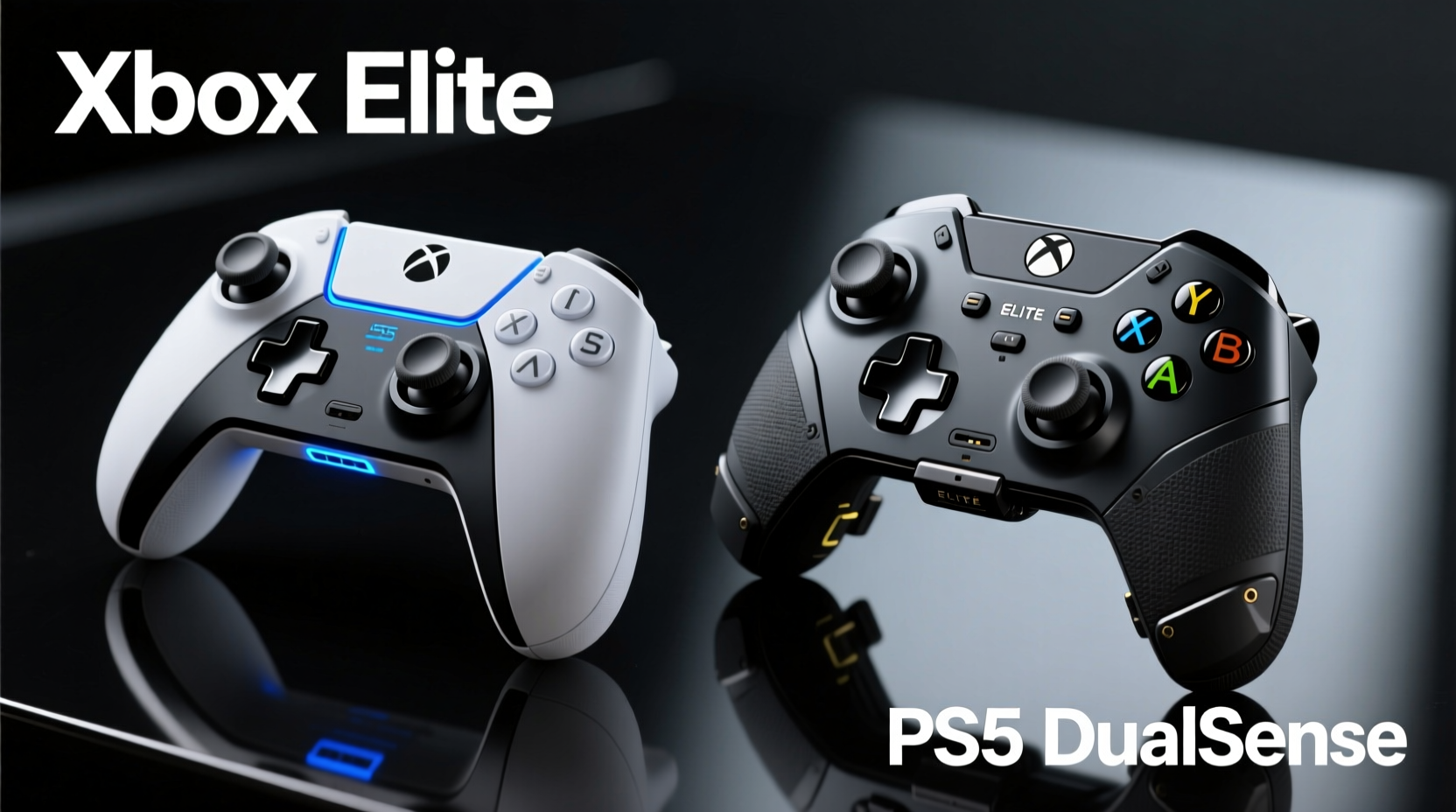
The foundation of any effective gaming controller lies in its physical design. Comfort during long sessions directly impacts aim stability, reaction time, and fatigue resistance—critical factors in shooters like *Call of Duty*, *Halo*, or *Rainbow Six Siege*.
The PS5’s DualSense features a sleek, modern form factor with a contoured grip and adaptive triggers. Its two-tone finish gives it a premium feel, but some users find the width slightly narrow, especially for larger hands. The textured grips help prevent slippage, though prolonged use may cause palm strain due to the lack of modular adjustment.
In contrast, the Xbox Elite Series 2 boasts a robust, customizable chassis built for endurance. It includes interchangeable thumbsticks, D-pads, and back paddles—all swappable via included tools. The shell is heavier, providing a more substantial feel that many pro players prefer for stability. Moreover, the concave analog stick tops and textured triggers enhance tactile feedback, reducing micro-slip during intense firefights.
Customization Features: Hardware vs Software
True customization goes beyond aesthetics—it's about tailoring every input to your muscle memory and reflexes. Here, the Xbox Elite pulls ahead with dedicated hardware-level modifications, while the DualSense relies heavily on software support.
The Elite Series 2 allows physical swapping of components:
- Four alternative thumbstick heights and shapes (domed, concave)
- Two D-pad types (standard cross, faceted disc)
- Replaceable rear paddle buttons (four included)
- Adjustable trigger tension (via internal dials)
This level of modularity lets players fine-tune sensitivity zones and reach based on hand size and preferred grip style—something invaluable in shooters where flick shots and recoil control depend on precise stick articulation.
The DualSense, by comparison, does not offer swappable sticks or paddles out of the box. Third-party replacements exist, but they require disassembly and void warranties. However, its adaptive triggers introduce dynamic resistance—useful in shooters for simulating weapon pull weight (e.g., lighter resistance for SMGs, heavier for sniper rifles). This feature enhances immersion but has limited tactical advantage unless paired with game-specific tuning.
“Hardware modularity gives elite players repeatable, reliable inputs. You can’t software-tune away poor ergonomics.” — Marcus Tran, Esports Peripheral Designer at Razer
Button Remapping and Sensitivity Tuning
In fast-paced shooters, minimizing finger travel and optimizing response curves can drastically improve kill-to-death ratios. Both controllers allow button remapping, but the depth and flexibility vary.
Xbox Elite uses the official Xbox Accessories app to enable full remapping across multiple profiles. Players can assign any function—including view, menu, or even keyboard shortcuts—to front or rear buttons. More importantly, sensitivity curves for analog sticks can be adjusted using customizable dead zones, acceleration rates, and binary/linear output modes. For example, a player favoring hip-fire aggression might apply a sharp curve for rapid turning, while maintaining low sensitivity for scoped precision.
Sony’s Accessory Settings on PS5 also support remapping, including rear button functions on the DualSense Edge (a separate high-end variant). But native PS5 system settings lack granular stick curve adjustments. Most sensitivity tuning must occur within individual games, limiting consistency across titles. While third-party apps exist, they’re not officially supported and may violate terms of service in online multiplayer.
| Feature | Xbox Elite Series 2 | PS5 DualSense (Standard) |
|---|---|---|
| Interchangeable Sticks | ✅ Yes (4 options) | ❌ No (without modification) |
| Rear Paddles | ✅ 4 programmable | ❌ None (DualSense Edge adds 2) |
| Trigger Resistance Adjustment | ✅ Physical dial | ⚠️ Adaptive only (no manual tension) |
| Analog Stick Curve Editing | ✅ Full control via app | ❌ Limited; in-game only |
| Battery Life (typical) | Up to 40 hours (AA batteries) | Up to 15 hours (built-in battery) |
| Onboard Profiles | ✅ 3 switchable | ✅ 2 (via DualSense Edge) |
Real-World Performance in Shooter Titles
Theoretical advantages matter less than actual battlefield results. To assess practical impact, consider a real scenario involving competitive *Halo Infinite* gameplay.
Mini Case Study: Alex, Competitive Halo Player (Platinum Tier)
Alex switched from a standard DualShock-style controller to the Xbox Elite Series 2 after struggling with inconsistent flick shots and slow ADS transitions. By installing shorter thumbsticks and remapping jump to a rear paddle, he reduced finger movement by over 30%. He then configured a dual-sensitivity setup: 70% horizontal sensitivity for quick turns, boosted to 90% when holding a modifier button for sprint-turning. Within three weeks, his average K/D ratio improved from 1.1 to 1.6. Crucially, he attributes much of this gain to being able to keep his thumbs on the sticks at all times—no more lifting to press face buttons.
In contrast, a similar test with the standard DualSense revealed limitations. Even with rear buttons added via the newer DualSense Edge model, the absence of physical stick variety meant Alex couldn't reduce throw distance for tighter recoil control. Additionally, the lack of per-profile sensitivity presets forced him to reconfigure each game manually—a time-consuming process that disrupted workflow.
That said, some players report strong satisfaction with the DualSense in slower, tactical shooters like *Ghost Recon Breakpoint* or *Horizon Forbidden West*. The haptic feedback helps detect enemy footsteps through vibrations, and adaptive triggers simulate bow draw tension or heavy weapon kickback—features absent on the Elite. However, in arena-style or battle royale shooters demanding speed and repetition, hardware customization tends to outweigh immersive effects.
Step-by-Step Guide to Optimizing Your Shooter Setup
Whether you choose Xbox Elite or DualSense, proper configuration is essential. Follow this sequence to maximize effectiveness:
- Assess Hand Size and Grip Style: Determine whether you palm-grip, claw-grip, or fingertip-grip. Larger hands benefit from wider spacing and taller sticks; smaller hands may prefer compact domes.
- Select Thumbstick Configuration: Use concave sticks for enhanced grip during rapid motions (ideal for aggressive strafing). Domed sticks suit precision aiming.
- Map High-Use Actions to Rear Paddles: Assign jump, crouch, reload, or aim-down-sight to paddles to keep thumbs on sticks.
- Adjust Dead Zones: Reduce inner dead zones slightly to increase stick responsiveness, but avoid over-tuning to prevent drift.
- Create Game-Specific Profiles: Save different layouts for FPS, TPS, and sniping-heavy games. On Xbox, store up to three onboard; on PS5, use DualSense Edge or manual switching.
- Test and Iterate: Spend 1–2 matches adjusting sensitivity and layout. Track performance changes weekly.
FAQ: Common Questions About Shooter Controller Customization
Can I use the Xbox Elite on PlayStation?
No, the Xbox Elite is designed exclusively for Xbox consoles and Windows PCs. It lacks native compatibility with PS5. Similarly, the DualSense cannot be used as a primary controller on Xbox due to licensing restrictions.
Is the DualSense Edge better than the standard DualSense for shooters?
Yes. The DualSense Edge adds swappable back buttons, onboard profile switching, and expanded remapping—bringing it closer to Elite functionality. However, it still lacks interchangeable sticks and trigger tension controls, placing it below the Elite in total customization potential.
Do professional shooter players prefer one controller over the other?
In official console esports leagues like Call of Duty League or Halo Championship Series, most pros use the Xbox Elite Series 2 when allowed. Its consistent hardware modularity and proven reliability under pressure make it the go-to choice. Some Sony-exclusive title players adapt the DualSense, but often with external modifications.
Final Verdict: Which Offers Better Customization for Shooters?
When evaluating pure customization capability for shooter games, the Xbox Elite Wireless Controller Series 2 emerges as the superior option. Its combination of swappable components, deep software tuning, and mechanical adjustability provides a level of personalization unmatched by the standard PS5 DualSense. Players can physically reshape the controller to match their anatomy and refine every input parameter for peak efficiency.
The DualSense excels in sensory immersion and innovation—its haptics and adaptive triggers redefine how players feel the game world. But for competitive shooters where consistency, speed, and precision trump novelty, those features take a backseat to ergonomic control and programmable inputs. Unless you're playing a narrative-driven shooter where atmosphere matters more than twitch reflexes, the Xbox Elite simply offers more tools to win.
That said, the gap narrows with the release of the DualSense Edge. At $200, it brings many Elite-like features to the PlayStation ecosystem, including customizable profiles and rear buttons. Yet even this premium variant stops short of offering stick swaps or adjustable trigger resistance—core elements that define true elite-tier customization.
“The best controller isn’t the most advanced—it’s the one you’ve mastered through customization and repetition.” — Lena Park, Lead Coach, Apex Predator Gaming
Take Control of Your Gameplay
Your controller is an extension of your intent. In the high-stakes environment of modern shooters, generic defaults won’t cut it. Whether you side with Xbox or PlayStation, invest the time to tailor every setting to your instincts. Experiment with stick shapes, refine your sensitivity curves, and map actions to minimize movement. The difference between good and great often lies not in raw talent, but in thoughtful optimization. Pick the platform that empowers your precision—and then make it yours.




 浙公网安备
33010002000092号
浙公网安备
33010002000092号 浙B2-20120091-4
Comments
No comments yet. Why don't you start the discussion?