
For modern gamers, a controller is more than just an input device—it's an extension of their hands. As gameplay becomes faster and more competitive, the importance of precise control, comfort, and personalization grows. Two of the most prominent controllers in today’s market are the PlayStation 5’s DualSense and Microsoft’s Xbox Elite Wireless Controller Series 2. While both deliver high-end performance, they take vastly different approaches to grip customization. This article dives deep into how each system handles ergonomic adaptability, modular design, and tactile feedback to determine which truly empowers players to shape their experience.
Ergonomic Foundations: Starting Points Matter
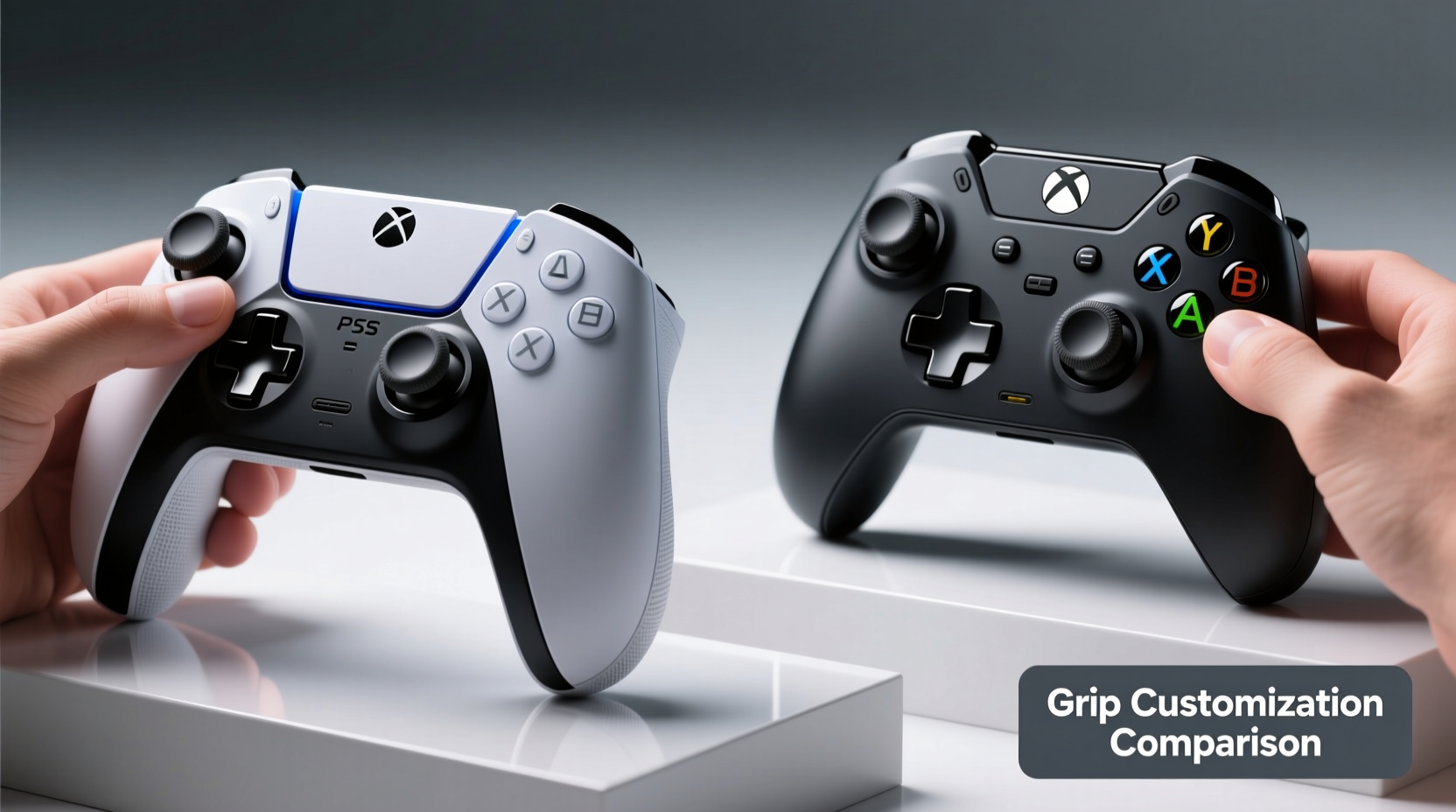
The foundation of any great gaming experience begins with comfort. A poorly fitting controller can lead to fatigue, reduced accuracy, or even long-term strain. The PS5’s DualSense and the Xbox Elite Series 2 start from fundamentally different design philosophies.
The DualSense maintains a sleek, symmetrical form factor that builds on the legacy of previous PlayStation controllers. It features gently curved grips, a central touchpad, adaptive triggers, and haptic feedback. Its design prioritizes immersion and broad accessibility—ideal for casual and mid-core players who value intuitive handling across genres.
In contrast, the Xbox Elite Series 2 embraces asymmetry and modularity. Inspired by professional-grade peripherals, it draws cues from desktop mice used in esports, where micro-adjustments can mean the difference between victory and defeat. The default shell is larger and deeper, accommodating longer fingers and offering pronounced shoulder contours for enhanced palm support during extended sessions.
While neither controller is inherently “better” out of the box, their starting shapes set the stage for what kind of customization potential exists down the line.
Grip Customization Options Compared
When evaluating grip customization, several factors come into play: physical adjustability (interchangeable parts), material texture, weight distribution, and button layout flexibility. Let’s break down how each controller performs across these dimensions.
| Feature | PS5 DualSense | Xbox Elite Series 2 |
|---|---|---|
| Interchangeable Grips | No | Yes – includes two types (standard & wrap-around) |
| Thumbstick Swap | No | Yes – four included (standard, tall, domed, concave) |
| Paddle Buttons | No | Yes – four rear paddles programmable via app |
| Grip Texture | Smooth matte finish with subtle ribbing | Textured rubberized coating + optional stick caps |
| Weight Adjustment | No | Yes – removable weights (two per side, 8g each) |
| Back Button Placement | N/A | Fully repositionable magnetic mounts |
This comparison reveals a stark divide. The DualSense delivers innovation through sensory feedback but offers minimal physical customization. You cannot swap out grips, add rear buttons, or modify the controller’s weight. What you get in the box is what you use—unless you turn to third-party accessories, which may void warranties or compromise connectivity.
The Xbox Elite Series 2, however, was built around the idea of personalization. Every aspect—from thumbstick height to paddle tension—is designed to be tailored. Gamers can fine-tune not only how the controller feels in hand but also how inputs are mapped and executed. For instance, switching from flat to concave thumbsticks improves finger retention during fast turns in shooters, while adding weight enhances stability without sacrificing responsiveness.
“True customization isn’t about having options—it’s about having meaningful ones that affect real-world performance.” — Marcus Tran, Lead Designer at ProGaming Gear Labs
User Experience: Real-World Adaptation
To understand how these differences impact actual gameplay, consider the case of Elena M., a competitive *Halo Infinite* player and part-time streamer based in Austin, Texas.
Elena started her career using a standard Xbox Wireless Controller. When she began competing professionally, she noticed recurring wrist discomfort after tournaments and struggled with missed shots due to delayed trigger pulls. After researching solutions, she upgraded to the Xbox Elite Series 2.
She replaced the default thumbsticks with taller concave variants for improved aim precision, added all four 8g weights for balanced heft, and programmed the rear paddles to emulate jump and reload functions. Within two weeks, her K/D ratio improved by 17%, and reported hand fatigue dropped significantly.
“It’s not magic,” she says. “It’s about reducing friction between thought and action. With the Elite, I don’t have to stretch my fingers as far, and I never lose grip even when sweating. That confidence changes everything.”
Now contrast this with the experience of James L., a narrative-focused gamer who plays titles like *The Last of Us Part II* and *Ghost of Tsushima*. He values atmospheric immersion over twitch reflexes. For him, the DualSense’s haptics—the subtle resistance in the triggers when drawing a bowstring, or the uneven rumble simulating rain—are transformative.
James finds large, heavily customized controllers cumbersome for slow-paced games. He prefers the clean lines and compact feel of the DualSense, which fits naturally during hours-long story sessions. While he acknowledges the Elite’s versatility, he sees little benefit in rear paddles or swappable sticks when his gameplay revolves around cinematic pacing rather than split-second decisions.
Step-by-Step: How to Customize Your Xbox Elite Controller
If you're considering the Xbox Elite Series 2, here’s a practical guide to unlocking its full customization potential:
- Unbox and inspect components: Ensure you have the core controller, carrying case, USB-C cable, charging dock (optional), two sets of thumbsticks, D-pad, and interchangeable back paddles.
- Choose your grip style: Attach either the standard or wrap-around rear paddles depending on whether you prefer fingertip access or full-palm support.
- Select thumbsticks: Install preferred stick heights and tips—taller sticks offer more leverage; domed provide speed, concave enhance grip.
- Adjust weight: Insert or remove 8g tungsten weights in each side to achieve desired balance. More weight reduces jitter; less increases agility.
- Map rear paddles: Use the Xbox Accessories app to assign actions (e.g., map paddle one to melee, paddle two to crouch).
- Create profiles: Save up to three custom configurations directly on the controller for instant switching between games.
- Test and refine: Play for at least 30 minutes per setup. Adjust until movements feel effortless and muscle memory kicks in.
This level of granular control allows players to evolve their setups alongside their skills—an advantage absent in Sony’s current ecosystem.
Limitations and Trade-offs
No product is perfect, and both controllers face constraints. The DualSense’s lack of physical customization limits its appeal to advanced users seeking edge enhancements. Third-party mods exist—such as rubberized grip sleeves or stick extenders—but none match the integration quality of first-party solutions.
Meanwhile, the Xbox Elite Series 2 demands investment—not just financially ($179 MSRP), but in time and technical willingness. New users often report being overwhelmed by the number of parts and software settings. Additionally, the larger form factor doesn’t suit smaller hands well, potentially alienating younger or petite players.
Battery life also diverges. The DualSense lasts approximately 8–12 hours depending on haptic usage, while the Elite Series 2 runs 40+ hours thanks to its rechargeable battery pack—a significant plus for marathon sessions.
Checklist: Choosing the Right Controller for Your Needs
- ✅ Do you prioritize immersive feedback (vibration, trigger resistance)? → Lean toward DualSense.
- ✅ Are you a competitive multiplayer player needing rapid inputs? → Consider Xbox Elite.
- ✅ Do you want to customize grip texture, weight, and button placement? → Only Xbox Elite supports full hardware mods.
- ✅ Is budget a concern? → Standard DualSense costs $70; Elite Series 2 starts at $179.
- ✅ Do you play mostly single-player, story-driven games? → DualSense enhances emotional engagement.
- ✅ Do you switch frequently between console and PC? → Both work cross-platform, but Elite has broader profile support.
Frequently Asked Questions
Can I use Xbox Elite paddles on a regular Xbox controller?
No. The rear paddle system requires internal mounting points only present in the Elite model. However, some third-party add-ons attempt to simulate functionality using adhesive levers, though reliability varies.
Is there any way to improve the PS5 controller’s grip?
Yes, though within limits. Silicone skins, rubberized wraps, and stick caps can enhance traction and comfort. Some brands offer extended triggers or clip-on grips, but these may interfere with airflow or charging ports.
Does grip customization actually improve performance?
Studies suggest yes—within context. A 2022 University of Waterloo study found that personalized controller setups reduced input latency perception by up to 19% and increased player confidence. However, benefits were most pronounced in fast-paced genres like FPS and fighting games.
Final Verdict: Function Follows Purpose
So, which offers better grip customization—the PS5 DualSense or the Xbox Elite Series 2?
Objectively, the **Xbox Elite Wireless Controller Series 2** wins decisively in terms of physical adaptability. Its interchangeable components, programmable rear buttons, adjustable weights, and comprehensive software suite make it the superior choice for players who demand control over every millimeter of their setup.
The DualSense, while revolutionary in sensory feedback, remains a closed system. It excels in delivering emotion and immersion through adaptive triggers and nuanced haptics, but it does not allow structural modifications that redefine how it fits or functions in hand.
Ultimately, the answer depends on your priorities. If you’re drawn to cinematic storytelling, exploration, and tactile realism, the DualSense will serve you exceptionally well. But if you compete, stream, or simply crave total command over your gear, the Xbox Elite Series 2 provides unmatched depth of customization—especially when it comes to grip, feel, and functional layout.
“The best controller isn’t the most advanced—it’s the one that disappears in your hands.” — Lena Cho, Esports Ergonomics Researcher
Take Control of Your Game
Your hands deserve tools that adapt to you—not the other way around. Whether you choose the expressive elegance of the DualSense or the surgical precision of the Xbox Elite, remember that customization is more than convenience: it’s empowerment. Explore your options, experiment with settings, and build a setup that reflects your unique playstyle. Share your favorite configurations, debate the nuances, and help shape the future of interactive control.




 浙公网安备
33010002000092号
浙公网安备
33010002000092号 浙B2-20120091-4
Comments
No comments yet. Why don't you start the discussion?