
For players with larger hands, the fit and feel of a gamepad can make or break the gaming experience. Comfort during extended sessions, precise thumbstick control, and natural trigger reach are all influenced by how well a controller conforms to your hand size. Two of today’s most popular controllers—the PlayStation 5’s DualSense and the Xbox Series X|S controller—take different design approaches. While both are praised for their performance, their ergonomic profiles vary significantly, especially when it comes to accommodating larger palms and fingers.
This article breaks down the physical design, grip mechanics, button placement, and long-term comfort of each controller specifically through the lens of users with large hands. Whether you're choosing between consoles or simply upgrading your setup, understanding these differences can help you make a more informed decision based on real-world usability—not just specs.
Ergonomic Design: Shape and Fit
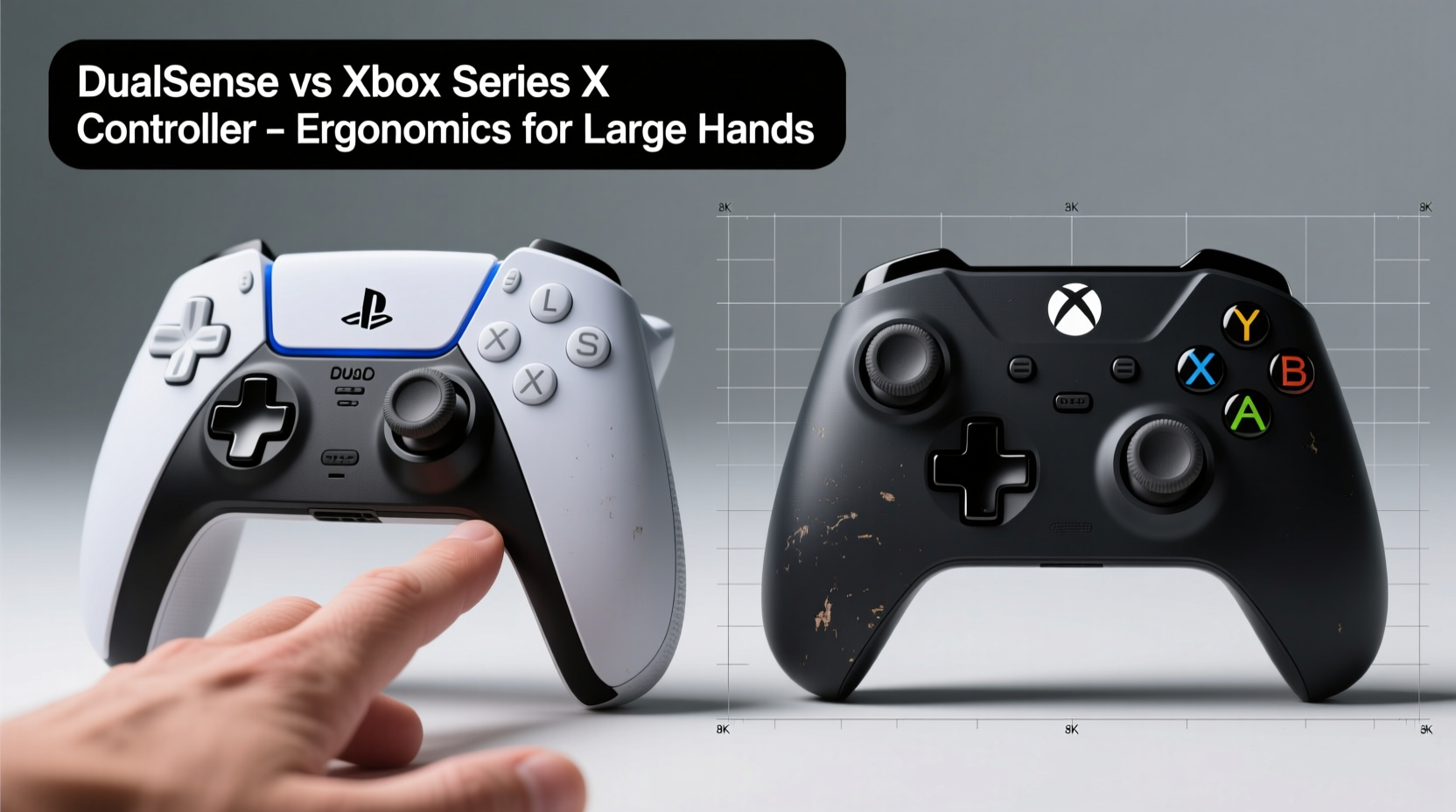
The fundamental difference between the DualSense and the Xbox Series controller lies in their overall shape and structural philosophy. The DualSense features a wide, curved body with pronounced grips that flare outward. Its two-tone aesthetic is matched by an aggressive contouring that aims to cradle the hand. In contrast, the Xbox Series controller follows Microsoft’s long-standing design language: symmetrical, compact, and slightly rounded with a flatter back panel.
For users with large hands (typically defined as palm lengths exceeding 7 inches), the DualSense’s broader chassis initially seems advantageous. However, its width can become a drawback. The distance between the left and right analog sticks and face buttons forces fingers to stretch, particularly for those with average-to-long fingers but broad palms. This overextension can lead to fatigue during marathon gaming sessions.
The Xbox controller, while narrower, offers a more centralized layout. The analog sticks are positioned closer together, and the ABXY buttons are arranged in a tighter diamond pattern. This reduces finger travel and allows for a more relaxed hand posture. Additionally, the triggers and bumpers sit at a slightly inward angle, making them easier to reach without shifting grip.
Grip and Hand Coverage
One of the most critical factors for large-handed gamers is how completely the controller fills the hand. A good fit means the palm rests fully supported, the thumb naturally reaches the sticks, and the index fingers can actuate triggers without tension.
The DualSense’s elongated rear gives the illusion of deep hand coverage, but its curved sides taper sharply toward the top. This means that while the base of the palm is supported, the upper portion—especially near the knuckles—often hangs slightly off the edge. For larger hands, this creates a “perching” effect where the controller isn’t fully anchored, requiring subtle muscle engagement to maintain stability.
In contrast, the Xbox Series controller maintains a consistent width from bottom to top. Its gently domed back provides uniform palm support, allowing the entire hand to settle into the frame. The textured rubberized grips extend further toward the triggers, enhancing friction and reducing slippage during intense gameplay. Gamers with wider palms often report a more secure, “locked-in” feeling with the Xbox pad.
Another consideration is weight distribution. The DualSense is heavier (approx. 280g) due to haptic motors and a built-in battery, which shifts balance forward. This front-heavy feel can strain wrists over time, especially when holding the controller at chest level. The Xbox controller (approx. 245g) feels more balanced, with weight centered between the hands, promoting a neutral wrist position.
Button and Trigger Accessibility
Ease of access to inputs is crucial for responsive gameplay. Large hands benefit from controls that minimize stretching and maximize tactile feedback.
On the DualSense, the face buttons (triangle, circle, cross, square) are recessed and spaced widely. Users with longer fingers may find it difficult to press the lower buttons (cross and circle) without adjusting hand position. Similarly, the analog sticks are tall and protrude significantly, which improves precision but requires greater thumb extension—a potential issue for those with shorter thumbs relative to palm size.
The Xbox controller uses a shallower stick profile and a tighter button cluster. The ABXY buttons are flush with the surface and closely grouped, enabling rapid input without repositioning. The triggers (LT/RT) are also shorter and set slightly deeper, which suits larger fingers better—they don’t hang off the edges or require excessive pressure to engage.
“Ergonomic efficiency isn’t about size alone—it’s about proportionality. A controller should match the biomechanics of the hand, not force the hand to adapt.” — Dr. Lena Torres, Human Factors Engineer, Gaming Hardware Lab
Additionally, the Xbox bumper buttons (LB/RB) are wider and have a longer throw, giving a satisfying mechanical click. Their horizontal orientation aligns better with natural finger motion than the vertical press of the DualSense bumpers, which some users report as stiff or shallow.
Detailed Comparison Table
| Feature | PS5 DualSense | Xbox Series X|S Controller |
|---|---|---|
| Weight | ~280g | ~245g |
| Width (Grip to Grip) | ~108mm | ~100mm |
| Length (Top to Bottom) | ~162mm | ~140mm |
| Palm Support | Moderate (tapers at top) | High (consistent width) |
| Trigger Reach | Narrower, longer | Wider, shorter |
| Thumbstick Height | Tall, concave | Shorter, domed |
| Button Spacing | Wide, staggered | Tight, centralized |
| Best For | Moderate to large hands with long thumbs | Large hands with broad palms |
Real-World Usage: A Gamer’s Perspective
Consider Mark, a 6'2\" gamer with a measured palm length of 7.3 inches. After switching from Xbox to PS5, he found himself frequently pausing games after 90 minutes due to hand fatigue. “The DualSense felt sleek at first, but my thumbs were constantly stretched to reach the sticks, and my index fingers had to really curl to hit the triggers,” he said. “I didn’t realize how much I relied on the Xbox’s compact layout until I lost it.”
After purchasing a third-party back extension for the DualSense to improve grip depth, he still preferred using an Xbox controller via Bluetooth on his PS5 for RPGs and shooters—games requiring prolonged use. His experience reflects a common trend among forum discussions on Reddit and ResetEra, where users with large hands frequently cite the Xbox controller’s superior ergonomics despite the DualSense’s advanced features like adaptive triggers and haptics.
Conversely, Sarah, another large-handed player (palm: 7.1 inches), prefers the DualSense for its immersive feedback and audio integration. She mitigates discomfort by using padded grips and taking frequent breaks. “I love the feel of the haptics in *Astro’s Playroom*, but I wouldn’t play *Call of Duty* for hours with it,” she admitted. Her case illustrates that preference isn’t solely ergonomic—immersion and feature set also influence choice.
Actionable Checklist: Choosing the Right Controller for Large Hands
- Measure your palm length from wrist crease to tip of middle finger; if over 7\", prioritize controllers with wide, flat backs.
- Test whether your index fingers can rest lightly on the triggers without lifting the controller.
- Ensure your thumb can move between sticks and D-pad without repositioning your grip.
- Look for textured grips or rubberized surfaces to prevent slippage.
- Check weight distribution—avoid front-heavy designs if you experience wrist strain.
- Consider third-party accessories like back paddles or grip extensions if stock ergonomics fall short.
- Try before you buy—visit a retail store or borrow a friend’s controller for a real test.
Frequently Asked Questions
Can I use the Xbox controller on a PS5?
Yes, the Xbox Series X|S controller works wirelessly via Bluetooth on the PS5 for navigating menus and select third-party apps. However, native game support is limited—most PS5 titles do not officially support Xbox controllers due to licensing and UI mapping issues. Emulation or third-party adapters may enable broader compatibility but are not recommended for competitive play.
Are there any modifications to improve DualSense ergonomics?
Several aftermarket solutions exist, including silicone grip covers, plastic back extensions, and even 3D-printed shells designed to widen the rear profile. Some users report improved comfort with these mods, though they may void warranty or interfere with charging. Officially, Sony has not released ergonomic variants of the DualSense.
Why does the Xbox controller feel smaller if it fits large hands better?
It’s not about overall size, but proportion. The Xbox controller’s symmetry and centralized layout reduce unnecessary stretching. Its consistent width supports the full hand, whereas the DualSense’s flared shape may look bigger but doesn’t always translate to better coverage. Ergonomics are about efficient placement, not bulk.
Final Verdict: Which Is Better for Large Hands?
While the PS5 DualSense excels in innovation—offering immersive haptics, adaptive triggers, and a built-in microphone—the Xbox Series X|S controller wins in pure ergonomic design for users with large hands. Its balanced weight, compact yet supportive frame, and intuitive button layout provide a more comfortable, sustainable experience during long gaming sessions.
The DualSense’s wide chassis and stretched controls favor moderate-sized hands with long thumbs, but can cause strain for those with broader palms. The Xbox pad, refined over generations, delivers a proven, hand-hugging fit that minimizes fatigue and maximizes control. It’s a testament to Microsoft’s iterative design philosophy: evolution over revolution.
Ultimately, personal preference plays a role. If cutting-edge feedback and immersive features are priorities, the DualSense remains compelling. But if comfort, accessibility, and long-term usability are paramount—especially for larger hands—the Xbox controller sets the standard.




 浙公网安备
33010002000092号
浙公网安备
33010002000092号 浙B2-20120091-4
Comments
No comments yet. Why don't you start the discussion?