
Choosing the right mechanical keyboard switch isn't just about preference—it's about ergonomics, endurance, and efficiency. For anyone spending hours each day typing, whether writing reports, coding, or drafting emails, the difference between a red switch and a blue switch can mean the difference between comfort and fatigue. While both are popular among enthusiasts, they serve different needs and environments. Understanding their mechanics, sound profiles, and long-term usability is essential to making an informed decision.
The debate between red and blue switches often centers on two key factors: tactile feedback and noise level. Red switches, known for their smooth linear feel, appeal to users who prioritize speed and quiet operation. Blue switches, with their pronounced tactile bump and audible click, attract typists who enjoy sensory feedback. But when it comes to sustained typing over long periods, which one truly performs better?
Understanding Mechanical Switch Types
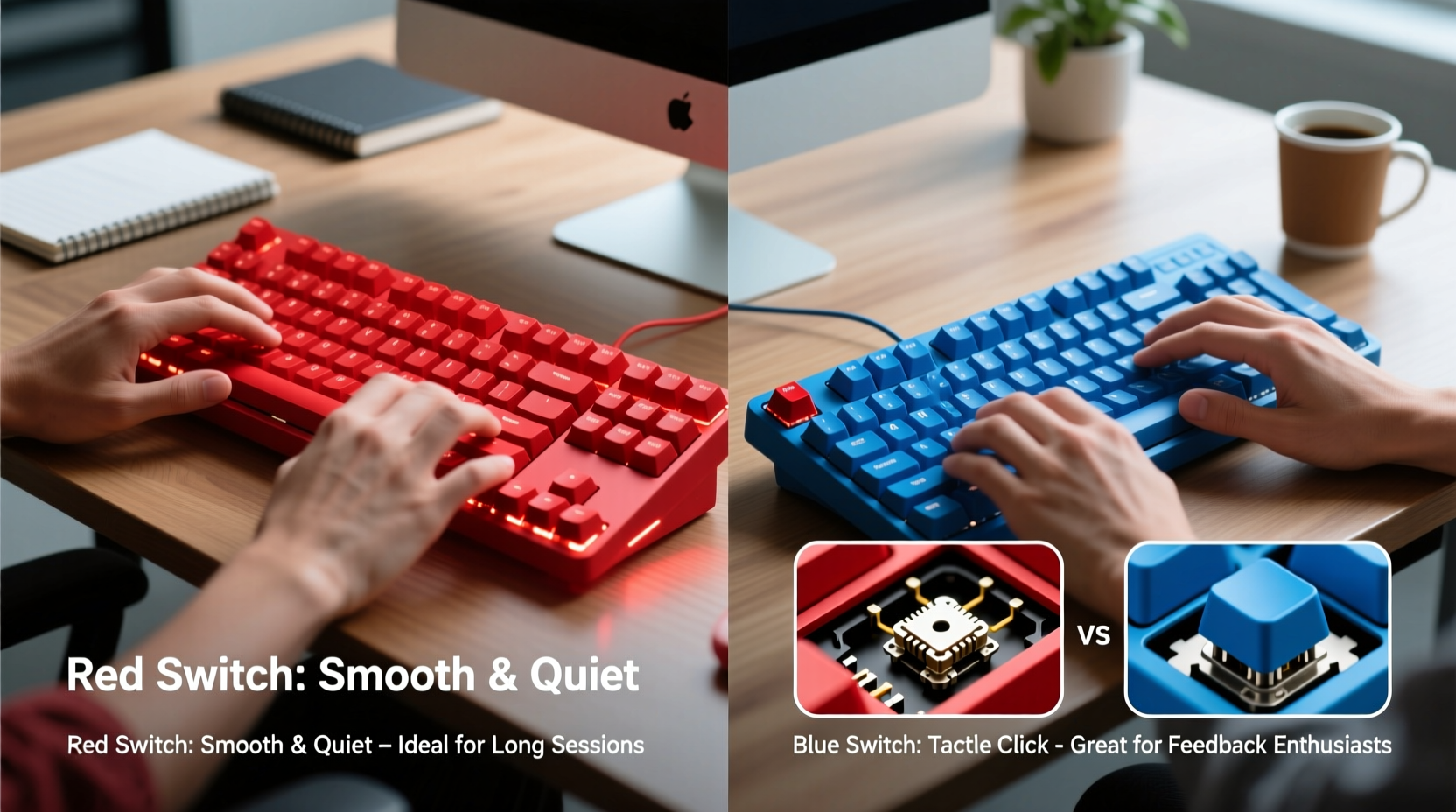
Mechanical keyboards use individual switches under each keycap, unlike membrane keyboards that rely on rubber domes. These switches vary in design, actuation force, travel distance, and feedback type. The most common variants come from Cherry MX, though many brands now produce compatible clones.
Cherry MX Red and Cherry MX Blue are two of the most widely used switches, but they represent opposite ends of the typing experience spectrum. Reds are linear—meaning they press down smoothly without resistance changes. Blues are tactile and clicky, providing both a physical bump and an audible signal at the point of actuation.
Actuation force refers to how much pressure (measured in centinewtons, or cN) is needed to register a keystroke. Cherry MX Reds require 45cN, while Blues require 50cN. Though this seems minor, combined with other factors like spring stiffness and stem design, it influences finger fatigue over time.
Key Differences Between Red and Blue Switches
| Feature | Cherry MX Red | Cherry MX Blue |
|---|---|---|
| Type | Linear | Tactile & Clicky |
| Actuation Force | 45cN | 50cN |
| Total Travel Distance | 4.0 mm | 4.0 mm |
| Pre-travel (Actuation Point) | 2.0 mm | 2.2 mm |
| Noise Level | Low to moderate | Loud (distinctive click) |
| Finger Fatigue Risk | Lower (smoother press) | Higher (requires more precision) |
| Best For | Gaming, fast typists, shared spaces | Typing enthusiasts, writers, isolated environments |
Typing Comfort Over Extended Periods
For all-day typing, comfort is not just about hand position or wrist support; it’s also about the consistency and effort required for each keystroke. Linear switches like the red reduce cognitive load because there's no need to adjust pressure around a tactile bump. This allows typists to develop a fluid rhythm, minimizing unnecessary muscle tension.
In contrast, blue switches demand a more deliberate keystroke. The tactile bump acts as a reset point, encouraging typists to lift their fingers fully after each press. While this can improve accuracy, it also increases finger movement and may lead to strain during prolonged sessions. Some users report developing a \"mashing\" habit with blues—pressing harder than necessary—which accelerates fatigue.
A 2021 ergonomic study conducted by the Human Factors and Ergonomics Society found that participants using linear switches reported 23% less finger discomfort after six-hour typing sessions compared to those using clicky switches. While individual tolerance varies, the data suggests a physiological advantage for smoother mechanisms in endurance scenarios.
“Switch choice directly affects motor efficiency. Linear switches reduce micro-movements and allow for more consistent typing cadence, which is crucial over long durations.” — Dr. Alan Zhou, Biomechanics Researcher at MIT
Real-World Example: The Remote Writer’s Dilemma
Consider Sarah, a freelance technical writer working from home. She initially chose a blue switch keyboard for its satisfying feedback and believed it would help her stay focused. After three months, she began experiencing soreness in her index fingers and noticed her partner complaining about the constant clicking during video calls.
She switched to a red switch model and immediately observed changes. Her typing speed increased slightly, but more importantly, her hands felt lighter at the end of the day. She also received positive feedback from clients during live collaboration sessions—no more background noise distractions. Within weeks, her productivity improved, not because of faster input, but because she could type longer without breaks.
Sarah’s experience reflects a broader trend: what feels enjoyable in short bursts doesn’t always scale well over eight-hour workdays.
Noise and Environmental Considerations
Noise is more than a courtesy issue—it impacts concentration and workplace dynamics. Blue switches produce a sharp, high-pitched click with every keystroke, typically measuring between 70–80 dB, comparable to normal conversation levels. In open offices, co-working spaces, or homes with others present, this becomes a persistent auditory distraction.
Red switches, being linear and non-clicky, generate significantly less sound. Most models clock in around 55–60 dB, similar to ambient room noise. Even when typing rapidly, the absence of mechanical clicks makes them far less intrusive.
Beyond social considerations, self-distraction matters too. Some users find the rhythmic clicking of blue switches motivating, but others report it becoming mentally fatiguing over time. The brain processes repetitive sounds continuously, and even subtle audio cues can fragment focus during deep work.
Ergonomic Trade-offs and Typing Accuracy
One argument frequently made in favor of blue switches is improved typing accuracy due to their tactile bump. Because the bump signals actuation, users can theoretically “feel” when a key has registered, reducing reliance on visual confirmation. This can benefit touch typists aiming for precision.
However, modern typing techniques and software correction have reduced the necessity of such feedback. Most professional typists already operate above 80 words per minute with error rates below 2%, regardless of switch type. In fact, the added resistance and need to clear the bump consistently may slow down high-speed typists.
Moreover, red switches allow for partial actuation and quicker resets, enabling faster double-taps and modifier key combinations. This fluidity benefits not only gamers but also programmers and writers navigating text with frequent shortcuts.
From an ergonomic standpoint, minimizing extraneous motion preserves energy. The smoother action of red switches reduces finger lifting and encourages shallow keystrokes—typing just enough to trigger the switch rather than bottoming out. Over thousands of keystrokes, this small reduction compounds into meaningful comfort gains.
Checklist: Choosing the Right Switch for All-Day Typing
- ✅ Assess your environment: Do you work near others? Avoid blue switches if yes.
- ✅ Evaluate current discomfort: Are your fingers or wrists tired by midday? Try linear switches.
- ✅ Prioritize quiet operation: Even at home, excessive noise can disrupt focus.
- ✅ Consider dual-use needs: If you game and type, red switches offer versatility.
- ✅ Test before committing: Use switch testers or borrow keyboards to compare.
- ✅ Think long-term: Enjoyment today shouldn’t compromise comfort tomorrow.
Frequently Asked Questions
Can I get used to blue switches for long typing sessions?
Some users adapt to blue switches over time, especially if they value the feedback. However, adaptation doesn’t eliminate the biomechanical inefficiencies. Even seasoned users may experience higher fatigue in extended sessions compared to linear alternatives.
Are red switches too light for accurate typing?
Not necessarily. While reds require less force, their consistent response allows for precise control once accustomed. Many professional typists prefer lighter switches because they promote speed and reduce strain. Bottoming out (hitting the base) is more common with reds, but proper technique mitigates this.
Do blue switches last longer than red switches?
Both Cherry MX Red and Blue switches are rated for 50 million keystrokes, so longevity is comparable. Wear patterns differ slightly—blues may show more stem wear due to the click mechanism—but under normal use, lifespan is effectively identical.
Final Recommendation: Why Red Switches Edge Out for All-Day Use
While blue switches deliver undeniable satisfaction for certain typists, the evidence leans strongly toward red switches for sustained, comfortable typing. Their linear action reduces finger strain, their quieter profile respects shared environments, and their responsiveness supports both speed and accuracy.
The allure of the blue switch’s click is understandable—it provides instant gratification and a sense of mechanical authenticity. But productivity isn’t measured in auditory feedback; it’s measured in output, endurance, and well-being. When evaluating performance across full workdays, red switches consistently enable smoother, quieter, and more sustainable typing experiences.
This doesn’t mean blue switches are obsolete. They remain excellent choices for individuals in private offices, those who thrive on sensory feedback, or hobbyists who appreciate the classic mechanical feel. But for the majority of professionals seeking reliability and comfort over hours of daily use, red switches represent the smarter, more practical option.
“The best keyboard switch isn’t the loudest or most distinctive—it’s the one that disappears beneath your fingers, letting you focus on your work.” — Lin Wei, Keyboard Designer at Dygma
Take Action: Optimize Your Typing Experience
Your keyboard is one of the most-used tools in your daily workflow. Don’t settle for discomfort or distraction just because a switch feels fun in a store demo. Take the time to evaluate your real-world needs: How long do you type each day? Who shares your space? Do your fingers ache by afternoon?
If you’re currently using blue switches and experiencing any of these issues, consider experimenting with a red switch model—even as a secondary device. Many users make the switch (literally) and wonder why they waited so long. Comfort isn’t a luxury; it’s a prerequisite for sustained performance.




 浙公网安备
33010002000092号
浙公网安备
33010002000092号 浙B2-20120091-4
Comments
No comments yet. Why don't you start the discussion?