
As technology evolves rapidly, consumers are increasingly turning to cost-effective alternatives when upgrading their devices. Refurbished tech and open-box electronics have gained popularity for offering significant savings over brand-new models. However, confusion persists about what these terms actually mean, how they differ, and which option presents a safer investment. Understanding the nuances can save you money—and prevent costly disappointments.
The line between “refurbished” and “open-box” may seem blurred at first glance, but they represent distinct categories with different implications for quality, warranty, and long-term performance. Whether you're considering a smartphone, laptop, or tablet, knowing what you're really buying is essential.
What Is Refurbished Tech?
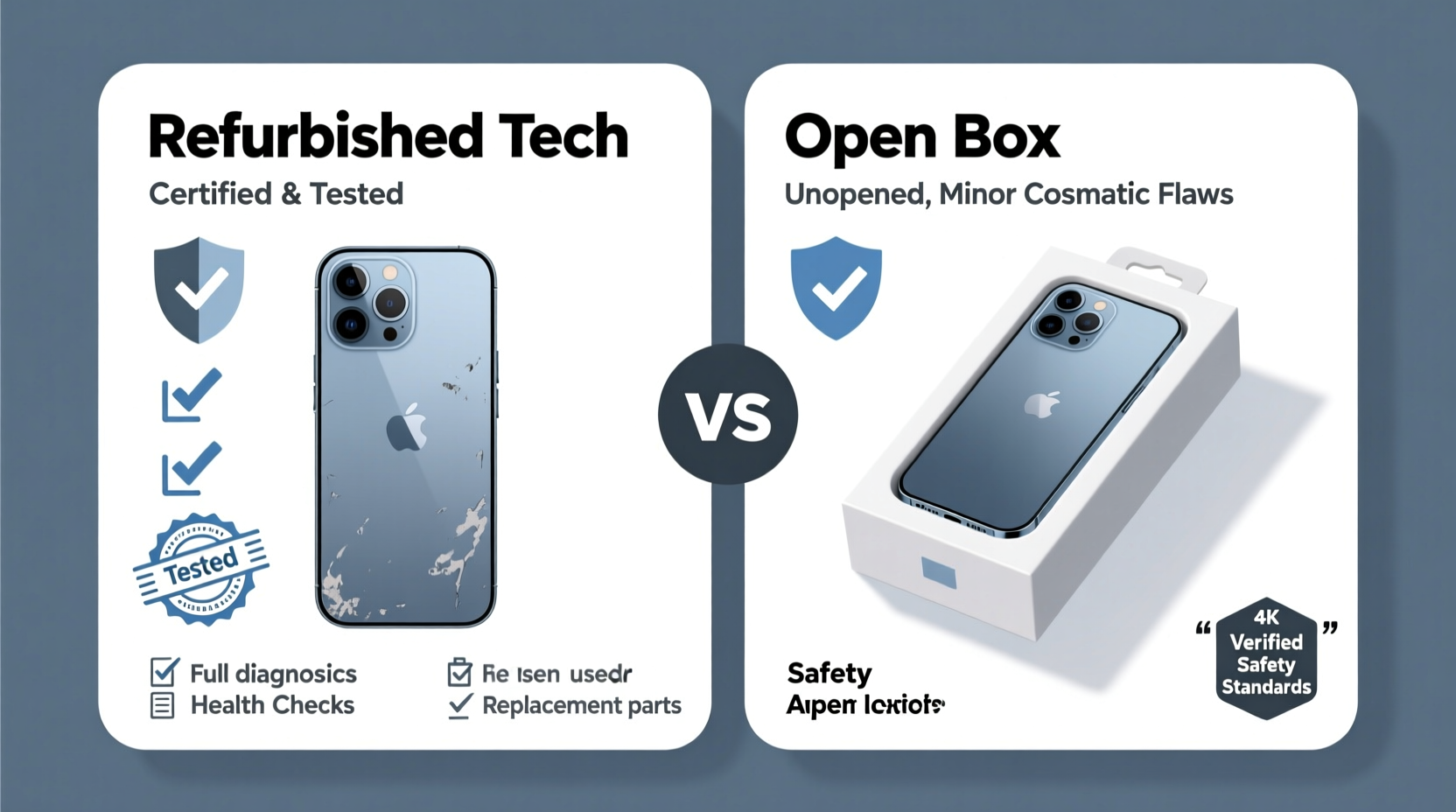
Refurbished technology refers to devices that were previously owned, returned, or used as display units and then restored to working condition by a manufacturer, retailer, or third party. These products undergo a comprehensive inspection and repair process before being resold. The goal is to bring them as close as possible to like-new functionality and appearance.
There are generally three types of refurbishment:
- Manufacturer-refurbished: Devices repaired and certified by the original maker (e.g., Apple, Dell). These often come with full warranties and are held to strict standards.
- Retailer-refurbished: Units handled by authorized sellers like Best Buy or Amazon Renewed. Quality varies depending on the seller’s policies.
- Third-party refurbished: Repaired by independent companies. While some offer excellent service, others may cut corners—due diligence is critical.
Common reasons a device becomes refurbished include buyer’s remorse, minor cosmetic flaws, or technical issues that have since been resolved. A well-refurbished unit should function identically to a new one, though it might show slight signs of wear.
What Does Open Box Mean?
Open-box items are products that were purchased or opened by a customer but then returned to the seller—often within the return window—without being heavily used. Unlike refurbished devices, open-box electronics may not have undergone any formal repair or testing process. They are simply resold \"as-is\" or after a basic functionality check.
Reasons for returns vary widely: the buyer changed their mind, received a duplicate gift, found a better deal, or simply didn’t like the product. In many cases, open-box devices are essentially new, having never been powered on. But this isn’t guaranteed.
Retailers like Best Buy, Walmart, and Amazon categorize open-box items based on condition:
- Like New: Minimal to no use; original packaging and accessories included.
- Very Good: Lightly used with minor scratches or scuffs.
- Acceptable: Functional but may have visible wear or missing components.
Because there's no standardized definition across retailers, the term “open box” can be ambiguous. One store’s “like new” might be another’s “good,” so reading detailed descriptions is crucial.
“Open-box doesn’t automatically mean defective—but it also doesn’t guarantee thorough inspection.” — Jordan Lee, Consumer Electronics Analyst at TechInsight Weekly
Key Differences Between Refurbished and Open Box
To make an informed decision, it helps to compare both options side by side. The table below outlines the core distinctions:
| Feature | Refurbished Tech | Open Box |
|---|---|---|
| Condition | Restored to working order; may have cosmetic blemishes | Varies; could be unused or lightly used |
| Testing & Repair | Comprehensive diagnostics and repairs if needed | Limited or basic testing only |
| Warranty | Often includes 90-day to 1-year warranty | Sometimes covered under original warranty; often sold “as-is” |
| Pricing | Typically 20–50% off retail | Usually 10–30% discount |
| Battery/Component Life | Batteries often replaced or tested for capacity | No replacement; depends on prior usage |
| Source | Manufacturers, authorized refurbishers | Retailers’ return departments |
| Risk Level | Lower when certified; higher with third parties | Moderate; depends on return reason and inspection |
This comparison shows that while both options offer savings, refurbished tech—especially when manufacturer-certified—provides more consistency in quality assurance.
Which Option Is Safer?
Safety in this context means reliability, longevity, and protection against hidden defects. Based on testing standards, warranty coverage, and resale protocols, **manufacturer-refurbished devices are generally safer** than open-box alternatives.
Here’s why:
- Standardized Reconditioning: Certified refurbishers follow strict procedures, including hardware diagnostics, software resets, battery health checks, and cosmetic grading.
- Warranty Protection: Most reputable refurbished programs include warranties comparable to new devices. Open-box items may exclude coverage unless specified.
- Transparency: Reputable sellers provide detailed condition reports and serial number verification. Open-box listings sometimes lack clarity about prior use.
That said, not all open-box purchases are risky. If bought from a trusted retailer with a clear grading system and return policy, an open-box device can be a smart choice—particularly if it’s labeled “like new” and priced attractively.
The real danger lies in ambiguity. For example, a phone returned because it wouldn’t charge properly might be resold as open box without disclosing the issue if it passes a quick power-on test. With refurbished units, such problems should have been identified and fixed.
Real-World Example: Choosing Between Two iPhones
Consider Sarah, a college student shopping for an iPhone 14. She finds two deals:
- An Apple-certified refurbished iPhone 14 (128GB) for $599, with 92% battery health, full warranty, and all original accessories.
- An open-box iPhone 14 from a big-box retailer for $575, listed as “very good” condition, sold “as-is” with no additional warranty beyond the remainder of the original 1-year plan.
At first glance, the open-box option seems cheaper. But Sarah digs deeper. The listing doesn’t specify why the phone was returned. It also notes “minor scratches on back panel”—but photos aren’t available. The refurbished model, meanwhile, comes with a detailed report, has been factory reset, and is eligible for AppleCare+ enrollment.
She chooses the refurbished version. Three months later, she receives a free iOS update that improves camera performance—an update Apple pushes only to verified devices. The open-box phone might not have qualified due to uncertain provenance.
Sarah’s story illustrates that short-term savings can lead to long-term compromises. Certified refurbished provided her with predictability, support, and peace of mind.
How to Buy Smart: A Step-by-Step Guide
Whether you lean toward refurbished or open box, follow these steps to minimize risk and maximize value:
- Determine your budget and needs. Know exactly what specs you require before browsing.
- Choose a reputable source. Stick to manufacturer stores (Apple Refurbished, Dell Outlet), authorized retailers (Amazon Renewed Premium), or well-reviewed sellers.
- Read the condition description carefully. Look for specifics: screen quality, battery percentage, included cables, and box contents.
- Check warranty and return policy. Avoid “no returns” or “as-is” listings unless you’re experienced and comfortable assuming risk.
- Verify authenticity. Use the device’s IMEI or serial number to confirm activation lock status and warranty eligibility.
- Compare total value. Factor in warranty length, accessories, and potential repair costs—not just the sticker price.
- Act quickly—but don’t rush. Good deals disappear fast, but take time to research the seller and model history.
Checklist: Before You Click “Buy”
Use this checklist to ensure you're making a safe purchase:
- ✅ Is the seller authorized or certified?
- ✅ Does the listing specify who refurbished or inspected the device?
- ✅ Is the battery health disclosed (for phones/laptops)?
- ✅ Are all necessary accessories included (charger, cable, case)?
- ✅ Is there a minimum 90-day warranty?
- ✅ Can I return the item if it doesn’t meet expectations?
- ✅ Has the device been fully wiped and reset to factory settings?
- ✅ Is the price significantly lower than market average? (If yes, proceed with caution.)
Frequently Asked Questions
Can refurbished devices last as long as new ones?
Yes, especially if they are manufacturer-refurbished. These units undergo rigorous testing and often include replaced components like batteries or screens. With proper care, a refurbished device can easily last several years—just like a new one.
Is open-box the same as used?
Not exactly. “Used” implies regular ownership and wear. “Open box” means the product was opened and returned, often shortly after purchase. It may have never been used beyond initial setup. However, without clear disclosure, the distinction can blur—so always verify condition details.
Are refurbished devices slower or less powerful?
No. Performance depends on hardware specifications, not whether a device is new or refurbished. A refurbished iPhone 15 runs the same software and apps as a new one. Any performance gap would stem from user data buildup or outdated software—which can be reset.
Final Verdict: Which Should You Choose?
If safety, reliability, and long-term usability are priorities, go with **manufacturer-refurbished**. The structured restoration process, warranty protection, and transparency make it the superior choice for most buyers. Brands like Apple, Samsung, and Lenovo maintain high refurbishment standards, often selling devices that outperform poorly vetted open-box units.
Open-box can be worthwhile—if the price is right, the condition is clearly stated, and the seller offers a return option. It’s best suited for bargain hunters who understand the risks and know how to spot red flags.
In general, think of it this way: Refurbished means improved; open box means unused by you. One has been actively made better; the other merely hasn’t been kept.
“The safest tech deal isn’t always the cheapest upfront—it’s the one that keeps working without surprise costs.” — Lena Patel, Senior Editor at Digital Buyer’s Guide
Take Action Today—With Confidence
Buying refurbished or open-box tech isn't about settling for less—it's about being strategic. Millions of consumers save hundreds each year without sacrificing quality. Now that you know the difference, you can shop smarter, avoid pitfalls, and invest in devices that serve you well.
Start by visiting official refurbished stores like Apple Certified Refurbished, Microsoft Refurbished, or Dell Outlet. Compare those offerings with open-box sections on Amazon or Best Buy. Apply the checklist above, trust verified sellers, and prioritize warranty coverage.




 浙公网安备
33010002000092号
浙公网安备
33010002000092号 浙B2-20120091-4
Comments
No comments yet. Why don't you start the discussion?