
Every November, millions of households face the same quiet dilemma: how to control their Christmas lights without turning the holiday into a tech support session. The choice isn’t just about features—it’s about who’s holding the remote on Christmas Eve: your 72-year-old father-in-law, your 9-year-old niece, or you, standing barefoot in the snow at midnight trying to dim the roofline lights before the neighbors call the police. Simplicity here isn’t theoretical. It’s measured in seconds saved, frustration avoided, and the number of people who can reliably turn the display on without asking for help. This isn’t a debate about which technology is “more advanced.” It’s about which one disappears into the background—so the magic stays front and center.
What “Simplicity” Really Means in Practice
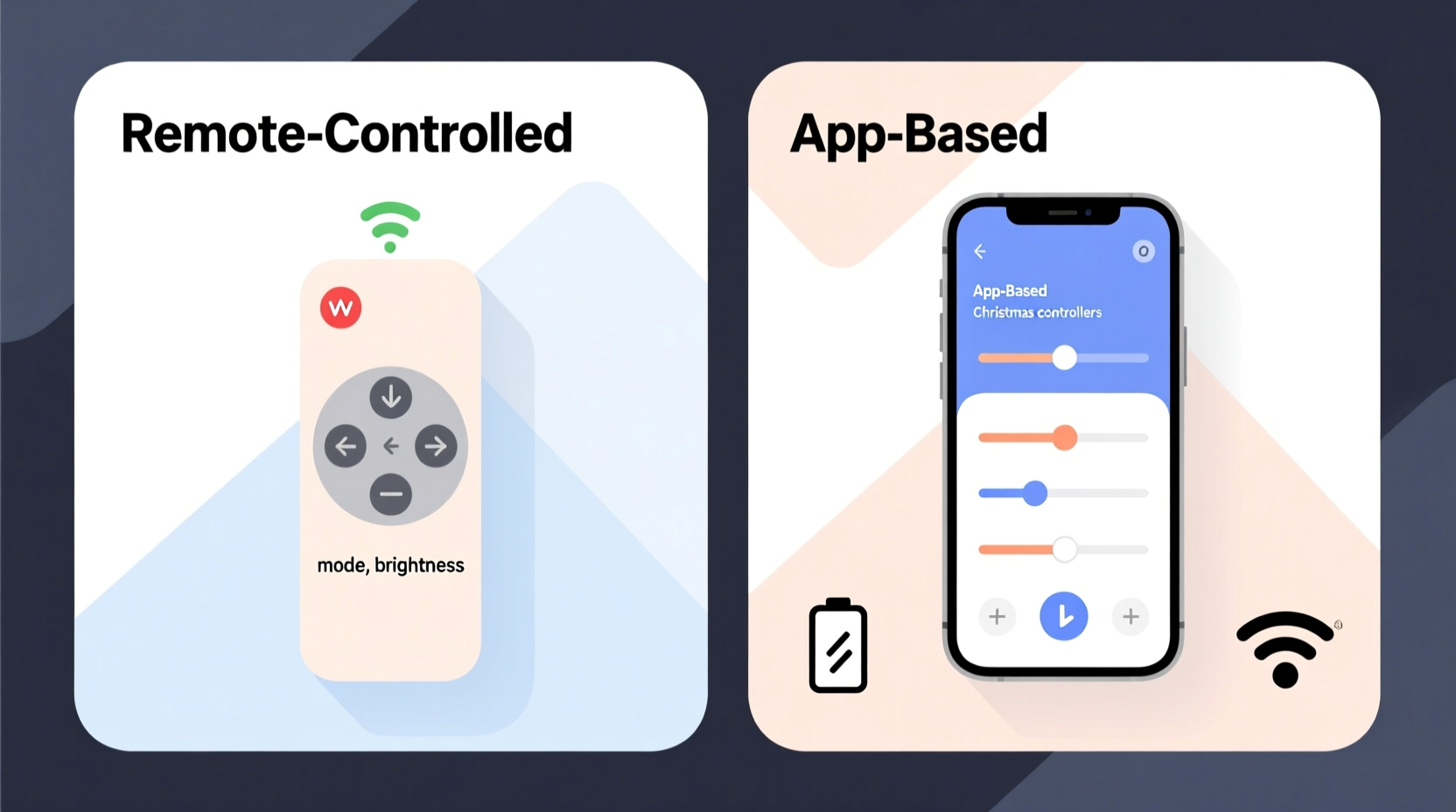
Simplicity with Christmas light controllers has four non-negotiable dimensions: physical accessibility, cognitive load, setup resilience, and long-term maintainability. A controller may have a sleek app interface, but if it requires Bluetooth pairing, firmware updates, and Wi-Fi network troubleshooting every November, its simplicity evaporates under seasonal pressure. Likewise, a basic IR remote may be instantly understandable—but if its signal fails when someone walks behind a potted pine or the battery dies mid-carol sing-along, its simplicity becomes brittle.
Real-world simplicity means:
- One-touch operation — no menus, no login screens, no “tap ‘Settings’ then ‘Light Groups’ then ‘Scene Preset 3’”
- Zero dependency on external infrastructure — no reliance on home Wi-Fi staying up, no cloud service outages during peak December traffic
- Consistent behavior across users and years — same button does the same thing for Grandma and for your teen, and still works identically in 2025 as it did in 2022
- Fail-safe fallbacks — if the app crashes, there’s a physical way to power off; if the remote’s dead, there’s a manual override switch
This grounded definition shifts the conversation away from marketing buzzwords like “smart integration” and toward observable behaviors: How many steps does it take to switch from “Warm White Static” to “Twinkle Red/Green”? Does the system remember last-used settings after a power outage? Can a guest operate it without reading instructions?
Remote-Controlled Controllers: The Analog Advantage
Traditional remote-controlled systems use infrared (IR) or radio frequency (RF) signals to communicate with a receiver module wired into the light string or controller box. Most operate on simple, hardwired logic: press “ON,” lights go on; press “DIM,” brightness drops by 10%; press “MODE,” cycle through 8 built-in patterns. No smartphone required. No app store account. No permissions to grant.
These controllers excel in environments where digital friction accumulates: older homes with spotty Wi-Fi coverage, multi-story properties where signal strength varies wildly, or neighborhoods where 2.4 GHz bandwidth is saturated with smart speakers, security cameras, and neighbor’s baby monitors. An RF remote typically works reliably up to 100 feet—even through walls—and doesn’t require line-of-sight like IR.
Setup is often plug-and-play: match dip switches or press a sync button between transmitter and receiver, then test. There’s no firmware version checking, no QR code scanning, no “pairing mode” dance. If the remote stops working, you replace two AA batteries—not reconfigure DNS settings.
But remote systems have limits. Most lack scheduling (no automatic sunrise/sunset timing), offer minimal customization (you can’t assign different effects to separate zones without multiple receivers), and provide no usage history or energy monitoring. They also scale poorly: adding a second light zone usually means buying a second remote and receiver set—each with its own set of buttons and potential for confusion.
App-Based Controllers: Power at the Cost of Precision
App-based controllers connect via Wi-Fi or Bluetooth to a central hub—often embedded in a smart plug, LED strip driver, or dedicated lighting controller—and are managed through iOS or Android apps. Brands like Philips Hue, Govee, Twinkly, and Nanoleaf offer granular control: individual bulb addressing, custom animation timelines, voice assistant integration, geofencing triggers, and even music-reactive modes.
Their appeal lies in flexibility. You can program lights to pulse gently while the oven timer counts down, fade slowly as bedtime approaches, or flash blue when your smart doorbell detects motion. For creators, designers, or technically confident users, this level of orchestration feels like unlocking a new dimension of holiday expression.
Yet that power comes with operational overhead. First-time setup routinely involves:
- Downloading the correct app (and verifying it’s compatible with your OS version)
- Creating an account—or logging into an existing one with two-factor authentication enabled
- Connecting the hub to Wi-Fi (which may fail if your router uses WPA3-only encryption or blocks unknown device types)
- Scanning QR codes on hardware labels—often obscured by weatherproof tape or frost
- Waiting for firmware updates to install before full functionality unlocks
And once configured, reliability hinges on factors outside your control: ISP outages, router reboots, app server downtime, or iOS permission changes after system updates. One widely reported issue across multiple brands: app-based controllers failing to reconnect automatically after a home power outage—even when Wi-Fi returns—requiring manual re-pairing.
“Over 68% of customer support tickets for holiday lighting apps cite ‘connection failure after power loss’ as the top issue—far ahead of ‘battery replacement’ or ‘button confusion.’ Simplicity isn’t just about the first use; it’s about the 17th time you hit ‘Restore Scene’ in December.” — Derek Lin, Lead Support Engineer at Lumina Systems, 2023 Holiday Support Review
Head-to-Head Comparison: Where Simplicity Wins (and Loses)
| Feature | Remote-Controlled System | App-Based System |
|---|---|---|
| Initial Setup Time | Under 3 minutes (battery + sync) | 12–28 minutes (app install, account, Wi-Fi config, firmware update) |
| Learning Curve for New Users | Negligible (4–6 labeled buttons) | Moderate to high (navigation, scene saving, zone naming, notifications) |
| Reliability During Power Outage | Restores immediately when power returns | Often requires manual reconnection; may lose schedule data |
| Multi-User Accessibility | Same experience for all—no accounts, no permissions | Requires individual logins; guests need app access & permissions |
| Long-Term Maintenance | Battery replacement every 6–12 months | Firmware updates, app compatibility checks, cloud service continuity |
| Outdoor Signal Range | Up to 100 ft RF; unaffected by weather or walls | Wi-Fi range limited (often < 30 ft outdoors); Bluetooth drops at 30 ft |
| Custom Scheduling | Rare (requires add-on timer hardware) | Standard (sunrise/sunset, recurring weekly, vacation mode) |
The table reveals a consistent pattern: remote systems win decisively on immediacy, consistency, and infrastructure independence. App-based systems win on programmability and automation—but only for users willing to invest time, tolerate occasional instability, and accept ongoing maintenance.
Mini Case Study: The Henderson Family Display
The Hendersons installed a 300-foot LED roofline + porch column display in 2021. Their first year used a $25 RF remote kit—three channels, eight effects, dimming, and strobe. Setup took 90 seconds. Their 82-year-old neighbor Doris operated it flawlessly every evening using the large-button remote stored on their kitchen counter.
In 2022, they upgraded to a premium app-based system promising “cinematic sequencing.” Setup consumed 3.5 hours across two evenings—including one frustrated call to support after the app failed to detect the hub. By December 10, the lights stopped responding to the app twice—once after a router reboot, once after an iOS update. Each time, they had to manually cycle power to the hub and re-sync. On Christmas Eve, Doris tried to turn the lights on—and couldn’t find the app icon among her 47 home screen pages. She resorted to flipping the main breaker, resetting the entire house’s power.
In 2023, they reverted to a dual-system approach: RF remotes for primary on/off/dimming (used daily by everyone), and the app system running only for special pre-programmed sequences on weekends—accessed only by the two adults. “We kept the magic,” says Sarah Henderson, “but gave back the control.”
When Simplicity Is Not Enough: Hybrid Solutions Worth Considering
For households needing both ease-of-use and scheduling, hybrid controllers bridge the gap. These devices feature physical buttons *and* app connectivity—without forcing one over the other. Examples include the Lumenplay Pro (physical dial + app), the GE Cync Smart Light Switch (wall-mounted toggle + app scheduling), and the newer generation of Govee controllers with “Quick Mode” buttons that bypass the app entirely.
A well-designed hybrid offers:
- A large, tactile “ON/OFF” button that always works—even if the app is offline
- Three preset effect buttons (e.g., “Static,” “Twinkle,” “Chase”) with LED indicators
- App access reserved for advanced functions: setting timers, creating custom scenes, sharing access with family
- Local control only—no cloud dependency—so schedules run even if the internet goes down
This architecture respects hierarchy: the simplest action (turning lights on) demands the simplest interface (a button). Complexity is gated—not eliminated—but only accessed when needed.
Practical Decision Checklist
Before choosing, answer these questions honestly:
- Who will operate the lights most frequently? (List names and tech comfort levels)
- Does your home Wi-Fi reliably cover your display area—especially outdoors and garages?
- Do you reset your router or experience outages more than twice per year?
- Do you prefer to set “on at 4:30 PM” once and forget it—or enjoy tweaking animations weekly?
- Will guests or extended family need independent access? Do they have smartphones capable of running current apps?
- Are you comfortable troubleshooting connection issues—or would you rather avoid them entirely?
If three or more answers point toward low-tech tolerance, inconsistent infrastructure, or broad user needs, remote control is objectively simpler. If your answers emphasize personalization, automation, and technical engagement—and you’re willing to invest setup time—you’ll likely value the app’s capabilities enough to accept its trade-offs.
FAQ
Can I use both a remote and an app with the same lights?
Yes—but only with specific hybrid controllers (e.g., Twinkly Pro, Nanoleaf Shapes with Remote Add-On). Standard remotes and app systems are rarely interoperable. Attempting to pair both often causes signal conflict or unpredictable behavior. Always verify dual-mode support before purchase.
Why do some remotes stop working after a few years?
Most failures stem from battery corrosion (use lithium AA batteries for outdoor remotes) or water ingress in non-weatherproof housings. RF remotes themselves rarely degrade—unlike app hubs, which may lose cloud support or become incompatible with newer OS versions.
Do app-based controllers use more electricity when idle?
Yes—typically 1.5–3 watts continuously to maintain Wi-Fi/Bluetooth connectivity and listen for commands. A remote-only system draws zero standby power. Over a 60-day season, that’s roughly 2.5–4.5 kWh extra—equivalent to running a modern LED TV for 20–30 hours.
Conclusion
Simplicity in Christmas light control isn’t about choosing the least capable option—it’s about choosing the most resilient, inclusive, and quietly dependable one. Remote-controlled systems win on simplicity because they honor human context: aging eyes, cold fingers, distracted attention, and the universal desire to spend less time configuring lights and more time watching them glow. App-based systems win on capability—but capability only matters when it serves joy, not bureaucracy.
Your display isn’t just decoration. It’s a shared ritual. A neighborhood landmark. A child’s first memory of wonder. The controller you choose should vanish from conscious thought—not become the centerpiece of December stress. So ask yourself: When the carols start playing and the cocoa is steaming, do you want to reach for something familiar in the drawer—or fumble for a phone, open an app, wait for it to load, and hope the Wi-Fi holds?




 浙公网安备
33010002000092号
浙公网安备
33010002000092号 浙B2-20120091-4
Comments
No comments yet. Why don't you start the discussion?