
For many gamers, retro titles represent more than just entertainment—they evoke memories, emotions, and a sense of cultural history. Whether it’s the pixelated charm of Super Mario Bros., the atmospheric tension of Chrono Trigger, or the adrenaline rush of Street Fighter II, these games shaped entire generations. But when it comes to reliving that magic today, a critical question arises: Is playing on original retro hardware truly more authentic than using a modern PC with emulation software?
The answer isn’t straightforward. While purists swear by physical cartridges, CRT televisions, and the tactile feedback of vintage controllers, others argue that modern emulation—when properly configured—can not only match but surpass the original experience in accuracy and accessibility. This article explores both sides of the debate, examining technical precision, sensory fidelity, preservation ethics, and personal preference to determine which path offers the most genuine retro journey.
The Case for Original Retro Gaming Consoles
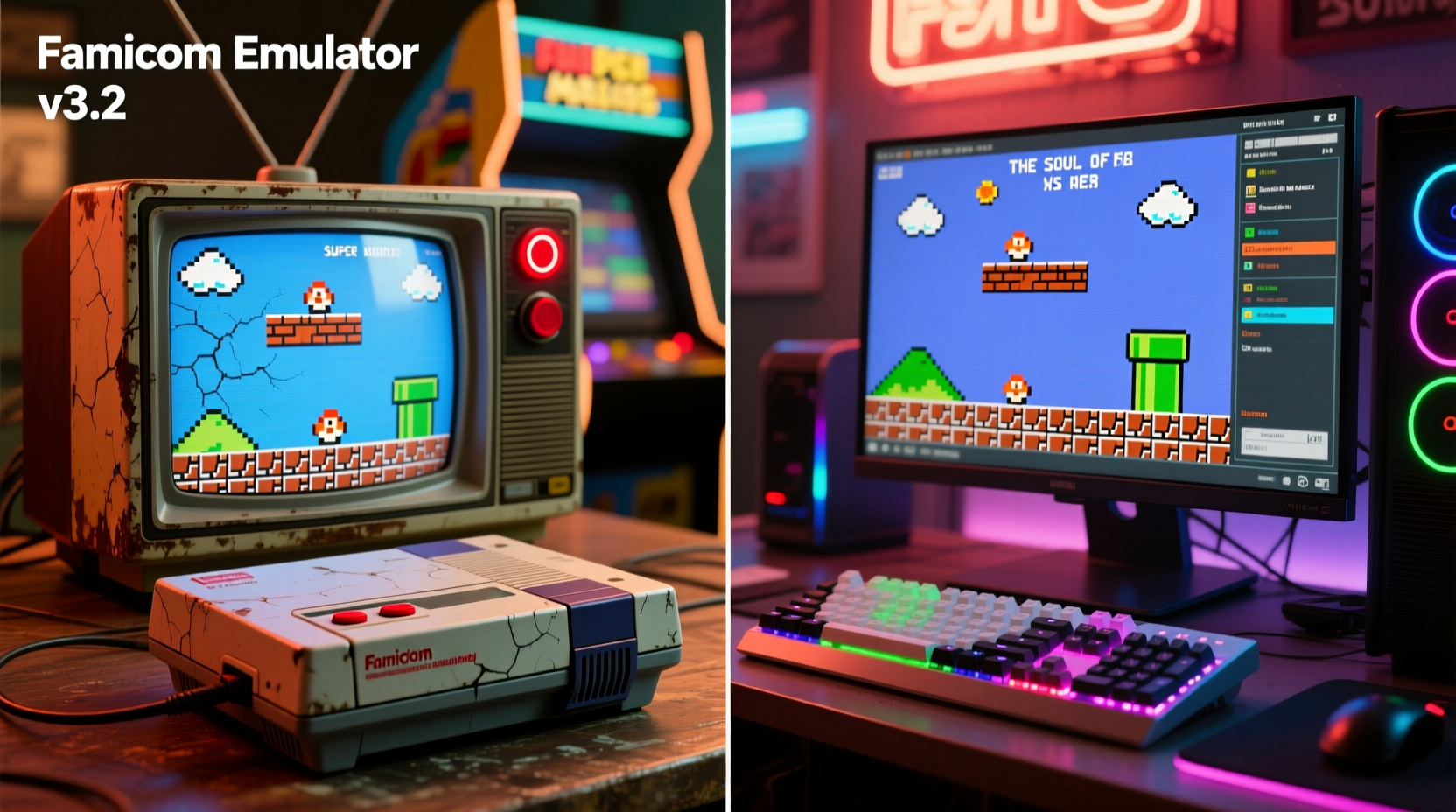
Playing on original hardware means using the actual console, game cartridge or disc, controller, and ideally, a CRT television—the display technology available during the system’s prime. Advocates of this method emphasize authenticity in every aspect: the startup chime, the slight delay before the title screen, the way sprites flicker under heavy load, and even the occasional cartridge reset due to dirty contacts.
These imperfections aren’t bugs—they’re features of the era. The NES would occasionally require players to blow into cartridges; the Sega Genesis had its distinctive “Sega!” voice prompt; the PlayStation 1 booted up with a sweeping animation and low-fi audio cue. These moments are embedded in collective gaming memory, and experiencing them as intended is central to the authenticity argument.
Hardware purists also point out that analog components like potentiometers in controllers (common in early joysticks) respond differently than digital USB inputs. The resistance, weight, and micro-adjustments possible with an original SNES controller, for example, offer nuanced input that many claim modern replicas fail to replicate.
“The original hardware runs the game code exactly as it was written, without abstraction or interpretation. That’s irreplaceable.” — Mark Johnson, Vintage Game Preservationist and Curator at the National Video Game Museum
How Emulation Works—and How Far It’s Come
Emulation involves replicating the behavior of a retro console using software on a modern PC. An emulator mimics the CPU, GPU, sound chips, and other components of systems like the NES, SNES, or PlayStation. When paired with a ROM (a digital copy of the game), it allows users to play classic titles without owning the original hardware.
Early emulators from the late 1990s and early 2000s were often inaccurate, suffering from audio glitches, graphical artifacts, and inconsistent timing. However, modern projects like bsnes/higan (now known as Basilisk) have achieved near-perfect cycle accuracy, meaning they simulate each processor cycle of the original hardware with extreme precision. This level of fidelity can actually surpass real consoles in stability—no cartridge dust, no failing capacitors, no sync drift.
In fact, some high-end emulators go beyond mere replication. Features like save states, rewind functionality, and netplay enhance usability while preserving—or even improving upon—the core gameplay. Moreover, tools like shader filters can simulate CRT scanlines, bloom, and phosphor glow, recreating the look of old tube TVs with startling realism.
Accuracy vs. Enhancement: A Key Distinction
It’s important to distinguish between accurate emulation and enhanced emulation. Cycle-accurate emulators aim to reproduce the original system’s behavior down to the transistor level. They don’t add features unless they mirror real-world expansions (like the Super FX chip). On the other hand, many popular emulators prioritize convenience: fast-forwarding through cutscenes, boosting frame rates, or applying HD texture packs.
While these enhancements improve accessibility, they distance the experience from authenticity. Playing Zelda: Ocarina of Time at 60fps on a widescreen monitor with remastered textures may look better, but it alters pacing, perspective, and artistic intent—three pillars of the original design.
Side-by-Side Comparison: Console vs Emulation
| Factor | Retro Console | PC Emulation |
|---|---|---|
| Input Lag | Low (on CRT), ~1-2 frames | Varies (can be lower with optimized setup) |
| Visual Fidelity | Original resolution, CRT bloom/scanlines | Can simulate CRT effects; supports upscaling |
| Audio Accuracy | Analog output, potential degradation over time | Potentially perfect reproduction via digital audio |
| Game Load Behavior | Cartridge boot quirks, resets, loading times | Instant load; consistent performance |
| Controller Feel | Tactile, analog response; potential wear | Depends on controller used; can use originals via adapters |
| Reliability | Hardware degrades; capacitors fail | Stable if software is well-maintained |
| Authenticity Score | ★★★★★ | ★★★★☆ (with accurate settings) |
A Real-World Example: Playing Super Metroid in 2024
Consider a fan revisiting Super Metroid on the SNES. Using original hardware, they plug in a worn cartridge, power up a CRT via composite cables, and feel the familiar resistance of the D-pad. There’s a brief flash of static, then the iconic title screen appears with its haunting melody. Occasionally, the top of the screen flickers—a quirk of the PPU under stress. The player resets the cart once because it didn’t boot correctly. These moments, while technically flaws, contribute to the ritual of play.
Now imagine the same game on a PC using Basilisk emulator. The user loads a verified ROM dump, applies a CRT simulation shader, and connects an original SNES controller via USB adapter. Audio and video are flawless. Save states allow experimentation without fear of losing progress. The game feels tighter, more responsive—yet visually and sonically identical to the original.
Which is more authentic? The first preserves the full sensory and mechanical context of 1994. The second eliminates hardware decay and human error while maintaining near-perfect behavioral accuracy. Both are valid, but they serve different goals: one prioritizes historical fidelity, the other experiential precision.
Practical Checklist: Maximizing Authenticity on Either Platform
Whether you choose hardware or emulation, certain steps ensure a more genuine retro experience. Use this checklist to refine your setup:
- ✅ Use original controllers or high-quality replicas with proper button layout and travel
- ✅ Play on a 4:3 aspect ratio display or enable correct aspect correction in emulator
- ✅ Apply CRT shader effects if using a flat panel (e.g., CRT Royale or Geom shaders)
- ✅ Disable save states and rewind functions for a “pure” run (optional challenge mode)
- ✅ Use verified ROM dumps (for emulation) that match factory-original releases
- ✅ Avoid HD texture packs, uncapped framerates, or widescreen mods unless explicitly desired
- ✅ Calibrate audio latency to match original timing as closely as possible
The Role of Preservation and Accessibility
While authenticity is subjective, preservation is objective. Original consoles degrade. Capacitors leak. Laser lenses wear out. Tapes demagnetize. Without digital backups, thousands of games could vanish within decades. Emulation plays a crucial role in archiving software history, especially for obscure or region-locked titles never re-released.
Museums, researchers, and collectors increasingly rely on ROM dumps and emulator compatibility to study game mechanics, music composition, and development techniques. In this context, emulation isn’t just convenient—it’s essential for cultural continuity.
Yet legality remains a gray area. While owning a ROM of a game you physically possess exists in a legal gray zone in some jurisdictions, widespread piracy undermines developers and publishers. Ethical emulation emphasizes ownership: dump your own cartridges, support re-releases, and avoid unauthorized distribution.
FAQ: Common Questions About Retro Gaming Authenticity
Is emulation illegal?
No, emulation itself is legal. Creating or distributing copyrighted ROMs without permission is not. If you own a physical copy of a game, making a personal backup ROM may fall under fair use in some countries, but laws vary. Always check local regulations.
Can modern TVs replicate the CRT experience?
Not perfectly, but high-end shaders in emulators like RetroArch can simulate scanlines, interlacing, and phosphor blur convincingly. Some enthusiasts use dedicated devices like the RetroTNT or HD Retrovision cables to minimize lag and preserve signal integrity.
Does using save states ruin the authenticity?
It depends on your goal. Traditionalists prefer limited lives and battery saves, mirroring original constraints. Others view save states as a tool for deeper exploration—especially in complex games like Dark Souls or Castlevania: Symphony of the Night. Think of it as choosing between museum viewing and interactive study.
Conclusion: Authenticity Is Personal—But Precision Matters
In the end, the most authentic experience isn’t defined solely by hardware or software—it’s shaped by intention. If your goal is to recreate the exact conditions of childhood gaming, complete with flickering screens and stiff buttons, original hardware paired with a CRT is unmatched. The tactile and temporal imperfections are part of the memory.
But if you value accuracy, consistency, and long-term access, modern emulation—particularly cycle-accurate variants—offers a compelling alternative. It removes the noise of aging electronics while preserving the signal of the original design. In some cases, it even corrects hardware flaws that affected gameplay back in the day.
Ultimately, both paths honor gaming history. One celebrates the artifact; the other safeguards the experience. For the true enthusiast, the best approach might be both: maintain a retro setup for immersion, and use emulation for preservation, analysis, and expanded access.




 浙公网安备
33010002000092号
浙公网安备
33010002000092号 浙B2-20120091-4
Comments
No comments yet. Why don't you start the discussion?