
There’s a certain magic to revisiting the games of your youth—the pixelated sprites, the chiptune soundtracks, the tactile feel of a chunky controller in hand. For many, retro gaming isn’t just entertainment; it’s time travel. But as technology advances, a critical question arises: should you relive those memories on original hardware or through modern emulation? The answer isn’t simple. Both paths offer compelling experiences, but they differ fundamentally in authenticity, convenience, and emotional resonance.
Choosing between a vintage console and an emulator is more than a technical decision—it’s about what kind of nostalgia you’re chasing. Is it the exact flicker of a CRT screen that defines your childhood summers? Or is it simply being able to play *Super Mario World* again without hunting down a working SNES? This article explores both sides with depth and honesty, helping you decide which route offers the truest trip back in time.
The Case for Original Retro Gaming Consoles
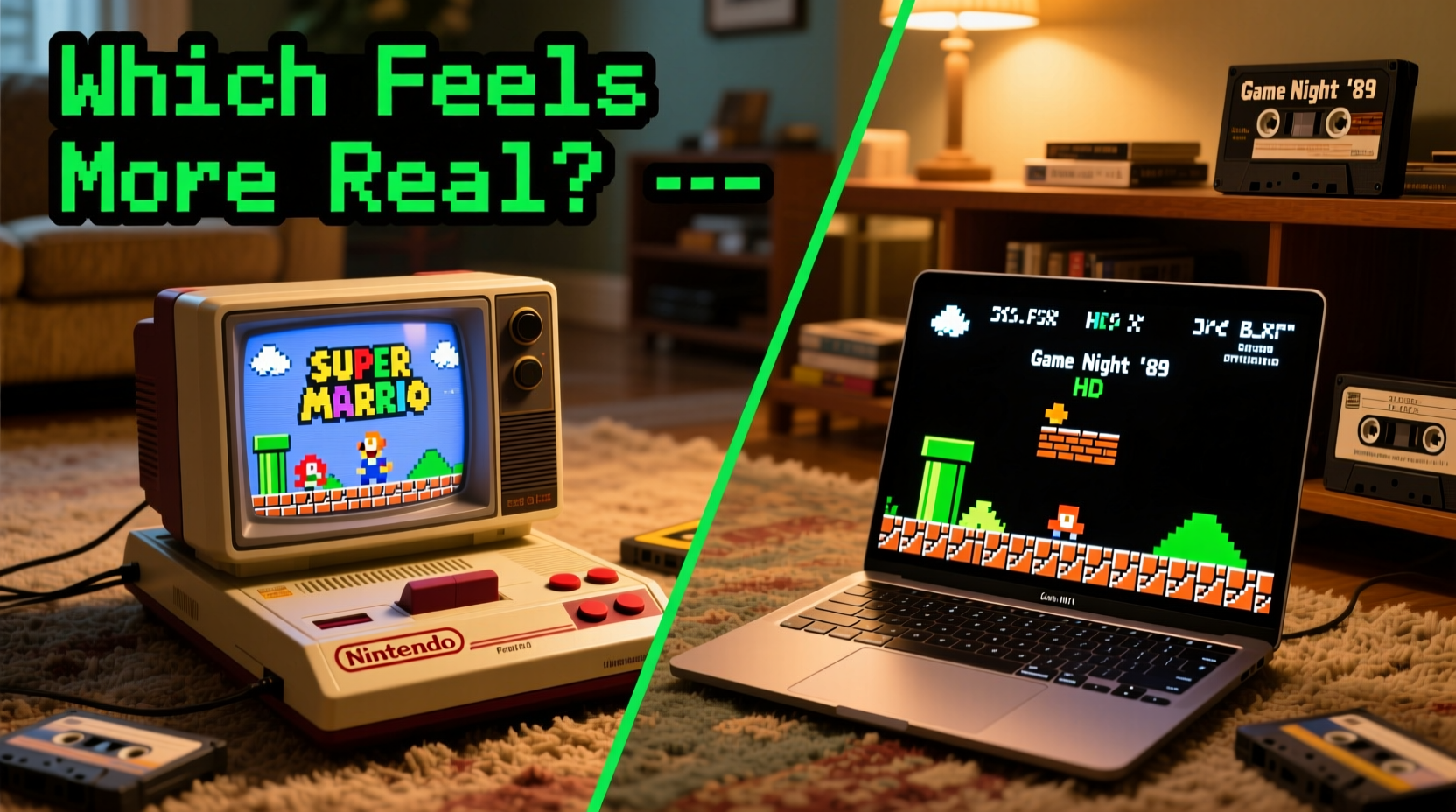
Using an original retro console—be it a NES, Sega Genesis, PlayStation 1, or Nintendo 64—means engaging with gaming history exactly as it was experienced. There’s an undeniable charm in powering up a device from the '90s, hearing the mechanical whir of a cartridge slot or CD drive, and watching the familiar startup screen appear after a few seconds of static.
Authenticity here extends beyond aesthetics. Original hardware runs games at their intended clock speeds, processes audio through period-correct circuitry, and outputs video signals designed for cathode-ray tube (CRT) televisions. These subtle technical details shape how games look, sound, and even feel. A sprite moving across the screen on a CRT has motion blur and scanlines that modern LCDs can't replicate perfectly—even with filters.
Moreover, the physicality of retro consoles contributes to the nostalgic experience. Inserting a cartridge, blowing into a connector (whether it worked or not), and using controllers with worn-down D-pads all engage muscle memory. That tactile feedback is part of the emotional package.
“Playing on original hardware isn’t just about accuracy—it’s about ritual. The whole process, from setup to shutdown, becomes part of the memory.” — David Chen, Vintage Game Archivist & Curator at The Pixel Museum
Advantages of Original Hardware
- Precision timing: Games run at native frame rates and input lag matches original expectations.
- Analog warmth: Composite or RF video output creates softness and glow absent in digital reproduction.
- No abstraction: No menus, settings, or UI layers stand between you and the game.
- Collector’s satisfaction: Owning and maintaining real hardware adds emotional value.
The Rise and Refinement of Emulation
Emulation—the act of mimicking old hardware on modern devices—has evolved dramatically over the past two decades. What began as glitchy, inaccessible software used by tech-savvy hobbyists is now polished, user-friendly, and widely available. Platforms like RetroArch, PCSX2, Dolphin, and Lakka allow users to play thousands of classic games across multiple systems from a single interface.
Modern emulators don’t just copy functionality—they enhance it. Features like save states, rewind, HD upscaling, and customizable shaders give players control unimaginable in the original era. You can pause a difficult level, retry a jump instantly, or upscale *The Legend of Zelda: Ocarina of Time* to 4K resolution—all while preserving the core gameplay.
For many, this convenience outweighs purist concerns. Emulation removes common frustrations: no dealing with failing cartridges, dusty connectors, or region-locked discs. It also enables access to rare or expensive titles without breaking the bank. Need to play *Star Fox 64* but can’t find a working N64? Emulation makes it possible in minutes.
Emulation Enhancements That Change the Experience
- High-resolution rendering: Games are upscaled cleanly using AI or shader-based techniques.
- Input flexibility: Use modern controllers, keyboards, or even touchscreen interfaces.
- Netplay: Compete online with friends in games originally limited to local multiplayer.
- Fast loading: Eliminate long boot times and disc-swapping delays.
Yet these improvements come at a cost: they alter the sensory signature of the original experience. The slight delay when inserting a CD? Gone. The warm hum of a spinning disc drive? Replaced by silence. Even precise timing differences—measured in milliseconds—can affect rhythm games or tight platformers.
Comparing Key Aspects: A Side-by-Side Analysis
| Feature | Retro Console | Emulation |
|---|---|---|
| Visual Authenticity | ✅ Native CRT output with natural scanlines | ⚠️ Requires shaders to simulate CRT effects |
| Audio Fidelity | ✅ Analog signal path, original DACs | ✅ Often perfect cycle-accurate audio |
| Input Lag | ✅ Minimal, hardware-native response | ⚠️ Varies by setup; can introduce micro-lag |
| Convenience | ❌ Requires maintenance, compatible displays | ✅ Instant access, multi-system support |
| Game Availability | ❌ Limited to owned physical media | ✅ Broad library, including unreleased ROMs |
| Longevity | ❌ Aging components degrade over time | ✅ Digital preservation, future-proof |
This table underscores a central tension: authenticity versus accessibility. If your goal is historical fidelity, original hardware wins. But if your priority is playing the games with minimal friction, emulation excels.
A Real-World Example: Reliving Childhood Summers
Consider Mark, a 37-year-old who grew up playing *Sonic the Hedgehog 2* on his Sega Genesis every summer at his grandparents’ house. The TV was a bulky Zenith with rabbit ears, the console sat beneath it on a wood shelf, and the controller had a slightly sticky start button. When Mark tried playing the same game via emulation on his Steam Deck, he was impressed by the crisp image and save-state feature—but something felt off.
He later acquired a working Genesis Model 2 and connected it to a vintage 13-inch Trinitron. The difference was immediate. The colors were softer, the screen slightly curved, and the music had a subtle distortion he hadn’t noticed before—but suddenly remembered. “It wasn’t just seeing the game,” he said. “It was feeling it. The way the screen lit up the room, the weight of the controller… it brought back everything.”
Mark still uses emulation for quick sessions or multiplayer netplay, but for deep nostalgia, only the original setup delivers the full sensory return. His story illustrates a growing trend: hybrid approaches. Many serious retro gamers use both methods, choosing based on mood and purpose.
How to Choose Your Nostalgia Path: A Step-by-Step Guide
Determining whether retro hardware or emulation suits you best depends on your priorities, budget, and technical comfort. Follow this timeline to make an informed decision:
- Define your goal: Are you seeking emotional immersion or convenient gameplay? Write down what matters most—sound, visuals, ease of use, or collectibility.
- Assess your budget: Original consoles in good condition range from $50 (NES) to $500+ (working PS2 with accessories). Emulation requires only a one-time device investment (Raspberry Pi, PC, or handheld).
- Test emulation first: Download legal BIOS files and public-domain ROMs to try emulators risk-free. Use RetroArch or DuckStation to sample different systems.
- Seek CRT footage: Watch side-by-side comparisons of games on CRT vs. LCD with emulation shaders. Notice differences in motion clarity and color bleed.
- Acquire hardware selectively: Start with one system you loved most. Pair it with a CRT if possible. Use HDMI converters only if necessary, knowing they alter timing.
- Maintain originals properly: Clean cartridges with isopropyl alcohol, store consoles upright, and avoid extreme temperatures.
- Combine both worlds: Use emulation for rare titles or broken cartridges, but reserve original hardware for milestone playthroughs.
Frequently Asked Questions
Is emulation legal?
Emulation itself is legal. However, downloading copyrighted ROMs without owning the original game is a legal gray area and often violates copyright law. For ethical use, dump ROMs from games you physically own or use homebrew/public domain titles.
Can emulation perfectly replicate original hardware?
Some emulators—like higan (now bsnes)—achieve near-perfect cycle accuracy, meaning they mimic the original processor timing down to the nanosecond. However, even these cannot reproduce analog quirks like composite video bleed or capacitor aging unless specifically modeled.
Why do some games feel different on emulation?
Differences arise from input polling rates, audio buffer delays, or display refresh mismatches. A game running at 59.8Hz instead of 60.1Hz may feel subtly slower. Additionally, save states disrupt the original difficulty curve, altering the psychological experience.
Final Verdict: Which Delivers the Truest Nostalgia?
If nostalgia is defined by emotional truth—the sights, sounds, and sensations that transport you back—then original retro consoles deliver the most authentic experience. They are artifacts of a specific time, and interacting with them engages more senses and memories than any digital recreation can match.
But authenticity isn’t the only valid goal. For many, nostalgia means reconnecting with beloved games, regardless of medium. Emulation lowers barriers, preserves endangered software, and introduces classics to new generations. In that sense, it carries its own form of authenticity—one rooted in accessibility and continuity.
The best approach may be neither/or, but both. Use emulation to explore, experiment, and enjoy. Reserve original hardware for ceremonial playthroughs—anniversary runs of your favorite titles, shared with family or documented online. Together, they form a complete philosophy of retro gaming: honoring the past while ensuring it remains playable in the future.




 浙公网安备
33010002000092号
浙公网安备
33010002000092号 浙B2-20120091-4
Comments
No comments yet. Why don't you start the discussion?